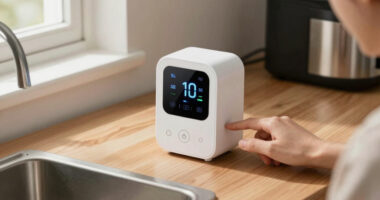

The best voice assistant for most people is the Amazon Echo Dot (5th Gen), which pairs straightforward Alexa access with a compact speaker for everyday requests. For stronger room audio, the Amazon Echo Studio stands out, while the Google Nest Mini is a compact alternative for people already using Google services. The main tradeoffs are assistant ecosystem, sound quality, screen needs, privacy, and whether you want a general-purpose home device or a focused tool such as a recorder. I ranked these options by how well their voice features fit real buyer needs, not by hardware alone. Read on for the full breakdown and a guide to choosing the right voice assistant for your setup.

Get the little things that make your day delivered free — and shop member deals
- Fast, free delivery on millions of items
- Access to Prime Big Deal Days deals on October 6–7
- Prime Video, Amazon Music and more included
Key Takeaways
- The amazon.com/dp/B0BFC7WQ6R?tag=getaninsight-20&ascsubtag=dc-1132209″ target=”_blank” rel=”nofollow sponsored noopener”>amazon.com/dp/B0DC8ZMR1P?tag=getaninsight-20&ascsubtag=dc-1132209″ target=”_blank” rel=”nofollow sponsored noopener”>amazon.com/dp/B0D6SX8VLQ?tag=getaninsight-20&ascsubtag=dc-1132209″ target=”_blank” rel=”nofollow sponsored noopener”>Echo Dot (5th Gen) is the most balanced starting point: it offers Alexa access in a compact speaker without the cost and footprint of premium audio or a display.
- Sound quality separates the larger speakers from the small smart speakers: the Echo Studio is the audio-first choice, while the Echo Dot and Nest Mini suit voice requests and casual listening.
- Alexa devices dominate this lineup, but they are not interchangeable: the Echo Show models add visual interaction, and Alexa Plus is a software-focused option rather than a standalone speaker.
- Special-purpose products solve narrower problems: the Ruune recorder focuses on capturing and summarizing speech, while the AIPI Lite adds a character-based companion experience.
- A screen is useful only when you will use it: the Echo Show 8 offers more room for visual tasks, while the Echo Show 5 and Echo Spot suit bedside or space-limited setups.
| Amazon Echo Dot (5th Gen) Smart Speaker, Charcoal |  | Best Overall | Generation: 5th Gen | Color: Charcoal | Dimensions: 3.9 × 3.9 × 3.5 in | VIEW LATEST PRICE | See Our Full Breakdown |
| Amazon Echo Studio (Newest Model) – Graphite |  | Best for Immersive Audio | Color: Graphite | Audio technology: Spatial Audio and Dolby Atmos | Size comparison: 40% smaller than the original model | VIEW LATEST PRICE | See Our Full Breakdown |
| Alexa Plus |  | Best for Buyers Seeking Alexa Plus | ASIN: B0CXRRF584 | Product details: Not provided | Hardware specifications: Not provided | VIEW LATEST PRICE | See Our Full Breakdown |
| Third Reality Voice and Music Assistant Dev Edition |  | Best for Home Assistant Developers | Connectivity: 2.4 GHz Wi-Fi | Operating system: Linux | Processor: Quad-core ARM A53 | VIEW LATEST PRICE | See Our Full Breakdown |
| Echo Dot Max – Alexa Speaker with Room-Filling Sound, Nearly 3× Bass, Alexa+ Support, Graphite |  | Best for Bigger Sound and Smart-Home Features | Color: Graphite | Voice assistant: Alexa with Alexa+ support | Audio: Nearly 3× the bass of Echo Dot (2022) | VIEW LATEST PRICE | See Our Full Breakdown |
| Ruune AI Voice Recorder with Transcription and Summarization |  | Best for Searchable Meeting Notes | Thickness: Under 3mm | Battery life: Over 20 hours | Charging: Wireless | VIEW LATEST PRICE | See Our Full Breakdown |
| AIPI Lite AI Robot Companion with Custom Characters and Knowledge Base Support (Red) |  | Best for Custom AI Conversations | Color: Red | Weight: 23 g | Connectivity: Password-protected 2.4GHz Wi-Fi | VIEW LATEST PRICE | See Our Full Breakdown |
| Google Nest Mini (2nd Gen) Smart Speaker, Japan Model, Charcoal |  | Best Compact Google Assistant Speaker | Model: Google Nest Mini (2nd Gen), Japan model | Color: Charcoal | Speaker type: Multimedia | VIEW LATEST PRICE | See Our Full Breakdown |
| Amazon Echo Show 8 (Newest Model) – 8.7″ HD Smart Display with Spatial Audio and Alexa+ |  | Best Smart-Home Control Center | Display: 8.7″ HD touchscreen, 800 x 1340 resolution | Dimensions: 8.2″ x 5″ x 5.9″ (208 x 127 x 150 mm) | Weight: 37 oz (1049 g) | VIEW LATEST PRICE | See Our Full Breakdown |
| Amazon Echo Spot Smart Alarm Clock with Alexa, Black |  | Best Alexa Bedside Assistant | Color: Black | Display: Customizable color display | Smart assistant: Alexa | VIEW LATEST PRICE | See Our Full Breakdown |
| Bose Home Speaker 300 Bluetooth Smart Speaker |  | Best for Music-First Voice Control | Color: Black | Voice assistants: Amazon Alexa and Google Assistant | Microphones: 6-microphone array | VIEW LATEST PRICE | See Our Full Breakdown |
| Amazon Echo Show 5 Smart Display, Charcoal |  | Best Compact Alexa Display | Display: 5.5-inch touchscreen | Camera: 2 MP with built-in shutter | Dimensions: 5.8 × 3.6 × 3.2 in (147 × 91 × 82 mm) | VIEW LATEST PRICE | See Our Full Breakdown |
| voice assistant | Connectivity | Color |
|---|---|---|
| Amazon Echo Dot | — | Charcoal |
| Amazon Echo Studio | eero Built-in mesh Wi-Fi extender | Graphite |
| Alexa Plus | Not provided | — |
| Third Reality Voice and Music | 2.4 GHz Wi-Fi | — |
| Echo Dot Max | — | Graphite |
| Ruune AI Voice Recorder with T | Magnetic attachment | — |
| AIPI Lite AI Robot Companion w | Password-protected 2.4GHz Wi-Fi | Red |
| Google Nest Mini | Bluetooth | Charcoal |
| Amazon Echo Show 8 | Wi-Fi 6E and Bluetooth 5.4 | — |
| Amazon Echo Spot Smart Alarm C | — | Black |
| Bose Home Speaker 300 Bluetoot | Wi-Fi, Bluetooth, and Apple AirPlay 2 | Black |
| Amazon Echo Show 5 Smart Displ | — | — |
More Details on Our Top Picks
Amazon Echo Dot (5th Gen) Smart Speaker, Charcoal
I rank the Echo Dot (5th Gen) first for buyers who want a practical Alexa assistant without making a larger speaker the center of the room. It handles voice requests, music, audiobooks, and podcasts, while its motion and temperature sensors can trigger routines that go beyond simple voice control. Compared with the Echo Studio, it gives up spatial audio and a built-in smart home hub, but its compact size and straightforward controls suit everyday bedside or kitchen use. Bluetooth and multi-room pairing add flexibility, and the microphone-off button gives privacy-conscious owners a direct control. Its sound is mono, so it is not the pick for immersive listening; eero extension also depends on a compatible router.
Pros:- Supports voice playback for music, audiobooks, and podcasts from multiple services
- Built-in motion and temperature sensors can support automated routines
- Bluetooth and multi-room audio pairing offer flexible playback
- Microphone-off button provides a physical privacy control
Cons:- Mono playback and a small full-range driver are less suited to immersive or room-filling audio
- eero network extension requires a compatible eero router and linked accounts
- Does not support ad-hoc or peer-to-peer Wi-Fi networks
Best for: Alexa newcomers and households seeking a compact voice assistant for routines, basic smart-home control, and casual listening
Not ideal for: Buyers seeking room-filling, spatial audio or an eero Wi-Fi extender without owning a compatible eero router
- Generation:5th Gen
- Color:Charcoal
- Dimensions:3.9 × 3.9 × 3.5 in
- Weight:10.7 oz
- Driver:1.6 in full-range
- Playback:Mono
- Wi-Fi:Dual-band 802.11a/b/g/n/ac, 2.4 and 5 GHz
- Smart home compatibility:Wi-Fi, Bluetooth Low Energy Mesh, Matter
- eero coverage extension:Up to 1,000 sq. ft. with a compatible eero router
Our verdict“Choose the Echo Dot for an approachable, compact Alexa assistant, but pick the Echo Studio if immersive audio and a built-in smart home hub matter more.”
Amazon Echo Studio (Newest Model) – Graphite
The Echo Studio is the Alexa pick for households that want their voice assistant to double as a more ambitious entertainment speaker. Its spatial audio and Dolby Atmos set it apart from the mono Echo Dot, while room adaptation aims to tailor sound to its placement. The redesigned model is 40% smaller than the original, a useful change for buyers who want a capable speaker without the former footprint. A built-in smart home hub and eero extension also give it a broader home role than the Dot. The tradeoff is that its full home-theater potential depends on compatible devices, and it still shares the always-listening privacy considerations of voice assistants. Choose it for audio first; the Echo Dot is the simpler, more compact assistant.
Pros:- Spatial audio and Dolby Atmos support create a more immersive listening option than the Echo Dot
- Room adaptation technology is designed to tune sound for the speaker’s environment
- Built-in smart home hub adds device-control capability
- Smaller than the original Echo Studio while retaining an entertainment-focused feature set
Cons:- Full home-theater experience depends on compatible devices
- Always-on voice assistance may not suit privacy-sensitive buyers
- Its audio-focused capabilities may be unnecessary for shoppers seeking only a basic assistant
Best for: Alexa households that prioritize spatial music and compatible home-theater audio alongside smart-home control
Not ideal for: Buyers who only need basic voice commands in a small space or who do not want an always-listening assistant
- Color:Graphite
- Audio technology:Spatial Audio and Dolby Atmos
- Size comparison:40% smaller than the original model
- Connectivity:eero Built-in mesh Wi-Fi extender
- Smart home hub:Built-in
- Room adaptation:Room Adaptation technology
- Context-aware technology:Omnisense
- Multi-room audio:Supported
Our verdict“Pick the Echo Studio if immersive audio and hub functions justify a larger role in your setup; choose the Echo Dot for simpler everyday assistance.”
Alexa Plus
Alexa Plus is listed here without product details, hardware specifications, or a description of what the offering includes. That makes it difficult to compare it fairly with the Echo Dot, Echo Studio, or Echo Dot Max, all of which are described as physical speakers with defined audio or smart-home features. I would not treat this listing as a standalone speaker recommendation until its format, compatibility, and requirements are confirmed. It may interest shoppers specifically searching for Alexa Plus, but the supplied information does not establish whether it works independently or requires a compatible Echo device. Compared with the clearly described Echo Dot, this entry carries much more uncertainty for a buyer trying to choose a voice assistant based on known capabilities.
Pros:- The listing identifies Alexa Plus by name
- May suit buyers specifically seeking an Alexa Plus offering
- Leaves room for a buyer to confirm compatibility and requirements before deciding
Cons:- No product description or feature details were provided
- No hardware, connectivity, or compatibility specifications are available
- The listing does not establish whether this is a standalone device or requires other equipment
Best for: Shoppers specifically researching Alexa Plus who can verify the offering’s format, requirements, and compatibility before purchase
Not ideal for: Buyers who need a clearly specified voice-assistant device or want confirmed hardware and connectivity details
- ASIN:B0CXRRF584
- Product details:Not provided
- Hardware specifications:Not provided
- Connectivity:Not provided
- Compatibility:Not provided
- Product format:Not specified
Our verdict“I would choose this only after confirming exactly what Alexa Plus includes, since the Echo Dot has clearly stated hardware and assistant features.”
Third Reality Voice and Music Assistant Dev Edition
The Third Reality Voice and Music Assistant Dev Edition is the specialist option in this group: a compact Linux device built around Home Assistant, with voice capture and audio playback in one unit. Preloaded Voice Assistant and Music Assistant software, plus access to firmware flashing and logs, make it more appealing to developers and tinkerers than a plug-and-play Echo. Its dual microphones and speaker handle voice input, TTS, music, and system audio, but the modest 3 W speaker is not a match for the Echo Studio’s immersive sound or the Echo Dot Max’s stronger bass. The 2.4 GHz-only Wi-Fi and limited memory also narrow its fit. I would choose it for an open, configurable Home Assistant setup, not as a mainstream Alexa replacement.
Pros:- Preloaded with Home Assistant Voice Assistant and Music Assistant
- Combines dual-microphone voice capture with built-in audio playback
- Supports local audio capture and playback
- Firmware flashing and log access suit development and troubleshooting
Cons:- Wi-Fi is limited to the 2.4 GHz band
- 256 MB RAM limits its hardware headroom
- Its 3 W speaker is less suited to music-focused listening than the Echo Studio or Echo Dot Max
Best for: Home Assistant users and developers who want a small Linux-based voice endpoint with access to firmware and logs
Not ideal for: Buyers seeking a polished, general-purpose Alexa speaker, stronger music performance, or 5 GHz Wi-Fi support
- Connectivity:2.4 GHz Wi-Fi
- Operating system:Linux
- Processor:Quad-core ARM A53
- Memory:256 MB RAM
- Storage:512 MB flash
- Microphones:Dual digital microphones
- Speaker:3 W, 4 Ω
- Dimensions:2.56 × 2.56 × 2.56 in
- Compatible device ecosystem:Home Assistant
Our verdict“Choose this device for a configurable Home Assistant voice endpoint, not for the simpler setup or stronger speaker sound of Echo models.”
Echo Dot Max – Alexa Speaker with Room-Filling Sound, Nearly 3× Bass, Alexa+ Support, Graphite
The Echo Dot Max is the better fit than the standard Echo Dot when a voice assistant also needs to fill a room with sound. Its nearly three times the bass of the Echo Dot (2022), automatic space adaptation, and support for major streaming services give it a stronger music brief, while the built-in hub and Omnisense add smart-home and context-aware routine features. It also includes eero extension, unlike a basic speaker setup that lacks this capability, though using that benefit still depends on the network environment. Compared with the Echo Studio, the Dot Max emphasizes bass and practical home features rather than advertised Dolby Atmos and spatial audio. Its larger footprint makes it less suitable for cramped rooms, and its expanded feature set may be more than a simple assistant needs.
Pros:- Nearly three times the bass of the Echo Dot (2022), according to the product data
- Built-in smart home hub and Omnisense support more capable routines
- eero Built-in can extend Wi-Fi coverage by up to 1,000 sq. ft.
- Supports Amazon Music, Apple Music, Spotify, and SiriusXM
Cons:- Larger footprint may not fit very small rooms or crowded surfaces
- Its fuller sound and added home features may be unnecessary for basic assistant use
- Its audio features differ from the Echo Studio’s spatial audio and Dolby Atmos focus
Best for: Alexa users who want fuller, bass-forward room audio plus a smart home hub and eero mesh extension in one speaker
Not ideal for: People with very limited counter space or shoppers who only need basic voice commands and compact playback
- Color:Graphite
- Voice assistant:Alexa with Alexa+ support
- Audio:Nearly 3× the bass of Echo Dot (2022)
- Smart home hub:Built-in
- Context-aware technology:Omnisense
- Wi-Fi extender:eero Built-in, up to 1,000 sq. ft. coverage
- Streaming services:Amazon Music, Apple Music, Spotify, SiriusXM
- Home theater pairing:Can pair with other Echo devices or Fire TV
Our verdict“Choose the Echo Dot Max for stronger bass and integrated home features, while the Echo Dot is a better fit for compact, basic Alexa use.”
Ruune AI Voice Recorder with Transcription and Summarization
The Ruune is the strongest fit here for turning spoken conversations into notes you can revisit, rather than for controlling a home by voice. Its automatic transcription, speaker separation, and summaries are geared toward people who need to retrieve decisions or follow-ups from recordings. At under 3mm thick, it attaches magnetically to a phone and is easier to carry discreetly than a tabletop assistant such as the Google Nest Mini. More than 20 hours of battery life and wireless charging also suit long days away from a desk.
The tradeoff is that its usefulness depends on the companion app and its integrations, and magnetic attachment requires a compatible case or surface. Unlike the Echo Show 8, it is not a general-purpose smart-home hub or screen-based assistant. I’d choose Ruune for voice capture and searchable records, not for hands-free household commands.
Pros:- Transcription does not require a subscription
- Under-3mm profile and magnetic attachment make it easy to carry with a phone
- More than 20 hours of battery life with wireless charging
- Speaker separation, summaries, and app and calendar integrations support organized follow-up
Cons:- Magnetic attachment requires a compatible phone case or surface
- Full functionality depends on the app ecosystem and its integrations
Best for: People who record meetings, interviews, or classes and want searchable transcripts and summaries without a recurring transcription subscription
Not ideal for: Buyers seeking a room-based assistant for music, smart-home commands, or questions without relying on a phone app
- Thickness:Under 3mm
- Battery life:Over 20 hours
- Charging:Wireless
- Connectivity:Magnetic attachment
- Subscription:Not required
- Transcription:Automatic, with speaker separation
- Output:Searchable notes and summaries
Our verdict“Choose Ruune if your priority is turning recorded conversations into searchable notes, rather than using a conventional home voice assistant.”
AIPI Lite AI Robot Companion with Custom Characters and Knowledge Base Support (Red)
AIPI Lite takes a different route from the Google Nest Mini: it is a compact desk companion for conversations with configurable AI agents, not a familiar speaker for household routines and music. Its strongest distinction is the ability to create characters and supply reference material, so an agent can answer questions based on your own content. The listed free tier includes 20 agents and unlimited conversations, giving curious users room to experiment without making voice cloning a requirement.
That flexibility comes with setup limits. It needs password-protected 2.4GHz Wi-Fi and does not support public Wi-Fi login networks; the USB-C cable, battery, and power adapter are also absent. Some advanced options, including voice cloning, require a paid plan. Compared with the Echo Show 8, AIPI Lite is far less of a household control center, but better suited to personalized, content-grounded chats at a desk.
Pros:- Custom agents and memory support more personalized conversations
- Knowledge-base support lets agents answer from uploaded or pasted material
- Free tier includes 20 AI agents and unlimited conversations
- Compact 23 g device suits a small desk setup
Cons:- USB-C cable, battery, and power adapter are not included
- Does not support public Wi-Fi login networks
- Voice cloning and some advanced features require a paid plan
Best for: AI-curious desk users, educators, and creators who want voice conversations with custom agents that can use supplied reference material
Not ideal for: People who need a ready-to-use device with included power accessories, public-network support, or conventional smart-home controls
- Color:Red
- Weight:23 g
- Connectivity:Password-protected 2.4GHz Wi-Fi
- AI features:Custom agents, memory, knowledge base support, MCP integration, and multi-LLM access
- Free tier:20 AI agents and unlimited conversations
- Voice cloning:Available with optional paid plans
- Included:AIPI Lite device and quick start guide
- Not included:USB-C cable, battery, and power adapter
Our verdict“Pick AIPI Lite for customizable, voice-based AI chats grounded in your own material, provided you can supply power accessories and a compatible Wi-Fi network.”
Google Nest Mini (2nd Gen) Smart Speaker, Japan Model, Charcoal
The Nest Mini is the simplest conventional voice assistant in this group: a small, corded speaker for spoken requests, music, and compatible smart-home controls. Voice Match can tailor updates and reminders to the person speaking, while the compact 4-by-4-inch footprint fits where a larger display such as the Amazon Echo Show 8 would take up more space. Its improved bass over earlier Nest Mini generations helps make casual listening more satisfying, though a single audio channel is still better suited to a bedside or small room than to filling a large space.
This is a Japan model, so regional setup and feature availability may need extra attention, particularly for buyers outside Japan. It is also not water-resistant, which narrows placement options. I’d favor it over the Echo Show 8 when a screen and built-in device hub are unnecessary; choose the Echo Show 8 for visual controls and broader smart-home connectivity.
Pros:- Compact tabletop design fits shelves and nightstands
- Voice Match supports personalized reminders and updates
- Enhanced bass improves everyday listening over earlier generations
- Voice control works with compatible smart-home devices
Cons:- Japan model may require regional setup checks for full feature compatibility
- Single audio channel is less suited to larger rooms or stereo listening
- Not water-resistant, limiting placement near sinks or in bathrooms
Best for: Google Assistant users who want a small tabletop speaker for personalized updates, music, and basic smart-home voice control
Not ideal for: Buyers needing a display, stereo-like room-filling sound, water-resistant placement, or straightforward setup outside the Japan market
- Model:Google Nest Mini (2nd Gen), Japan model
- Color:Charcoal
- Speaker type:Multimedia
- Connectivity:Bluetooth
- Power source:Corded electric
- Maximum output power:15 watts
- Dimensions:4″ D x 2″ W x 4″ H
- Microphones and audio:1 microphone; 1 audio channel
- Water resistance:Not water-resistant
Our verdict“Choose the Nest Mini if you want a compact Google Assistant speaker for a small room and do not need a screen or a built-in smart-home hub.”
Amazon Echo Show 8 (Newest Model) – 8.7″ HD Smart Display with Spatial Audio and Alexa+
The Echo Show 8 is the most capable household hub in this set for people who want a voice assistant they can also see and tap. Its 8.7-inch HD touchscreen makes visual answers, calls, and controls easier to use than on the screen-free Google Nest Mini, while its built-in Zigbee, Matter, and Thread support can connect compatible devices without a separate hub. Spatial audio and a woofer with two full-range drivers also give it more presence for music than a compact speaker like the Echo Spot.
That breadth brings tradeoffs: its 37-ounce body needs more counter space, and the listed Alexa+ personalized features require a subscription. Amazon Sidewalk is enabled by default, a setting privacy-conscious buyers may want to review. I’d pick it for a shared kitchen or living area where display, sound, and device control matter; a smaller assistant is a better fit for a nightstand.
Pros:- 8.7-inch HD touchscreen supports visual answers, video calls, and touch controls
- Built-in Zigbee, Matter, and Thread hub reduces the need for extra smart-home hardware
- Spatial audio system with woofer and two full-range drivers suits music and shared rooms
- 13 MP camera includes auto-framing and 3.3x zoom
Cons:- Larger and heavier than compact options such as the Echo Spot or Nest Mini
- Amazon Sidewalk is enabled by default, which may concern privacy-focused users
- Full access to some personalized Alexa+ features requires a subscription
Best for: Households that want a shared touchscreen assistant, stronger room audio, and direct control of Zigbee, Matter, and Thread devices
Not ideal for: Buyers with limited counter space, privacy concerns about default Sidewalk settings, or no interest in Alexa+ features that require a subscription
- Display:8.7″ HD touchscreen, 800 x 1340 resolution
- Dimensions:8.2″ x 5″ x 5.9″ (208 x 127 x 150 mm)
- Weight:37 oz (1049 g)
- Processor:AZ3 Pro with AI Accelerator
- Camera:13 MP with auto-framing and 3.3x zoom
- Audio:1 x 2.8″ woofer and 2 full-range drivers
- Connectivity:Wi-Fi 6E and Bluetooth 5.4
- Smart-home hub:Zigbee, Matter, and Thread Border Router
Our verdict“Choose the Echo Show 8 for a shared room where a touchscreen, fuller sound, and built-in smart-home connectivity matter more than compact size.”
Amazon Echo Spot Smart Alarm Clock with Alexa, Black
The Echo Spot makes the most sense as an alarm clock that happens to bring Alexa to the bedside. Its customizable color display keeps the time visible, while Alexa routines and compatible smart-home controls let a morning alarm trigger more than a sound. Music, podcasts, and audiobooks are part of the appeal too. Compared with the Amazon Echo Show 8, the Spot is a more focused clock rather than a larger visual hub; unlike the Google Nest Mini, it gives you a display for quick time checks.
Its eero Built-in feature is a useful extra only for people who already have an eero network, and its smart-home controls work with compatible devices rather than every connected product. I’d choose this over a general-purpose smart speaker for a nightstand, but not as the central screen or hub for a busy smart home. The microphone-off button and app controls add a practical privacy option.
Pros:- Customizable color display works well as a bedside clock
- Alexa routines support automated morning and evening actions
- Plays music, podcasts, and audiobooks
- Microphone-off button and in-app controls provide privacy options
Cons:- eero Built-in Wi-Fi extension requires an existing eero network
- Smart-home control is limited to compatible devices
- Smaller clock-focused display is less suited to visual tasks than the Echo Show 8
Best for: Alexa users who want a bedside alarm with a visible clock, routines, and audio playback
Not ideal for: People seeking a large touchscreen hub, broad controls for unsupported smart-home devices, or Wi-Fi extension without an existing eero network
- Color:Black
- Display:Customizable color display
- Smart assistant:Alexa
- Wi-Fi extension:eero Built-in; adds up to 1,000 sq. ft. of coverage to an existing eero network
- Recycled materials:36%
- Privacy controls:Microphone-off button and in-app controls
- Smart-home features:Alexa routines and control of compatible devices
Our verdict“Choose the Echo Spot if you want Alexa routines and audio in a bedside clock, not a full-size smart display or universal smart-home controller.”
Bose Home Speaker 300 Bluetooth Smart Speaker
I’d choose the Bose Home Speaker 300 when listening quality matters as much as asking a voice assistant to play music. Its 360-degree sound and strong bass give it a fuller, more room-filling presentation than the compact Echo Dot, while a six-microphone array is designed to pick up requests amid background noise. Built-in Alexa and Google Assistant also let buyers choose between two assistant ecosystems rather than committing to Alexa alone. Wi-Fi, Bluetooth, and AirPlay 2 add flexibility for streaming from different devices, and six presets offer quick access to favorite audio. The tradeoff is that setup requires the Bose Music app, and on-speaker controls are limited. Unlike the Echo Show 5, this Bose model has no screen or camera for visual information and calls.
Pros:- 360-degree sound with strong bass suits music playback across a room.
- Six-microphone array is designed to hear voice requests through background noise.
- Supports both Amazon Alexa and Google Assistant.
- Wi-Fi, Bluetooth, AirPlay 2, app control, and six presets offer several playback and control options.
Cons:- Bose Music app is required for setup.
- The speaker has limited physical controls, making voice or app control more important.
- Unlike the Echo Show 5, it has no screen or camera for visual tasks and video calls.
Best for: Music listeners who want Alexa or Google Assistant voice control, fuller room sound, and flexible streaming from phones and Apple devices.
Not ideal for: Buyers who want a display for video calls, visual updates, or touch controls, or who prefer to avoid a required companion app during setup.
- Color:Black
- Voice assistants:Amazon Alexa and Google Assistant
- Microphones:6-microphone array
- Connectivity:Wi-Fi, Bluetooth, and Apple AirPlay 2
- Control methods:Voice, Bose Music app, and 6 one-touch presets
- Sound:360-degree audio with strong bass
Our verdict“Choose the Bose Home Speaker 300 if you want stronger music-focused sound and a choice of voice assistants, but skip it if a screen or more onboard controls matter more.”
Amazon Echo Show 5 Smart Display, Charcoal
The Echo Show 5 is the pick I’d make when Alexa needs to show information, not just speak it. Its 5.5-inch touchscreen can display news, weather, and streaming content, while the 2 MP camera supports video calls and home monitoring. That makes it more useful for visual check-ins than the Bose Home Speaker 300, which focuses on audio and supports both Alexa and Google Assistant. The Show 5 instead centers on Alexa smart-home control, with a compact footprint for a bedside table or kitchen counter. A built-in camera shutter and a button that disables the camera and microphones add practical privacy controls. The small screen and 1.75-inch speaker limit its appeal as a dedicated media or music device, and some skills or services may involve extra fees. It also does not support ad-hoc Wi-Fi networks.
Pros:- Compact 5.5-inch touchscreen displays updates and streaming content.
- 2 MP camera supports video calls and home monitoring.
- Camera shutter and microphone/camera-off button provide direct privacy controls.
- Alexa can control compatible smart-home devices, and the device uses recycled materials.
Cons:- The 2 MP camera and small screen are limited for buyers prioritizing call or viewing quality.
- Its 1.75-inch full-range speaker is less suited to room-filling audio than the Bose Home Speaker 300.
- Some skills and services may require subscriptions or fees, and ad-hoc Wi-Fi networks are unsupported.
Best for: Alexa users with limited counter or bedside space who want a screen for quick updates, compatible smart-home controls, and occasional video calls.
Not ideal for: People seeking room-filling music, a larger screen for regular video viewing, or compatibility with ad-hoc Wi-Fi networks.
- Display:5.5-inch touchscreen
- Camera:2 MP with built-in shutter
- Dimensions:5.8 × 3.6 × 3.2 in (147 × 91 × 82 mm)
- Weight:16.1 oz (456 g)
- Speaker:1.75-inch full-range speaker
- Wi-Fi:Dual-band 802.11a/b/g/n/ac
- Bluetooth:A2DP and AVRCP support
- Processor:MediaTek MT 8169
- Color and materials:Charcoal; fabric made from 100% post-consumer recycled polyester yarn; aluminum is 100% recycled
Our verdict“Pick the Echo Show 5 for a space-saving Alexa display with privacy controls, but choose the Bose Home Speaker 300 for stronger music playback or assistant choice.”

How We Picked
I compared these 12 options by the job they do as voice assistants: how naturally they fit daily requests, how much useful feedback they provide, and whether their form factor suits the room and routine. I also weighed sound and display capabilities, setup and ecosystem fit, portability or placement needs, and whether a device is a general assistant or a focused tool. Those distinctions matter because a voice recorder or character-based robot should not be judged by the same standard as a home smart speaker.
The ranking favors useful voice access for a broad range of buyers, then gives credit for standout strengths such as room-filling audio, visual interaction, or specialized capture features. Compact speakers rank well as accessible entry points, while premium devices need a clear benefit to justify their larger footprint or narrower appeal. I also account for tradeoffs: ecosystem dependence, screen usefulness, and the fact that some listings represent an assistant service rather than a separate hardware device.
| voice assistant | Color |
|---|---|
| Amazon Echo Dot | Charcoal |
| Amazon Echo Studio | Graphite |
| Alexa Plus | — |
| Third Reality Voice and Music | — |
| Echo Dot Max | Graphite |
| Ruune AI Voice Recorder with T | — |
| AIPI Lite AI Robot Companion w | Red |
| Google Nest Mini | Charcoal |
| Amazon Echo Show 8 | — |
| Amazon Echo Spot Smart Alarm C | Black |
| Bose Home Speaker 300 Bluetoot | Black |
| Amazon Echo Show 5 Smart Displ | — |
Factors to Consider When Choosing Best Voice Assistants
Before choosing, I would start with how you expect to speak to the assistant and what you want it to do afterward. The right match depends on your existing devices, preferred room, and tolerance for screens, microphones, and account-linked services—not just the number of features listed.
Choose an Ecosystem Before Choosing a Speaker
A voice assistant becomes more useful when it can work with services and devices you already use. Check whether your calendar, music, smart-home gear, and household accounts fit Alexa or Google before buying hardware. Mixing ecosystems can leave basic tasks split across apps or require extra setup. A single-brand home may make routines simpler, while a mixed-device household should check compatibility model by model. Do not choose based on the assistant’s name alone; regional service support and available integrations can vary. If you are buying for a shared home, ask which person’s account will manage settings and routines.
Match the Microphone and Speaker to the Room
A small speaker can handle spoken questions and background audio, but it may not suit a large or noisy room. Placement affects how clearly the assistant hears you, so avoid tucking a device behind objects or beside a loud appliance. For music, judge speaker capability separately from voice-assistant quality: a responsive assistant does not automatically deliver room-filling sound. Larger audio hardware takes more space and may be unnecessary in a bedroom or office. If you need coverage across multiple rooms, adding a modest speaker in each area can be more practical than buying one premium unit. Think about both listening distance and where you will naturally issue commands.
Buy a Display Only for Tasks That Benefit From One
A screen helps when you want visible timers, video calls, recipes, camera feeds, or glanceable information. It adds less value if you mostly ask questions while moving around or play audio with the display unattended. Consider viewing distance and placement: a bedside display has different needs from a kitchen screen. Small displays take up little space but can make longer visual tasks less comfortable. Larger screens provide more room for content while demanding a more prominent spot in the home. Check camera and microphone controls as part of the decision, especially in shared or private rooms.
Separate Everyday Assistants From Focused AI Tools
A smart speaker is designed to respond around the home, while a recorder is built to capture speech for later use. Those jobs overlap only partly, so choose according to the moment you need help: live commands or saved notes and summaries. AI companions add another kind of interaction, often centered on character or conversational features rather than household control. Ask where recordings are stored, how they can be accessed, and whether the device needs a companion app or account. A specialized tool can be a better fit than a general assistant if it solves one repeated task. It can also be a poor substitute if you expect it to control smart-home devices or answer casual questions like a speaker.
Factor in Privacy, Accounts, and Ongoing Setup
Voice assistants rely on microphones and connected accounts, so review mute controls, recording settings, and data-management options before choosing. A physical mute button is useful when you want a quick, visible way to pause listening, but it does not replace checking account privacy settings. Displays with cameras deserve extra attention in bedrooms and shared spaces. Specialized AI features may rely on cloud services, subscriptions, or app permissions; confirm their current requirements before purchase. Think about who will maintain the device and troubleshoot network or account changes. A feature-rich assistant can become frustrating if its setup burden exceeds what your household wants to manage.
Pay for Capabilities You Will Use Repeatedly
Extra audio power, a larger display, and specialized AI functions are valuable only when they support a routine you actually have. For occasional timers, questions, and music, a compact speaker may cover the basics. Pay more for audio if listening quality matters in that room, or for a display if visual tasks are part of your day. Avoid treating a newer assistant label as proof that every function is available on every device. Verify compatibility and feature availability for the exact model and region. A focused purchase is often the better choice than paying for hardware that spends most of its time idle.
Frequently Asked Questions
Which voice assistant is the best starting point for a home without smart speakers?
I would start with a compact general-purpose speaker such as the Echo Dot (5th Gen) if you want voice requests, music, and basic smart-home interaction without adding a screen. Before buying, check whether your household already depends on Google or Amazon services, since ecosystem fit can matter more than the speaker itself. A display is a better first device only if you expect to use visual information, video calls, or camera views. Keep the first setup simple and add devices after you know which routines you use regularly. That approach limits clutter and avoids committing to features you may not need.
Should I choose Alexa or Google Assistant for a mixed smart-home setup?
Start by checking compatibility for the specific lights, thermostats, cameras, and appliances you own; a general claim of assistant support is not enough. If your daily services and accounts already sit in one ecosystem, staying there usually reduces setup friction. In a mixed setup, list the tasks you most want to control and confirm that each device supports the same assistant and required routines. You may also need to accept that some functions remain available only in a manufacturer’s app. The best fit is the system that covers your actual devices with the fewest workarounds.
Is a smart display worth choosing over a speaker?
A display makes sense when seeing information changes how you complete a task, such as following a recipe, checking a camera, or joining a video call. If you mainly ask questions, set timers, and listen to music, a speaker usually takes less space and asks less of your attention. Consider where the screen will sit and whether you can see it comfortably from your usual position. Also review camera controls if the device will be in a private room. Choose a display for repeated visual tasks, not simply because it includes more features.
Can a voice recorder with AI summaries replace a home voice assistant?
No, not if you need a device for casual questions, music, or smart-home commands. A recorder such as the Ruune is aimed at capturing spoken material and turning it into notes or summaries, which is a different task from responding throughout a home. It may suit meetings, lectures, or personal reminders better than a smart speaker. Check how it stores recordings, which languages or formats it supports, and whether its app or cloud features meet your needs. Choose it alongside a home assistant only if you have a distinct use for both.
What should I check before buying an Alexa Plus device or service?
Confirm whether the specific product listing is for hardware, an assistant service, or a device that supports the service. Then check availability in your region, account requirements, compatible Echo models, and whether any functions depend on ongoing fees or software updates. Do not assume that every Alexa device receives the same capabilities at the same time. If you are buying a speaker, compare its sound and placement needs separately from the assistant features. This prevents paying for a software promise when your real priority is a different device capability.
Conclusion
For the widest range of households, I recommend the Amazon Echo Dot (5th Gen) as best overall: it keeps Alexa access simple and compact. The Google Nest Mini is my value-oriented pick for buyers who prefer Google services and want a small speaker, while the Amazon Echo Studio is best premium for those prioritizing stronger home audio. Beginners can start with the Echo Dot rather than learning a display interface or a specialized device. For visual interaction, choose the Echo Show 8 for more screen space or the Echo Show 5 for a smaller footprint; for bedside use, the Echo Spot is purpose-built around clock-style access. If your main need is recording and summarizing speech, the Ruune is the focused option, while the AIPI Lite suits buyers seeking a character-based companion. Match the device to your routine and ecosystem first, then pay for sound, screen, or AI features only when they solve a regular need.
Fall Picks
fall essentials
As an affiliate, we earn on qualifying purchases.