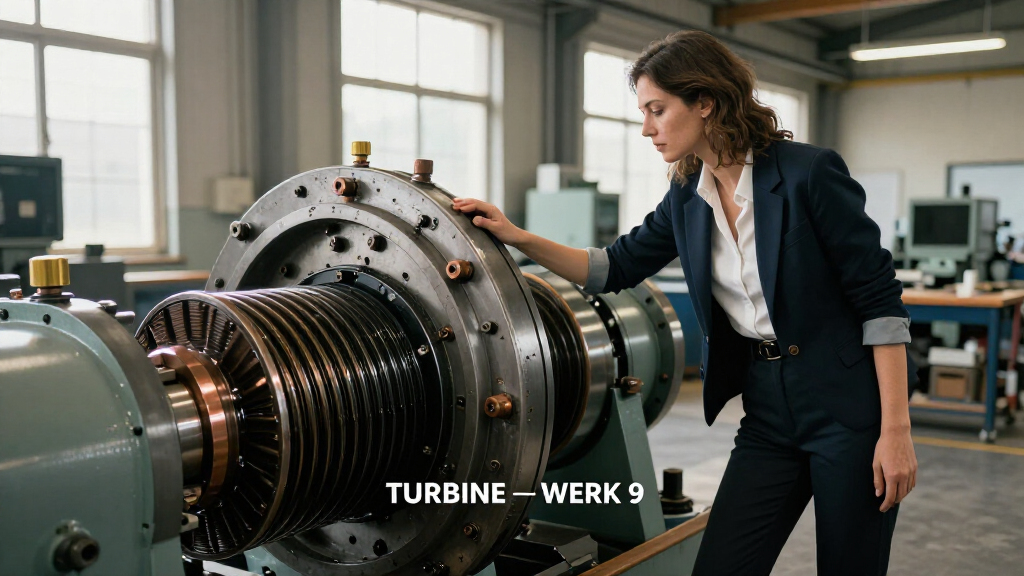

🔍 Read the full analysis: A Tour Of The Scroll-Driven Rotor In “TURBINE — WERK 9” on ThorstenMeyerAI.com

Get the little things that make your day delivered free — and shop member deals
- Fast, free delivery on millions of items
- Access to Prime Big Deal Days deals on October 6–7
- Prime Video, Amazon Music and more included
TL;DR
TURBINE — WERK 9 presents an industrial space through an interactive web field guide, with a rotor rendered in SVG that moves in response to scrolling. The project page describes the interaction and points readers to a live experience and a fuller design teardown, but provides few technical details.
TURBINE — WERK 9 is presented in the original project analysis as an interactive web field guide built around a scroll-driven SVG rotor, turning a visitor’s movement down the page into a visual part of the experience. The project page describes a live version and a fuller design teardown, framing the work as an exploration of how a browser interface can evoke the mechanics of an industrial place.
The experience uses vector paths to depict a rotor whose movement is tied to scrolling. Rather than treating the page as a static brochure, its presentation invites visitors to move through an industrial setting by advancing through the interface. The scroll input gives the page a visible response; the project page does not specify the rotor’s exact speed, range of motion, or behavior across devices.
The project is described as an interactive field guide, a framing that gives the exploration a purpose beyond watching an animation. The page says a longer case study covers how the team shaped the rotor’s motion, organized the visual system, and translated a physical-feeling space into a browser experience. Those details are signposted, but are not fully laid out in the short project description.
Visitors are directed to both a live room and the design teardown through ThorstenMeyerAI.com. The available description does not name individual designers or provide a release date, technical documentation, or measurements of how the interaction performs. It characterizes the work as a combination of a browser, constructed SVG paths, and scrolling, without identifying a specific framework or implementation method.
Interactive Field Guide / Design Observation
A Tour of the Scroll-Driven Rotor in “TURBINE — WERK 9”
A browser field guide turns a familiar gesture—scrolling—into part of an industrial visual experience. Its SVG rotor responds as visitors move through the page, linking the interface to the place it evokes.
01 / How it works
Scroll becomes part of the machine
The project description connects visitor movement down the page with a visual element rooted in its industrial setting.
A familiar gesture
Visitors advance through the field guide by scrolling. The page gives that ordinary action a visible response.
A rotor in SVG
Vector paths depict the rotor, providing a recurring link between the interface and the industrial subject.
A place to explore
The field-guide framing makes the experience feel more like moving through a space than reading a static brochure.
02 / Interaction chain
From page movement to mechanical impression
The described relationship is clear; exact motion behavior and implementation remain unspecified.
Enter
Open the browser based field guide.
Scroll
Move through the page using a familiar input.
Respond
The SVG rotor moves in response to scrolling.
Connect
The interaction reinforces the industrial character of the setting.
03 / What the project points to
A field guide with a larger design story
The page directs readers toward a live room and a fuller teardown of the design process.
The live room
Visitors are invited to experience the scroll driven interaction directly. The available description does not specify device support, access requirements, or independent user testing.
The design teardown
A longer case study is signposted as the place to learn about motion design, the visual system, and translating a physical feeling of space into a browser experience.
04 / Details still open
What the short description does not confirm
The available account describes the concept, but leaves practical and technical questions unanswered.
Rotor speed, motion range, and whether movement tracks scroll continuously.
Mobile behavior, loading performance, and the implementation framework or method.
Keyboard navigation, screen reader support, and reduced motion preferences.
Publication date, individual creators, and any measured audience or performance results.
05 / Reader’s guide
Key questions
A concise view of what is presented and what remains to be learned.
What is TURBINE — WERK 9?
An interactive web field guide to an industrial setting, centered on a scroll responsive SVG rotor and a designed visual system.
What happens when visitors scroll?
The project description says the rotor responds. It does not give precise timing, speed, or range of movement.
Can readers try it?
ThorstenMeyerAI.com points to a live room; access requirements and device support are not detailed in the description.
Where can readers find the process?
The linked design teardown is described as covering the rotor’s motion, visual system, and translation of a physical feeling into a browser.
Which access details are confirmed?
The description identifies SVG artwork and scroll input, but does not explain keyboard controls, screen reader support, or reduced motion options.
What is the next step?
Visit the live room, then consult the teardown for more detail on the motion and design choices.
Source: ThorstenMeyerAI.com
How Scroll Becomes Part of the Machine
The project is a small but concrete example of scroll-based interaction being used as more than a way to move between blocks of text. Here, the visitor’s input is described as controlling a visual element associated with the setting, linking the act of browsing to the impression of mechanical movement. That approach can make a digital presentation feel more spatial and participatory without requiring a visitor to learn a separate control scheme.
For readers interested in web design, the idea is relevant because it combines a familiar input with custom vector artwork. The project page presents the result as a designed object that remains clear while responding to interaction. Whether it succeeds for a broad range of users, or how it handles accessibility and reduced-motion preferences, cannot be judged from the description alone. Those questions matter when an animation is tied to scrolling, an action some visitors may make quickly or with assistive tools.
As an affiliate, we earn on qualifying purchases.
A Field Guide Built for the Browser
The project’s premise is to make a web page behave less like a conventional promotional brochure and more like a place visitors can explore. Its field-guide format supplies an organizing idea, while the rotor provides a recurring visual link between the page and the industrial subject. The description emphasizes the relationship between motion and the physical character of the space, rather than presenting the rotor as a standalone decorative effect.
The project page also points toward a design teardown as the place to learn more about the process. It says that account discusses motion design, the visual system, and the translation from a physical-feeling environment to a browser. The current presentation does not provide a publication timeline for that case study or identify the people behind the work, so further background cannot be confirmed here.
“What if a web page behaved less like a brochure and more like a machine you could walk around?”
— ThorstenMeyerAI.com
Technical and Access Details Remain Open
The available project description does not specify how the rotor animation is implemented, whether its movement follows scroll position continuously, or how the experience behaves on mobile devices. It also gives no information about loading performance, keyboard navigation, screen-reader support, or settings for visitors who prefer reduced motion. The mention of a live room indicates that an interactive version is offered, but the description does not report independent testing or user feedback.
It is also unclear when the experience or its accompanying teardown was published, who created the project, and whether the design has any connection to a particular physical facility beyond the industrial framing. No claims about audience reach, business results, or measured performance are included.
The Live Room and Teardown
The next step for readers is to visit the live room and experience the scroll-driven interaction directly, then consult the linked design teardown for more detail on the rotor, motion, and visual system. The project page does not give a date for further updates or say whether additional documentation is planned. Until those details are available, the work can be described on the information provided as an interactive design presentation rather than a documented technical case study.
Source: ThorstenMeyerAI.com
Key Questions
What is TURBINE — WERK 9?
It is an interactive web field guide that presents an industrial setting through a scroll-responsive SVG rotor and a designed visual system.
What happens when visitors scroll?
The project description says the rotor responds to scrolling. It does not provide precise information about the animation’s timing or range of movement.
Can readers try the experience?
ThorstenMeyerAI.com directs readers to a live room. The description does not provide details about device support or access requirements.
Where can readers find the design process?
The project page points to a full design teardown covering the rotor’s motion, the visual system, and the translation of a physical-feeling space into a browser experience.
What technical or accessibility details are confirmed?
The description identifies an SVG rotor and scroll input, but does not explain the implementation, keyboard controls, screen-reader support, or reduced-motion options.
Source: ThorstenMeyerAI.com
NFL season / tailgating Picks
team gear
As an affiliate, we earn on qualifying purchases.