The best smart home automation devices depend on whether you want a simple plug-in routine or a more capable system that connects devices across brands. My best overall pick is the Home Assistant Green for flexible, centralized automation; the Amazon Echo Hub is a strong choice for a dedicated, Alexa-focused control point, while the Hubitat Elevation C-8 Pro suits households that want broader local control. The main tradeoffs are ease of setup, compatibility, and how much control you want to manage yourself. Smart plugs are simpler to add, while hubs and wired switches can support more involved routines but may take extra planning. Read on for the full breakdown of all 15 options and guidance on choosing the right starting point.

Get the little things that make your day delivered free with Prime
- Fast, free delivery on millions of items
- Prime Video, Amazon Music and more included
- Member-only deals all year
Key Takeaways
Central hubs lead for cross-device automation: Home Assistant Green, Hubitat Elevation C-8 Pro, and Aqara Hub M3 offer more scope to coordinate devices than any single-brand smart plug.
Matter support helps, but does not erase compatibility checks: A Matter label can simplify connections across ecosystems, yet device features and setup still vary by platform.
Smart plugs are the lowest-friction starting point: The Kasa, Tapo, Linkind, GHome, and Amazon plugs suit lamps and other plug-in devices, but they cannot automate hardwired fixtures.
Wired controls add capability at the cost of installation constraints: The Kasa wall switch and SONOFF modules need compatibility checks for wiring, load, and switch type before purchase.
Specialist devices solve different problems: Emporia Vue 3 focuses on household energy visibility, while Tapo H110 and Aqara Hub M3 add IR control for compatible appliances.
| SONOFF BASICR4 Wi-Fi Smart Switch Module |  | Best for Retrofitting a Wired Switch | Connectivity: Wi-Fi | Operating voltage: 120 V | Maximum wattage: 2200 W | VIEW LATEST PRICE | See Our Full Breakdown |
| Amazon Echo Hub 8-Inch Smart Home Control Panel |  | Best Dedicated Touchscreen Controller | Display: 8-inch touchscreen, 1280 × 800 | Connectivity: Wi-Fi, Bluetooth Low Energy Mesh, Zigbee, Thread, Matter controller, Sidewalk | Wi-Fi: Dual-band 802.11a/b/g/n/ac | VIEW LATEST PRICE | See Our Full Breakdown |
| Kasa Smart Wi-Fi Plug HS103P4, 15 A, 4-Pack |  | Best Value for Everyday Appliance Automation | Pack size: 4 plugs | Connectivity: 2.4 GHz Wi-Fi | Operating voltage: 120 V AC | VIEW LATEST PRICE | See Our Full Breakdown |
| GHome Smart Plug – Wi-Fi Smart Outlet for Alexa & Google Home | 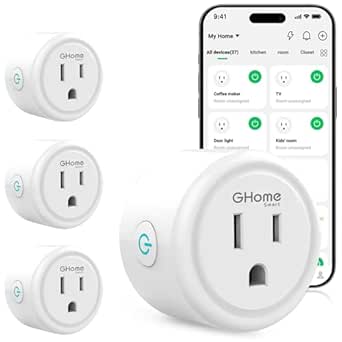 | Best for App-Based Group Scheduling | Unit count: 4 | Connectivity: Wi-Fi, 2.4 GHz | Operating voltage: 120 V | VIEW LATEST PRICE | See Our Full Breakdown |
| TP-Link Tapo H110 Matter-Certified Smart IR and IoT Hub with Chime |  | Best for IR Appliance Automation | Connectivity: 2.4 GHz Wi-Fi, infrared, Matter | IR compatibility: More than 8,000 brands; 18 appliance types | Voice assistants: Amazon Alexa, Google Assistant, Apple Home via Matter | VIEW LATEST PRICE | See Our Full Breakdown |
| TP-Link Tapo Matter-Supported Smart Plug Mini, 15A/1800W, White (3-Pack) |  | Best for Cross-Platform Plug Automation | Pack size: 3 plugs | Maximum load: 15A / 1800W | Operating voltage: 120 V AC | VIEW LATEST PRICE | See Our Full Breakdown |
| Hubitat Elevation C-8 Pro Smart Home Hub – Z-Wave, Zigbee, Matter |  | Best for Advanced Local Automation | Model: C-8 Pro | Dimensions: 2.95 x 3.23 x 0.67 inches | Weight: 2.56 ounces | VIEW LATEST PRICE | See Our Full Breakdown |
| Kasa Smart Wi-Fi Light Switch, Single-Pole, Neutral Wire Required, 3-Pack | 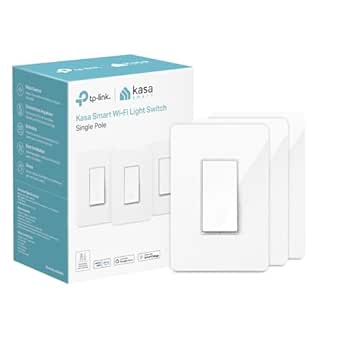 | Best for Automating Hardwired Lights | Model: HS200P3 | Pack size: 3 switches | Circuit type: Single-pole (1-way) | VIEW LATEST PRICE | See Our Full Breakdown |
| GHome Smart Wi-Fi Plug, 15A, Dual-Band 2.4GHz/5GHz, Alexa and Google Home Compatible, 4-Pack |  | Best for Dual-Band Wi-Fi Plug Control | Pack size: 4 plugs | Maximum load: 15A / 1800W | Voltage: 120 V | VIEW LATEST PRICE | See Our Full Breakdown |
| Linkind Matter Smart Plug, 4-Pack | 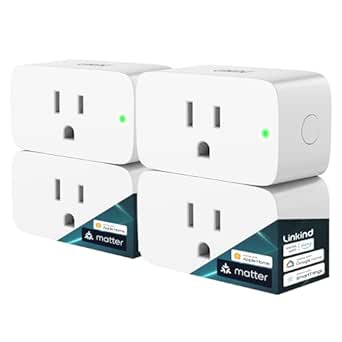 | Best Value for a Matter Plug Expansion | Pack quantity: 4 plugs | Connectivity: 2.4 GHz Wi-Fi, Matter | Compatible platforms: Apple Home, Alexa, Google Home, SmartThings, AiDot | VIEW LATEST PRICE | See Our Full Breakdown |
| Aqara Smart Home Hub M3 with Matter, Zigbee, Thread, and 360° IR Control |  | Best for Multi-Protocol Automation | Model: HM-G01E | Protocols: Zigbee, Thread, Matter, Bluetooth, Wi-Fi | Device capacity: Up to 127 Aqara Zigbee devices and 127 Thread devices | VIEW LATEST PRICE | See Our Full Breakdown |
| SONOFF MINIR4 10A Wi-Fi Smart Switch Module, 4-Pack |  | Best for Retrofitting Existing Switches | Model: MINIR4 | Pack size: 4 modules | Connectivity: Wi-Fi; hub not required | VIEW LATEST PRICE | See Our Full Breakdown |
| Emporia Vue 3 Home Energy Monitor |  | Best for Energy-Aware Automation | Model: EMV3A-2P-16 | Monitoring: Whole-home energy monitoring with 16 circuit sensors | Included sensors: Sixteen 50A clamp sensors | VIEW LATEST PRICE | See Our Full Breakdown |
| Home Assistant Green Smart Home Hub |  | Best for Custom Local Automations | Operating system: Home Assistant OS | Processor: Quad-core | Memory: 4GB LPDDR4X | VIEW LATEST PRICE | See Our Full Breakdown |
| Amazon Smart Plug with Alexa |  | Best for Alexa Beginners | Dimensions: 3.2 × 1.5 × 2.2 in | Weight: 3.1 oz | Input: 120 VAC, 60 Hz, 15A maximum | VIEW LATEST PRICE | See Our Full Breakdown |
| smart home automation device | Connectivity | Dimensions |
|---|---|---|
| SONOFF BASICR4 Wi-Fi Smart Swi | Wi-Fi | 3.46 × 1.54 × 0.94 in |
| Amazon Echo Hub 8-Inch Smart H | Wi-Fi, Bluetooth Low Energy Mesh, Zigbee, Thread, Matter controller, Sidewalk | — |
| Kasa Smart Wi-Fi Plug HS103P4 | 2.4 GHz Wi-Fi | 1.57 × 1.5 × 2.62 in |
| GHome Smart Plug | Wi-Fi, 2.4 GHz | 2.1 × 2.1 × 1.1 in |
| TP-Link Tapo H110 Matter-Certi | 2.4 GHz Wi-Fi, infrared, Matter | — |
| TP-Link Tapo Matter-Supported | Bluetooth, Matter, and 2.4 GHz Wi-Fi | — |
| Hubitat Elevation C-8 Pro Smar | — | 2.95 x 3.23 x 0.67 inches |
| Kasa Smart Wi-Fi Light Switch | 2.4 GHz Wi-Fi | — |
| GHome Smart Wi-Fi Plug | 2.4 GHz Wi-Fi, 5 GHz Wi-Fi, Bluetooth | 2.1 x 2.1 x 1.1 inches |
| Linkind Matter Smart Plug | 2.4 GHz Wi-Fi, Matter | — |
| Aqara Smart Home Hub M3 with M | Dual-band 2.4/5 GHz Wi-Fi, PoE, USB-C | — |
| SONOFF MINIR4 10A Wi-Fi Smart | Wi-Fi; hub not required | 1.56 × 1.3 × 0.66 in |
| Emporia Vue 3 Home Energy Moni | 2.4GHz Wi-Fi | 10 × 5 × 5 in |
| Home Assistant Green Smart Hom | Ethernet, USB | 4.41 × 4.41 × 1.26 in |
| Amazon Smart Plug with Alexa | — | 3.2 × 1.5 × 2.2 in |
More Details on Our Top Picks
SONOFF BASICR4 Wi-Fi Smart Switch Module
The SONOFF BASICR4 is the pick here for adding app and voice control to compatible fixed wiring rather than plugging in another outlet. It supports Alexa and Google Home, schedules, group control, and compatible eWeLink-Remote sub-devices, so it can fit a more integrated setup than the Kasa Smart Wi-Fi Plug HS103P4, which is designed for appliances at a socket. Its built-in temperature sensor monitors the module, adding a layer of device oversight. The tradeoff is installation and compatibility: it is specified for particular switches, lamps, and sub-devices, so I would check the wiring and load before choosing it. Unlike a plug, it also needs Wi-Fi for app-based smart control. This is a focused retrofit component, not a general-purpose hub.
Pros:- Adds app, schedule, group, and automatic control to compatible wired devices.
- Works with Alexa and Google Home.
- Supports local and two-way control with compatible eWeLink-Remote sub-devices.
- Built-in temperature sensor monitors the module.
Cons:- Compatibility is limited to specified switches, lamps, and eWeLink-Remote sub-devices.
- Installation in a wall switch circuit is less plug-and-play than the Kasa HS103P4.
- App-based smart control requires Wi-Fi.
Best for: Homeowners or experienced DIYers who want scheduled and voice control for compatible hardwired lighting and are comfortable checking switch and lamp compatibility.
Not ideal for: Renters or buyers who want a quick, no-wiring appliance control option; a Kasa HS103P4 plug is a simpler fit.
- Connectivity:Wi-Fi
- Operating voltage:120 V
- Maximum wattage:2200 W
- Operation mode:ON-OFF
- Voice assistants:Alexa, Google Home
- Compatible control devices:eWeLink-Remote S-Mate2 and R5
- Dimensions:3.46 × 1.54 × 0.94 in
- Certifications:CE, FCC, ETL
Our verdict“Choose the BASICR4 if you want smart control built into compatible wiring; choose a smart plug instead for a simpler appliance upgrade.”
Amazon Echo Hub 8-Inch Smart Home Control Panel
The Echo Hub earns its place as the lineup’s dedicated control point: its customizable 8-inch touchscreen brings compatible devices, routines, cameras, and security controls into a wall-mounted dashboard. That makes it a different kind of purchase from the TP-Link Tapo H110, which focuses on IR appliance control and hub functions rather than a large visual interface. Its broad connectivity—including Zigbee, Thread, and Matter controller support—can help centralize a mixed setup, though Matter support is controller-only. The panel is meant to stay installed and connected to the internet, not to serve as a handheld display. I would also account for the separately sold tabletop stand or PoE converter if the included wall-mount setup does not suit the room. Its strength is at-a-glance household control, not portability.
Pros:- Customizable touchscreen dashboard organizes compatible controls in one place.
- Supports Wi-Fi, Bluetooth, Zigbee, Thread, Matter controller functions, and Sidewalk.
- Wall mount and mounting hardware are included.
- Physical microphone-off button and other privacy controls.
Cons:- Not designed for handheld or portable use.
- Tabletop stand and PoE converter are sold separately.
- Matter support is as a controller only, and setup requires an internet connection.
Best for: Households with several compatible smart devices that want a shared, wall-mounted touchscreen for routines, cameras, and everyday controls.
Not ideal for: Buyers who want a portable controller, a stand included for tabletop use, or a standalone Matter hub with broader functions than controller support.
- Display:8-inch touchscreen, 1280 × 800
- Connectivity:Wi-Fi, Bluetooth Low Energy Mesh, Zigbee, Thread, Matter controller, Sidewalk
- Wi-Fi:Dual-band 802.11a/b/g/n/ac
- Sensors:PIR proximity sensor and ambient light sensor
- Audio:Stereo playback with two top-ported full-range speakers
- Power:Included 12.5 W power adapter
- Mounting:Wall mount included; tabletop stand sold separately
- Power over Ethernet:Supported with compatible USB-C converter and PoE+ or PoE++
Our verdict“Choose the Echo Hub if you want a fixed touchscreen for managing a broad compatible setup, rather than an IR-focused hub like the Tapo H110.”
Kasa Smart Wi-Fi Plug HS103P4, 15 A, 4-Pack
The Kasa HS103P4 four-pack is the straightforward choice for automating several plug-in devices without adding a hub. Each plug supports app control, voice commands, timers, and schedules over 2.4 GHz Wi-Fi, giving it a broader stated maximum load than the GHome Smart Plug in this batch. Compared with the SONOFF BASICR4, it avoids in-wall installation and is easier to move between compatible appliances; compared with the Echo Hub, it is a simple endpoint rather than a home-wide control screen. That simplicity is also the limit: the HS103P4 does not provide the multi-protocol hub functions or IR appliance control found in the Tapo H110. It requires a 2.4 GHz network and a compatible app device. I’d pick it for basic routines across several outlets, not for building a complex hub-based system.
Pros:- Four plugs let buyers automate multiple outlets without a hub.
- Supports app control, scheduling, and voice control with Alexa and Google Assistant.
- Rated for up to 1800 W, compared with the GHome plug’s 1200 W limit.
- UL certified.
Cons:- Requires a 2.4 GHz Wi-Fi network.
- Does not provide the multi-protocol hub or IR functions of the Tapo H110.
- App compatibility requires Android 5.0 or later or iOS 10.0 or later.
Best for: People setting up basic schedules and voice control for several compatible plug-in lamps or appliances on a 2.4 GHz Wi-Fi network.
Not ideal for: Buyers who need Matter, Zigbee, Thread, IR control, or a hub to coordinate a more complex smart home.
- Pack size:4 plugs
- Connectivity:2.4 GHz Wi-Fi
- Operating voltage:120 V AC
- Maximum wattage:1800 W
- Voice assistants:Amazon Alexa, Google Assistant
- Hub required:No
- Dimensions:1.57 × 1.5 × 2.62 in
- Safety certification:UL
Our verdict“Choose the HS103P4 for uncomplicated, hub-free control of several compatible appliances; look to the Tapo H110 for hub and IR features.”
GHome Smart Plug – Wi-Fi Smart Outlet for Alexa & Google Home
The GHome Smart Plug four-pack is a practical option for buyers who want app-based timers and grouped control across several outlets, with Alexa and Google Assistant available for voice commands. Like the Kasa HS103P4, it needs no hub and uses 2.4 GHz Wi-Fi, but GHome’s stated 1200 W maximum is lower than Kasa’s 1800 W rating. That difference matters when choosing which appliances to connect: this is a better fit for lower-load devices than for equipment that approaches its limit. The GHome, Smart Life, and Tuya apps are listed as control options, offering flexibility in app choice, but voice assistants require app setup first. It also lacks the broader connectivity and local hub automation of the Tapo H110. I’d treat it as a simple outlet automation set, not a foundation for a more advanced system.
Pros:- Four plugs support group management, timers, and schedules.
- Works with Alexa and Google Assistant after app setup.
- Supports GHome, Smart Life, and Tuya apps.
- No hub required and ETL/FCC listed.
Cons:- 1200 W maximum is lower than the Kasa HS103P4’s 1800 W rating.
- Only supports 2.4 GHz Wi-Fi, not 5 GHz.
- Voice assistant control requires configuration in an app first.
Best for: Buyers who want several lower-load lamps or similar devices on scheduled or grouped control through a 2.4 GHz network and supported app.
Not ideal for: People automating higher-power appliances near or above 1200 W, or anyone whose Wi-Fi is 5 GHz only.
- Unit count:4
- Connectivity:Wi-Fi, 2.4 GHz
- Operating voltage:120 V
- Maximum wattage:1200 W
- Control methods:App, remote, touch, voice
- Compatible assistants:Alexa, Google Home
- Dimensions:2.1 × 2.1 × 1.1 in
- Safety listing:ETL/FCC listed
Our verdict“Choose GHome for grouped, scheduled control of lower-load devices, but pick the Kasa HS103P4 for a higher stated load limit.”
TP-Link Tapo H110 Matter-Certified Smart IR and IoT Hub with Chime
The Tapo H110 stands apart from the plug-focused picks by combining a Matter-certified hub, IR remote, and built-in chime. Its IR support covers more than 8,000 brands and 18 appliance types, letting buyers bring compatible infrared-controlled devices into app routines instead of automating only what plugs into an outlet. That makes it a more specialized choice than the Echo Hub: the Echo provides a large touchscreen for household control, while the H110 targets appliance commands, connected Tapo devices, and audible alerts. Core automations can continue locally during internet outages, a useful distinction from basic Wi-Fi plug scheduling. The tradeoffs are practical: IR devices must be within range, and the required 5V/2A USB power adapter is sold separately. I’d choose it for mixed IR and smart-device control, not as a touchscreen dashboard.
Pros:- Combines Matter-certified hub functions with IR control for more than 8,000 brands and 18 appliance types.
- Core automations can run locally during internet outages.
- Built-in 93 dB alarm and customizable chime support audible alerts.
- Supports Alexa, Google Assistant, and Apple Home via Matter.
Cons:- Requires a separate 5V/2A USB power adapter.
- IR control depends on appliance compatibility and line-of-sight range.
- Does not provide the Echo Hub’s 8-inch touchscreen dashboard.
Best for: Households with compatible IR-controlled appliances and Tapo devices that want app routines, Matter integration, local automation, and audible alerts.
Not ideal for: Buyers who need a large visual control panel, want to control appliances outside IR range, or prefer a package with its power adapter included.
- Connectivity:2.4 GHz Wi-Fi, infrared, Matter
- IR compatibility:More than 8,000 brands; 18 appliance types
- Voice assistants:Amazon Alexa, Google Assistant, Apple Home via Matter
- Built-in alarm volume:93 dB
- Power requirement:5 V/2 A USB adapter, sold separately
- App compatibility:iOS 12 or later; Android 6.0 or later
- Operating temperature:32°F–104°F (0°C–40°C)
- Operating humidity:Up to 90%, non-condensing
Our verdict“Choose the Tapo H110 if IR appliances and local routines are your priority; choose the Echo Hub if you want a wall-mounted visual controller.”
TP-Link Tapo Matter-Supported Smart Plug Mini, 15A/1800W, White (3-Pack)
I’d choose the Tapo Smart Plug Mini when the main goal is switching everyday plug-in devices across different smart-home ecosystems. Its Matter compatibility spans Apple Home, Alexa, Google Home, and SmartThings, giving it broader platform flexibility than the Alexa-and-Google-only GHome Smart Wi-Fi Plug. At up to 15A/1800W, it can handle many standard household loads, while the compact shape helps keep a neighboring outlet usable. Bluetooth onboarding and schedules make routine control accessible without a dedicated hub. The tradeoff is that setup still begins in the Tapo app, and Wi-Fi is limited to 2.4 GHz. Unlike the Linkind Matter Smart Plug, this is a three-pack, so it suits a smaller rollout better than outfitting several rooms at once.
Pros:- Matter support spans Apple Home, Alexa, Google Home, and SmartThings.
- Compact form helps avoid blocking an adjacent outlet.
- Supports loads up to 15A/1800W.
- Bluetooth onboarding, schedules, voice commands, and remote app control are supported.
Cons:- Wi-Fi connectivity is limited to 2.4 GHz.
- Initial setup requires the Tapo mobile app.
- No battery backup is listed for power outages.
Best for: Households using a mix of Apple Home, Alexa, Google Home, or SmartThings that want to automate a few plug-in devices.
Not ideal for: Buyers with only 5 GHz Wi-Fi, or anyone who wants to automate many outlets from a single multipack.
- Pack size:3 plugs
- Maximum load:15A / 1800W
- Operating voltage:120 V AC
- Connectivity:Bluetooth, Matter, and 2.4 GHz Wi-Fi
- Compatible platforms:Apple Home, Amazon Alexa, Google Home, Samsung SmartThings
- Control methods:App, voice, scheduling, remote control
- Switch operation:On-off
- Safety:UL-certified, flame-retardant design
Our verdict“Choose the Tapo three-pack for compact, cross-platform plug automation in a few locations, but pick the four-pack Linkind if you need more Matter plugs at once.”
Hubitat Elevation C-8 Pro Smart Home Hub – Z-Wave, Zigbee, Matter
The Hubitat Elevation C-8 Pro is the most capable choice here for buyers who want automations to run locally rather than depend on cloud response. Its support for Matter, Z-Wave 800, Zigbee 3.0, and Bluetooth can bring a varied device collection under one rule engine, and local processing means routines can keep working when internet access fails. That makes it a different kind of purchase from the TP-Link Tapo Smart Plug Mini: Tapo automates individual outlets, while Hubitat coordinates a broader system. It also supports integrations with Alexa, Google Home, Apple HomeKit, and Ring cameras without requiring a subscription for full functionality. The tradeoff is setup complexity; buyers seeking quick, app-led plug control may find the Tapo or Kasa Smart Wi-Fi Light Switch easier to manage. AI-assisted routine building helps, but doesn’t remove the learning curve.
Pros:- Local automation supports quick responses and operation during internet outages.
- Combines Matter, Z-Wave 800, Zigbee 3.0, and Bluetooth support.
- Advanced rule engine and AI-assisted routine building support complex scenes.
- Full functionality does not require a subscription.
Cons:- Initial setup can require technical knowledge.
- A hub is an added layer to configure compared with standalone Wi-Fi switches and plugs.
Best for: Smart-home enthusiasts with devices across several protocols who want detailed automations that continue running during internet outages.
Not ideal for: Newcomers who want a simple plug-and-play device or only need remote control of one or two appliances.
- Model:C-8 Pro
- Dimensions:2.95 x 3.23 x 0.67 inches
- Weight:2.56 ounces
- Supported protocols:Matter 1.5, Z-Wave 800 Series, Zigbee 3.0, Bluetooth
- Automation processing:Local on the hub
- Integrations:Alexa, Google Home, Apple HomeKit, Ring cameras
- Subscription:No subscription required for full functionality
- Manufacturer:Hubitat Inc.
Our verdict“Choose Hubitat if you want a local, multi-protocol automation center and are willing to spend time configuring it.”
Kasa Smart Wi-Fi Light Switch, Single-Pole, Neutral Wire Required, 3-Pack
For lights controlled from a standard single-pole wall switch, I’d favor the Kasa Smart Wi-Fi Light Switch over adding a plug-in control such as the TP-Link Tapo Smart Plug Mini. Replacing the switch automates the fixture itself, so the wall control remains part of everyday use while app access, voice commands, schedules, and Away Mode add remote routines. It connects directly to 2.4 GHz Wi-Fi and needs no hub, making it a straightforward fit for Alexa or Google Assistant households. The limits are installation-specific: it requires a neutral wire and is designed for single-pole circuits, so it won’t suit every box or multi-location setup. It also lacks the broader platform reach of Matter plugs such as the Linkind Matter Smart Plug. This three-pack makes more sense when several compatible fixtures need the same treatment.
Pros:- Automates hardwired lights instead of occupying a wall outlet.
- Works with Alexa and Google Assistant without a hub.
- Scheduling and Away Mode support routine and presence-style control.
- Three switches are included for multiple compatible fixtures.
Cons:- Neutral wire is required for installation.
- Limited to single-pole circuits.
- Supports 2.4 GHz Wi-Fi and lists Alexa and Google Assistant compatibility, not Matter.
Best for: Homeowners with neutral wiring and single-pole light circuits who want app and voice control for several hardwired fixtures.
Not ideal for: Renters or buyers with no neutral wire, multi-way switching, or a need for Apple Home or SmartThings compatibility.
- Model:HS200P3
- Pack size:3 switches
- Circuit type:Single-pole (1-way)
- Neutral wire:Required
- Connectivity:2.4 GHz Wi-Fi
- Smart-home compatibility:Amazon Alexa, Google Assistant
- Input voltage:100–120 VAC, 50/60 Hz
- Maximum wattage:600 W
- Certification:UL
Our verdict“Pick the Kasa three-pack when your wiring supports single-pole switches and you want to automate fixed lights rather than plug-in appliances.”
GHome Smart Wi-Fi Plug, 15A, Dual-Band 2.4GHz/5GHz, Alexa and Google Home Compatible, 4-Pack
The GHome Smart Wi-Fi Plug stands apart from the other plug packs by listing both 2.4 GHz and 5 GHz Wi-Fi. That makes it a useful fit for buyers who want dual-band connectivity and don’t need Matter or Apple Home support. The four plugs provide app, voice, push-button, timer, and scheduling control for common 120 V appliances up to 15A/1800W. Compared with the TP-Link Tapo Smart Plug Mini, GHome includes one more plug and adds 5 GHz support, while Tapo reaches Apple Home and SmartThings through Matter. The GHome setup sequence is a minor hurdle: each plug must first be configured in its app before linking Alexa or Google Home. Its platform range is narrower than the Linkind Matter Smart Plug, so I’d skip it if you want a plug set that can move between ecosystems.
Pros:- Lists both 2.4 GHz and 5 GHz Wi-Fi connectivity.
- Four plugs support app, voice, timer, and scheduling control.
- Handles devices up to 15A/1800W at 120 V.
- Compact dimensions help limit outlet obstruction.
Cons:- Must be configured in the GHome app before linking Alexa or Google Home.
- Compatibility is limited to Alexa and Google Home; Matter support is not listed.
Best for: Alexa or Google Home users who want four remotely controlled plugs and prefer a model listing both 2.4 GHz and 5 GHz Wi-Fi.
Not ideal for: Apple Home or SmartThings households, and buyers who want Matter support or setup directly within their preferred platform.
- Pack size:4 plugs
- Maximum load:15A / 1800W
- Voltage:120 V
- Connectivity:2.4 GHz Wi-Fi, 5 GHz Wi-Fi, Bluetooth
- Voice assistants:Amazon Alexa, Google Assistant
- Control methods:App, voice, push button
- Dimensions:2.1 x 2.1 x 1.1 inches
- Certifications:ETL, FCC
Our verdict“Choose GHome for a four-plug Alexa or Google setup that benefits from listed 5 GHz support, but choose Linkind or Tapo for wider Matter compatibility.”
Linkind Matter Smart Plug, 4-Pack
The Linkind Matter Smart Plug is the strongest fit in this group when a buyer wants to add several outlets to a multi-platform setup. Its four-pack supports Apple Home, Alexa, Google Home, SmartThings, and AiDot, giving it wider ecosystem reach than the GHome Smart Wi-Fi Plug, which focuses on Alexa and Google. Matter’s local-network control can keep supported routines available when internet access is down, while schedules, timers, and remote control cover everyday automation. Compared with the three-plug TP-Link Tapo Smart Plug Mini, Linkind covers more outlets in one pack, but adds a setup dependency: most listed platforms require a compatible Matter hub or controller. It also uses 2.4 GHz Wi-Fi and requires IPv6, so I’d check network and hub compatibility before choosing it. Fire-resistant materials and overload and short-circuit protection add practical safeguards.
Pros:- Matter compatibility covers several major smart-home platforms.
- Four plugs support schedules, timers, and remote control.
- Local-network control can remain available when internet access is offline.
- Compact design includes short-circuit and overload protection.
Cons:- A compatible Matter hub or controller is required for most listed platforms.
- Supports only 2.4 GHz Wi-Fi and requires IPv6.
Best for: Households with a compatible Matter controller that want to add four plugs across Apple Home, Alexa, Google Home, or SmartThings.
Not ideal for: Buyers without a Matter hub or controller, networks without IPv6 support, or households relying on 5 GHz-only Wi-Fi.
- Pack quantity:4 plugs
- Connectivity:2.4 GHz Wi-Fi, Matter
- Compatible platforms:Apple Home, Alexa, Google Home, SmartThings, AiDot
- Amperage:15 A
- Power capacity:1800 W
- Plug type:Type A
- Network requirement:IPv6
- Certifications:FCC, ETL
- Material:Copper and fire-resistant materials
Our verdict“Choose Linkind to expand a compatible Matter setup across four outlets, but opt for GHome if you need listed 5 GHz support and only use Alexa or Google.”
Aqara Smart Home Hub M3 with Matter, Zigbee, Thread, and 360° IR Control
I’d pick the Aqara Hub M3 for a home that needs one hub to coordinate Aqara Zigbee and Thread devices, expose supported devices through Matter bridging, and control infrared appliances. Its local automations and encrypted storage suit routines that should keep working locally, while PoE and dual-band Wi-Fi offer more placement and networking choices than a basic plug-in controller. The built-in 360° IR blaster also covers older air conditioners or other remote-controlled equipment that a hub like Home Assistant Green would need extra hardware to handle. The tradeoff is a defined ecosystem: third-party Zigbee devices aren’t supported, and Thread devices may need repeaters. Some cloud notifications still depend on internet access, and the USB power adapter is not included.
Pros:- Bridges supported Aqara Zigbee and Thread devices to Matter-compatible platforms.
- Supports local automations and includes 8GB of end-to-end encrypted storage.
- Offers PoE, dual-band Wi-Fi, and USB-C connectivity.
- Built-in 360° IR control includes remote-use detection.
Cons:- Does not support third-party Zigbee devices.
- Some Thread devices may need repeaters for reliable coverage.
- USB power adapter is not included, and some cloud notifications require internet access.
Best for: Aqara households combining Zigbee and Thread devices with Matter-compatible platforms and infrared-controlled appliances.
Not ideal for: People who want broad third-party Zigbee support, or a hub with every connection accessory included.
- Model:HM-G01E
- Protocols:Zigbee, Thread, Matter, Bluetooth, Wi-Fi
- Device capacity:Up to 127 Aqara Zigbee devices and 127 Thread devices
- Connectivity:Dual-band 2.4/5 GHz Wi-Fi, PoE, USB-C
- IR control:360° IR blaster with remote-use detection
- Local storage:8GB end-to-end encrypted
- Compatibility:Apple HomeKit, Alexa, SmartThings, Home Assistant
- Power adapter:2A USB power adapter not included
Our verdict“Choose the M3 if you want local Aqara automation across Zigbee, Thread, Matter, and IR devices; skip it if open-ended Zigbee compatibility is your priority.”
SONOFF MINIR4 10A Wi-Fi Smart Switch Module, 4-Pack
The SONOFF MINIR4 four-pack is aimed at buyers who want to automate existing wired circuits, not add another plug to an outlet. Its compact modules fit in suitable mounting boxes and support several external switch types, so a wall switch can remain part of the setup. Detach relay mode separates the switch’s behavior from the relay, which helps when a physical control should trigger a routine without directly determining the load state. Unlike the Amazon Smart Plug, the MINIR4 disappears into the wiring and can work with compatible momentary, latching, and dry-contact controls. That flexibility comes with installation constraints: it needs suitable wiring and a safe location, and it uses Wi-Fi rather than Zigbee or another hub-based network. I’d choose it for several planned circuit upgrades, not for renters or anyone seeking a simple plug-in setup.
Pros:- Four modules support multiple circuit retrofits in one package.
- Compact dimensions suit compatible small mounting boxes.
- Works with several external switch types and dry-contact sensors.
- Detach relay mode lets the external switch and relay operate independently.
Cons:- Installation requires compatible wiring and a suitable wall-mounted location.
- Uses Wi-Fi rather than Zigbee.
- Limited to Alexa and Google Home compatibility as described.
Best for: Homeowners or qualified installers automating several compatible wired circuits while retaining physical switch control.
Not ideal for: Renters, buyers without compatible wiring or a suitable mounting box, and anyone wanting a hub-based Zigbee switch.
- Model:MINIR4
- Pack size:4 modules
- Connectivity:Wi-Fi; hub not required
- Operating voltage:120 V
- Control methods:Remote, voice, physical switch
- Compatible assistants:Alexa, Google Home
- Dimensions:1.56 × 1.3 × 0.66 in
Our verdict“Pick the MINIR4 for multiple wired-switch automations where installation conditions fit; choose the Amazon Smart Plug for a simpler, no-wiring start.”
Emporia Vue 3 Home Energy Monitor
Among these picks, the Emporia Vue 3 is the one for understanding what the home is using before deciding what to automate. Its whole-home monitoring and 16 included 50A clamp sensors can show circuit-level consumption, while solar and net-metering support make it relevant to households tracking both usage and generation. That information can guide practical changes to schedules and high-draw appliances; it serves a different purpose from the Aqara Hub M3, which coordinates devices and automations rather than measuring household energy. The app provides real-time readings and longer-term reporting, but one-second data is retained only while the app is open. Installation also involves electrical-panel work, the monitor relies on 2.4GHz Wi-Fi, and panels needing a 200A sensor require an additional sensor purchase.
Pros:- Includes sixteen 50A clamp sensors for circuit-level monitoring.
- Supports whole-home usage plus solar and net-metering measurement.
- Provides real-time app data and longer-term minute and hourly reporting.
- Supports single-phase, split-phase, and 3-wire/3-phase systems.
Cons:- Requires a 2.4GHz Wi-Fi connection and has no cellular backup.
- One-second data is retained only while the app is actively open.
- A separate 200A sensor is needed for higher-capacity panels.
Best for: Homeowners with solar or multiple major circuits who want detailed energy data to inform household routines and usage decisions.
Not ideal for: Renters, anyone unable to arrange safe panel installation, or buyers expecting an energy monitor to act as a general smart home hub.
- Model:EMV3A-2P-16
- Monitoring:Whole-home energy monitoring with 16 circuit sensors
- Included sensors:Sixteen 50A clamp sensors
- Connectivity:2.4GHz Wi-Fi
- Supported systems:Single-phase, split-phase, and 3-wire/3-phase
- Solar support:Solar and net-metering monitoring
- Certification:UL, CE
- Dimensions:10 × 5 × 5 in
Our verdict“Choose the Vue 3 if energy visibility is the missing input for your home routines; choose a hub such as the Aqara M3 if device coordination is the main goal.”
Home Assistant Green Smart Home Hub
I’d rank Home Assistant Green as the strongest fit here for buyers who want to build a flexible automation system around local control. Home Assistant comes preinstalled, and the quad-core processor, 4GB RAM, and 32GB storage provide a dedicated base for running it without assembling a small computer first. Compared with the more appliance-like Aqara Hub M3, Green is less focused on a particular device ecosystem and more suited to a broad, configurable setup. Its fanless design runs silently, and the included Ethernet cable and power supply make the initial hardware setup straightforward. The main catch is that the described setup requires Ethernet, while Zigbee, Z-Wave, and Thread need separate USB adapters. Buyers who want built-in radios or a guided, limited-feature hub may prefer a more turnkey option.
Pros:- Home Assistant OS comes preinstalled for a simpler start.
- Fanless operation avoids added hub noise.
- Includes 4GB RAM and 32GB storage for a dedicated local system.
- Two USB ports allow expansion with optional protocol adapters.
Cons:- Ethernet is required for the described setup.
- Z-Wave, Zigbee, and Thread require separate USB devices.
- Its flexible Home Assistant approach may be more involved than a simple plug or appliance-specific hub.
Best for: Home automation enthusiasts who want a dedicated Home Assistant system and are comfortable adding USB radios for wireless protocols.
Not ideal for: People who need built-in Zigbee, Z-Wave, or Thread, or who cannot connect the hub by Ethernet.
- Operating system:Home Assistant OS
- Processor:Quad-core
- Memory:4GB LPDDR4X
- Storage:32GB
- Connectivity:Ethernet, USB
- USB ports:2
- Wireless compatibility:Bluetooth
- Dimensions:4.41 × 4.41 × 1.26 in
Our verdict“Choose Home Assistant Green for a configurable local automation platform, but select the Aqara M3 if you want built-in Zigbee and Thread support instead.”
Amazon Smart Plug with Alexa
For a first automation, the Amazon Smart Plug keeps the job simple: plug it in, set it up in the Alexa app, then add compatible devices to voice control or routines. There’s no separate hub, and its compact shape leaves the neighboring outlet free. That makes it an easier starting point than the SONOFF MINIR4, which requires a suitable wired installation, though the plug only automates devices that resume operation after power returns or have a physical on/off switch. Its limits are just as clear: Alexa is the only supported assistant, it uses 2.4GHz Wi-Fi, and it is for indoor use. I’d choose it for lamps or similar household devices in an Alexa home, not as the foundation for a cross-platform or multi-protocol automation system.
Pros:- Adds Alexa voice control, routines, and remote management without a separate hub.
- Compact design leaves the second outlet available.
- Automatically reconnects to Alexa after power or Wi-Fi outages.
- Straightforward plug-in setup avoids in-wall installation.
Cons:- Works only with Alexa and the Alexa app.
- Supports 2.4GHz Wi-Fi, not 5GHz.
- Indoor-only use and device compatibility depend on a physical on/off switch.
Best for: Alexa users who want to automate a compatible lamp or appliance without rewiring or adding a hub.
Not ideal for: Households using Google Home or other platforms, outdoor applications, or devices that do not resume after power is restored.
- Dimensions:3.2 × 1.5 × 2.2 in
- Weight:3.1 oz
- Input:120 VAC, 60 Hz, 15A maximum
- Wi-Fi:2.4GHz, 802.11 b/g/n
- Use:Indoor only
- Compatibility:Alexa and Alexa app for Fire OS, Android, and iOS
- Hub required:No
- Warranty:1-year limited warranty
Our verdict“Pick this plug for a simple Alexa-controlled lamp or compatible appliance; choose a broader hub or a multi-assistant plug if you need platform flexibility.”
How We Picked
I compared these 15 devices by the job they can perform in a smart home, how much setup and maintenance they ask of the buyer, and how flexibly they can work with other equipment. I weighed platform and protocol support, whether a product acts as a hub or only controls one outlet or circuit, and practical limits such as wiring requirements, device capacity, and the need for a compatible ecosystem. I also looked at the value of each device as part of a larger system, rather than treating a multipack as automatically more useful.
The order favors broad automation potential and useful everyday control, while giving each pick a distinct role. Home Assistant Green ranks first for buyers who want a flexible central system; Echo Hub and Hubitat follow for shoppers prioritizing a visual Alexa control point or deeper hub-based control. Plug packs and individual switches rank lower because they solve narrower tasks, not because they are poor fits. Specialized options such as the energy monitor earn their place for buyers whose main goal is energy insight rather than general device control.
Factors to Consider When Choosing Best Smart Home Automation Devices
Before choosing a device, decide what you want the automation to do and which parts of your home it needs to reach. A low-cost plug can be the right answer for a lamp, but it will not replace a hub that coordinates sensors, switches, and routines across protocols. These broader questions can prevent compatibility surprises and help you avoid buying more system than your household wants to manage.
Start With the Job, Not the Device Type
Write down the first routine you want to automate, such as turning on a lamp at sunset or coordinating several rooms when you leave. That makes it easier to distinguish a simple outlet-control need from a whole-home coordination need. A plug is usually enough when the device has a standard plug and only needs scheduled on/off control. A hub is more relevant when the routine depends on different device types, sensors, or brands. A common mistake is buying a hub before checking whether it supports the devices already in the home. Start with one useful routine, then choose equipment that can support likely next steps.
Check Ecosystem and Protocol Compatibility
Compatibility involves more than whether two devices display the same protocol name. Check which controllers, apps, and device features are supported, and whether your desired automation works locally or relies on a cloud service. Matter can make cross-platform pairing easier, but it does not guarantee that every feature appears in every app. Zigbee, Z-Wave, Thread, Wi-Fi, and infrared each serve different roles, so a device’s protocol should match the rest of your setup. If you plan to use multiple ecosystems, verify the exact combination before buying several devices. Keeping the first group of devices within a known-compatible set can reduce troubleshooting.
Know When a Hub Is Worth the Extra Setup
A hub earns its place when it connects devices that cannot communicate directly or lets one routine coordinate multiple systems. The tradeoff is more configuration, another component to maintain, and possible dependence on a particular platform’s features. Buyers who want simple app-based schedules may find a hub unnecessary at first. Those seeking local control, custom logic, or wider protocol support may benefit from one sooner. Before paying for added capability, list the devices and routines the hub must handle today. Then check whether its supported protocols and integrations cover the next devices you are likely to add.
Treat Wired Switches and Modules as Installation Projects
Wall switches and in-wall modules can automate fixtures without occupying an outlet, but they require more than a quick app setup. Confirm the wiring in the electrical box, the switch configuration, and the device’s load limits before ordering. Neutral-wire requirements can rule out a switch even when the brand and app match your system. Compact modules also need enough room in the box and correct installation for the intended circuit. If you are unsure about household wiring, seek qualified help rather than guessing. A plug may be less seamless, but it is often the safer, simpler choice for a lamp or portable appliance.
Match Device Capacity to the Load
A smart plug’s current or wattage rating is a limit, not a promise that it suits every appliance. Check the appliance label and use case, especially for equipment with motors, heating elements, or high startup demand. Do not assume a multi-pack changes the capacity of each individual outlet. Likewise, a switch module’s rating may differ from the needs of the circuit it controls. Avoid using smart controls for loads that the manufacturer does not support. When the device type or load is uncertain, choose a control designed for that application or leave the appliance on its standard control.
Decide How Much Local Control and Maintenance You Want
Some households value routines that keep working even when internet access is interrupted; others prefer a familiar cloud-connected app and minimal setup. Local automation can offer more control, but it may require configuration, updates, and attention to backups or integrations. Cloud services can simplify access and setup, while making some functions dependent on a vendor’s service and account. Consider who will maintain the system if its original setup person is unavailable. A technically flexible platform is useful only if someone in the household can manage it. Choose the level of control that fits your comfort with ongoing upkeep, not just the number of features listed.
Frequently Asked Questions
Should I buy a hub before adding smart plugs?
Not necessarily. If your first goal is scheduling or remotely controlling a lamp, a compatible smart plug can work on its own and keep the setup simple. A hub becomes more useful when you want one routine to coordinate devices from different protocols or brands. Before buying one, check whether your existing devices can join it and whether the automation you want is supported. Starting with a plug and adding a hub later can be sensible, provided the plug fits the ecosystem you plan to use.
Will Matter devices work with every smart home app?
Matter is designed to improve compatibility across supported platforms, but it does not mean every device works with every app or exposes every feature everywhere. The controller and platform must support the relevant device type, and setup may still require a compatible hub or app. Check the manufacturer’s compatibility details for the specific function you want, not just the Matter logo. This matters especially when combining devices that use Thread or another network alongside Matter. For a household already committed to one ecosystem, confirm its support before choosing a Matter device.
When should I choose a smart switch instead of a smart plug?
Choose a smart plug when you are controlling a compatible plug-in device and want installation to stay simple. A smart switch or in-wall module makes more sense when you need to control a hardwired light or want the fixture’s wall control integrated into routines. Switches and modules require checks for wiring, circuit type, and electrical ratings that plugs generally avoid. They may also be a poor fit for some multi-way switch arrangements or boxes without the required wiring. If the electrical setup is unclear, get qualified advice before purchasing or installing one.
Is local automation worth choosing over a simpler cloud-based setup?
Local automation can be worthwhile if you want routines to depend less on internet access or need detailed control across devices. The tradeoff is that setup and ongoing maintenance may be more involved than using a straightforward app-based plug. Cloud-connected products can suit buyers who value quick setup and remote access through a familiar ecosystem. Neither approach is automatically better for every household: the right choice depends on how much configuration you are willing to manage and which devices you need to connect. Check which functions remain available without internet before deciding.
Can a smart plug or energy monitor reduce my electricity use on its own?
A smart plug can schedule or switch off a compatible load, but it does not automatically identify waste or lower consumption without a useful routine. An energy monitor can help reveal where electricity is being used, though insight alone does not change household habits or appliance efficiency. Check that the monitoring device fits your electrical system and that its data covers the circuits or loads you care about. Start by choosing a specific goal, such as tracking a major appliance or limiting standby use. Then select a control or monitor that can provide the information or action needed for that goal.
Conclusion
For the broadest flexible automation foundation, I recommend Home Assistant Green as the best overall pick, while noting that it suits buyers willing to manage a more capable system. For a visual, Alexa-centered control point, choose the Amazon Echo Hub; for buyers who prioritize extensive hub-based control, consider Hubitat Elevation C-8 Pro as the premium-style option. The Kasa Smart Wi-Fi Plug HS103P4 is my best value direction for straightforward plug-in control, while the Amazon Smart Plug is the simplest fit for Alexa households seeking a beginner-friendly start. Choose Emporia Vue 3 for energy monitoring, or an IR-capable hub such as Aqara Hub M3 or Tapo H110 when compatible appliance control is the specific need. Match the device to the first routine you want, then expand only when your household has a clear reason to add more complexity.