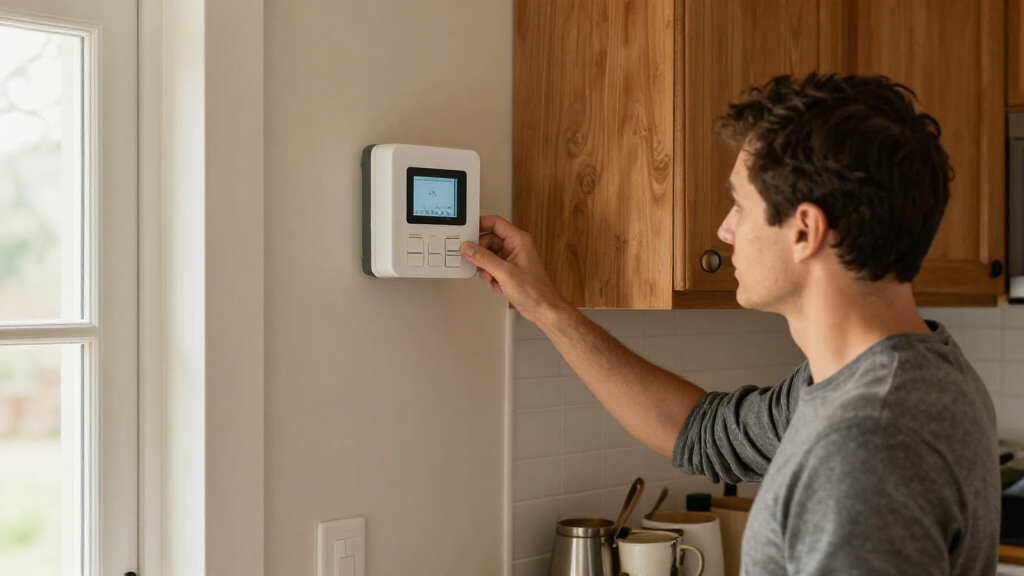

The best electricity monitor overall is the Emporia Vue 3, which pairs whole-home tracking with sensors for individual circuits. For local control and smart-home flexibility, the Refoss EM16P stands out, while the best beginner option is a plug-in meter such as the MECHEER PM01-US for checking one appliance at a time. The main tradeoff is between detailed, ongoing circuit data and simpler monitors that are easier to set up but cover less of your home. I also weigh installation needs, connectivity, and how useful the readings are for acting on energy use. Read on for the full breakdown and help choosing the right monitor for your setup.

Get the little things that make your day delivered free with Prime
- Fast, free delivery on millions of items
- Prime Video, Amazon Music and more included
- Member-only deals all year
Key Takeaways
- The Emporia Vue 3 and several other panel-mounted models monitor multiple circuits, making them better suited to finding which parts of a home drive overall use than any single-outlet meter.
- Refoss EM16P separates itself through local control and Home Assistant integration, features that matter most to buyers who want smart-home flexibility rather than app-only monitoring.
- Plug-in meters such as the MECHEER PM01-US and the two KETOTEK options offer a simpler way to check one appliance, but they cannot explain energy use across a whole home.
- The lineup includes several 16-circuit monitors, so buyers should compare connectivity, control options, and installation requirements instead of choosing by sensor count alone.
- Specialized options fill distinct gaps: the Aeotec meter targets Z-Wave systems, Eyedro offers WiFi or Ethernet connectivity, and Siemens Inhab brings circuit-level monitoring to smart-home setups.
| Refoss Smart Home Energy Monitor with 16 Circuit Sensors and Local Control |  | Best for Local Control and Whole-Panel Tracking | Model: EM16P | Circuit monitoring: 18 circuits | Main sensors: 2, up to 200A | VIEW LATEST PRICE | See Our Full Breakdown |
| WiFi Home Energy Monitor with Three 80A CT Clamps |  | Best for Selected-Circuit Monitoring | Manufacturer and model: Nestool PW03 | CT clamps included: 3, rated 80A each by product title | Input voltage: AC 100–240V | VIEW LATEST PRICE | See Our Full Breakdown |
| Plug-In Home Energy Monitor with 8 Display Modes |  | Best for Straightforward Appliance Checks | Measurements: Power, energy, voltage, frequency, current, power factor, unit price, cumulative cost | Display modes: 8 | Overload warning: Above 1800W | VIEW LATEST PRICE | See Our Full Breakdown |
| MECHEER PM01-US Plug-In Watt Meter |  | Best for Adjustable Load Alerts | Model: PM01-US | Measurement type: Ammeter | Operating voltage: 12–120V listed | VIEW LATEST PRICE | See Our Full Breakdown |
| KETOTEK Plug-In Watt Meter with Backlit LCD and Overload Protection |  | Best for Custom Alerts and Detailed Readouts | Model: KTEM01 | Monitoring modes: 11 | Maximum overload setting: 3680W | VIEW LATEST PRICE | See Our Full Breakdown |
| Refoss EM16P Smart Home Energy Monitor with Local Control and Home Assistant Integration |  | Best for Local Home Assistant Control | Model: EM16P | Main circuit sensors: 2 sensors, 2–200A each | Branch circuit sensors: 16 sensors, 1–60A each | VIEW LATEST PRICE | See Our Full Breakdown |
| Emporia Vue 3 Home Energy Monitor with 16 Circuit Sensors |  | Best for App-Based Whole-Home Tracking | Included sensors: 16 branch sensors, 50A each | Sensor accuracy: ±2% | Wi-Fi requirement: 2.4 GHz Wi-Fi with internet connection | VIEW LATEST PRICE | See Our Full Breakdown |
| SEM-Meter Smart Home Energy Monitor with 16 Circuit Sensors |  | Best for Circuit-Level Cost Tracking | Model: SEM-Meter | Sensors: 16 clamp-on sensors, 50A each | Accuracy: 1% | VIEW LATEST PRICE | See Our Full Breakdown |
| BALDR Wi-Fi Home Power Monitor with Smart Socket |  | Best for Monitoring a Few Plug-In Devices | Model: PM551 | Connectivity: 2.4 GHz Wi-Fi | Connection type: Plug-in | VIEW LATEST PRICE | See Our Full Breakdown |
| Aeotec Home Energy Meter 8 Z-Wave Long Range Electricity Monitor |  | Best for Z-Wave Smart-Home Setups | Model: ZWA046-A | Maximum supply voltage: 150 V AC | Measurement accuracy: ±0.5% | VIEW LATEST PRICE | See Our Full Breakdown |
| Meross Smart Home Energy Monitor with 18-Circuit Monitoring |  | Best for Home Assistant and Circuit Coverage | Main circuit capacity: 2 circuits, 200A | Branch circuit capacity: Up to 16 circuits, 60A | Accuracy: ±2% | VIEW LATEST PRICE | See Our Full Breakdown |
| Eyedro Home Smart Energy Monitor 200A WiFi/Ethernet |  | Best for Straightforward Whole-Home Monitoring | Model: EYEDRO-HOME | Sensor capacity: 2 directional sensors, 200A | Connectivity: 2.4GHz WiFi or Ethernet | VIEW LATEST PRICE | See Our Full Breakdown |
| Siemens Inhab Smart Home Energy Monitor with Circuit-Level Sensors |  | Best for Siemens-Compatible Energy Management | Model: INHEM1216 | Main sensors: 2 × 200A CTs | Circuit sensors: 16 × 50A CTs | VIEW LATEST PRICE | See Our Full Breakdown |
| HBN Plug-In Watt Meter with Backlit LCD, 9 Display Modes |  | Best for Simple Appliance Checks | Model: U167J | Display: Backlit LCD with 160° viewing angle | Display modes: 9 | VIEW LATEST PRICE | See Our Full Breakdown |
| KETOTEK Plug-In Power Meter with LCD Display and Overload Protection | 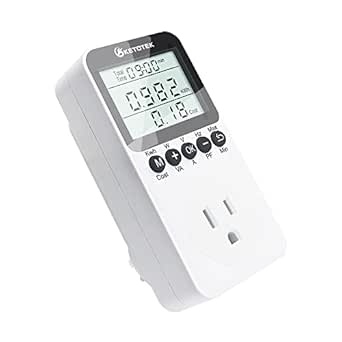 | Best Plug-In Pick for Alerts | Model: KTEM02USPRO | Operating voltage: 100–250VAC | Maximum output: 15A / 120V | VIEW LATEST PRICE | See Our Full Breakdown |
More Details on Our Top Picks
Refoss Smart Home Energy Monitor with 16 Circuit Sensors and Local Control
The Refoss EM16P is the strongest fit here for buyers who want circuit-level coverage without depending on a cloud service. It tracks 18 circuits and supports a local Web UI, Open API, MQTT, WebSocket, and Home Assistant, giving technically confident owners options for automation and data export. Its support for several electrical system types also makes it more adaptable than the Wi-Fi monitor with three CT clamps, which only covers selected circuits. The tradeoff is installation: its sensors go inside the breaker panel, and the branch sensors are rated up to 60A. Unlike the plug-in meters in this roundup, it can show usage across multiple household circuits, but it is far more involved to install. Five years of history and CSV export suit long-term analysis; shoppers seeking a simple appliance check should choose a plug-in model instead.
Pros:- Tracks 18 circuits with two main sensors rated up to 200A and 16 branch sensors rated up to 60A.
- Local Web UI, Open API, MQTT, WebSocket, and Home Assistant support enable cloud-independent monitoring and automation.
- Stores up to five years of history and supports CSV export.
- Supports single-phase, split-phase, and three-phase four-wire Wye systems.
Cons:- Sensors must be installed inside the breaker panel, so setup is more involved than using a plug-in watt meter.
- Branch sensors are rated for up to 60A, limiting suitability for circuits above that rating.
Best for: Homeowners with multiple circuits to track who want local data access, Home Assistant support, and long-term usage history.
Not ideal for: Renters or buyers who only need to measure one appliance, since this requires breaker-panel sensor installation and is designed for broader circuit monitoring.
- Model:EM16P
- Circuit monitoring:18 circuits
- Main sensors:2, up to 200A
- Branch sensors:16, up to 60A
- Measurement precision:±1% stated
- Supported electrical systems:Single-phase, split-phase, and three-phase 4-wire Wye
- Connectivity and integrations:Local Web UI, Open API, MQTT, WebSocket, Home Assistant
- Data history:Up to 5 years; CSV export
- Certification and warranty:ETL; 2 years
Our verdict“Choose the Refoss EM16P if you want broad circuit coverage and local integrations; skip it for quick, single-appliance measurements.”
WiFi Home Energy Monitor with Three 80A CT Clamps
The Nestool PW03 is a practical middle ground between a whole-panel monitor and a plug-in meter: it follows up to three selected circuits and sends voltage, current, power, and energy readings to the Smart Life or Tuya app. That makes it more useful for tracking a few major loads than the MECHEER PM01-US, which measures only the appliance plugged into it, while avoiding the Refoss EM16P’s much larger 18-circuit setup. The PW03 also adds a temperature alert above 50°C and remote control for one connected circuit, capped at 15A. Those features come with a real installation burden: it is hardwired into the electrical panel, and its Wi-Fi works on 2.4GHz only. Choose it for a small set of fixed circuits, not a simple, movable appliance check.
Pros:- Monitors voltage, current, power, and energy use across up to three selected circuits.
- Works with the Smart Life or Tuya app and keeps historical usage data.
- Includes a temperature sensor with alerts above 50°C.
- Provides remote on/off control for one circuit up to 15A.
Cons:- Requires hardwired installation in an electrical panel; electrician installation is recommended for buyers unfamiliar with panel wiring.
- Remote control is limited to one circuit and 15A.
- Connects over 2.4GHz Wi-Fi only.
Best for: Homeowners who want app-based tracking for up to three selected circuits, plus temperature alerts and limited remote switching.
Not ideal for: Renters, buyers who want plug-and-play appliance measurements, or anyone needing whole-panel coverage or remote control across several circuits.
- Manufacturer and model:Nestool PW03
- CT clamps included:3, rated 80A each by product title
- Input voltage:AC 100–240V
- Wi-Fi:2.4GHz
- App compatibility:Smart Life and Tuya
- Temperature alert:Above 50°C
- Remote relay control:One circuit, up to 15A
- Installation:Hardwired
Our verdict“Pick the PW03 if three app-tracked circuits are enough and you are prepared for hardwired installation.”
Plug-In Home Energy Monitor with 8 Display Modes
This plug-in meter is the easiest option in the group for checking what one appliance draws: plug it into a standard US socket, connect the appliance, and read the backlit LCD. Eight display modes cover power, energy, voltage, current, frequency, power factor, unit price, and cumulative cost, so it gives more context than a basic watt-only readout. Compared with the KETOTEK KTEM01, it offers fewer display modes, but its layout and retained cumulative data make it a straightforward choice for occasional checks. It cannot monitor a breaker circuit or share readings through an app, and its 1800W overload warning calls for care with higher-load appliances. Also, current, voltage, power, and power-factor readings are not retained, so it is better for live checks than keeping a full measurement record.
Pros:- Measures eight types of data, including energy use, power factor, and cumulative cost.
- Backlit LCD makes readings easier to see in dim rooms.
- Retains settings and cumulative data during unplugging or power loss.
- Warns when the load exceeds 1800W.
Cons:- Works only with appliances that fit a standard US socket, so it cannot monitor hardwired circuits.
- Current, voltage, power, and power-factor readings are not retained in memory.
- The 1800W overload threshold is lower than the adjustable maximum offered by the MECHEER and KETOTEK meters.
Best for: Appliance owners who want a simple outlet-based way to check live consumption and cumulative energy cost without installing panel sensors.
Not ideal for: Buyers who need circuit-level or remote monitoring, or who want current, voltage, power, and power-factor readings saved for later.
- Measurements:Power, energy, voltage, frequency, current, power factor, unit price, cumulative cost
- Display modes:8
- Overload warning:Above 1800W
- Minimum operating voltage:120V
- Display:Backlit LCD
- Compatible devices:Appliances that fit a standard US socket
- Dimensions:5.5 x 3.5 x 2.5 inches
- Certification:CE
Our verdict“Choose this meter for uncomplicated, live appliance checks and cumulative cost tracking, not for saved measurement detail or panel-wide monitoring.”
MECHEER PM01-US Plug-In Watt Meter
The MECHEER PM01-US suits buyers who want a plug-in meter with more control over its alert threshold. It measures appliance power, energy, voltage, current, frequency, power factor, estimated cost, and minimum and maximum wattage across seven modes. Its overload setting adjusts up to 3680W, a wider range than the 1800W warning on the eight-mode plug-in monitor, making the MECHEER a better fit when the user needs to set a threshold for a particular load. A large backlit display with a 180-degree viewing angle also helps when the outlet is awkwardly positioned. The tradeoff is that its listed maximum operating voltage is 120V, and buyers may need to configure the overload limit before use. Like other outlet meters, it checks a connected appliance rather than multiple household circuits.
Pros:- Tracks appliance energy, estimated cost, power factor, and minimum and maximum wattage.
- Backlit LCD offers a 180-degree viewing angle.
- Overload threshold is adjustable up to 3680W.
- Stores the last readings, including through a sudden power failure.
Cons:- The listed maximum operating voltage is 120V.
- The overload threshold may need adjustment before use.
- Measures devices plugged into a standard socket rather than multiple circuits like the Refoss EM16P.
Best for: US outlet users who want detailed appliance readings, a wide-view display, and an overload threshold they can adjust to suit the load.
Not ideal for: Buyers who need whole-home or breaker-circuit monitoring, app access, or monitoring above the listed 120V maximum.
- Model:PM01-US
- Measurement type:Ammeter
- Operating voltage:12–120V listed
- Display modes:7
- Display:2.36 x 1.85-inch backlit LCD
- Overload setting:Adjustable from 0 to 3680W
- Backlight duration:10 minutes, 1 hour, 4 hours, 8 hours, or always on
- Power source:Corded electric
Our verdict“Choose the PM01-US for adjustable load alerts and readable outlet-level measurements, but not for circuit or whole-home coverage.”
KETOTEK Plug-In Watt Meter with Backlit LCD and Overload Protection
The KETOTEK KTEM01 is the most configurable plug-in pick here for buyers who want alerts alongside routine appliance tracking. Its 11 monitoring modes cover multiple energy and electrical readings, while adjustable overload, energy-use, and cost alerts can make it easier to spot a load that exceeds a chosen limit. That gives it a broader alert setup than the MECHEER PM01-US, which offers an adjustable overload threshold but does not list separate energy-use and cost alerts. Its memory retains readings during power failures, and the backlit LCD suits dim utility areas. The main tradeoff is outlet compatibility: it is designed for US-style grounded sockets, not panel monitoring or app-based viewing. The backlight defaults to a 10-minute duration, so buyers who want it on longer may need to change the setting.
Pros:- Offers 11 monitoring modes for appliance energy and electrical readings.
- Includes adjustable overload, energy-use, and cost alerts.
- Retains measurement data during power failures.
- Backlit LCD supports reading in dim locations.
Cons:- Designed for US-style grounded outlets, limiting use with other plug formats.
- Backlight defaults to a 10-minute duration and may need adjustment.
- Measures individual plugged-in appliances rather than household circuits, unlike the Refoss EM16P.
Best for: US households that want detailed readings and adjustable energy, cost, and overload alerts for individual grounded-outlet appliances.
Not ideal for: Buyers who need breaker-panel coverage, wireless app monitoring, or compatibility beyond US-style grounded outlets.
- Model:KTEM01
- Monitoring modes:11
- Maximum overload setting:3680W
- Voltage:110V
- Plug format:B, US style with ground plug
- Display:Backlit LCD
- Battery:1 CR2032 lithium manganese dioxide battery, included
- Dimensions:2.3 x 3.1 x 4.7 inches
Our verdict“Choose the KTEM01 if custom alerts and a broad outlet-meter readout matter more than circuit-level monitoring or app access.”
Refoss EM16P Smart Home Energy Monitor with Local Control and Home Assistant Integration
The Refoss EM16P is my pick for buyers who want detailed circuit monitoring without handing their energy data to a cloud service. It covers two main circuits and up to 16 branch circuits, then makes readings available through its web interface, Open API, and MQTT. That flexibility gives it an advantage over the Emporia Vue 3, which relies on an internet-connected app, especially for Home Assistant users building local automations or solar-use routines. Refoss also supports circuit alerts and exportable history stored for up to five years, useful for spotting longer-term changes in consumption. The tradeoff is that installation requires access to a compatible circuit panel, and its accuracy falls to ±2% at low current. I’d choose it for local control, not for a plug-in, no-panel setup.
Pros:- Local readings through the built-in web UI, Open API, and MQTT without cloud services
- Monitors two main circuits plus up to 16 branch circuits
- Native Home Assistant integration with solar-use automation and circuit alerts
- Historical data can be stored for up to five years and exported
Cons:- Requires installation in a compatible home circuit panel
- Accuracy is ±2% at low current, rather than the stated ±1% at higher current
Best for: Home Assistant users who want local access, circuit-level readings, and long-term exportable energy history.
Not ideal for: Renters and buyers who cannot access or modify a compatible circuit panel, or who only need to measure one plug-in appliance.
- Model:EM16P
- Main circuit sensors:2 sensors, 2–200A each
- Branch circuit sensors:16 sensors, 1–60A each
- Accuracy:±1%; ±2% at low current
- Data access:Built-in Web UI, Open API, MQTT
- Historical data:Up to 5 years; exportable
- Installation:Clamp-on
- Certifications and warranty:ETL certified; compliant with UL 61010; 2-year warranty
Our verdict“Choose the Refoss EM16P if local Home Assistant control and long-term circuit history matter more than plug-in simplicity.”
Emporia Vue 3 Home Energy Monitor with 16 Circuit Sensors
The Emporia Vue 3 suits households that want whole-home and circuit-level readings in one app, with support for solar and net metering. Its 16 included branch sensors give it broad circuit coverage, while live reporting, notifications, and automation features make day-to-day monitoring accessible without setting up a local API. Compared with the Refoss EM16P, Emporia is more app-centered and requires an internet connection; Refoss is the stronger fit for cloud-free Home Assistant control. Emporia’s data retention also varies by granularity: one-second readings last only three hours, while one-minute readings remain for seven days and hourly data is retained indefinitely. Buyers should check their panel configuration, too, since some three-wire and three-phase setups need an extra sensor. The one-year warranty is shorter than Refoss’s two years.
Pros:- Monitors whole-home use and up to 16 individual circuits
- Supports solar and net-metering monitoring
- App reporting includes notifications and energy-management automation
- UL and CE Listed
Cons:- Requires 2.4 GHz Wi-Fi and an internet connection
- One-second data is retained for only three hours and is available while the app is open
- Some three-wire and three-phase configurations require an additional 200A sensor
Best for: Homeowners who want app-based monitoring across many circuits, including solar or net-metering data, plus notifications and energy-management automation.
Not ideal for: Buyers seeking cloud-free monitoring, long-term access to high-frequency readings, or a setup that works without 2.4 GHz Wi-Fi and internet.
- Included sensors:16 branch sensors, 50A each
- Sensor accuracy:±2%
- Wi-Fi requirement:2.4 GHz Wi-Fi with internet connection
- Supported systems:Single phase, single-split phase, and 2-wire; some 3-wire and 3-phase systems require an additional 200A sensor
- Data retention:1-second data: 3 hours; 1-minute data: 7 days; 1-hour data: indefinitely
- Certifications:UL and CE Listed
- Warranty:1 year
Our verdict“Pick the Emporia Vue 3 for broad circuit coverage and app-led energy tracking if internet-dependent data access is acceptable.”
SEM-Meter Smart Home Energy Monitor with 16 Circuit Sensors
The SEM-Meter stands out for connecting circuit readings to electricity costs: it supports time-of-use rates, so buyers can see how usage lines up with different billing periods. Its 16 included 50A clamps cover a wide range of branch circuits, and the listed 1% accuracy is tighter than the Emporia Vue 3’s ±2% sensor accuracy. For local smart-home use, MQTT with Home Assistant can operate without cloud access, putting it closer to the Refoss EM16P than to an app-only monitor. Its system support spans single-phase, split-phase, and specified three-phase configurations, but it does not support Delta three-phase systems. Some panels also need separately available flexible sensors. History is exportable, though hourly exports cover only 90 days; day, month, and year exports are permanent.
Pros:- Includes 16 clamp-on sensors rated at 50A each
- Tracks circuit-level electricity use and costs, including time-of-use rates
- Local MQTT operation with Home Assistant is available without cloud access
- Supports solar and net metering
Cons:- Does not support Delta three-phase systems
- Some panels require separately available flexible sensors
- Hourly exports are available for 90 days, while permanent exports are limited to day, month, and year data
Best for: Homeowners who want circuit-by-circuit energy-cost estimates, time-of-use tracking, and MQTT access through Home Assistant.
Not ideal for: Buyers with Delta three-phase service, panels that need flexible sensors, or anyone wanting app-based monitoring without 2.4 GHz Wi-Fi.
- Model:SEM-Meter
- Sensors:16 clamp-on sensors, 50A each
- Accuracy:1%
- Connectivity:2.4 GHz Wi-Fi; local MQTT
- Compatibility:Android, Apple, Home Assistant with MQTT
- Supported electrical systems:Single-phase up to 240VAC line-neutral; split-phase 120/240VAC; three-phase up to 415Y/240VAC; no Delta
- Data history:Hourly exports for 90 days; day, month, and year exports permanent
- Warranty:1 year
Our verdict“Choose the SEM-Meter if circuit-level cost and time-of-use tracking are priorities and your electrical system is supported.”
BALDR Wi-Fi Home Power Monitor with Smart Socket
The BALDR PM551 takes a different approach from the panel-mounted Refoss EM16P and Emporia Vue 3: it measures through a plug-in smart socket rather than clamps inside an electrical panel. That makes it a more approachable option for tracking an appliance or other plug-in device, with real-time voltage, current, and power readings shown in the HomGar app and on the display. Custom tariff settings and usage alerts help turn those readings into practical checks on consumption. The included setup covers one outlet, and expansion to as many as nine devices requires buying additional sockets separately. It also depends on a 2.4 GHz Wi-Fi network. This is not a whole-home or branch-circuit monitor, so buyers who want broad circuit coverage should look to the other products in this group.
Pros:- Plug-in socket avoids circuit-panel installation
- Displays real-time voltage, current, and power use
- Customizable tariff settings and usage alerts
- Can expand to monitor up to nine devices with additional sockets
Cons:- Includes only one smart socket; expansion sockets are sold separately
- Requires a 2.4 GHz Wi-Fi network
- Does not provide whole-home or branch-circuit monitoring like the Refoss EM16P or Emporia Vue 3
Best for: People who want app and display readings for one plug-in appliance, with the option to add sockets for a small number of devices.
Not ideal for: Homeowners seeking whole-home or breaker-level monitoring, or buyers who need more than one monitored device without purchasing extra sockets.
- Model:PM551
- Connectivity:2.4 GHz Wi-Fi
- Connection type:Plug-in
- Included components:One smart socket
- Power outlets:1
- Expandable capacity:Up to 9 devices with additional sockets
- Compatible devices:Smartphone
Our verdict“Choose the BALDR PM551 for straightforward monitoring of plug-in devices, not for a whole-home energy picture.”
Aeotec Home Energy Meter 8 Z-Wave Long Range Electricity Monitor
The Aeotec Home Energy Meter 8 is the specialist choice here: it is built for homes that already use a compatible Z-Wave hub and need real-time monitoring of electricity use and production across up to two phases or split phases. Its ±0.5% measurement accuracy is tighter than the listed accuracy figures for the Emporia Vue 3 and SEM-Meter, while S2 and AES-128 encryption add a defined security layer for hub-connected readings. The included pair of 200A clamps suits service-level monitoring, but this is not a 16-circuit monitor like the Refoss EM16P or Emporia Vue 3. A compatible Z-Wave hub is required, and the stated range of up to 1.7 km can vary with installation and surroundings. I’d rank it for Z-Wave compatibility and measurement precision, not broad circuit breakdown.
Pros:- Listed measurement accuracy of ±0.5%
- Includes two 200A clamp sensors for monitoring up to two phases or split phases
- Connects to certified Z-Wave hubs, including SmartThings and Home Assistant systems
- Uses S2 and AES-128 encryption
Cons:- Requires a compatible Z-Wave hub
- Covers up to two phases rather than the 16 branch circuits monitored by the Refoss EM16P
- The stated range of up to 1.7 km may depend on installation and conditions
Best for: Smart-home owners with a certified Z-Wave hub who want accurate real-time monitoring of consumption and production across up to two phases.
Not ideal for: Buyers without a compatible Z-Wave hub or those who need readings for many individual branch circuits.
- Model:ZWA046-A
- Maximum supply voltage:150 V AC
- Measurement accuracy:±0.5%
- Measuring range:80–150 V, 0–200 A
- Supported phases:Up to 2 phases or split phases
- Included clamps:Two 200A clamps
- Z-Wave range:Up to 1.7 km as stated; installation and conditions may affect range
- Dimensions:3.48 × 2.14 × 1.5 in
Our verdict“Choose the Aeotec Meter 8 if you already have a compatible Z-Wave hub and prioritize measurement precision over circuit-by-circuit coverage.”
Meross Smart Home Energy Monitor with 18-Circuit Monitoring
The Meross EM16 is the strongest fit here for buyers who want both whole-home readings and a detailed view of individual circuits. It monitors two mains plus up to 16 branch circuits, giving it more branch-circuit coverage than the Eyedro Home Smart Energy Monitor, which is focused on whole-home tracking with two sensors. Home Assistant support, local data access, an Open API, and up to five years of storage also suit people who want data without relying on a subscription. Solar surplus detection and alerts add practical ways to spot usage patterns. The tradeoff is electrical-system compatibility: the EM16 supports several listed US configurations but not Delta systems. Like the Siemens Inhab, it requires work at the electrical panel, so this is not a plug-in choice for casual appliance checks.
Pros:- Monitors two 200A mains and up to 16 branch circuits
- Home Assistant, Open API, and local data access support flexible integrations
- Stores up to five years of data and supports custom alerts
- Solar surplus detection adds context for homes with solar
Cons:- Does not support Delta electrical systems
- Panel installation may require an electrician or an experienced installer
- Its circuit-level capabilities may be unnecessary for buyers who only want whole-home readings
Best for: Home Assistant users who want long-term local data and readings from the mains plus multiple individual circuits
Not ideal for: Homeowners with a Delta electrical system or anyone seeking a simple outlet-level monitor without panel installation
- Main circuit capacity:2 circuits, 200A
- Branch circuit capacity:Up to 16 circuits, 60A
- Accuracy:±2%
- Electrical system compatibility:Single-phase 2-wire, split-phase 3-wire, and 3-phase 4-wire Wye with earthed neutral; not Delta
- Integrations and access:Home Assistant, local data, Open API, and web control
- Data storage:Up to 5 years
- Installation:Clamp-on
- Certification and warranty:ETL-certified; compliant with UL 61010 testing standard; 2-year warranty
Our verdict“Choose the Meross EM16 if you want extensive circuit-level monitoring with Home Assistant and local data, provided your wiring configuration is supported.”
Eyedro Home Smart Energy Monitor 200A WiFi/Ethernet
The Eyedro Home suits buyers who want to see household electricity use or production without adding sensors to individual branch circuits. Its two directional 200A sensors support whole-home tracking across grid, solar, and net-metering setups, while WiFi and Ethernet give you a choice between wireless placement and a wired connection. Ethernet is a useful alternative for homes where 2.4GHz WiFi coverage is unreliable. Compared with the Meross EM16 and Siemens Inhab, Eyedro does not provide the same listed branch-circuit breakdown; its appeal is a simpler whole-home focus. There is a notable limitation for solar households: one unit cannot separately show grid usage and solar generation at the same time for a full net-metering breakdown. That setup requires two units, and complex installations may need technical help.
Pros:- Includes two directional 200A sensors for whole-home tracking
- Supports grid, solar, and net-metering configurations
- Offers both 2.4GHz WiFi and Ethernet connectivity
- Cloud access does not require a subscription
Cons:- A single unit cannot separately monitor grid use and solar generation for a full net-metering breakdown
- WiFi connectivity is limited to 2.4GHz
- Complex configurations may require technical assistance
Best for: Homeowners who want whole-home grid or solar monitoring with the option of wired Ethernet and no subscription
Not ideal for: Buyers who need individual circuit readings or a single-unit breakdown of both grid use and solar generation
- Model:EYEDRO-HOME
- Sensor capacity:2 directional sensors, 200A
- Connectivity:2.4GHz WiFi or Ethernet
- Supported configurations:Grid, solar, and net metering
- Power source:AC
- Dimensions:8 × 8 × 3 in
- Weight:1.54 lb
- Included components:Sensor module, two 200A directional current sensors, 6VAC power adapter, Ethernet cable, and Quick Start Guide
Our verdict“Pick the Eyedro for whole-home monitoring with flexible network connections, but choose a circuit-level model if you need to pinpoint individual loads.”
Siemens Inhab Smart Home Energy Monitor with Circuit-Level Sensors
The Siemens Inhab is a panel-based monitor for buyers who want to connect energy readings to broader household management. It tracks the mains and up to 16 branch circuits, then adds support for time-of-use and peak-demand monitoring, solar and net metering, and compatible load-shedding functions. That makes it a more management-oriented option than the Eyedro Home, which centers on whole-home grid or solar readings rather than listed branch-circuit coverage. The included two 200A main sensors and 16 50A circuit sensors provide a substantial monitoring set. The tradeoff is installation: this device belongs in the electrical panel, unlike the HBN Plug-In Watt Meter, which simply checks an appliance at an outlet. Its app is also listed for the USA and Canada, so buyers elsewhere should look at another model.
Pros:- Monitors whole-home energy and up to 16 branch circuits
- Includes two 200A main sensors and 16 50A circuit sensors
- Supports custom notifications, solar, net metering, and peak-demand functions
- Offers compatible load-shedding functions for broader energy management
Cons:- Requires installation in an electrical panel
- Mobile app availability is limited to the USA and Canada
- Does not suit buyers seeking a simple plug-in appliance meter
Best for: US and Canadian homeowners who want panel-level circuit readings and support for time-of-use or compatible load management
Not ideal for: Renters, buyers who do not want electrical-panel installation, or households outside the app’s listed USA and Canada availability
- Model:INHEM1216
- Main sensors:2 × 200A CTs
- Circuit sensors:16 × 50A CTs
- Monitoring:Whole-home and up to 16 branch circuits
- Connectivity:WiFi and mobile app
- Supported functions:Time-of-use, peak demand, solar, net metering, and compatible load shedding
- Dimensions and weight:1.1 × 5.71 × 2.76 in; 4.8 lb
- Certifications and availability:CE marked and UL Listed in the USA and Canada
Our verdict“Choose the Siemens Inhab if you want circuit-level monitoring tied to supported home energy management features and can accommodate panel installation.”
HBN Plug-In Watt Meter with Backlit LCD, 9 Display Modes
The HBN U167J is the uncomplicated choice for measuring one plug-in appliance at a time. Its nine display modes cover energy use, power, current, voltage, frequency, power factor, operating time, and electricity cost, so it can help identify which device is using more electricity without requiring a panel installation or app. Compared with the KETOTEK KTEM02USPRO, the HBN offers a wide 160-degree viewing angle, but its description does not list configurable overload, energy, or cost alerts. The backlit LCD is easy to read from different positions, though the light switches off after 15 seconds. Stored readings persist through a power outage, but cumulative data must be reset manually. Its 15A and 1875W limits also make it unsuitable for loads beyond those ratings.
Pros:- Displays nine electrical and usage measurements, including energy and cost
- Backlit LCD has a 160-degree viewing angle
- Retains stored readings through power outages
- ETL certification is listed
Cons:- Limited to devices that plug into a standard outlet and loads up to 15A or 1875W
- Backlight turns off after 15 seconds
- Cumulative readings require a manual reset
Best for: People who want a direct, screen-based way to check energy use and estimated cost for standard plug-in appliances
Not ideal for: Homeowners seeking whole-home or circuit-by-circuit monitoring, or anyone needing alerts and remote access
- Model:U167J
- Display:Backlit LCD with 160° viewing angle
- Display modes:9
- Maximum current:15A
- Maximum wattage:1875W
- Frequency:60Hz
- Dimensions:2.68 × 1.47 × 4.72 in
- Certification and warranty:ETL; 1-year warranty
Our verdict“Choose the HBN for accessible, one-appliance-at-a-time readings on its built-in screen, not for connected or whole-home monitoring.”
KETOTEK Plug-In Power Meter with LCD Display and Overload Protection
The KETOTEK KTEM02USPRO is the more useful plug-in option for buyers who want an alert when an appliance crosses a chosen threshold. Alongside energy, power, current, voltage, frequency, power factor, cost, and operating time, it supports configurable overload, energy, and cost alerts. That gives it an advantage over the HBN U167J for users who want warnings rather than readings alone. KETOTEK also retains data when power is interrupted or the meter is unplugged, which helps preserve a measurement run. It remains an outlet-level tool, not a substitute for the panel monitoring offered by the Meross EM16 or Siemens Inhab. Its stated maximum is 15A at 120V, and cost calculations depend on entering the correct unit price, so readings require some setup and should stay within the stated output limit.
Pros:- Measures energy, power, current, voltage, frequency, power factor, cost, and operating time
- Configurable overload, energy, and cost alerts add a warning function
- Retains readings through power interruptions or unplugging
- Backlit LCD presents readings on the device
Cons:- Maximum output is specified as 15A at 120V
- Cost tracking requires the user to enter the unit price
- Monitors individual plug-in devices rather than a home’s circuits
Best for: Appliance owners who want plug-in energy readings plus adjustable consumption, cost, and overload alerts
Not ideal for: Buyers who need whole-home or branch-circuit monitoring, or who want cost estimates without entering their electricity unit rate
- Model:KTEM02USPRO
- Operating voltage:100–250VAC
- Maximum output:15A / 120V
- Frequency:50/60Hz
- Measurements:Energy, power, current, voltage, frequency, power factor, cost, maximum and minimum power, and operating time
- Protection alerts:Overload, energy consumption, and cost
- Display:Backlit LCD
- Certifications:CE, FCC, and RoHS
Our verdict“Choose the KETOTEK over a basic plug-in meter if adjustable alerts matter, while keeping its 15A/120V limit and manual rate setup in mind.”
How We Picked
I ranked these electricity monitors by how well their monitoring approach answers common household questions: what is using power, where it is being used, and whether the readings are accessible enough to act on. The main criteria were monitoring scope, circuit or outlet coverage, connectivity and control options, ease of setup, and the usefulness of the display or app. I treated panel-mounted monitors and plug-in watt meters as different tools rather than direct substitutes, since one tracks circuits or broader home use while the other measures a connected appliance.
The ranking favors options with broader household insight and useful control features, while accounting for the extra installation and setup involved. Circuit count alone does not determine placement: connectivity, integration, and intended use can make a lower-ranked specialist a better fit for a particular home. Plug-in models rank as accessible, focused choices, not whole-home alternatives. I also considered whether a product’s stated setup and protection features give buyers a clearer path to using it safely and consistently.
Factors to Consider When Choosing Best Electricity Monitors
Before choosing an electricity monitor, match its measurement method to the question you want answered. A panel monitor, a smart socket, and a plug-in watt meter may all show energy information, but they measure different parts of your electrical use. The following factors can help prevent a mismatch between the device and your goal.
Decide Whether You Need Whole-Home, Circuit, or Appliance Data
Start by naming the decision you want the readings to support. If you want to compare major household loads or spot patterns across the home, a circuit-level or whole-home monitor is the more useful class of device. If you only need to check a refrigerator, computer, or other plug-in appliance, a watt meter can answer that narrower question without monitoring the panel. A common mistake is buying an outlet meter and expecting it to explain usage from hardwired equipment. Conversely, a panel monitor may be more setup than you need if you only want to inspect one device. Choose the smallest monitoring scope that can answer your actual question.
Check Panel Compatibility and Installation Before Buying
Panel-mounted sensors require access to the electrical panel and enough room for the monitoring hardware. Before choosing one, check the product’s installation instructions, the panel layout, and whether the device supports the electrical service and circuits in your home. Do not assume that a listed sensor count means every sensor will fit or suit every panel. If installation involves opening or working inside an electrical panel, consider whether a qualified electrician should handle the job. Plug-in meters avoid panel work, though their use is limited to compatible outlets and connected loads. A quick compatibility check can prevent buying a monitor that cannot be installed as planned.
Choose Connectivity That Fits Your Home and Data Preferences
WiFi, Ethernet, Z-Wave, and local-control features serve different needs rather than forming a simple quality ladder. WiFi can make app access convenient, while Ethernet may suit a fixed setup where a wired connection is preferred. Z-Wave is most relevant if you already use a compatible hub, and local control can appeal to buyers who want less dependence on cloud services. Check whether the monitor’s integrations match the systems you already use instead of assuming a smart-home label guarantees compatibility. Also think about the monitor’s behavior if your internet connection or cloud service is unavailable. The right connection is the one that fits your network and your expectations for access and control.
Understand What the Readings Can—and Cannot—Tell You
Electricity monitors report measurements, but the detail and presentation vary by device. A circuit-level reading can narrow usage to a breaker, while a plug-in meter isolates one connected appliance; neither automatically explains why consumption changed. Some household loads cycle on and off, so a brief reading may not represent a typical day or week. For better comparisons, record usage over a representative period and note changes in weather, schedules, or appliance use. Avoid treating a single snapshot as a diagnosis of a faulty device or unusually high bill. Monitoring is most useful when you pair readings with context and follow-up checks.
Compare Circuit Count With the Number of Loads You Need to Track
More sensor inputs can make it easier to separate household circuits, but the number only helps if those channels correspond to loads you care about. Think through your main targets—such as heating, cooling, water heating, or a workshop—and check how the monitor handles circuits that need special measurement arrangements. Some devices in this lineup offer 16 sensors, while others offer 18-circuit monitoring or focus on whole-home measurement. A higher count does not automatically mean clearer insight if setup, circuit labeling, or app organization is confusing. Decide which loads need individual visibility before paying for extra coverage. This keeps the choice focused on useful detail rather than a specification alone.
Weigh Setup Effort Against How Often You Will Use the Data
A detailed monitor earns its place when you plan to review its readings and use them to guide changes. If your goal is a one-time check of an appliance, the simplest meter may be more practical than a connected system with an involved installation. If you want ongoing circuit comparisons or smart-home automation, spending time on setup can provide more useful information later. Check how readings are viewed, whether you need an app or hub, and how much circuit labeling the setup demands. A screen can be handy for immediate checks, while connected dashboards can support longer-term tracking. Pick for the monitoring habit you are likely to maintain, not the one you hope to start.
Frequently Asked Questions
Can a plug-in electricity meter tell me which circuits are driving my whole-home usage?
No. A plug-in meter measures the device connected through it, so it cannot report use from other outlets, hardwired equipment, or separate circuits. It works well when you have a specific appliance to investigate and can access its plug. For a broader picture, look at a panel-mounted or whole-home monitor that supports the coverage you need. You can use both types for different questions, but their readings should not be treated as interchangeable.
Should I choose a monitor with local control if I already use a phone app?
Local control matters if you want the monitor to communicate with compatible devices or systems without relying solely on a cloud service. It may also suit a household that values local smart-home automation or wants more control over how data is accessed. If you mainly want to view readings in a standard app and do not plan to build automations, that feature may not change your day-to-day use. Check which integrations are supported, since local control does not guarantee compatibility with every hub or platform. Choose it for a specific control need, not just because it sounds more advanced.
Is a higher circuit count always worth choosing?
No. More channels can help when you want to separate many loads, but unused sensors do not add insight by themselves. First list the circuits you want to track and check whether the monitor supports them in your panel. Also compare how the system presents circuit data, because readings are harder to use if you cannot identify what each channel represents. A monitor with fewer channels and a suitable connection or integration may fit better than one chosen only for its count. Pay for added coverage when it maps to a real monitoring plan.
Can I install a panel-mounted electricity monitor myself?
That depends on the product instructions, your electrical knowledge, and local requirements. Panel-mounted sensors involve working at the electrical panel, so buyers should not assume the installation is equivalent to plugging in an appliance. Review the manufacturer’s installation guidance and get help from a qualified electrician if you are unsure about safe access or compatibility. Before purchase, confirm that the monitor fits your panel and electrical service. If you want to avoid panel work altogether, a plug-in meter is a narrower but simpler alternative.
Which type of monitor is the better starting point for lowering my energy use?
The better starting point depends on whether you already have a suspected source of high use. If one appliance is the likely culprit, a plug-in watt meter can isolate it with less setup. If you do not know where household consumption is coming from, a whole-home or circuit-level monitor can help narrow the search across multiple loads. Neither type reduces consumption on its own; you need to connect readings to changes in schedules, settings, or equipment use. Start with the least complex monitor that can answer your first question, then expand only if the data leaves important gaps.
Conclusion
For the best overall balance, I recommend the Emporia Vue 3 for buyers who want whole-home context and circuit-level detail. The best premium choice depends on the system you already own: consider the Aeotec Home Energy Meter 8 for a Z-Wave setup, or the Refoss EM16P if local control and Home Assistant integration matter more. For best value and best for beginners, a straightforward plug-in meter such as the MECHEER PM01-US is a sensible starting point for checking individual appliances without panel installation. Choose Eyedro if WiFi or Ethernet connectivity fits your monitoring setup, and look at the Meross 18-circuit model if broader circuit coverage is your priority. The right pick is the one that measures the part of your home you want to understand, with a setup you will actually use.