Many older homes lack a dedicated C-wire, which supplies continuous 24V power to smart thermostats. Without it, you might experience unreliable operation or find it difficult to install or power your device properly. You’ll need to identify whether your wiring includes a C-wire, or consider alternatives like using a C-wire adapter or wireless thermostats. If you want to learn how to overcome common wiring challenges and guarantee your smart thermostat works seamlessly, keep exploring the options.
Key Takeaways
- Many older homes lack a dedicated C-wire, complicating smart thermostat installation and reliable operation.
- Identifying a C-wire involves inspecting wiring connections and testing for 24V power between R and C terminals.
- Without a C-wire, smart thermostats may rely on batteries or power stealing, risking unstable performance.
- Alternatives include using power extender kits, wiring modifications, or selecting wireless, battery-powered thermostats.
- Proper safety precautions and compatibility checks are essential when adding or modifying wiring in older homes.
What Is a C-Wire and Why Do You Need It for Your Smart Thermostat?

If you’re installing a smart thermostat, understanding the C-wire is essential. The C-wire, or common wire, provides continuous power to your thermostat, ensuring it functions properly. Without it, your device might rely on wireless alternatives like batteries, which can limit features or require frequent replacements. A C-wire improves thermostat compatibility with smart devices, providing a stable power source so you can access advanced features like remote control and learning algorithms. Many older homes lack a dedicated C-wire, making installation trickier. Knowing what the C-wire does helps you determine if your existing wiring supports your smart thermostat or if you’ll need adapters or alternative solutions. Additionally, understanding wire compatibility can save you time and money during installation. Having the right wiring setup also reduces the risk of performance issues down the line, ensuring your smart thermostat operates reliably. Ensuring proper wiring prevents future issues and maximizes your thermostat’s performance. Being aware of electrical standards can further help in troubleshooting and ensuring safe installation.
How Can You Tell if Your Older Home Lacks a C-Wire?
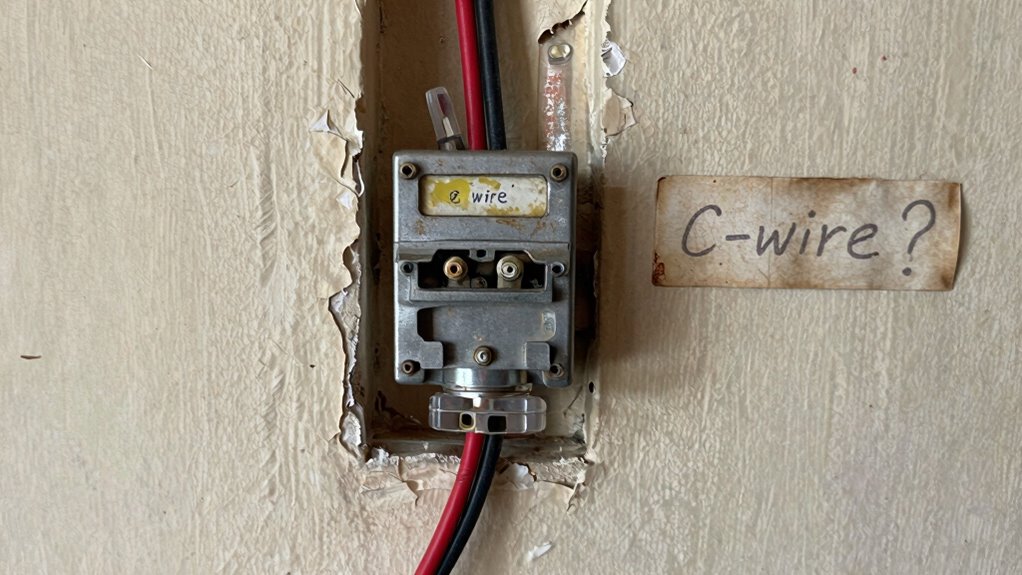
Determining whether your older home has a C-wire involves inspecting your existing thermostat wiring. Remove the thermostat cover and look for a wire connected to the C terminal, often labeled “Common.” If none is present or the wire appears disconnected, your home likely lacks a C-wire. You can also check your wiring diagram or contact an HVAC professional for confirmation. Without a C-wire, you might consider wireless alternatives like power-saving smart thermostats that use batteries or power stealing. Here’s a quick overview:
| Wires Present | Typical Function | Power Source |
|---|---|---|
| C wire | Common ground | 24V power |
| No C wire | No common ground | Battery/Power stealing |
| R wire | Power for thermostat | 24V power |
| W wire | Heating control | Heating system |
| Y wire | Cooling control | Cooling system |
This helps you identify potential workarounds for power supply issues in older homes. Additionally, modern smart thermostats are designed to work with compatibility issues in older homes. Understanding traditional wiring methods can assist in making informed decisions about upgrades or replacements. It’s also beneficial to explore alternative wiring solutions, which can provide reliable power without rewiring. Knowing the typical wiring setups can further help you troubleshoot and plan your thermostat installation effectively.
What Are the Common Challenges Installing a Smart Thermostat Without a C-Wire?

Installing a smart thermostat without a C-wire can present several challenges that may complicate the setup process. Without a C-wire, your thermostat might struggle with reliable wireless compatibility, causing connection issues or inconsistent operation. You may need to rely on alternative power sources, which can limit your options for thermostat placement, especially if power demands are high. This can lead to awkward installation spots or the need for additional wiring solutions. Some smart thermostats offer power-sharing features, but these aren’t always foolproof. Overall, lacking a C-wire can increase troubleshooting time, reduce stability, and make it harder to maximize your thermostat’s placement for ideal performance and wireless connectivity. Additionally, understanding the Rhythm Failure concepts can help troubleshoot or optimize your smart thermostat setup in complex wiring scenarios.
How to Identify if You Don’t Have a C-Wire During Installation
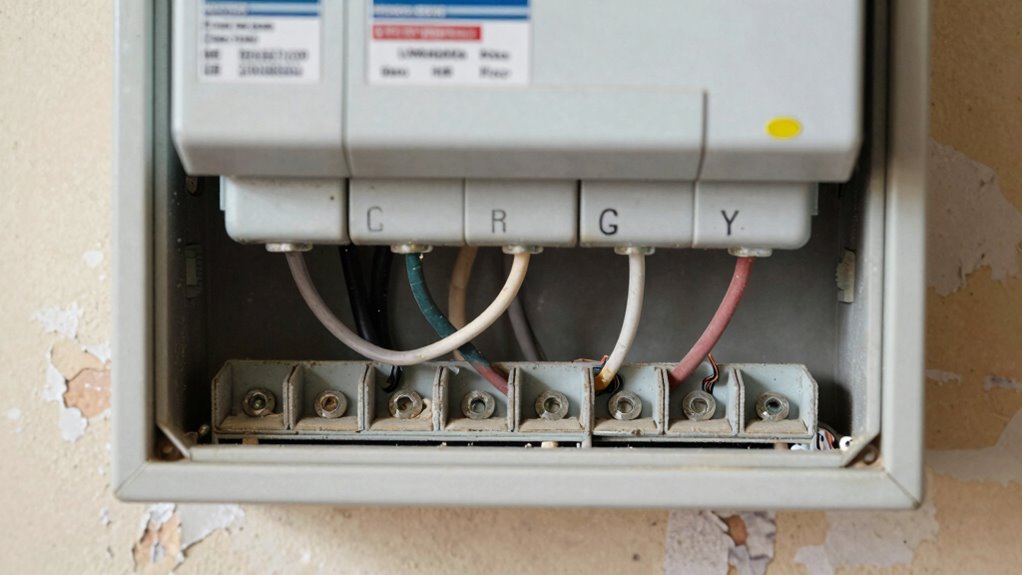
To determine if you lack a C-wire, start by inspecting your existing wiring setup to see if a dedicated wire is present. Look for a C-wire indicator or label on your terminals, which can often signal its presence. If you’re still unsure, test the terminals with a multimeter to check for continuous power, confirming whether a C-wire is available. Additionally, understanding your system’s battery capacity can help identify if additional wiring modifications are necessary for proper thermostat operation.
Check Existing Wiring Setup
When you’re installing a smart thermostat, it is essential to know whether your existing wiring includes a C-wire, which provides continuous power. Start by turning off power and removing the thermostat faceplate. Examine the wiring connected to the terminals; look for wire color and terminal labels. Typically, the common wire (C-wire) is blue or black, but color can vary. Check if the wires are connected to the terminal labeled “C” or “Common.” If you see a wire attached there, you likely have a C-wire. If no wire is connected to the C terminal, or you don’t see a wire in that position, you probably lack a C-wire. Carefully document what you find before proceeding with any installation steps. Being aware of smart home technology standards can help you understand how the wiring functions within your system. Additionally, understanding wiring configurations can assist in troubleshooting or planning for potential upgrades. Recognizing the common wiring practices in older homes can also help you anticipate challenges during installation. Knowing how to identify wiring types can be invaluable if modifications are needed.
Look for C-Wire Indicator
If you didn’t see a wire connected to the C terminal during your initial inspection, you can look for specific indicators that confirm the absence of a C-wire.
- No extra wire in the thermostat wiring bundle
- No power supply indicator on the thermostat screen
- The thermostat operates on batteries only
- Existing wiring lacks a dedicated C terminal connection
- The system relies on wireless alternatives or power saving modes
These signs suggest you don’t have a C-wire, meaning your setup might depend on wireless alternatives or power-saving modes to function properly. If you’re unsure, check for other clues like a lack of a common wire or consult your thermostat’s manual. This helps determine if you need to explore alternative wiring methods or power options for your smart thermostat.
Test With a Multimeter
Using a multimeter to test for a C-wire is a reliable way to determine whether your thermostat has a dedicated common wire. Start by turning off power to your HVAC system to ensure safety. Set your multimeter to measure AC voltage. Remove your thermostat cover and identify the wires connected to R (power) and C (common) terminals. Place the multimeter probes on these terminals or wires—one on R, the other on C. If you see around 24V, the wiring verification confirms a C-wire exists. If no voltage registers, there’s probably no dedicated C-wire. This multimeter testing helps you quickly determine your wiring setup without guesswork, guiding your next steps in installing or upgrading your smart thermostat efficiently.
How to Install a C-Wire or Alternatives in Your Older Home
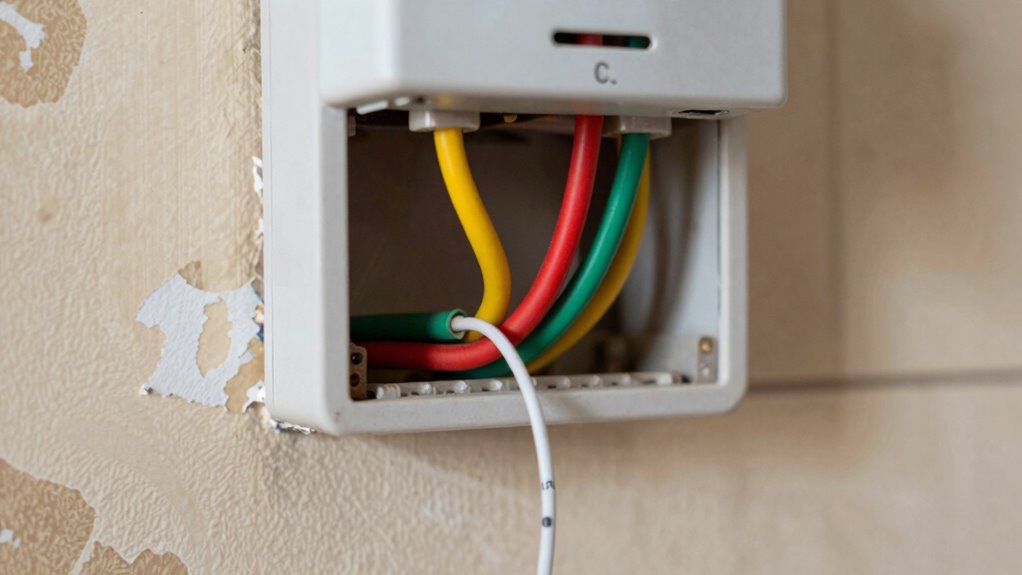
Older homes often lack a C-wire, which is essential for modern smart thermostats to function dependably. To install a C-wire or find alternatives, start by checking your existing wiring and power source. If a C-wire isn’t available, consider these options:
- Use a power extender kit designed for your system
- Install a new C-wire from your furnace or air handler
- Employ a common wire adapter or relay
- Opt for wireless sensors that don’t require a C-wire
- Utilize a smart thermostat with power-sharing capabilities
These solutions help ensure your thermostat maintains consistent power, enabling features like wireless sensors and energy savings. Additionally, understanding your home’s wiring setup can help you determine the most suitable approach. Carefully evaluate your home’s wiring setup or consult an HVAC professional to choose the best approach. Reliable power ensures your smart thermostat performs efficiently, maximizing comfort and effectiveness, especially when considering older wiring systems that may lack a dedicated C-wire. Knowing how to identify wiring configurations can greatly simplify your installation process and prevent potential issues. Recognizing the importance of power sources can also assist in selecting the right solution for your specific home wiring. To help streamline the installation, researching compatibility requirements beforehand can be highly beneficial.
Are Power Extender Kits Safe and Effective?

Power extender kits can be a convenient solution, but you need to contemplate their safety and compatibility with your system. Are they reliable enough to protect your wiring and equipment? Let’s explore whether these kits are both safe and effective for your smart thermostat setup. Additionally, understanding the airless paint spraying tips can help ensure proper installation and avoid potential electrical issues. It’s also important to consider home wiring standards to prevent any risks associated with improper connections. Ensuring compliance with electrical codes is essential for maintaining safety and system integrity.
Safety Considerations
While Power Extender Kits (PEKs) can be a convenient solution for wiring smart thermostats, it’s vital to evaluate their safety and effectiveness carefully. You should consider potential electrical risks and guarantee proper installation to prevent hazards. For safer options, explore wireless alternatives that eliminate wiring concerns altogether. When using PEKs or attempting DIY safety, follow manufacturer instructions strictly, and if unsure, consult a professional. Keep these safety tips in mind:
- Verify your home’s wiring compatibility
- Turn off power before installation
- Use insulated tools and personal protective equipment
- Avoid modifying wiring beyond instructions
- Regularly inspect connections for damage or loose parts
- Understanding power supply is essential for safe electrical work. Additionally, understanding Wiring standards helps ensure compatibility and safety during installation. Recognizing proper grounding practices further reduces the risk of electrical faults. Prioritizing safety ensures your smart thermostat setup remains reliable without risking electrical faults or hazards. Being aware of electrical codes and regulations is also crucial to ensure compliance and safety during installation or modifications. To further enhance safety, always stay updated on local electrical regulations that may affect your specific setup.
Compatibility and Effectiveness
Power Extender Kits (PEKs) are designed to improve compatibility between smart thermostats and existing wiring, especially in homes with limited or unconventional setups. They enable seamless wireless integration by providing the necessary power without needing a dedicated C-wire. PEKs are safe when installed correctly, and they don’t pose electrical hazards, making them a reliable choice for older homes. Their effectiveness depends on proper installation and compatibility with your specific HVAC system. Once in place, they can help you achieve better energy savings by allowing your thermostat to operate efficiently and communicate reliably with your heating and cooling systems. Overall, PEKs are a safe and effective solution for enhancing smart thermostat functionality in homes that lack traditional wiring. Understanding electrical safety is important to ensure proper installation and reliable operation.
How to Install a C-Wire Adapter Step-by-Step

Installing a C-wire adapter simplifies the process of connecting your smart thermostat to your home’s power supply, especially if your existing wiring lacks a dedicated common wire. To start, turn off your HVAC system and remove the thermostat cover. Next, identify the wires connected to the R and C terminals. Follow these steps:
Using a C-wire adapter simplifies smart thermostat installation when wiring lacks a common wire.
- Connect the adapter’s wires to the corresponding R and C terminals.
- Secure the adapter to the wall using screws.
- Attach the new wire from the adapter to the thermostat’s C terminal.
- Turn the power back on and power up your thermostat.
- Use the setup menu to perform temperature calibration and ensure Wi-Fi connectivity.
This approach guarantees your thermostat maintains accurate temperature readings and seamless Wi-Fi connection, making remote control and scheduling effortless.
Which Smart Thermostats Don’t Require a C-Wire?

Are you wondering which smart thermostats can operate without a C-wire? Many wireless thermostats and battery-powered thermostats don’t need a dedicated C-wire to function. These models typically rely on batteries for power, eliminating the need for constant wiring connections. They’re ideal for older homes where installing a C-wire can be challenging or impossible. Battery-powered thermostats often feature energy-efficient designs that extend battery life, so you won’t have to replace batteries frequently. Some wireless thermostats also incorporate Wi-Fi or Zigbee technology, allowing remote control without wired power. Before choosing one, make sure it’s compatible with your heating and cooling system. These options offer a convenient, wire-free solution for smart home climate control.
Troubleshooting Wiring Problems in Older Homes
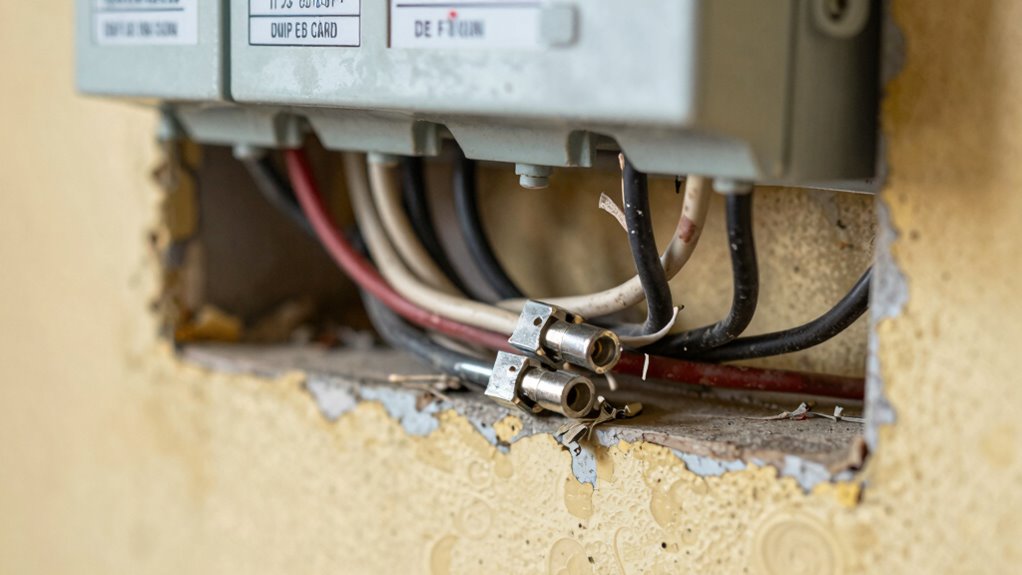
Older homes often have wiring types and connections that can cause issues with smart thermostats. You may encounter common challenges like outdated wiring or incompatible terminals. Understanding your wiring options and knowing repair or upgrade solutions can help guarantee a smooth installation.
Identifying Old Wiring Types
When working with older homes, understanding the types of wiring present before attempting any thermostat installation or troubleshooting is essential. Older wiring often features different wiring colors and may lack the modern C-wire. To identify wiring types, check the wiring color, as it can indicate function—red for power, white for heat, and green for fan. Look at the thermostat terminals; if wires connect to terminals labeled R, W, G, or Y, note the wiring configuration.
Here are some clues to identify old wiring:
- Wires are often uninsulated or cloth-covered
- Colors may be faded or inconsistent
- No dedicated C-wire terminal present
- Wires may be thin or brittle
- Terminals look corroded or loosely connected
Recognizing these signs helps determine wiring compatibility for smart thermostats.
Common Connection Challenges
Troubleshooting wiring problems in older homes often reveals common connection challenges that can hinder smart thermostat installation. Many homes lack a clear C-wire, making wired connections difficult. Sometimes, wires are mislabeled or damaged, leading to confusion about proper thermostat placement. If wiring proves problematic, wireless alternatives like battery-powered models can be a solution, but they may not offer the same reliability. Ensuring correct wiring is essential before proceeding. Here’s a quick overview:
| Challenge | Solution |
|---|---|
| Missing C-wire | Use wireless thermostat options or add a C-wire |
| Old wiring damage | Replace or upgrade wiring |
| Mislabeled wires | Identify and label wires correctly |
| Poor thermostat placement | Choose ideal, accessible locations |
Repair and Upgrade Options
To address wiring issues in older homes, upgrading or repairing your existing wiring system is often necessary to guarantee your smart thermostat functions reliably. You might consider installing a new C-wire, which enhances wireless compatibility and boosts energy efficiency. If rewiring isn’t feasible, alternative solutions like a power extender kit can help bridge the gap. You could also use a relay or add a common wire adapter to connect compatible devices. Additionally, improving your wiring may involve replacing outdated wiring to prevent voltage drops and improve system stability. These options ensure your smart thermostat operates smoothly, maintains top-notch energy use, and supports modern wireless features. Carefully evaluate your home’s wiring and consult a professional to choose the most effective repair or upgrade method.
Tips to Keep Your Smart Thermostat Powered and Working Well
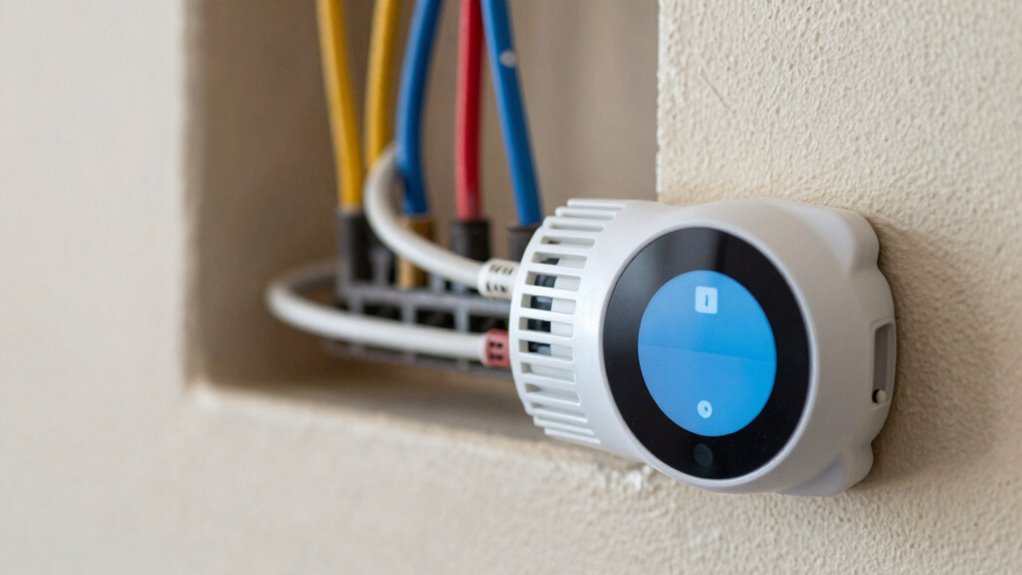
Ensuring your smart thermostat stays powered and functions properly is essential for maintaining a comfortable home. To do this, consider using wireless sensors to monitor temperature accurately without overloading your system. These sensors can help optimize performance and reduce the strain on your thermostat’s power supply. If your home lacks a C-wire, explore alternative power options like a power extender kit or a compatible adapter to guarantee continuous operation. Regularly check your wiring connections and replace batteries in any remote sensors to keep signals strong. Additionally, keep your thermostat’s firmware updated, as software improvements can enhance stability and efficiency. By combining these tips, you’ll help your smart thermostat run reliably, providing consistent comfort and energy savings.
Frequently Asked Questions
Can I Install a Smart Thermostat Without Rewiring My Entire Home?
Yes, you can install a smart thermostat without rewiring your entire home, especially if it has wireless compatibility features. Many models work with existing wiring or use power stealing technology, which helps boost energy efficiency. Check your current setup first, and consider options that don’t require a C-wire. This way, you upgrade your system without the hassle of rewiring, saving time and effort.
Are There Specific Smart Thermostats Designed for Older Wiring Systems?
Yes, some smart thermostats are designed to work with older wiring systems, minimizing compatibility issues. Look for models labeled as compatible with low-voltage or no C-wire setups. These thermostats often include features like power-stealing technology, which helps them operate without rewiring. However, always check the wiring compatibility details for your specific system, and consider consulting a professional to guarantee proper installation and avoid potential issues.
How Does a Power Extender Kit Differ From a C-Wire Adapter?
A power extender kit differs from a C-wire adapter by providing a dedicated power source through your existing wiring, which can be vital since over 30% of older homes lack a C-wire. It guarantees your smart thermostat has consistent power, enhancing wireless compatibility and voltage stability. A C-wire adapter, on the other hand, simply allows a thermostat to draw power from existing wires without adding new ones, making installation easier.
What Are the Risks of Using Third-Party C-Wire Solutions?
Using third-party C-wire solutions can pose risks to your wiring compatibility and installation safety. These adapters might not match your thermostat’s wiring standards, causing potential damage or malfunction. Additionally, improper installation can lead to electrical shorts or fire hazards. To keep your system safe and functioning properly, always verify that third-party solutions are compatible with your existing wiring and consider professional installation to guarantee safety.
Is Professional Installation Necessary for Complex Wiring Setups?
Ever wonder if you should attempt complex wiring yourself? For intricate setups, professional installation is your best bet. DIY challenges like wiring compatibility and ensuring proper connections can be tricky, risking damage or malfunction. Do you really want to compromise your home’s safety or the thermostat’s performance? A licensed expert understands the nuances, guarantees correct wiring, and saves you time and stress—making professional help well worth it.
Conclusion
Just like Icarus needed his wings to soar, your smart thermostat needs the right wiring to function smoothly. Understanding the c-wire and addressing wiring challenges guarantees your home stays comfortable and energy-efficient. Don’t let wiring issues leave you grounded; with the right knowledge and tools, you can elevate your home’s smart capabilities. Embrace the journey, and soon you’ll be flying high with a perfectly wired, fully functional thermostat.