To stay comfortable while working remotely, ensure your workspace is ergonomically set up. Position your monitor at eye level and about an arm’s length away, with your keyboard and mouse at a 90-degree elbow angle. Sit back fully in your chair, keeping your shoulders relaxed and feet flat on the floor. Take short breaks to stretch and move, adjusting your setup as needed for maximum comfort. Keep exploring to discover more tips for maintaining long-term health and productivity.

Get the little things that make your day delivered free with Prime
- Fast, free delivery on millions of items
- Prime Video, Amazon Music and more included
- Member-only deals all year
Key Takeaways
- Adjust monitor height and distance to keep it at eye level and an arm’s length away for optimal neck and eye comfort.
- Ensure your chair supports your lower back and feet are flat on the floor or on a footrest to promote proper posture.
- Position keyboard and mouse at elbow height with wrists straight to reduce strain during typing and clicking.
- Take regular breaks to stand, stretch, and change positions, preventing stiffness and enhancing circulation.
- Continuously refine your workspace setup through small adjustments to maintain ergonomic alignment and prevent discomfort.
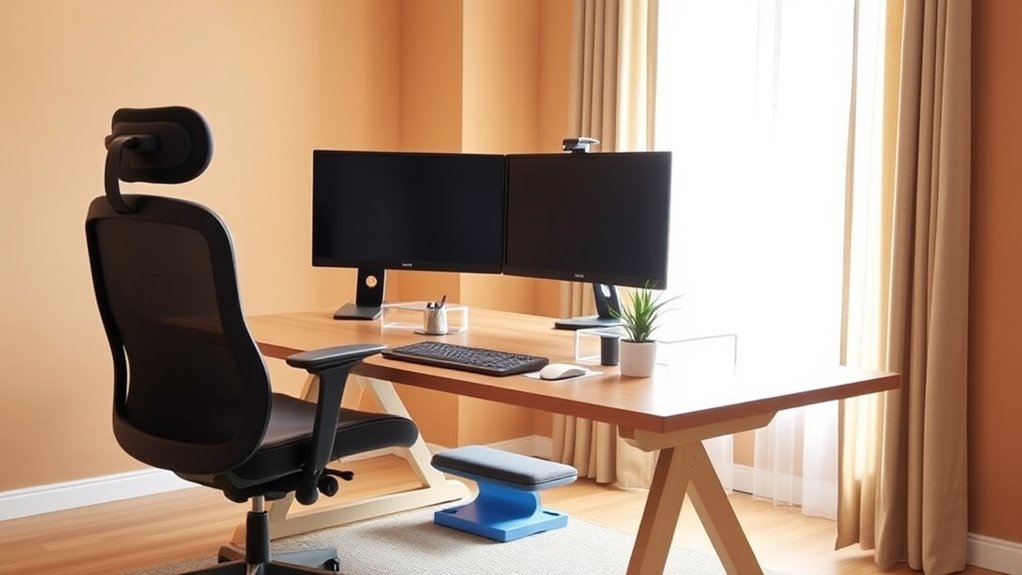
Are you finding that working from home is taking a toll on your comfort and posture? It’s a common issue, especially if your desk setup isn’t enhanced for long hours. When your workspace isn’t designed with ergonomics in mind, it can lead to discomfort, fatigue, and even chronic pain. The key to staying productive and healthy is to pay attention to your desk setup and incorporate simple posture correction techniques. Small adjustments can make a significant difference in how you feel during and after your workday.
Start by evaluating your desk setup. Your monitor should be at eye level, about an arm’s length away, so you don’t strain your neck looking up or down. If your screen is too low or high, it encourages poor posture and causes unnecessary tension. Use a monitor stand or stack some books under your laptop if needed. Your chair should support your lower back, with your feet flat on the floor or on a footrest. Adjust the height of your chair so that your hips are slightly higher than your knees. This positioning helps maintain the natural curve of your spine and reduces pressure on your lower back.
Ensure your monitor is at eye level and your chair supports your lower back for optimal comfort.
Your keyboard and mouse need to be positioned so your elbows rest comfortably at your sides, ideally forming about a 90-degree angle. Keep your wrists straight and relaxed while typing or clicking to prevent strain. If your desk is too high, consider using a keyboard tray or an adjustable desk to bring everything into ergonomic alignment. Remember, your posture correction efforts are ongoing. Throughout the day, take short breaks to stand, stretch, and reset your position. Even a few minutes can help prevent stiffness and promote circulation.
Don’t forget to pay attention to your overall posture. Sit back in your chair with your back fully supported, shoulders relaxed, and neck aligned with your spine. Avoid leaning forward or slouching—these habits can quickly lead to discomfort. Incorporate reminders or set alarms to check in with your posture periodically. Small habits, like adjusting your chair height or repositioning your monitor, can turn your workspace into an ergonomic haven. Additionally, choosing ergonomic projectors for presentations or meetings can help reduce neck strain during virtual collaborations.
Creating an ideal desk setup and practicing posture correction isn’t about perfection; it’s about making consistent adjustments that support your well-being. When your workspace aligns with ergonomic principles, you’ll notice less fatigue, fewer aches, and a more comfortable, productive workday. Remember, taking care of your posture isn’t just about comfort—it’s about safeguarding your health in the long run.
As an affiliate, we earn on qualifying purchases.
Frequently Asked Questions
How Often Should I Take Breaks During Remote Work?
You should take breaks every 30 to 60 minutes during remote work. Use this time for stretching routines to prevent stiffness and strain. Keep your workstation setup in mind—adjust your chair, monitor height, and keyboard position to stay comfortable. Regular breaks help improve focus and reduce fatigue. Remember, staying active and mindful of your ergonomics guarantees you maintain productivity and avoid discomfort throughout your workday.
What Are Budget-Friendly Ergonomic Furniture Options?
You can find budget-friendly ergonomic furniture options like adjustable chairs, sit-stand desks, or foam cushions. Consider DIY ergonomic solutions such as homemade lumbar supports or stacking books for proper monitor height. Look for second-hand or discount stores to save money. These budget-friendly alternatives help you stay comfortable without overspending, ensuring you maintain good posture and avoid discomfort during long remote work sessions.
How Can I Improve Lighting in My Home Office?
You can improve your home office lighting by optimizing desk lighting and maximizing natural illumination. Start by adding adjustable desk lamps with bright, flicker-free bulbs to reduce eye strain. Position your workspace near windows to utilize natural light, but avoid glare by using sheer curtains or blinds. Consider reflective surfaces like light-colored walls or desks to bounce light around the room. These adjustments create a brighter, more comfortable workspace that boosts productivity.
Are There Specific Exercises to Prevent Back Pain?
To prevent back pain, you should incorporate stretching routines and focus on posture correction throughout your day. Regularly stretch your back, hips, and shoulders to relieve tension, and practice exercises like pelvic tilts or cat-cow stretches. Keep your posture in check by sitting upright, with your feet flat on the floor and your monitor at eye level. These habits help reduce strain and keep your back healthy during remote work.
What Accessories Can Enhance Ergonomic Comfort?
To enhance ergonomic comfort, you should invest in accessories like an adjustable keyboard tray to improve keyboard comfort and a monitor stand to optimize monitor positioning. These tools help you maintain proper posture, reduce strain, and stay comfortable during long work sessions. Additionally, consider ergonomic wrist supports and footrests, which can further improve your workspace setup. Proper accessories make it easier to work productively and prevent discomfort over time.
Conclusion
Remember, a comfortable workspace isn’t just a luxury—it’s essential for your well-being. By setting up your home office with good ergonomics, you’ll stay healthier, more focused, and happier during your workday. Don’t forget, “A stitch in time saves nine,” so invest a little effort now to avoid bigger issues later. Keep your workspace tuned to your needs, and you’ll enjoy your remote work more every day.
Halloween Picks
halloween
As an affiliate, we earn on qualifying purchases.