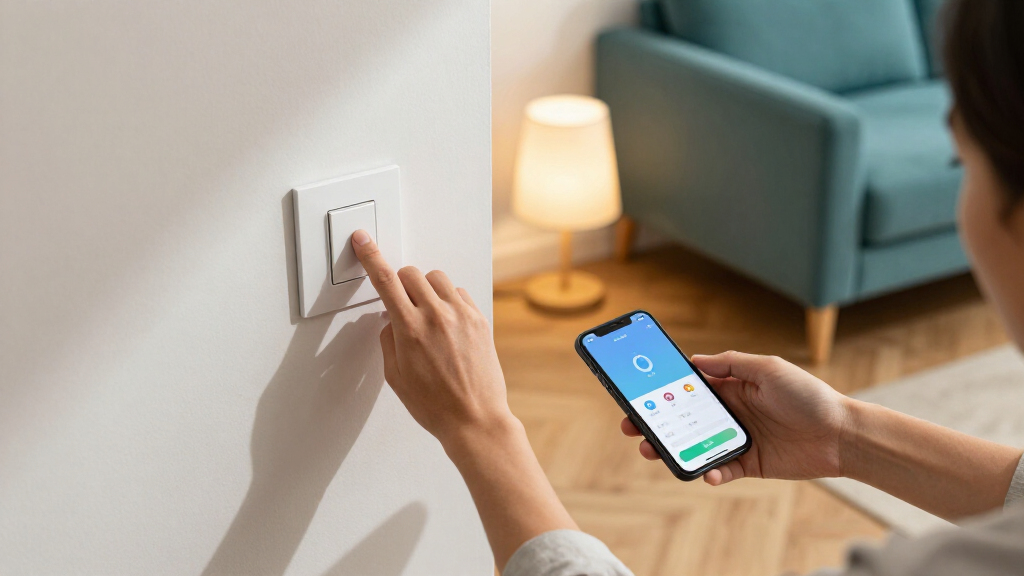

The best smart light switches combine reliable everyday control with wiring and smart-home support that match your home. My best overall pick is the TP-Link Tapo S505 Matter Smart Light Switch, a versatile choice for buyers who want Matter support and a straightforward on/off switch. The Lutron Caseta Claro stands out for a more polished premium setup, while the Kasa HS220P3 is a strong choice when dimming matters more than Matter support. The main tradeoffs are whether your box has a neutral wire, whether you need dimming or multiway control, and which voice assistant or smart-home platform you use. Read on for the full comparison, including budget-friendly multipacks and switches for specific wiring setups.

Get the little things that make your day delivered free — and shop member deals
- Fast, free delivery on millions of items
- Access to Prime Big Deal Days deals on October 6–7
- Prime Video, Amazon Music and more included
Key Takeaways
- Matter support distinguishes several flexible picks: the amazon.com/dp/B0DKGXY4DL?tag=getaninsight-20&ascsubtag=dc-1125853″ target=”_blank” rel=”nofollow sponsored noopener”>Tapo S505, S515, and S515D can suit buyers building across compatible smart-home platforms, while the other options lean more heavily on their named ecosystems.
- Wiring and circuit type narrow the field quickly: many single-pole models require a neutral wire, while the Tapo S515D and Kasa HS210 address specific multiway circuit needs.
- Dimming is a separate decision from smart control: the Kasa HS220P3 and Tapo S515D are the dimmer-focused options here; most other listed models are on/off switches.
- Multipacks make the most sense for matching rooms: meross, GHome, Tapo S500, TREATLIFE, and several Kasa listings offer multiple switches, but buyers should check each circuit’s wiring before purchasing a set.
- Premium fit and broad platform flexibility are not the same thing: Lutron Caseta Claro is the premium-style choice, while Matter models are the more direct route for buyers prioritizing cross-platform compatibility.






| smart light switch | Model | Switch type | Connectivity | Compatibility |
|---|---|---|---|---|
| meross Smart Light Switch Sing | MSS510 | Single pole (1-way) | 2.4GHz Wi-Fi | Amazon Alexa, Google Assistant, Apple HomeKit, Siri, SmartThings |
| Tapo S515D Matter Smart 3-Way | S515D KIT | — | 2.4GHz Wi-Fi | Amazon Alexa, Apple HomeKit, Google Home, Samsung SmartThings |
| GHome Smart Light Switches | — | Single pole | 2.4GHz Wi-Fi | Amazon Alexa, Google Assistant |
| TP-Link Tapo S505 Matter Smart | Tapo S505 | Single pole | Matter; 2.4GHz Wi-Fi | Apple Home, Amazon Alexa, Google Home, Samsung SmartThings |
| Kasa HS200-2 2-Gang Smart Ligh | HS200-2 | Single pole | — | — |
| Kasa Smart Dimmer Switch HS220 | HS220P3 | Dimmer | 2.4 GHz Wi-Fi | — |
| Kasa Smart Wi-Fi Light Switch | HS200P3 | Single-pole, 1-way | 2.4 GHz Wi-Fi | — |
| TP-Link Tapo S500 Smart Light | Tapo S500 | Single-pole, one-way | — | — |
| Lutron Caseta Claro Smart Swit | — | On/off | — | Alexa, Apple Home, Google Assistant, Ring, Sonos |
| Leviton Decora Smart Wi-Fi Swi | D315S-1RW | — | 2.4 GHz Wi-Fi | — |
| Kasa Smart 3-Way Switch Kit | HS210 Kit | — | — | — |
| Tapo Smart Switch S515 | — | — | — | Amazon Alexa, Apple HomeKit, Google Home, and Samsung SmartThings |
| TREATLIFE Smart Light Switch | — | Single-pole | 2.4 GHz Wi-Fi | Alexa, Google Home, and SmartThings |
| Amazon Basics Smart Light Swit | — | — | 2.4 GHz Wi-Fi | Amazon Alexa only |
| Kasa Smart Light Switch KS200P | KS200P3 | Single-pole | 2.4 GHz Wi-Fi | Apple HomeKit, Amazon Alexa, and Google Assistant |
More Details on Our Top Picks
meross Smart Light Switch Single Pole (4 Pack), Wi-Fi, HomeKit Compatible
The meross four-pack is a strong fit when several single-pole switches need smart control and Apple Home is part of the setup. Its standout advantage over the GHome four-pack is support for HomeKit and SmartThings alongside Alexa and Google Assistant, giving it more room to fit into a mixed-platform home. The switches also offer local offline control and schedule execution, so basic automations can keep working when internet access drops. That breadth comes with wiring limits: each switch needs a neutral wire, and the 2.4GHz-only Wi-Fi requirement rules out connecting directly to a 5GHz network. This is a better match for buyers seeking multi-platform coverage than the two-switch Tapo S505, but it does not offer that model’s Matter-based setup.
Pros:- Four switches support upgrades across multiple single-pole locations.
- Works with Apple HomeKit, Alexa, Google Assistant, Siri, and SmartThings.
- Local control and offline schedule execution can keep basic automations available without internet.
- App installation guidance helps DIY buyers follow the setup process.
Cons:- Requires a neutral wire at every switch location.
- Connects only to 2.4GHz Wi-Fi.
- Single-pole operation does not suit lights controlled from two locations.
Best for: HomeKit households replacing several single-pole switches that have neutral wiring and a 2.4GHz Wi-Fi network.
Not ideal for: Owners of older homes without neutral wires, or buyers who need 3-way control, dimming, or direct 5GHz Wi-Fi support.
- Model:MSS510
- Pack size:4 switches
- Switch type:Single pole (1-way)
- Connectivity:2.4GHz Wi-Fi
- Compatibility:Amazon Alexa, Google Assistant, Apple HomeKit, Siri, SmartThings
- Wiring requirement:Neutral wire required
- Voltage and maximum load:110V; 400W maximum
- Dimensions:4.7 x 2.8 x 1.5 inches
- Warranty:2-year manufacturer warranty
Our verdict“Choose the meross four-pack for several single-pole upgrades where HomeKit support and offline control matter more than Matter or dimming.”
Tapo S515D Matter Smart 3-Way Dimmer Switch Kit
For a hallway or staircase light controlled from two locations, the Tapo S515D addresses two needs that the single-pole meross and GHome packs do not: 3-way control and adjustable brightness. Its 0–100% dimming range lets you set softer light for evenings rather than only switching a circuit on or off. Matter support broadens platform compatibility, while energy monitoring, schedules, and Away Mode add useful automation options. Compared with the Tapo S505, this kit is the more capable lighting-control choice for dimmable fixtures and two-location wiring; the S505 is simpler if you only need an on/off single-pole switch. The tradeoff is a more involved installation, with neutral wiring required and professional electrical help recommended. It also relies on 2.4GHz Wi-Fi.
Pros:- Supports 3-way lighting control from two locations.
- Offers full 0–100% brightness adjustment.
- Matter certification supports major smart home platforms.
- Energy monitoring, Away Mode, and schedules add control beyond basic switching.
Cons:- Requires neutral wiring and may call for professional installation.
- Requires a 2.4GHz Wi-Fi network.
- More features and wiring complexity are unnecessary for a simple on/off single-pole circuit.
Best for: Homeowners who want dimming and smart control for a compatible light operated from two switch locations.
Not ideal for: Buyers replacing a basic single-pole on/off switch, homes without neutral wiring, or anyone seeking a straightforward DIY install without electrical experience.
- Model:S515D KIT
- Switch configuration:3-way dimmer kit
- Dimming range:0–100%
- Connectivity:2.4GHz Wi-Fi
- Certification:Matter Certified
- Compatibility:Amazon Alexa, Apple HomeKit, Google Home, Samsung SmartThings
- Wiring requirement:Neutral wire required
- Additional features:Energy monitoring, Away Mode, Fade On/Off, custom schedules
Our verdict“Pick the Tapo S515D when you need dimming and two-location control, rather than the simpler single-pole operation of the Tapo S505.”
GHome Smart Light Switches, Single Pole WiFi, Works with Alexa & Google, 4 Pack
The GHome four-pack keeps the feature set focused: it adds Alexa and Google Assistant control, app access, schedules, and group controls to multiple single-pole circuits without requiring a hub. That makes it a practical choice for buyers who want to automate several rooms without paying for broader ecosystem coverage they may not use. Compared with the meross four-pack, GHome omits HomeKit and SmartThings support, so Apple-first households have a clearer reason to choose meross instead. GHome’s UL and FCC certifications and flame-retardant materials are useful safety details, while app-guided installation can help with setup. The constraints are familiar for this kind of Wi-Fi switch: neutral wiring is required, only 2.4GHz networks are supported, and the switches do not handle 3-way circuits or dimming.
Pros:- Four switches provide a consistent option for multiple circuits.
- Works with Alexa and Google Assistant voice control.
- No separate hub is required.
- UL and FCC certifications and flame-retardant materials are specified.
Cons:- Does not list Apple HomeKit or SmartThings compatibility.
- Requires neutral wiring and 2.4GHz Wi-Fi.
- Single-pole on/off controls cannot replace dimmers or 3-way switches.
Best for: Alexa- or Google-centered households updating several standard single-pole switches without adding a hub.
Not ideal for: Apple Home users, homes without neutral wires, and buyers who need dimming or control from two switch locations.
- Pack size:4 switches
- Switch type:Single pole
- Connectivity:2.4GHz Wi-Fi
- Compatibility:Amazon Alexa, Google Assistant
- Wiring requirement:Neutral wire required
- Hub requirement:No hub required
- Certifications:UL, FCC
- Cover dimensions:4.72 x 2.76 x 0.34 inches
Our verdict“Choose GHome for a hub-free, four-switch upgrade built around Alexa or Google, and choose meross instead if HomeKit support matters.”
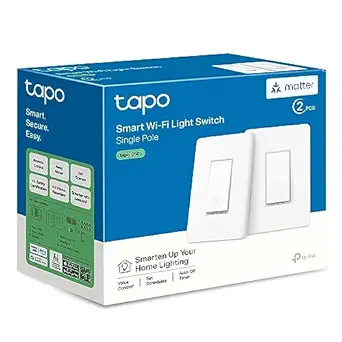
TP-Link Tapo S505 Matter Smart Light Switch, 2-Pack
The Tapo S505 two-pack suits buyers who want straightforward on/off smart control in a Matter-compatible home. Matter support links it with Apple Home, Alexa, Google Home, and SmartThings, while local network control and multi-admin access can make everyday operation less dependent on a single app or account. Compared with the four-switch meross pack, the S505 gives you fewer switches, but its Matter approach is a clear fit for households already organizing devices across platforms. It also provides timers and schedules without adding dimming or energy monitoring. That keeps the feature set simpler than the Tapo S515D, which is better suited to 3-way circuits and brightness adjustment. The S505 is single-pole only, needs a neutral wire, and connects over 2.4GHz Wi-Fi.
Pros:- Matter compatibility spans Apple Home, Alexa, Google Home, and SmartThings.
- Local network control and multi-admin access support flexible household control.
- Two-switch pack suits a small targeted upgrade.
- Timers, schedules, and app-guided setup are included.
Cons:- Requires a neutral wire and 2.4GHz Wi-Fi.
- Single-pole on/off operation does not support dimming or 3-way circuits.
- Only two switches are included, fewer than the meross and GHome four-packs.
Best for: Matter-enabled households replacing one or two standard single-pole switches with local control and cross-platform access.
Not ideal for: Buyers who need a larger multi-switch pack, dimming, 3-way operation, or installation where no neutral wire is available.
- Model:Tapo S505
- Pack size:2 switches
- Switch type:Single pole
- Connectivity:Matter; 2.4GHz Wi-Fi
- Compatibility:Apple Home, Amazon Alexa, Google Home, Samsung SmartThings
- Wiring requirement:Neutral wire required
- Certification:UL certified
- Warranty:2 years
Our verdict“Choose the Tapo S505 for a Matter-based on/off upgrade in a few single-pole locations, not for dimming or multi-location circuits.”
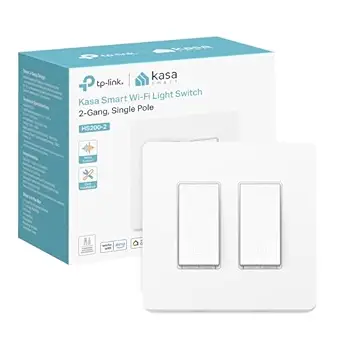
Kasa HS200-2 2-Gang Smart Light Switch, Single Pole, Neutral Wire Required
The Kasa HS200-2 is built for a different problem than the multi-pack switches: its 2-gang design controls two separate light circuits from one wall location. That makes it a tidy option when a single box has two switches to upgrade, such as separate room lights or a light and fan circuit, provided both are compatible single-pole loads. App control through Kasa, voice support for Alexa, Google Assistant, and SmartThings, plus schedules and Away Mode cover common automation needs. Compared with the Tapo S505 two-pack, this model concentrates two controls in one 2-gang unit rather than offering two separate switch locations with Matter support. Its tradeoffs are the required neutral wire and 2.4GHz Wi-Fi, along with no listed HomeKit or Matter compatibility.
Pros:- Controls two separate light circuits from one 2-gang unit.
- Kasa app provides remote control, schedules, and timers.
- Supports Alexa, Google Assistant, and SmartThings voice or smart home control.
- Away Mode can vary switching to simulate occupancy.
Cons:- Requires a neutral wire and 2.4GHz Wi-Fi.
- Does not list Apple HomeKit or Matter support.
- Single-pole configuration is unsuitable for circuits controlled from multiple locations.
Best for: Homeowners replacing two separate single-pole controls housed together in one wall box who use Alexa, Google, or SmartThings.
Not ideal for: Apple Home or Matter users, homes without neutral wiring, and buyers whose two lights are controlled from multiple locations.
- Model:HS200-2
- Gang configuration:2-gang; controls two circuits
- Switch type:Single pole
- Wiring requirement:Neutral wire required
- Wi-Fi requirement:2.4GHz
- App control:Kasa Smart app
- Voice assistant compatibility:Amazon Alexa, Google Assistant, Samsung SmartThings
- Safety certification:UL-certified
- Automation features:Schedules, timers, Away Mode
Our verdict“Choose the Kasa HS200-2 when two single-pole circuits share one wall box and you do not need Matter or HomeKit support.”
Kasa Smart Dimmer Switch HS220P3, Single-Pole
The HS220P3 is the better Kasa pick when changing brightness matters as much as switching lights on and off. Its 0–100% dimming, scheduling, and fade-off controls let you set a softer evening routine or turn lights off gradually from the app or switch buttons. Unlike the standard Kasa HS200P3, it can adjust brightness, but its listed 150 W load is lower than that model’s 600 W rating, so check the connected lighting load before choosing it. It connects directly to 2.4 GHz Wi-Fi and works with Alexa and Google Assistant without a hub. The tradeoff is a neutral-wire requirement, plus dependence on 2.4 GHz Wi-Fi; it is also a single-pole switch, not a solution for multi-location control.
Pros:- Adjusts brightness from 0% to 100% using the switch or Kasa app
- Scheduling and fade-off controls support customized lighting routines
- Remote and voice control work without a separate hub
- Compatible with Amazon Alexa and Google Assistant
Cons:- Requires a neutral wire in the switch box
- Needs a 2.4 GHz Wi-Fi network
- Listed 150 W load is lower than the standard Kasa HS200P3’s 600 W rating
Best for: Homeowners replacing a single-pole switch who want app and voice-controlled dimming, schedules, and gradual fade-off.
Not ideal for: Households without neutral wiring, homes relying on 5 GHz-only Wi-Fi, or buyers who need a non-dimming switch or 3-way control.
- Model:HS220P3
- Switch type:Dimmer
- Circuit type:1-way
- Operating voltage:120 V AC
- Wattage:150 W
- Connectivity:2.4 GHz Wi-Fi
- Neutral wire:Required
- Hub:Not required
- Voice assistants:Amazon Alexa, Google Assistant
Our verdict“Choose the HS220P3 for a single-pole circuit where adjustable brightness and app routines matter more than a higher load rating.”
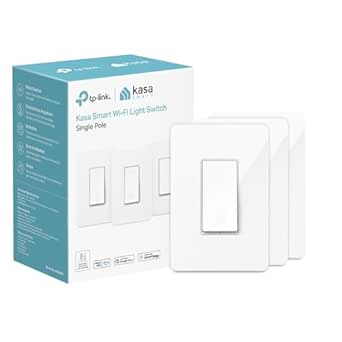
Kasa Smart Wi-Fi Light Switch, Single Pole, Requires Neutral Wire, HS200P3
The HS200P3 suits buyers who want straightforward smart on/off control rather than dimming. Through the Kasa app, you can operate compatible fixtures remotely and set schedules, countdown timers, or Away Mode to make lights appear active while you are out. Compared with the Kasa HS220P3, this model cannot adjust brightness, but its listed 600 W load is higher than the dimmer’s 150 W rating. Alexa and Google Assistant support comes without a separate hub, and app-guided installation can help with setup. The main limits are the required neutral wire and 2.4 GHz Wi-Fi connection. It is also a single-pole switch, so buyers with a multi-location lighting circuit should look at a compatible 3-way option instead.
Pros:- Controls compatible fixtures remotely through the Kasa app
- Supports schedules, countdown timers, and Away Mode
- Works with Amazon Alexa and Google Assistant without a hub
- 600 W listed load and UL certification
Cons:- Requires neutral wiring
- Connects over 2.4 GHz Wi-Fi
- Provides on/off control only, unlike the Kasa HS220P3 dimmer
Best for: Buyers replacing a single-pole on/off switch for a compatible light, ceiling fan, or fixture who want schedules and remote control.
Not ideal for: People who need dimming, lack a neutral wire, use a 5 GHz-only network, or need smart control from multiple switch locations.
- Model:HS200P3
- Switch type:Single-pole, 1-way
- Wiring:Neutral wire required
- Input voltage:100–120 VAC, 50/60 Hz
- Wattage:600 W
- Connectivity:2.4 GHz Wi-Fi
- Voice assistants:Amazon Alexa, Google Assistant
- Color:White
- Safety certification:UL certified
Our verdict“Pick the HS200P3 for hub-free schedules and remote on/off control when dimming is not part of your plan.”
TP-Link Tapo S500 Smart Light Switch, Single Pole, Neutral Wire Required, 4-Pack
The Tapo S500 stands out for outfitting several single-pole locations with one consistent app and control setup: the four-switch pack is its defining advantage over the single-switch Lutron Caseta Claro. Each switch supports app and voice control, schedules, timers, countdowns, and Away Mode, giving buyers a broad set of routine controls across multiple rooms. Alexa and Google Assistant work through 2.4 GHz Wi-Fi, with no hub requirement listed. This is an on/off switch, though, not a dimmer like the Kasa HS220P3, and each location still needs neutral wiring. The single-pole design also rules it out for circuits controlled from multiple switch points. UL certification and a two-year warranty add useful purchase backing, but buyers should confirm that all four locations fit the same wiring needs.
Pros:- Four switches provide a consistent setup for multiple locations
- Tapo app supports remote control, schedules, timers, countdowns, and Away Mode
- Compatible with Amazon Alexa and Google Assistant
- UL certified and backed by a two-year warranty
Cons:- Requires neutral wiring at each installation location
- Requires 2.4 GHz Wi-Fi
- Single-pole on/off control does not replace a dimmer or multi-location switch
Best for: Homeowners updating several neutral-wired, single-pole lighting locations who want shared app, voice, and schedule controls.
Not ideal for: Buyers needing dimming, a 3-way solution, or only one switch; the four-pack may not suit a small project.
- Model:Tapo S500
- Pack size:4 switches
- Switch type:Single-pole, one-way
- Neutral wire:Required
- Wi-Fi:2.4 GHz
- Input voltage:100–120 VAC, 50/60 Hz
- Control methods:Tapo app, Amazon Alexa, Google Assistant
- Certification:UL certified
- Warranty:2 years
Our verdict“Choose the Tapo S500 pack when you need several smart on/off switches for neutral-wired, single-pole circuits.”
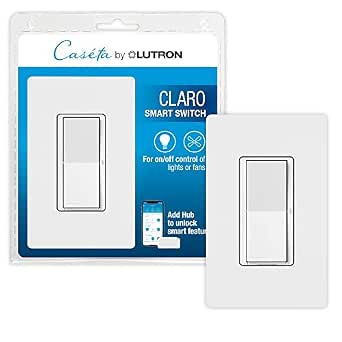
Lutron Caseta Claro Smart Switch & Wallplate for LED Lights
The Caseta Claro is the strongest fit here for buyers who want a polished paddle switch and a flexible path to 3-way control. With Pico remotes, a multi-location setup can avoid pulling new wires or altering the wall, unlike a typical hard-wired arrangement; the remotes and mounting brackets are sold separately. The included Claro wallplate gives the switch a coordinated finish, while compatibility spans Alexa, Apple Home, Google Assistant, Ring, and Sonos. By contrast, the Leviton D315S-1RW offers hub-free Wi-Fi and Matter, while this Lutron requires a separate Smart Hub for smart features. Neutral wiring is also required. Choose it for the Caseta ecosystem and flexible control points, not for the simplest or most self-contained installation.
Pros:- Supports 3-way setups using wireless Pico remotes without pulling new wires
- Includes a matching Claro wallplate
- Works with Alexa, Apple Home, Google Assistant, Ring, and Sonos
- Smart Away feature can simulate occupancy
Cons:- Lutron Smart Hub is required for smart features
- Neutral wiring is required
- Pico remotes and mounting brackets for 3-way use are sold separately
Best for: Homeowners who want a coordinated paddle switch and plan to add smart control at multiple locations using the Caseta system.
Not ideal for: Buyers who want hub-free setup, do not want to buy a separate hub, or need a complete 3-way kit with remotes included.
- Switch type:On/off
- Circuit type:Single-pole; 3-way with accessory
- Operating voltage:120 V
- Mounting type:Wall mount
- Included items:1 Claro Smart Switch, 1 Claro Wallplate
- Compatibility:Alexa, Apple Home, Google Assistant, Ring, Sonos
- Hub requirement:Lutron Smart Hub L-BDG2-WH required
- Neutral wire:Required
- Temperature range:32°F–104°F
Our verdict“Choose the Caseta Claro if you value a coordinated paddle design and flexible 3-way control enough to add Lutron’s hub and accessories.”
Leviton Decora Smart Wi-Fi Switch, D315S-1RW, White
The D315S-1RW is the most flexible pick in this group for buyers who want Matter support alongside direct Wi-Fi control. It connects to 2.4 GHz Wi-Fi without a hub and works with the My Leviton app, Alexa, Google Assistant, and Siri. Its compatibility with LED, CFL, incandescent, fluorescent, and motor loads also gives it broader stated load coverage than the Kasa HS200P3, which is listed for a 600 W load. For a 3-way circuit, Leviton offers wireless or hard-wired companion-switch routes, but those companions are separate purchases. A neutral wire is required, and the one-year limited warranty is shorter than the Tapo S500’s two-year coverage. It is an on/off switch, so choose the Kasa HS220P3 instead if dimming is your priority.
Pros:- Matter support alongside 2.4 GHz Wi-Fi app and remote control
- Compatible with Alexa, Google Assistant, and Apple Siri
- Supports LED, CFL, incandescent, fluorescent, and motor loads
- Offers wireless or hard-wired companion options for 3-way control
Cons:- Requires a neutral wire
- 3-way companion switch is sold separately
- One-year limited warranty is shorter than the Tapo S500’s two-year warranty
Best for: Smart-home owners seeking Matter-compatible, hub-free on/off control across supported lighting and motor loads, with a path to 3-way use.
Not ideal for: Buyers without neutral wiring, anyone who needs dimming, or shoppers who want a companion switch included for 3-way control.
- Model:D315S-1RW
- Color:White
- Connectivity:2.4 GHz Wi-Fi
- Control:My Leviton app, voice assistants, Matter-compatible platforms
- Voice assistants:Google Assistant, Amazon Alexa, Apple Siri
- Maximum load:15 A
- Motor load:1/3 HP
- Neutral wire:Required
- 3-way control:Wireless with DAWSC companion or hard-wired with DD0SR companion
Our verdict“Pick the Leviton D315S-1RW for Matter support and broad stated load compatibility, provided you have neutral wiring and do not need dimming.”
Kasa Smart 3-Way Switch Kit (HS210), Requires Neutral Wire
The Kasa HS210 Kit is a good fit when the main job is making one light controllable from two wall locations, such as at the top and bottom of a staircase. It also supports single-pole use, so it can suit a simpler circuit when needed. The app adds remote control, schedules, timers, and away mode, while Alexa and Google Assistant voice control keeps it more flexible than the Alexa-only Amazon Basics switch. Its setup is app-guided, but this is still a wired installation: the circuit needs a neutral wire, and some homeowners may prefer an electrician. Unlike the Tapo S515, the HS210 does not offer Matter support, 4-way wiring, or energy monitoring. Choose it for familiar 3-way functionality, not for the broadest smart-home compatibility.
Pros:- Supports both 3-way and single-pole configurations
- Remote control, schedules, timers, and away mode are available in the app
- Works with Alexa and Google Assistant
- App-guided setup helps explain installation steps
Cons:- Requires a neutral wire and 2.4 GHz Wi-Fi
- Wired installation may call for an electrician
- Lacks the Matter support and energy monitoring offered by the Tapo S515
Best for: Homeowners with a neutral wire who want app and voice control for a light operated from two locations.
Not ideal for: Buyers with 4-way circuits, no neutral wire, or a priority on Matter compatibility and energy monitoring.
- Model:HS210 Kit
- Switch configurations:3-way or single-pole
- Wiring:Neutral wire required
- Wi-Fi:2.4 GHz
- Voice assistants:Amazon Alexa and Google Assistant
- App features:Remote control, schedules, timers, and away mode
- Safety certification:UL certified
Our verdict“Choose the HS210 if you want a practical, app-connected 3-way switch and do not need Matter or 4-way support.”
Tapo Smart Switch S515 – Single-Pole/3-Way/4-Way, Matter Compatible
The Tapo S515 is the most adaptable multi-location switch in this group: it supports single-pole, 3-way, and 4-way wiring, while Matter broadens compatibility across Alexa, Apple Home, Google Home, and SmartThings. That makes it a stronger pick than the Kasa HS210 for homes with a 4-way circuit or a mixed-platform smart home. Energy monitoring adds a way to track the connected lighting, and the app provides remote control, schedules, grouping, and away mode. The tradeoff is installation complexity: it still needs a neutral wire and 2.4 GHz Wi-Fi, and professional installation is recommended. Compared with the simpler Amazon Basics switch, the S515 serves more wiring layouts and platforms, but asks buyers to manage a more involved setup.
Pros:- Matter certification supports broad smart-home platform compatibility
- Works with single-pole, 3-way, and 4-way wiring
- Energy monitoring adds visibility into connected lighting use
- Includes scheduling, away mode, remote control, and grouping
Cons:- Requires a neutral wire and 2.4 GHz Wi-Fi
- Professional installation is recommended
- Its broader wiring and platform support may be unnecessary for a basic single-pole circuit
Best for: Smart-home owners with neutral wiring who need Matter support or want one switch model for single-pole, 3-way, and 4-way circuits.
Not ideal for: Buyers seeking a basic, low-complexity single-pole replacement or a switch that works without neutral wiring.
- Wiring:Single-pole, 3-way, and 4-way
- Neutral wire:Required
- Wi-Fi:2.4 GHz
- Matter:Certified
- Compatibility:Amazon Alexa, Apple HomeKit, Google Home, and Samsung SmartThings
- Energy monitoring:Yes
- Safety:UL certified, flame-retardant design
Our verdict“Pick the Tapo S515 for the broadest wiring and Matter flexibility, provided you are prepared for a more involved installation.”
TREATLIFE Smart Light Switch (4 Pack) – Single Pole WiFi Timer, Works with Alexa, Google Home & SmartThings, Neutral Wire Required
The TREATLIFE four-pack is aimed at buyers updating several ordinary single-pole circuits at once. Each switch connects directly to 2.4 GHz Wi-Fi, so there is no hub to add, and the Smart Life app supports scheduling, timers, status checks, and group control. Screwless snap-on plates give the installed switches a tidy finish. Its main limitation is scope: these switches do not dim lights and cannot replace a switch in a 3-way circuit. That makes the pack less versatile than the Tapo S515, which handles multiple-location wiring, but a better match when several separate single-pole lights need basic automation. Neutral wiring is required, so older homes should check the switch boxes before buying.
Pros:- Four switches support updating multiple single-pole circuits
- No hub is required
- Works with Alexa, Google Home, and SmartThings
- Screwless snap-on wall plates and app-based group control are included
Cons:- Does not support dimming
- Cannot be used for 3-way wiring
- Requires a neutral wire and 2.4 GHz Wi-Fi
Best for: Homeowners with several neutral-wired, single-pole lights who want app and voice control without adding a hub.
Not ideal for: Buyers who need dimming, 3-way control, or a switch compatible with wiring that lacks a neutral wire.
- Quantity:4 switches
- Switch type:Single-pole
- Connectivity:2.4 GHz Wi-Fi
- Neutral wire:Required
- Hub:Not required
- Compatibility:Alexa, Google Home, and SmartThings
- Dimming:Not supported
- Wall plate:Screwless snap-on
Our verdict“Choose the TREATLIFE pack for several basic single-pole lights, but skip it if you need dimming or multi-location control.”
Amazon Basics Smart Light Switch, Single Pole, Alexa-Compatible, White
The Amazon Basics Smart Light Switch keeps its job simple: it replaces a single-pole switch and adds Alexa voice commands and routines over 2.4 GHz Wi-Fi. Since it needs no hub, it suits an Alexa household that wants scheduled lighting without adding another bridge or smart-home platform. Guided installation materials are available, though wiring work may still call for an electrician. The narrower platform support is the defining compromise. Unlike the TREATLIFE four-pack, it does not list Google Home or SmartThings compatibility, and it is not intended for multi-location wiring. Choose it when Alexa is already the household’s control point; if Apple Home, Google, or broader circuit flexibility matters, the Tapo S515 or Kasa KS200P3 is a better fit.
Pros:- Works with Alexa voice commands and routines
- No hub is required
- Guided installation video and user manual are available
- Straightforward single-pole design
Cons:- Compatible with Alexa only
- Requires 2.4 GHz Wi-Fi
- Does not offer the multi-location wiring support of the Tapo S515
Best for: Alexa users replacing one neutral-compatible single-pole switch who want routine-based control without a hub.
Not ideal for: Households using Apple Home, Google Home, or SmartThings, and buyers who need 3-way or 4-way control.
- Type:Smart light switch
- Wiring:Single-pole
- Compatibility:Amazon Alexa only
- Connectivity:2.4 GHz Wi-Fi
- Hub:Not required
- Color:White
- Setup guidance:Installation video and user manual
Our verdict“Choose this switch for a simple Alexa-controlled single-pole light, not for a mixed-platform or multi-location setup.”
Kasa Smart Light Switch KS200P3, Apple HomeKit Compatible, Single Pole, 3-Pack
The Kasa KS200P3 three-pack suits Apple households that want Siri and HomeKit control across several single-pole lights. It also works with Alexa and Google Assistant, so it offers more voice-assistant choice than the Amazon Basics switch, while app-guided installation and Kasa scheduling make routine control accessible. Away Mode can vary lighting while the household is out. HomeKit remote access has a catch: it requires an Apple hub, such as a HomePod or Apple TV, so buyers without one should factor in that extra setup. Like the TREATLIFE pack, the KS200P3 is limited to single-pole circuits and requires neutral wiring and 2.4 GHz Wi-Fi. Its advantage is Apple ecosystem support, not multi-location control or Matter certification.
Pros:- Supports Apple HomeKit and Siri
- Also works with Alexa and Google Assistant
- Three-pack suits multiple single-pole circuits
- Includes app-guided setup, scheduling, timers, and Away Mode
Cons:- Requires a neutral wire and 2.4 GHz Wi-Fi
- Remote HomeKit control requires a HomePod or Apple TV
- Single-pole wiring limits use in multi-location circuits
Best for: Apple Home households with neutral-wired single-pole lights that want to update several switches and use Siri.
Not ideal for: Buyers without an Apple hub who need remote HomeKit access, or anyone with 3-way wiring or no neutral wire.
- Model:KS200P3
- Quantity:3 switches
- Switch type:Single-pole
- Compatibility:Apple HomeKit, Amazon Alexa, and Google Assistant
- Neutral wire:Required
- Connectivity:2.4 GHz Wi-Fi
- Installation:App-guided
- Features:Voice and remote control, scheduling, timer, and Away Mode
- HomeKit remote access:Requires a HomePod or Apple TV
Our verdict“Choose the KS200P3 to add Siri and HomeKit control to several single-pole lights, especially if you already have an Apple home hub.”

How We Picked
I compared these switches around the decisions that most often determine whether a smart-switch installation will work: circuit type, neutral-wire requirements, dimming, multiway support, and smart-home compatibility. I also weighed installation and day-to-day usability, including whether a product is sold as a single switch or a multipack and whether its stated features fit common room-by-room needs. I did not treat a long feature list as an automatic advantage; a simple on/off model may be a better buy than a dimmer or Matter switch if those features do not serve the household.
The ranking favors options with a useful balance of compatibility and practical flexibility, then separates specialists by the job they do best. Matter-enabled models earn attention for buyers who want platform choice, while dimmers and multiway kits rank for shoppers whose circuits call for those functions. Multipacks can offer better coverage for a home, but they rank below more versatile picks when their compatibility or use case is narrower. Before buying, confirm the exact model’s wiring and circuit requirements against the switch box and lighting setup.
Factors to Consider When Choosing Best Smart Light Switches
Choosing a smart switch starts with the wiring and the job the wall control needs to do—not the app or voice assistant. I would settle those physical requirements first, then compare platform support and the convenience features that will matter over years of daily use.
Match the Switch to Your Wiring and Circuit
Check the existing switch box before choosing a model, since many options in this roundup require a neutral wire. A product listing that says single-pole is intended for a light controlled from one location, not automatically for a circuit controlled from two or more locations. Multiway wiring can involve traveler wires and more than one switch position, so matching the product’s supported circuit type matters as much as matching the brand. Do not assume that a smart 3-way kit can replace every switch in a 4-way arrangement; confirm the manufacturer’s permitted configuration. If the wire layout is unclear, take a clear photo with power off and ask a qualified electrician rather than relying on wire color alone. This check can prevent buying a multipack that cannot be installed in the rooms you planned.
Decide Whether You Need Dimming
Smart control does not automatically mean brightness control: most standard smart switches are on/off models. Choose a dimmer only if you want adjustable light levels and your bulbs and fixtures are compatible with the dimmer’s requirements. Dimming can make a living room or bedroom more adaptable, but it adds setup decisions such as minimum brightness and possible flicker with incompatible lamps. A dimmer is not a substitute for checking the load type and capacity listed by its manufacturer. For rooms where lights are almost always fully on, a simpler switch can be easier to operate and configure. Put dimmers where variable light has a clear purpose rather than paying for the feature throughout the home.
Choose Compatibility for Your Whole Home
Start with the platforms you already use, such as Apple Home, Alexa, Google Home, or SmartThings, and verify support for the exact model rather than the product family. Matter support can make it easier to bring compatible devices into different ecosystems, but it does not remove every hub, network, or feature requirement. Some integrations may expose basic switching while leaving advanced settings in the manufacturer’s app. If multiple people control the home, prioritize a setup they can access without relying on one person’s account or phone. A switch that fits your existing routines may be more useful than one with broader compatibility you will never use. Check whether the features you care about—such as schedules or automations—work in your preferred app.
Plan Multipacks Around Actual Circuits
Multipacks can be practical when several rooms use the same type of circuit, but a pack size does not mean every switch will fit every location. Map out which lights are single-pole, which are controlled from multiple locations, and which need dimming before ordering. Buying one compatible switch first can help confirm the app setup and physical fit before you commit to outfitting several rooms. Also check wall-box space: smart switches can be bulkier than conventional controls, especially when several wires share a box. A multipack may leave you with unused units if the house has mixed wiring or fixture types. Match pack quantity to a room plan, not just the number of lights you hope to automate.
Weigh App Dependence Against Simplicity
Most smart switches retain a physical control, but setup, schedules, and remote access can depend on an app, a Wi-Fi connection, or a compatible hub. Decide which features need to keep working when the internet is unavailable and check the manufacturer’s documentation for local control behavior. A household that mainly wants a wall switch and occasional voice commands may prefer a simpler configuration over a feature-heavy app. If you plan to build automations across brands, compatibility and account setup deserve more attention than the switch’s number of modes. Keep in mind that phone and router changes can create maintenance work, so choose a system your household can manage. A small trial installation can reveal whether the app experience suits everyone before you expand.
Frequently Asked Questions
How can I tell whether my switch box has a neutral wire?
Turn off the circuit at the breaker and verify that the power is off before opening a switch box. Neutral wires are often grouped together in the back of the box and are not usually attached to a basic mechanical switch, so their absence from the switch terminals does not prove the box lacks one. Wire colors vary by age and installation, making color alone an unreliable guide. Compare the wiring with the switch manufacturer’s instructions or ask an electrician to identify it. If your setup lacks a neutral, do not buy a neutral-required model on the assumption that another wire can serve the same purpose.
Can I use a single-pole smart switch on a light controlled from two locations?
Usually, a standard single-pole switch is not the right replacement for a light controlled from two locations. That circuit typically uses a 3-way arrangement, which requires a compatible multiway switch or kit and correct wiring at the control points. Some products in this roundup support particular 3-way or 4-way configurations, but their installation directions may specify which location gets the smart unit. Identify the circuit before ordering rather than relying on the number of switches in the box. If the existing arrangement is unfamiliar, an electrician can confirm the circuit type and install the correct model.
Will these smart switches work with the bulbs I already own?
On/off smart switches generally control compatible lighting loads without changing a bulb’s color or smart features. Dimmers need closer checking: confirm that the bulb type is listed as compatible and that the combined load falls within the dimmer’s specifications. Smart bulbs can also behave unexpectedly when their power is cut at the wall, since they need constant power for app or voice control. In many rooms, choose either smart bulbs or a smart switch as the main control method unless the manufacturers describe a compatible combined setup. Check the switch and bulb documentation before mixing dimming controls with smart lamps.
Does Matter mean I can skip the manufacturer’s app or hub?
Not in every setup. Matter can help compatible devices work across supported smart-home platforms, but setup still depends on a compatible controller and network, and some product features may remain tied to the manufacturer’s app. Check which functions are available through Matter and which require a separate account or device. Buyers should also verify that their preferred voice assistant or home platform supports the exact model. Matter is a useful compatibility signal, not a promise that every setup step or advanced feature disappears.
Should I buy a multipack or try one switch first?
A multipack is a sensible choice when you have several matching single-pole circuits and already know the switches fit your wiring, platform, and wall boxes. If the home has a mix of single-pole, multiway, and dimmer circuits, buying a pack before mapping those differences can leave you with switches you cannot use. Starting with one unit also lets you check app setup, physical depth, and household preferences before expanding. For repeated installations, follow the manufacturer’s wiring instructions at every location rather than assuming the boxes are identical. Choose the pack only after confirming how many circuits meet the same requirements.
Conclusion
For most buyers, I would start with the TP-Link Tapo S505 as the best overall balance of smart-home flexibility and straightforward on/off control. The best value depends on how many matching circuits you have: compare the meross, GHome, Tapo S500, and Kasa multipacks only after checking their wiring and platform fit. For a more premium wall-control choice, the Lutron Caseta Claro is my pick; beginners who want a familiar single-pole setup can look at the Amazon Basics or standard Kasa models, provided their ecosystem and neutral-wire needs match. Choose the Kasa HS220P3 for a single-pole dimming need, the Tapo S515D for a Matter-enabled 3-way dimmer setup, and the Kasa HS210 when a 3-way on/off kit is the specific job. Confirm wiring and bulb compatibility first, then select the switch whose features solve the needs of your actual rooms.
NFL season / tailgating Picks
team gear
As an affiliate, we earn on qualifying purchases.