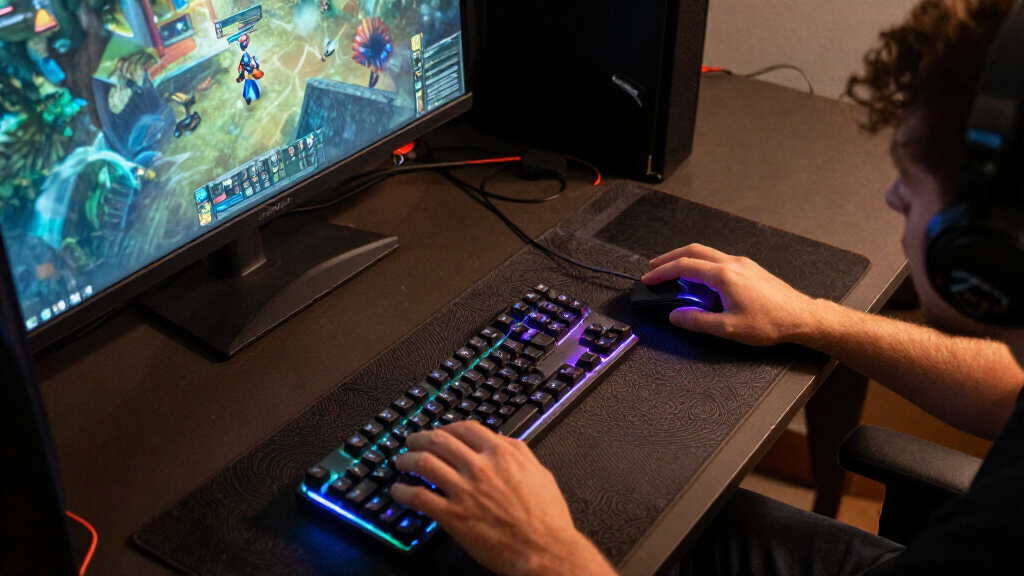

The best smart lighting for gaming rooms depends on whether you want screen-matched glow, flexible room color, or simple ambient light. I rank the Govee RGBIC Gaming Light Bars H6047 as the best overall for a focused gaming setup, while the Philips Hue Play Gradient Light Tube suits buyers building around Hue and the Govee 100 ft RGBIC LED Strip Lights suit larger rooms. The main tradeoff is between lighting that responds closely to your screen and more affordable, flexible lights that rely on app or music effects. Placement, wiring, and ecosystem compatibility also shape how well a setup works day to day. Read on for the full breakdown and recommendations by gaming space and priorities.

Get the little things that make your day delivered free with Prime
- Fast, free delivery on millions of items
- Prime Video, Amazon Music and more included
- Member-only deals all year
Key Takeaways
Dedicated light bars lead for desk-focused setups: The Govee H6047, Govee Gaming Light Bars Pro, and Govee RGBICWW bars target the area around a monitor or TV more directly than long room strips.
Hue is the ecosystem-first choice: The Hue Play Gradient Light Tube is a stronger fit for buyers prioritizing Hue compatibility, while its system commitment makes it less compelling as a standalone budget pick.
Long strips trade precision for coverage: The 100-foot Govee and KSIPZE strips can reach around more of a room, but installation and excess length can be harder to manage than a pair of bars.
Corner lamps solve a different lighting problem: The Govee Basic and the two other corner-lamp options add vertical ambient color, but they do not provide the close-to-screen placement of gaming bars.
Simple control and advanced effects are not the same thing: App, remote, voice, music-sync, and smart-controller features vary across this lineup; buyers should match control needs to their setup instead of assuming every light offers the same integrations.
| Govee RGBICWW Smart Light Bars for TV and Gaming |  | Best All-Rounder for Smaller Gaming Screens | Model: H6056 | Set: 2 RGBICWW Wi-Fi lights | Power: Corded electric, 12 V DC, 18 W | VIEW LATEST PRICE | See Our Full Breakdown |
| Philips Hue Play Gradient Light Tube, Large, Black |  | Best Premium Pick for Hue Sync Setups | Light type: LED light tube | Light output: Up to 1800 lumens | Color: Warm-to-cool white and multicolor | VIEW LATEST PRICE | See Our Full Breakdown |
| KANTUTOE 13.1 ft RGB TV LED Backlight Strip with Music Sync, Bluetooth App, and Remote |  | Best Simple Backlight for Larger TVs | Strip length: 13.1 feet | Recommended TV size: 32–65 inches | Lighting: RGB, 90 light sources | VIEW LATEST PRICE | See Our Full Breakdown |
| TECKNET RGB Smart Light Bars with Music Sync and App Control, 2-Pack |  | Best for Flexible, No-Fuss Controls | Model: DX21005 | Set: 2 light bars | Lighting: RGBIC, up to 16 million colors | VIEW LATEST PRICE | See Our Full Breakdown |
| Govee RGBIC Gaming Light Bars H6047 with Smart Controller |  | Best for PC Gaming Integration | Model: H6047 | Lighting technology: RGBIC with 16.8 million colors | Scene modes: 60+ | VIEW LATEST PRICE | See Our Full Breakdown |
| Philips Hue Play Floor Lamp, RGBWWIC LED, 53 Inch, Black |  | Best Premium Gaming-Room Floor Lamp | Height: 53.2 inches | Base diameter: 3.54 inches | Light source: RGBWWIC LED | VIEW LATEST PRICE | See Our Full Breakdown |
| Govee Smart A19 Color-Changing LED Bulbs, 800 Lumens, E26 Base, 4-Pack |  | Best Value for Existing Fixtures | Quantity: 4 bulbs | Bulb shape and base: A19, E26 | Brightness: 800 lumens | VIEW LATEST PRICE | See Our Full Breakdown |
| Govee Gaming Light Bars Pro, 16-Inch Smart RGBIC Wi-Fi LED Lights | 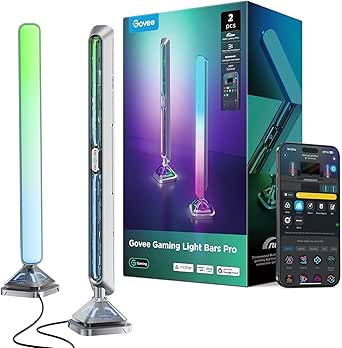 | Best for Windows Screen Sync | Set contents: Two light bars, control box, power adapter, and manual | Dimensions: 3.1 × 3.1 × 15.7 inches | Lighting technology: RGBIC | VIEW LATEST PRICE | See Our Full Breakdown |
| KSIPZE 100 ft RGB LED Strip Lights with App and Remote Control |  | Best for Simple Perimeter Coverage | Length: 100 feet | Light color: Multicolor RGB | Connectivity: Bluetooth | VIEW LATEST PRICE | See Our Full Breakdown |
| Govee 100 ft RGBIC LED Strip Lights with Alexa and Google Assistant |  | Best for Large, Layered Room Lighting | Total length: 100 feet across two 50-foot reels | Lighting technology: RGBIC LED | Power: Corded electric, 24 volts, 48 watts | VIEW LATEST PRICE | See Our Full Breakdown |
| Govee RGBIC Floor Lamp Basic, 1,000-Lumen LED Corner Lamp | 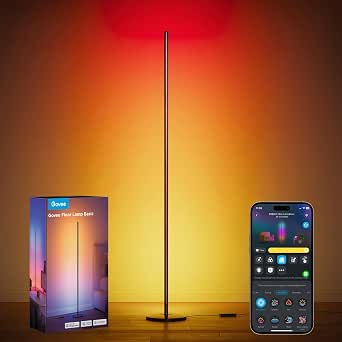 | Best for Small Gaming Rooms | Height: 53.7 inches | Maximum brightness: 1,000 lumens | Lighting technology: RGBIC LED | VIEW LATEST PRICE | See Our Full Breakdown |
| Govee Glide RGBIC Smart Wall Lights, 2-Panel Set |  | Best for Geometric Wall Effects | Set configuration: 2 panels, 3 sections per panel | Segment dimensions: 37.6 × 3.2 × 2.6 cm | Lighting: LED with RGBIC effects | VIEW LATEST PRICE | See Our Full Breakdown |
| 59-Inch Smart RGBICW LED Corner Floor Lamp |  | Best for Flexible, No-Fuss Control | Height: 59 inches | Base width: 7 inches | Lighting: Segmented RGBICW LED | VIEW LATEST PRICE | See Our Full Breakdown |
| RGB+IC Corner Floor Lamp with App and Remote, Obsidian Black |  | Best for Simple Setup | Dimensions: 7.87 × 7.87 × 59 inches | Base diameter: 20 cm | Lighting: LED RGB+IC | VIEW LATEST PRICE | See Our Full Breakdown |
| Govee Smart RGBWIC TV Light Bars, 15-Inch, for 45–70-Inch TVs |  | Best for TV-Centered Gaming | TV compatibility: 45–70-inch TVs | Light bar length: 15 inches | Lighting: RGBWIC LED | VIEW LATEST PRICE | See Our Full Breakdown |
| smart lighting for gaming room | Power | Connectivity |
|---|---|---|
| Govee RGBICWW Smart Light Bars | Corded electric, 12 V DC, 18 W | — |
| Philips Hue Play Gradient Ligh | Corded electric, 20 W | — |
| KANTUTOE 13.1 ft RGB TV LED Ba | 5 V USB, 5 W | — |
| TECKNET RGB Smart Light Bars w | — | Bluetooth |
| Govee RGBIC Gaming Light Bars | Corded electric, 3 W | Bluetooth and Wi-Fi |
| Philips Hue Play Floor Lamp | — | Zigbee, Bluetooth |
| Govee Smart A19 Color-Changing | — | Wi-Fi and Bluetooth; 2.4 GHz Wi-Fi required |
| Govee Gaming Light Bars Pro | 24 watts, 12 volts | — |
| KSIPZE 100 ft RGB LED Strip Li | Corded electric, 24 volts | Bluetooth |
| Govee 100 ft RGBIC LED Strip L | Corded electric, 24 volts, 48 watts | Wi-Fi and Bluetooth |
| Govee RGBIC Floor Lamp Basic | Corded electric; 24 watts | Bluetooth and 2.4 GHz Wi-Fi |
| Govee Glide RGBIC Smart Wall L | Corded electric; 36 watts | Wi-Fi and Bluetooth |
| 59-Inch Smart RGBICW LED Corne | Corded electric; 10 W | Bluetooth |
| RGB+IC Corner Floor Lamp with | — | Bluetooth; no Wi-Fi |
| Govee Smart RGBWIC TV Light Ba | Corded electric; 12 V, 10 W | — |
More Details on Our Top Picks
Govee RGBICWW Smart Light Bars for TV and Gaming
Flexible placement and segmented RGBIC color make these bars a well-rounded fit for a compact gaming setup. I can place them flat, stand them vertically, or mount them behind a screen, then use the app or voice control to change scenes, schedules, and tunable white light. The built-in microphone adds sound-reactive effects without a separate sync device. Compared with the Govee RGBIC Gaming Light Bars H6047, this set adds warm-to-cool white lighting and more placement options; the H6047 has the clearer gaming-specific advantage of Razer Synapse 3 support and headphone audio sync. The main limitation here is screen size: Govee recommends these for screens under 45 inches, so they are a less natural match for a large TV. They also need a nearby power outlet.
Pros:- RGBIC segments display multiple colors at once.
- Tunable white light supports more than gaming effects.
- Can sit flat, stand vertically, or mount behind a screen.
- App, voice, schedule, music-sync, and 60-plus scene controls.
Cons:- Recommended for screens under 45 inches, limiting suitability for larger TVs.
- Corded power requires an outlet near the setup.
Best for: PC gamers with monitors under 45 inches who want flexible placement, app scenes, and both color effects and adjustable white light.
Not ideal for: Players with large TVs or anyone seeking direct game-screen color matching; these bars are recommended for smaller screens and do not list screen color picking.
- Model:H6056
- Set:2 RGBICWW Wi-Fi lights
- Power:Corded electric, 12 V DC, 18 W
- Color features:RGBIC colors and tunable white
- Controls:Govee Home app, Alexa, Google Home
- Lighting modes:Music sync, 60+ scene modes, DIY effects
- Placement:Table mount, vertical placement, or behind-screen mounting
- Recommended screen size:Under 45 inches
Our verdict“Choose these for a smaller gaming screen when you want versatile placement and tunable white alongside colorful ambient effects.”
Philips Hue Play Gradient Light Tube, Large, Black
The 1800-lumen output and 340-degree rotation make this a more substantial accent light than a small pair of bars, with the option to direct its glow where the gaming space needs it. I like its fit for a Hue-centered room where TV, music, and game synchronization can tie lighting to entertainment. That capability comes with a firm caveat: synchronization requires both a Hue Bridge and Hue Sync Box, sold separately. By comparison, the Govee RGBIC Gaming Light Bars H6047 offer gaming and audio sync controls without listing extra sync hardware, plus Razer Synapse 3 compatibility. The Hue tube instead suits buyers already committed to its ecosystem and wanting a single, high-output accent fixture. It is one tube rather than a two-bar set, and its corded indoor design limits placement to areas near power.
Pros:- High maximum output of 1800 lumens.
- Rotates up to 340 degrees to direct the light.
- Offers warm-to-cool white and multicolor lighting.
- Works with Alexa, Apple HomeKit, and Google Assistant.
Cons:- TV, music, and gaming synchronization requires a Hue Bridge and Hue Sync Box sold separately.
- Includes one corded indoor light tube rather than a multi-bar set.
Best for: Hue users building a coordinated gaming or TV room who are prepared to use the required Bridge and Sync Box for content synchronization.
Not ideal for: Gamers seeking synchronization without additional hardware, or anyone who wants a pair of independently placed bars rather than one tube.
- Light type:LED light tube
- Light output:Up to 1800 lumens
- Color:Warm-to-cool white and multicolor
- Power:Corded electric, 20 W
- Adjustability:Rotates up to 340 degrees
- Content sync requirements:Hue Bridge and Hue Sync Box, sold separately
- Voice assistants:Amazon Alexa, Apple HomeKit, Google Assistant
- Operating life:25,000 hours
Our verdict“Pick this tube for a Hue-based room with the required sync hardware, but choose the Govee H6047 if you want gaming-focused syncing without that stated setup requirement.”
KANTUTOE 13.1 ft RGB TV LED Backlight Strip with Music Sync, Bluetooth App, and Remote
For a straightforward TV backlight, this 13.1-foot USB-powered strip covers a broader stated screen range than the Govee bars: it is recommended for 32–65-inch TVs. Bluetooth app control, physical buttons, and an included remote give buyers several ways to adjust brightness and choose among four dynamic modes, while music response adds motion without a separate sync box. Compared with the TECKNET RGB Smart Light Bars, KANTUTOE is a continuous strip designed to adhere behind a screen rather than two freestanding accents. That makes it a practical fit when the goal is a glow around the TV, not layered lighting beside a gaming desk. Its RGB lighting is less flexible than the TECKNET’s RGBIC effects, and the product data does not list tunable white or Wi-Fi control. USB power also means a suitable port or adapter must be available.
Pros:- 13.1-foot strip is specified for 32–65-inch TVs.
- Can be controlled by Bluetooth app, buttons, or included remote.
- Music-sync modes respond to surrounding sound.
- Remote offers 10 brightness levels and four dynamic modes.
Cons:- USB power requires a suitable powered USB port or adapter.
- RGB lighting lacks the listed tunable white and RGBIC features of some bar options.
- Indoor-only and not water resistant.
Best for: TV gamers with 32–65-inch screens who want a simple adhesive backlight with app, remote, and music-responsive controls.
Not ideal for: Gamers who want tunable white, Wi-Fi or voice control, or independently positioned bars with segmented multicolor effects.
- Strip length:13.1 feet
- Recommended TV size:32–65 inches
- Lighting:RGB, 90 light sources
- Power:5 V USB, 5 W
- Controls:Bluetooth app, buttons, and remote
- Remote settings:10 brightness levels and 4 dynamic modes
- Use:Indoor; not water resistant
- Warranty:1 year
Our verdict“Choose KANTUTOE for uncomplicated TV backlighting across a 32–65-inch screen, not for a more customizable, multi-zone gaming setup.”
TECKNET RGB Smart Light Bars with Music Sync and App Control, 2-Pack
The TECKNET set stands out for three control methods: app, infrared remote, and inline control box. That mix is useful when a gamer wants quick changes without opening an app, while RGBIC lighting can show multiple colors across the bars at once. Its built-in microphone offers three rhythm modes, giving it a sound-reactive option similar in concept to the KANTUTOE strip’s music sync, but in a pair of freestanding lights rather than a continuous strip behind a TV. Compared with the Govee RGBIC Gaming Light Bars H6047, TECKNET lists versatile physical controls and DIY settings, while Govee adds Wi-Fi, voice control, and Razer Synapse 3 compatibility. TECKNET makes more sense for a simple, adaptable room setup than a tightly integrated PC ecosystem. It is indoor-only, corded, and the stated extended warranty applies only to registered users.
Pros:- App, IR remote, and inline control box offer several ways to adjust lighting.
- RGBIC supports multiple colors at once.
- Three built-in-microphone rhythm modes react to sound.
- DIY settings allow changes to color, brightness, speed, and effects.
Cons:- Indoor-only corded design limits placement.
- The 36-month warranty is limited to registered users.
- Product data does not list voice assistant or Razer Synapse 3 compatibility.
Best for: Gamers who want a pair of RGBIC accent bars with fast remote or inline adjustments and do not need listed voice or Razer integration.
Not ideal for: PC gamers who want Razer Synapse 3, voice assistant control, or Wi-Fi features such as those listed for the Govee H6047.
- Model:DX21005
- Set:2 light bars
- Lighting:RGBIC, up to 16 million colors
- Connectivity:Bluetooth
- Controls:App, IR remote, and inline control box
- Music sync:Built-in microphone and 3 rhythm modes
- Power and use:Corded electric; indoor use
- Warranty:36 months for registered users
Our verdict“Choose TECKNET if physical controls and sound-reactive RGBIC bars matter more than the gaming integrations listed for the Govee H6047.”
Govee RGBIC Gaming Light Bars H6047 with Smart Controller
The H6047 is the most gaming-oriented pick here because it combines Razer Synapse 3 compatibility with audio sync for speakers and headphones. Its desktop dial also makes everyday adjustments direct: brightness, color, mode, and power are available without relying only on an app. The RGBIC bars can display several colors at once, while Wi-Fi, Bluetooth, voice control, and more than 60 scenes give the setup room to grow. Compared with the Govee RGBICWW Smart Light Bars, the H6047 places more emphasis on PC and audio integration; the RGBICWW set adds tunable white and more placement options. The tradeoff is that this model does not include a camera or support screen color picking, so it is not a screen-mirroring light system. Its corded, indoor-only design also calls for a fixed spot near power.
Pros:- Razer Synapse 3 compatibility suits gaming-focused setups.
- Audio sync works with speakers and headphones.
- Desktop dial provides direct control of brightness, color, modes, and power.
- Wi-Fi, Bluetooth, app, and voice options plus 60-plus scene modes.
Cons:- No camera and no screen color picking.
- Corded electric power limits placement.
- Indoor-only and not water resistant.
Best for: PC gamers using Razer Synapse 3 or speaker and headphone audio who want a dedicated desk controller for lighting adjustments.
Not ideal for: Players who want screen-color capture, a camera-based sync system, or tunable white lighting; those features are not listed for this model.
- Model:H6047
- Lighting technology:RGBIC with 16.8 million colors
- Scene modes:60+
- Connectivity:Bluetooth and Wi-Fi
- Controls:App, desktop dial, touch, and voice
- Gaming compatibility:Razer Synapse 3
- Audio sync:Game, video, speaker, and headphone audio
- Power:Corded electric, 3 W
Our verdict“Choose the H6047 for PC-centric lighting control and audio sync, but opt for Govee’s RGBICWW bars if adjustable white light and flexible placement matter more.”
Philips Hue Play Floor Lamp, RGBWWIC LED, 53 Inch, Black
For a gaming room that doubles as a polished living space, the Philips Hue Play Floor Lamp offers a more controlled, cohesive glow than the broad coverage of Govee’s 100 ft RGBIC LED Strip Lights. Its Chromasync color matching helps hues coordinate with other Hue lights, while TV-content syncing can extend on-screen colors around the room. At 53.2 inches tall, it adds vertical ambience without taking up much floor area, making it a strong fit beside a desk or screen. The tradeoff is that the most compelling sync and automation features depend on separate Hue hardware, including a Bridge or HDMI Sync Box. Compared with the plug-in Govee Gaming Light Bars Pro, this is a more furniture-like accent, but a less direct desktop setup and a costlier system to build around.
Pros:- Chromasync supports consistent color matching across compatible Hue lights.
- Can sync lighting with TV content when paired with the required Hue hardware.
- Tall, narrow freestanding design adds room-level light without a large footprint.
- Offers app, voice, and accessory control.
Cons:- A separate Hue Bridge or HDMI Sync Box is needed for full automation or TV syncing.
- Its freestanding design is less tailored to illuminating a desktop than light bars.
- Indoor-only construction limits placement to dry rooms.
Best for: Gamers with a Hue setup who want coordinated TV-synced ambient light in a living room or dedicated gaming space.
Not ideal for: Buyers who want screen syncing without extra hardware, or anyone looking for a compact, desk-mounted light.
- Height:53.2 inches
- Base diameter:3.54 inches
- Light source:RGBWWIC LED
- Wattage:14.6 watts
- Connectivity:Zigbee, Bluetooth
- Control methods:App, voice, touch
- Mounting type:Freestanding
- Smart-home compatibility:Alexa, Google Home, Apple Home
Our verdict“Choose this premium floor lamp if you want Hue-coordinated, TV-reactive ambience and are prepared to add the hardware its sync features require.”
Govee Smart A19 Color-Changing LED Bulbs, 800 Lumens, E26 Base, 4-Pack
These four Govee A19 bulbs are the easiest way to add gaming-room color if you already have lamps or ceiling fixtures to use. Each bulb offers 800 lumens, dimming, 54 preset scenes, and app or voice control, so you can switch from brighter task lighting to a softer game-session glow without adding another fixture. Unlike the dedicated Govee Gaming Light Bars Pro, these bulbs spread light through the room rather than creating focused color accents beside a monitor. Music sync is available, though it relies on a phone microphone and its permissions rather than direct screen matching. The main compromises are the required 2.4 GHz Wi-Fi and lack of smart-switch support; they are versatile replacements for standard bulbs, not a full gaming sync system.
Pros:- Four bulbs make it possible to coordinate lighting across multiple existing fixtures.
- 800-lumen output and dimming support both room lighting and ambient scenes.
- Includes 54 preset scenes, scheduling, group control, and music sync.
- Works with app control and compatible voice assistants.
Cons:- Requires a 2.4 GHz Wi-Fi connection and does not support 5 GHz.
- Not compatible with smart switches.
- Music sync uses the phone microphone and requires permission; it does not provide direct screen matching.
Best for: PC and console gamers who want to color-tune several existing E26 lamps or fixtures using app and voice controls.
Not ideal for: Gamers seeking direct monitor or TV color matching, or households that rely on smart switches or 5 GHz-only Wi-Fi.
- Quantity:4 bulbs
- Bulb shape and base:A19, E26
- Brightness:800 lumens
- Wattage:9 watts per bulb
- Color options:16 million colors
- Connectivity:Wi-Fi and Bluetooth; 2.4 GHz Wi-Fi required
- Preset scenes:54
- Smart-switch compatibility:Not supported
Our verdict“Pick these bulbs for an affordable, flexible color upgrade to fixtures you already own, not for dedicated screen-reactive effects.”
Govee Gaming Light Bars Pro, 16-Inch Smart RGBIC Wi-Fi LED Lights
The Govee Gaming Light Bars Pro are the most purpose-built desktop pick here: their two bars project triple-sided RGBIC light from either side of a monitor, adding color around the screen without running strips around the room. Their Windows screen-sync feature can coordinate effects with on-screen content through Govee Desktop, while music-reactive modes offer a simpler option when you are not gaming. Matter, Alexa, and Google Home support add flexibility beyond the app. Compared with the Philips Hue Play Floor Lamp, this set is easier to place at a desk and does not depend on a Hue Bridge, but screen matching requires a Windows computer and Govee software. The plastic bars also serve as visible desk hardware, so buyers wanting discreet room-wide lighting may prefer the Govee 100 ft RGBIC LED Strip Lights.
Pros:- Two bars provide triple-sided RGBIC illumination for monitor-side ambience.
- Windows screen sync can tie lighting effects to on-screen content.
- Matter support joins Alexa and Google Home compatibility.
- Weighted table base avoids wall mounting or a complex installation.
Cons:- Screen color matching requires Govee Desktop on Windows.
- No standalone color-matching function is specified for the bars.
- The table-mounted plastic bars occupy visible desk space.
Best for: Windows PC gamers who want monitor-side RGBIC effects, music-reactive lighting, and smart-home control in one desktop set.
Not ideal for: Console-only gamers or buyers who need screen syncing without a Windows PC and Govee Desktop.
- Set contents:Two light bars, control box, power adapter, and manual
- Dimensions:3.1 × 3.1 × 15.7 inches
- Lighting technology:RGBIC
- Maximum light output:900 lumens
- Power:24 watts, 12 volts
- Mounting type:Table mount
- Screen-sync requirement:Govee Desktop for Windows
- Compatibility:Matter, Alexa, Google Home, Razer Chroma
Our verdict“Choose these for a Windows gaming desk where monitor-linked effects matter more than discreet or room-wide lighting.”
KSIPZE 100 ft RGB LED Strip Lights with App and Remote Control
The KSIPZE 100 ft RGB strip is aimed at buyers who want to outline a large gaming room with color rather than create precise effects around one monitor. Its long run, app and remote controls, adjustable brightness, and built-in microphone make it a straightforward choice for ceiling edges, shelves, or other clean, dry surfaces. Compared with Govee’s 100 ft RGBIC LED Strip Lights, the supplied information points to Bluetooth app control and music response here, while the Govee set adds segmented RGBIC effects, Wi-Fi, voice control, and AI-generated themes. That makes the KSIPZE a simpler ambient accent, not the stronger choice for layered colors or smart-home routines. Installation also depends on the adhesive holding to a suitable surface, and the strip is not water resistant.
Pros:- 100-foot length can cover broad room layouts or multiple accent runs.
- App and remote controls allow color and brightness adjustments.
- Built-in microphone provides music-reactive effects.
- Timer supports scheduled on and off times.
Cons:- Bluetooth control does not provide the Wi-Fi and voice-assistant features listed for the Govee RGBIC strip.
- Not water resistant and intended for indoor use.
- Adhesive installation requires a clean, dry surface.
Best for: Gamers who want long, basic color coverage along room edges or shelves and are comfortable using Bluetooth and a remote.
Not ideal for: Buyers seeking segmented RGBIC effects, voice-assistant integration, Wi-Fi routines, or lighting near damp areas.
- Length:100 feet
- Light color:Multicolor RGB
- Connectivity:Bluetooth
- Control methods:App and remote
- Power:Corded electric, 24 volts
- Installation:Adhesive backing for a clean, dry surface
- Water resistance:Not water resistant
- Usage:Indoor
Our verdict“Choose this for straightforward, long-run ambient color when basic controls matter more than RGBIC effects or voice integration.”
Govee 100 ft RGBIC LED Strip Lights with Alexa and Google Assistant
For gamers who want color across more than a desk, the Govee 100 ft RGBIC LED Strip Lights pair two 50-foot reels with segmented multicolor effects. The split reels can suit two walls or separate accent zones, while app control, Alexa and Google Assistant, AI-generated themes, and 11 music-sync modes add more ways to change the room’s mood. Compared with the KSIPZE 100 ft RGB strip, this set offers RGBIC effects and voice control rather than a simpler Bluetooth-and-remote setup. It is still not a dedicated screen-sync system like the Govee Gaming Light Bars Pro, so it suits room ambience better than precise monitor reactions. Plan the route before sticking it down: the indoor-only strip must stay dry and should not be pulled, twisted, or sharply bent.
Pros:- Two 50-foot reels support separate zones or symmetrical room layouts.
- RGBIC effects can display multiple colors along the strip at once.
- Supports app control and Alexa and Google Assistant voice commands.
- Includes AI-generated themes and 11 music-sync modes.
Cons:- Not water resistant and restricted to dry indoor environments.
- The strip should not be pulled forcefully, twisted, or bent.
- Provides room effects rather than the Windows screen sync offered by the Govee Gaming Light Bars Pro.
Best for: Gamers decorating a large, dry room who want two long lighting runs, segmented color effects, and Alexa or Google Assistant control.
Not ideal for: Buyers who want direct screen matching, outdoor or damp-area lighting, or a strip that can be bent and repositioned freely.
- Total length:100 feet across two 50-foot reels
- Lighting technology:RGBIC LED
- Power:Corded electric, 24 volts, 48 watts
- Connectivity:Wi-Fi and Bluetooth
- Control methods:App, Alexa, and Google Assistant
- Music sync modes:11
- Water resistance:IPX0; not water resistant
- Usage:Indoor
Our verdict“Pick this set for broad, segmented room ambience and voice control, but choose dedicated light bars if screen-reactive effects are the priority.”
Govee RGBIC Floor Lamp Basic, 1,000-Lumen LED Corner Lamp
The Govee RGBIC Floor Lamp Basic is a space-saving way to add color to a gaming setup without mounting lights on the wall or attaching them to a display. Its 85 scene modes and segmented RGBIC effects let the lamp show multiple colors at once, while music and gaming audio sync can make a corner respond to the action. At up to 1,000 lumens, it can provide useful room accent light, though it is better suited to a corner than as the room’s only light source.
Compared with the 59-Inch Smart RGBICW LED Corner Floor Lamp, this model offers Wi-Fi alongside Bluetooth and Alexa or Google Assistant control, but it lacks a remote and has a lower maximum brightness. Choose it for connected control and a smaller footprint; skip it if you need a remote, brighter coverage, or a Wi-Fi band other than 2.4 GHz.
Pros:- Segmented RGBIC lighting can display different colors at once.
- Offers 85 dynamic scenes and customizable effects.
- Syncs lighting with music and gaming audio.
- Works with the Govee Home app and Alexa or Google Assistant.
Cons:- The 1,000-lumen maximum is better for accent lighting than lighting a large room.
- Wi-Fi support is limited to the 2.4 GHz band.
- No remote control is included.
Best for: Gamers with a small room corner who want app, voice, and game-audio lighting without wall installation.
Not ideal for: Players who need bright whole-room illumination, a physical remote, or support for 5 GHz Wi-Fi.
- Height:53.7 inches
- Maximum brightness:1,000 lumens
- Lighting technology:RGBIC LED
- Dynamic scene modes:85
- Connectivity:Bluetooth and 2.4 GHz Wi-Fi
- Control:App and voice control
- Voice assistants:Alexa and Google Assistant
- Power:Corded electric; 24 watts
Our verdict“Choose this freestanding lamp for a compact gaming room where app and voice control matter more than a remote or broad room coverage.”
Govee Glide RGBIC Smart Wall Lights, 2-Panel Set
For gamers who want lighting to become part of the room’s visual layout, the Govee Glide RGBIC Smart Wall Lights put six illuminated sections on the wall rather than behind a screen or in a corner. The two rigid panels support up to 24 colors at once, with 64+ scenes and 11 music modes for effects that can follow gameplay audio. App control over Wi-Fi and Bluetooth, plus Alexa and Google Assistant support, also makes these a better fit for a connected room than a Bluetooth-only lamp.
Unlike the Govee RGBIC Floor Lamp Basic, the Glide needs a smooth wall and a deliberate adhesive installation; its rigid sections cannot bend around corners or be rearranged into arbitrary shapes. The wall-focused design frees floor space, but the fixed geometry makes placement less flexible. Pick it for a planned feature wall, not a setup where you frequently move equipment or change the layout.
Pros:- Six sections create a distinct geometric wall-light effect.
- RGBIC effects can display up to 24 colors at once.
- Includes 64+ scene modes and 11 music modes.
- Supports app and voice control through Wi-Fi and Bluetooth.
Cons:- Rigid panels cannot bend to fit around corners or custom shapes.
- Adhesive and Velcro mounting is intended for smooth surfaces and requires installation time.
- Not water resistant.
Best for: PC gamers who want a colorful, music-reactive wall feature and have a smooth surface available for mounting.
Not ideal for: Renters or room planners who cannot use adhesive on their walls, or buyers who need flexible, bendable lighting.
- Set configuration:2 panels, 3 sections per panel
- Segment dimensions:37.6 × 3.2 × 2.6 cm
- Lighting:LED with RGBIC effects
- Scene modes:64+
- Music modes:11
- Connectivity:Wi-Fi and Bluetooth
- Voice assistants:Alexa and Google Assistant
- Mounting:Wall mount with adhesive and Velcro
- Power:Corded electric; 36 watts
Our verdict“Choose the Glide for a fixed, statement-making gaming wall; choose a floor lamp instead if you need easy repositioning.”
59-Inch Smart RGBICW LED Corner Floor Lamp
This 59-inch RGBICW corner lamp suits gamers who want an upright color accent with several ways to adjust it. Its segmented lighting offers 16 million DIY colors and 68+ scenes, while music sync can add a response to nearby sound. The practical distinction is control: use the app, the included remote, or the lamp’s push buttons. That makes it less dependent on a smart-home setup than the Govee RGBIC Floor Lamp Basic, which adds Wi-Fi and voice-assistant support but does not include a remote.
The tradeoff is that this lamp lists Bluetooth connectivity, not Wi-Fi or voice assistants. It also runs from a cord, so placement depends on an outlet. Its 7-inch base and aluminum-and-ABS construction are suited to floor placement, but it remains an accent light rather than a substitute for broad room lighting. Choose it for simple local control; look to the Govee model if voice control and Wi-Fi integration matter more.
Pros:- Three control methods: app, remote, and push button.
- Segmented RGBICW lighting supports 16 million DIY colors.
- Includes 68+ dynamic scenes, music sync, dimming, and a timer.
- Broad 7-inch base and secure plug-and-screw assembly support floor placement.
Cons:- Bluetooth connectivity is listed, with no Wi-Fi or voice-assistant support specified.
- Requires a corded power source, limiting placement by outlet location.
- Not water resistant.
Best for: Gamers who want a tall corner accent lamp and prefer having app, remote, and on-device controls.
Not ideal for: Smart-home users who want Wi-Fi or Alexa and Google Assistant integration, or anyone seeking cordless lighting.
- Height:59 inches
- Base width:7 inches
- Lighting:Segmented RGBICW LED
- Color options:16 million DIY colors
- Dynamic scenes:68+
- Controls:App, remote control, and push button
- Connectivity:Bluetooth
- Features:Dimmable, music sync, and timer
- Power:Corded electric; 10 W
Our verdict“Choose this lamp if a remote and built-in buttons are more useful to you than Wi-Fi or voice control.”
RGB+IC Corner Floor Lamp with App and Remote, Obsidian Black
The RGB+IC Corner Floor Lamp is the straightforward pick for a gaming corner when quick assembly and multiple local controls matter more than smart-home reach. Its 59-inch height, foldable base, and tool-free assembly help keep setup uncomplicated, while the Bluetooth app, remote, and built-in control box offer alternatives if you do not want to reach for your phone. Music sync, adjustable brightness, speed, and dynamic modes cover the main ambient-lighting needs.
Compared with the 59-Inch Smart RGBICW LED Corner Floor Lamp, this model also offers app, remote, and button control, but its product data specifically rules out Wi-Fi and Alexa support. That makes it a poorer fit for coordinated smart-home routines, though it can still handle standalone color effects. The corded power supply also fixes its practical range to nearby outlets. Pick it for uncomplicated corner lighting, not for a networked gaming setup.
Pros:- Tool-free assembly and a foldable base simplify placement.
- RGB+IC lighting offers 16 million colors and dynamic modes.
- App, remote, and built-in control box provide multiple ways to adjust it.
- Music sync, dimming, and timer functions suit gaming-room ambience.
Cons:- Does not support Wi-Fi or Alexa.
- Bluetooth control does not provide the listed Wi-Fi connectivity of the Govee RGBIC Floor Lamp Basic.
- Not water resistant and requires the included power supply.
Best for: Gamers who want a tall color-changing corner lamp with tool-free assembly and a physical remote.
Not ideal for: Buyers who want Alexa, Wi-Fi, or smart-home routines, or who plan to place lighting in a damp area.
- Dimensions:7.87 × 7.87 × 59 inches
- Base diameter:20 cm
- Lighting:LED RGB+IC
- Connectivity:Bluetooth; no Wi-Fi
- Controls:Bluetooth app, remote, and built-in control box
- Features:Color changing, dimmable, music sync, and timer
- Assembly:Tool-free
- Power source:Corded electric
- Water resistance:Not water resistant
Our verdict“Choose this lamp for easy assembly and remote-based control, but skip it if your lighting needs to join a Wi-Fi smart-home system.”
Govee Smart RGBWIC TV Light Bars, 15-Inch, for 45–70-Inch TVs
When the display is the center of the gaming room, these 15-inch Govee RGBWIC light bars focus ambient light around a 45–70-inch TV instead of filling a corner or decorating a wall. RGBWIC LEDs combine color effects with purer whites, giving them more flexibility for both vivid game-night color and calmer screen-side illumination. They can sit behind or beside the TV, or lie horizontally, and support music sync, schedules, preset scenes, and AI-generated effects.
Compared with the Govee Glide RGBIC Smart Wall Lights, these bars are more directly suited to a television setup and support Matter alongside Alexa and Google Home, but they create a more localized effect rather than a broad geometric wall display. They also lack color matching, so the light will not automatically mirror the TV’s on-screen image. Choose them for smart, adjustable TV ambience, not synchronized screen-color extension.
Pros:- RGBWIC LEDs provide color effects alongside purer white light.
- Supports Matter, Alexa, and Google Home smart-home control.
- Offers 60+ preset scenes, eight music modes, and schedules.
- Can be placed behind or beside a TV, or horizontally.
Cons:- Does not have a color-matching function for mirroring on-screen imagery.
- Requires a corded power source and a suitable outlet near the TV.
- Designed for 45–70-inch TVs, so it is a less direct fit for a PC-only setup.
Best for: Console gamers with a 45–70-inch TV who want voice-controlled ambient lighting and flexible bar placement.
Not ideal for: Gamers who specifically want lighting to match on-screen colors or need a cordless solution.
- TV compatibility:45–70-inch TVs
- Light bar length:15 inches
- Lighting:RGBWIC LED
- Preset scenes:60+
- Music modes:8
- Smart-home compatibility:Matter, Alexa, and Google Home
- Power:Corded electric; 12 V, 10 W
- Placement:Behind or beside the TV, or horizontal
- Weight:2 pounds
Our verdict“Choose these bars for smart ambient lighting around a compatible gaming TV, but not for automatic screen-color matching.”
How We Picked
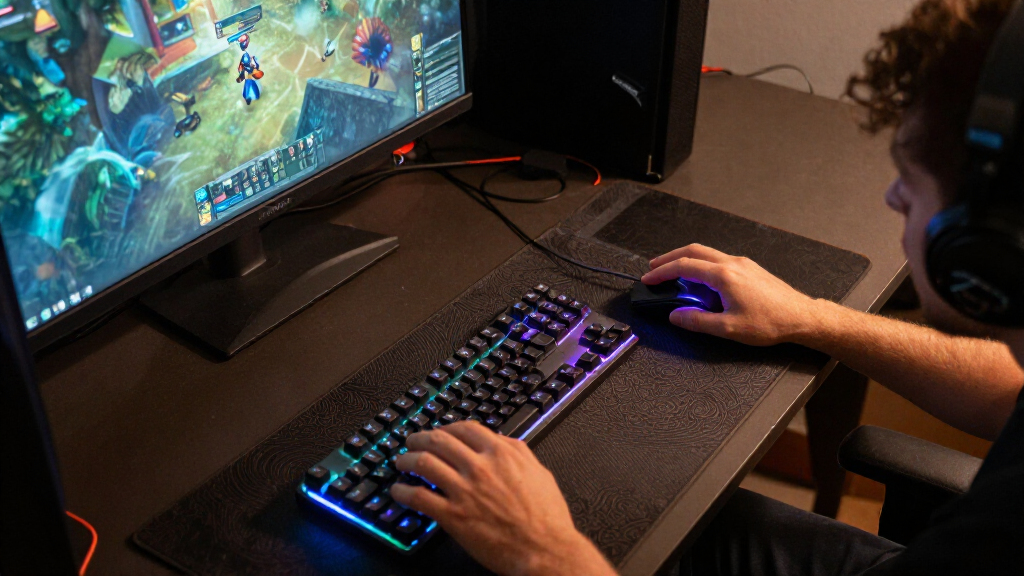
I ranked these 15 options by how well they serve a gaming room, not by the number of effects listed on a product page. My criteria included placement flexibility, useful coverage around a screen or across a room, control options, setup demands, and how clearly each product fits a particular buyer. I also weighed whether a light is best treated as the main gaming accent or as one layer in a larger lighting setup.
Screen-focused bars rank ahead of broad room strips for a typical desk because they put color close to the display without requiring a long installation. Hue earns a distinct premium role for ecosystem-minded buyers, while strips, bulbs, and corner lamps rank higher for specific room layouts or value-oriented needs than for screen-centered effects. Products with similar forms are separated by their control approach, stated compatibility, and intended placement; none is presented as a universal choice.
Factors to Consider When Choosing Best Smart Lighting For Gaming Rooms
Before choosing a light, decide what you want it to change: the feel around your screen, the look of the whole room, or the convenience of controlling existing fixtures. That choice often matters more than the longest feature list.
Match the Light to Your Screen and Play Position
For a monitor on a desk, a pair of bars can add color behind or beside the display without lighting every wall. A TV setup may benefit from a longer fixture or backlight strip, particularly when the screen sits away from a wall. Check the light’s intended placement and the space behind your display before buying; a fixture designed for a large TV may feel awkward beside a compact monitor. Also account for the angle from which you play, since a bright source in your direct line of sight can distract more than a softer reflected glow. I’d prioritize a controllable, indirect placement over simply adding more lights.
Choose Screen Effects, Music Sync, or App Scenes
Lighting that reacts to screen content, lighting that follows music, and lighting controlled through app scenes solve different problems. A music-sync feature may pulse with sound, but that does not mean the light accurately follows game visuals. Check whether the control method uses a camera, a connection to a device, a microphone, or preset effects, since each approach changes setup and behavior. For multiplayer or story games, stable ambient color may be less distracting than constant changes. If you mainly want a quick mood change, app scenes or a remote may matter more than advanced reactive features.
Plan Coverage Before Buying Long LED Strips
A long strip can cover wall edges, shelving, or several room zones, but its advertised length is not the same as useful, seamless coverage. Measure the path, mark corners, and note where the power lead and controller will sit before choosing a kit. Avoid stretching a strip across gaps or sharp turns unless its instructions support that placement. A shorter run that is neatly installed often looks more intentional than excess strip folded out of sight. Buyers who want a single accent near a display may find bars or a TV backlight easier to place and maintain.
Check Ecosystem and Control Compatibility
Decide whether you want lighting to work on its own or join a smart-home setup you already use. App control, voice assistants, and product-family compatibility are separate features, so confirm the exact support listed for the model rather than assuming all lights from one brand behave alike. A proprietary ecosystem can be useful when you plan to add compatible lights over time, but it can narrow your choices later. If several people use the room, a physical remote or straightforward shared control can be more practical than relying on one person’s phone. Keep control simplicity in mind when building a mixed-brand setup.
Set a Brightness and Color Role for Each Light
Gaming-room lighting works best when each fixture has a job: screen accent, wall wash, corner fill, or general room light. A color bulb can add flexibility to an existing lamp, but it will not automatically create the same visual spread as a floor lamp or a pair of bars. Likewise, adding several vivid fixtures can make a room feel busy rather than immersive. Think about whether you need color only or also want usable white light for reading, cleaning, or a break from gaming. Picking complementary roles can prevent duplicate coverage and make a smaller setup feel more deliberate.
Account for Installation and Everyday Use
Adhesive strips, freestanding lamps, and display-mounted bars each bring different setup demands. Before buying, check whether your surfaces are clean, smooth, and reachable, and whether cables can run without crossing walkways or desk controls. Freestanding corner lamps are easier to reposition, while mounted lights can offer a tidier look once installed but take more planning. Think about how often you’ll change scenes or move furniture; a complicated layout may become frustrating if controls and cables are hard to reach. Favor a setup you can maintain over one that only looks impressive in a product image.
Frequently Asked Questions
Do I need screen-reactive lighting, or will music-sync lights work for gaming?
Music sync follows sound or a microphone input, while screen-reactive lighting aims to reflect colors or changes on the display. They can create different effects, so one is not a direct substitute for the other. If you want color around the room without extra setup, music modes or app scenes may be enough. If matching the game image is the priority, check exactly how a product captures or receives screen information and whether your display setup supports it. For many players, a steady backlight is less distracting than either reactive mode.
Are light bars or LED strips better for a gaming desk?
Light bars usually suit a desk when you want a compact accent near one monitor and prefer to avoid measuring and attaching a long run. Strips make more sense when you want color behind a desk, along shelves, or across several wall sections. The tradeoff is that strips require more planning around corners, power, and cable routing. Bars can be easier to reposition, though their effect is limited to the area where they sit. Choose based on the area you want illuminated, not on the assumption that one format is universally better.
Can I combine lights from different brands in one gaming room?
Yes, but matching colors and coordinating effects may take more effort when products use separate apps or smart-home systems. Check whether each device supports the voice assistant or platform you already use, and whether that support covers the controls you care about. Even when lights can be grouped, their scenes and reactive features may not synchronize in the same way. A practical mixed setup can assign each brand a separate role, such as screen bars from one system and a corner lamp from another. If synchronized effects are a priority, keeping the core lights within one compatible ecosystem can simplify control.
Should I use smart color bulbs as my main gaming-room lights?
Smart bulbs are a good fit when you already have lamps or ceiling fixtures and want to change their color without adding another object to the room. They are less suited to creating a defined glow behind a display, since the fixture and bulb position shape where light falls. Check the bulb base and whether the lamp’s shade or direction will block the effect you want. Bulbs can also serve a useful second role as general room lighting outside gaming sessions. For a more focused gaming accent, pair them with a bar, strip, or floor lamp rather than expecting one bulb to do everything.
What should I prioritize in a small gaming room?
In a small room, prioritize placement and cable control over maximum strip length or the number of fixtures. A pair of bars or one corner lamp can add atmosphere without taking up much wall space, while a long strip may be difficult to route neatly. Avoid placing bright lights where they reflect directly off a glossy screen or shine into your eyes. Choose a light with controls you can reach from your desk, especially if the room has limited space to move around. A restrained setup with distinct lighting zones can feel more comfortable than filling every wall with color.
Conclusion
For most desk-centered gaming rooms, I’d start with the Govee RGBIC Gaming Light Bars H6047 as the best overall balance of focused placement and gaming-oriented control. The best value depends on your goal: the KANTUTOE strip is a straightforward way to add TV backlighting, while the Govee 100 ft strip makes more sense when broad room coverage is the priority. For a best premium ecosystem-led setup, choose the Philips Hue Play Gradient Light Tube if Hue compatibility matters to you. Beginners who want a simple form factor can start with the Govee RGBICWW Smart Light Bars rather than planning a full room installation. For specific needs, pick a corner lamp to add vertical ambient color, smart bulbs to update existing fixtures, or long strips to cover walls and shelves; the right choice is the one that fits your layout and preferred controls.