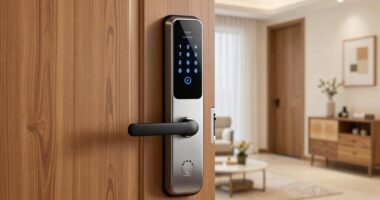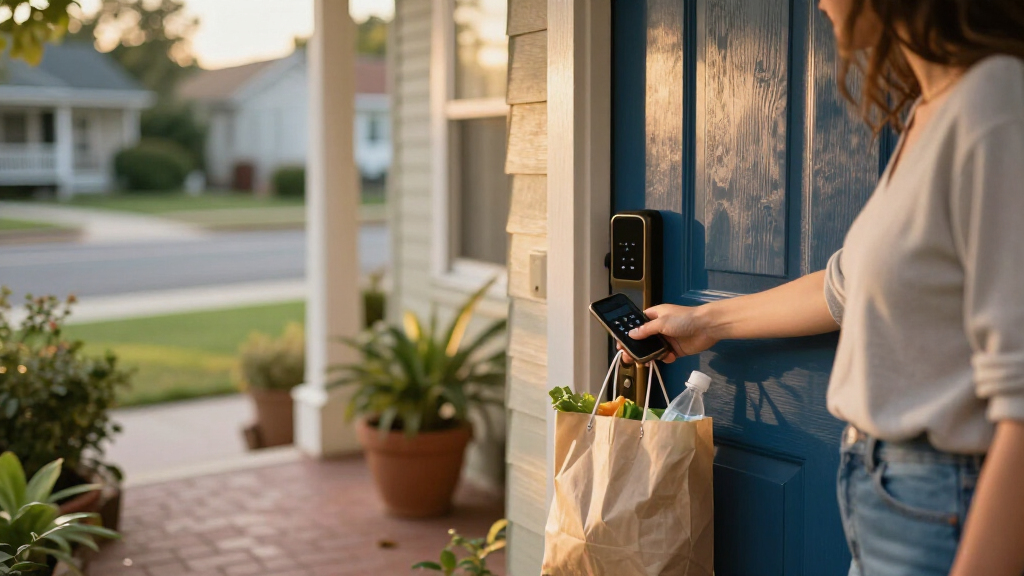
The best smart locks balance dependable everyday entry with access methods and smart home features that fit your door. I’d start with the Schlage Encode for its built-in Wi-Fi and familiar keypad, while the eufy FamiLock S3 Max stands out for palm vein access and the ULTRALOQ Bolt SE for Matter over Thread. Those choices reflect the main tradeoff: convenience and connectivity can add setup demands, compatibility limits, or more features than some households need. Door fit, backup entry, and the way a lock connects to your home matter as much as its headline unlock method. Read on for how the 15 options differ and which one suits your needs.

Get the little things that make your day delivered free — and shop member deals
- Fast, free delivery on millions of items
- Access to Prime Big Deal Days deals on October 6–7
- Prime Video, Amazon Music and more included
Key Takeaways
- Schlage Encode is the clearest all-around pick in this group: it combines keypad entry and built-in Wi-Fi without making a hub the center of the decision.
- eufy FamiLock S3 Max and Wyze Palm Lock make palm vein recognition the defining feature; choose this style only if touch-free biometric entry is a priority.
- ULTRALOQ Bolt SE is the standout for buyers who want Matter over Thread, while the other locks emphasize direct Wi-Fi or app-linked access.
- The lineup has several Philips keypad-and-handle combinations; compare finish, exact model, and included hardware carefully instead of assuming their names describe identical kits.
- Fingerprint models such as the eufy C220, Wyze Auto-Lock Bolt v2, and Tapo DL110 focus on quick personal access, while Apple Home Key gives the Aqara U400 a more specific ecosystem role.
| eufy Security FamiLock S3 Max Video Smart Lock with Palm Vein Recognition |  | Best for Door Monitoring | Unlock method: Palm vein recognition | Camera: 2K HD | Field of view: 150° head-to-toe | VIEW LATEST PRICE | See Our Full Breakdown |
| Wyze Palm Lock Smart Door Lock with Palm Vein Recognition and Keypad |  | Best for Guest Access | Unlock methods: Palm vein recognition, keypad, mechanical key | Guest access: Up to 50 unique or one-time codes | Main battery life: Up to 6 months | VIEW LATEST PRICE | See Our Full Breakdown |
| Schlage Encode Smart WiFi Deadbolt Lock with Century Trim, Satin Nickel |  | Best for a Straightforward Retrofit | Connectivity: Built-in Wi-Fi | Access codes: Up to 100 | Voice assistants: Alexa, Google Home | VIEW LATEST PRICE | See Our Full Breakdown |
| Philips Wi-Fi Smart Deadbolt Lock Set with Keypad and Handles |  | Best Complete Handle Set | Model: DDL240X-1HW-H2 | Connectivity: Wi-Fi | Unlock methods: App, fingerprint, PIN, key, voice | VIEW LATEST PRICE | See Our Full Breakdown |
| ULTRALOQ Bolt SE Wi-Fi Smart Lock with Matter over Thread |  | Best for Smart Home Integration | Access methods: Fingerprint, passcodes, app, web portal, eKey sharing, voice, mechanical keys | Fingerprint capacity: Up to 50 | Passcode capacity: Up to 50 | VIEW LATEST PRICE | See Our Full Breakdown |
| eufy Security Smart Lock C220, Fingerprint Keyless Entry Door Lock |  | Best for Multiple Ways to Enter | Unlock methods: Fingerprint, app, keypad, physical key, Apple Watch, voice assistant | Connectivity: Built-in Wi-Fi; no bridge required | Battery: Eight AA batteries; up to approximately 8 months | VIEW LATEST PRICE | See Our Full Breakdown |
| Philips WiFi Keypad Door Lock with Handle, App-Controlled Smart Deadbolt |  | Best for Scheduled Guest Access | Model: DDL242X-15HW-L | Unlock methods: Voice assistant, passcode, physical key, mobile app | Connectivity: Built-in Wi-Fi | VIEW LATEST PRICE | See Our Full Breakdown |
| Wyze Auto-Lock Bolt v2 Fingerprint Keyless Entry Smart Lock |  | Best for Fast Fingerprint Entry | Unlock methods: Fingerprint, app, keypad code, physical key | Fingerprint speed: 0.5 seconds | Capacity: Up to 50 codes or fingerprints | VIEW LATEST PRICE | See Our Full Breakdown |
| Yale Assure Lock 2 WiFi Smart Lock Deadbolt with Keypad, Keyless Entry, Black Suede |  | Best for High-Capacity Access Management | Connectivity: 2.4 or 5 GHz Wi-Fi; no hub required | Entry methods: Keypad, smartphone or Apple Watch app, auto-unlock, backup key | Access codes: Unlimited; schedules and expiration supported | VIEW LATEST PRICE | See Our Full Breakdown |
| Tapo DL110 Smart Wi-Fi Deadbolt Door Lock with Fingerprint Recognition |  | Best for Rechargeable Power and Fingerprint Capacity | Lock type: Deadbolt | Access methods: Fingerprint, keypad passcode, Wi-Fi, Bluetooth, smart-home assistant, backup key | Fingerprint recognition: 0.42 seconds | VIEW LATEST PRICE | See Our Full Breakdown |
| Aqara UWB Smart Lock U400 with Apple Home Key and Fingerprint, Black |  | Best for Apple Home Key | Unlock methods: UWB, Apple Home Key, fingerprint, touchscreen passcode, voice assistant, app, NFC card (sold separately), physical key | Connectivity: Matter over Thread | Battery: Removable rechargeable lithium battery; up to 6 months per charge | VIEW LATEST PRICE | See Our Full Breakdown |
| Schlage Encode Smart WiFi Deadbolt Lock with Century Trim, Matte Black |  | Best for Reliable Remote Access | Connectivity: Built-in WiFi | Apps: Schlage Home app, Key by Amazon app | Voice assistants: Alexa, Google Home | VIEW LATEST PRICE | See Our Full Breakdown |
| Philips 4200 Series WiFi Keypad Deadbolt with Handle |  | Best for Guest Access | Connectivity: Built-in 2.4GHz WiFi; no hub required | Recommended router range: Within 33 ft (10 m) | Fingerprint unlock speed: 0.3 seconds | VIEW LATEST PRICE | See Our Full Breakdown |
| Philips Wi-Fi Smart Deadbolt Lock with Keyless Entry |  | Best for Multiple Entry Options | Connectivity: Built-in 2.4GHz WiFi | Unlock methods: App, passcode, fingerprint, physical key, voice | Passcode capacity: Up to 100 custom codes | VIEW LATEST PRICE | See Our Full Breakdown |
| Philips 4200 Series WiFi Keypad Door Lock with Handle, Satin Nickel |  | Best Satin Nickel Handle Set | Connectivity: 2.4GHz WiFi; no hub required | Unlock methods: Fingerprint, PIN code, app, voice | Fingerprint unlock speed: 0.3 seconds | VIEW LATEST PRICE | See Our Full Breakdown |
| smart lock | Connectivity | Unlock methods |
|---|---|---|
| eufy Security FamiLock S3 Max | — | — |
| Wyze Palm Lock Smart Door Lock | Wi-Fi | Palm vein recognition, keypad, mechanical key |
| Schlage Encode Smart WiFi Dead | Built-in Wi-Fi | — |
| Philips Wi-Fi Smart Deadbolt L | Wi-Fi | App, fingerprint, PIN, key, voice |
| ULTRALOQ Bolt SE Wi-Fi Smart L | 2.4 GHz Wi-Fi, Matter over Thread | — |
| eufy Security Smart Lock C220 | Built-in Wi-Fi; no bridge required | Fingerprint, app, keypad, physical key, Apple Watch, voice assistant |
| Philips WiFi Keypad Door Lock | Built-in Wi-Fi | Voice assistant, passcode, physical key, mobile app |
| Wyze Auto-Lock Bolt v2 Fingerp | Built-in Wi-Fi | Fingerprint, app, keypad code, physical key |
| Yale Assure Lock 2 WiFi Smart | 2.4 or 5 GHz Wi-Fi; no hub required | — |
| Tapo DL110 Smart Wi-Fi Deadbol | — | — |
| Aqara UWB Smart Lock U400 with | Matter over Thread | UWB, Apple Home Key, fingerprint, touchscreen passcode, voice assistant, app, NFC card (sold separately), physical key |
| Schlage Encode Smart WiFi Dead | Built-in WiFi | — |
| Philips 4200 Series WiFi Keypa | Built-in 2.4GHz WiFi; no hub required | — |
| Philips Wi-Fi Smart Deadbolt L | Built-in 2.4GHz WiFi | App, passcode, fingerprint, physical key, voice |
| Philips 4200 Series WiFi Keypa | 2.4GHz WiFi; no hub required | Fingerprint, PIN code, app, voice |
More Details on Our Top Picks
eufy Security FamiLock S3 Max Video Smart Lock with Palm Vein Recognition
The FamiLock S3 Max is the clearest pick here for households that want the lock and front-door monitoring in one setup. Its 2K camera, wide view, visitor alerts, and indoor screen let family members check who is outside without opening an app. Palm vein entry adds a quick, contactless way in, with biometric data stored locally. Compared with the Wyze Palm Lock, this model puts more emphasis on seeing and speaking to visitors; Wyze offers keypad entry and up to 50 guest codes. The tradeoff is that the FamiLock’s camera streams do not pass through Matter, and full features rely on the eufy app. It also does not work with HomeBase 2, so existing eufy users should check their setup first.
Pros:- Combines a smart lock, video doorbell, and 2K camera
- Palm vein entry is contactless and stores biometric data locally
- Indoor display lets household members check visitors without a phone
- Rechargeable battery has AAA backup power
Cons:- Camera streaming is not supported through Matter
- Full feature access depends on the eufy app
- Not compatible with HomeBase 2
Best for: Families who want a built-in door camera and an indoor screen alongside keyless entry
Not ideal for: Smart-home users who expect camera streaming through Matter or rely on HomeBase 2
- Unlock method:Palm vein recognition
- Camera:2K HD
- Field of view:150° head-to-toe
- Battery:Rechargeable, up to 4 months, plus 4 AAA backup batteries
- Data storage:Local
- Indoor display:Rear lock video screen
- Smart home compatibility:Matter, Apple Home, Google Home, Alexa, SmartThings
Our verdict“Choose the FamiLock S3 Max if built-in video monitoring and an app-free indoor screen matter more than broad Matter camera support.”
Wyze Palm Lock Smart Door Lock with Palm Vein Recognition and Keypad
The Wyze Palm Lock suits homes where many people need their own way in: it pairs contactless palm vein recognition with a keypad that supports up to 50 guest codes, including one-time codes. Anti-peep PIN entry helps keep a code private when someone is nearby, while the gyroscope can trigger auto-locking based on door movement. Compared with the eufy FamiLock S3 Max, Wyze skips the built-in camera and indoor screen, but gives access management more attention and includes a mechanical key backup. Its dual-battery design and USB-C emergency charging provide another fallback, though a drained lock still requires a separate power bank. Wi-Fi and the Wyze app are central to its connected features, so it is a weaker fit for households seeking a less app-dependent setup.
Pros:- Offers palm vein, keypad, and mechanical key entry
- Supports up to 50 unique or one-time guest codes
- Anti-peep PIN entry and door ajar alerts add useful access safeguards
- Dual-battery system includes USB-C emergency charging
Cons:- Emergency USB-C charging requires a separate power bank
- Connected features depend on Wi-Fi and the Wyze app
- Palm recognition may be less reliable for some users in extreme weather
Best for: Households with frequent visitors, cleaners, or short-term guests who need separate entry codes
Not ideal for: Buyers who want a built-in camera or need emergency charging without carrying a power bank
- Unlock methods:Palm vein recognition, keypad, mechanical key
- Guest access:Up to 50 unique or one-time codes
- Main battery life:Up to 6 months
- Secondary battery life:Up to 2 weeks
- Emergency charging:USB-C; power bank compatible
- Connectivity:Wi-Fi
- Weather resistance:IP53
- Certification:BHMA Grade 3
Our verdict“Pick the Wyze Palm Lock if you need flexible guest codes and multiple entry methods more than integrated video monitoring.”
Schlage Encode Smart WiFi Deadbolt Lock with Century Trim, Satin Nickel
The Schlage Encode makes a strong case for buyers who want remote control and keypad access without adding a hub. Its built-in Wi-Fi connects to the Schlage Home app, while support for up to 100 access codes can make everyday entry easier to manage for a busy household. The touchscreen, forced-entry alarm, and included backup key cover practical concerns that fingerprint-focused options such as the ULTRALOQ Bolt SE handle differently. ULTRALOQ adds fingerprint entry and Matter over Thread, while Schlage keeps the setup centered on Wi-Fi and codes. Installation is designed for a screwdriver and standard residential doors, though the listed fit range is specific. Four AA batteries power the lock for up to six months, so battery replacement is part of ownership.
Pros:- Built-in Wi-Fi supports remote control without a separate hub
- Stores up to 100 access codes
- Includes a backup key and forced-entry alarm
- Designed for screwdriver-only installation on standard residential doors
Cons:- Four AA batteries need replacement about every six months
- Connected features rely on the Schlage Home app and Wi-Fi
- Door thickness compatibility is limited to 1-3/8 to 1-3/4 inches
Best for: Homeowners replacing a standard deadbolt who want built-in Wi-Fi and keypad access without a hub
Not ideal for: Buyers who prefer fingerprint or palm entry, or who want longer battery life between changes
- Connectivity:Built-in Wi-Fi
- Access codes:Up to 100
- Voice assistants:Alexa, Google Home
- Battery:4 AA batteries, included
- Battery life:Up to 6 months
- Backup key:Included
- Door thickness:1-3/8 to 1-3/4 inches
- Finish:Satin Nickel
Our verdict“Choose the Schlage Encode for a conventional keypad retrofit with remote Wi-Fi access and a large code capacity.”
Philips Wi-Fi Smart Deadbolt Lock Set with Keypad and Handles
For a door refresh that calls for a matching handle as well as a smart deadbolt, the Philips DDL240X-1HW-H2 offers a more complete package than the deadbolt-only Schlage Encode. It supports five entry routes—app, fingerprint, PIN, physical key, and voice control—so household members can choose what feels easiest. PIN options include temporary and recurring access, which helps when entry needs change from day to day. The auto-lock delay can be set from 30 to 180 seconds, giving users room to avoid a lock engaging before they have finished unloading or moving through the doorway. That flexibility comes with a fit check: the door must be 35–50 mm thick. Buyers should also weigh the stated limits on phone support before choosing it over more established lock options.
Pros:- Includes both a smart deadbolt and handle set
- Offers app, fingerprint, PIN, key, and voice entry
- Supports temporary, recurring, and permanent PINs
- Adjustable auto-lock delay from 30 to 180 seconds
Cons:- Door thickness must fall within the specified 35–50 mm range
- Remote functions and notifications depend on Wi-Fi and the Philips app
- Phone support is limited to weekdays and Saturdays
Best for: Homeowners replacing both a deadbolt and handle who want fingerprint entry and flexible guest PINs
Not ideal for: Buyers with doors outside the 35–50 mm fit range or who need broader phone support availability
- Model:DDL240X-1HW-H2
- Connectivity:Wi-Fi
- Unlock methods:App, fingerprint, PIN, key, voice
- Voice assistants:Alexa, Google Assistant
- User codes:Up to 100; unlimited one-time PINs
- Auto-lock timer:30–180 seconds
- Door thickness:35–50 mm
- Included components:Lock, handle set, 4 batteries
Our verdict“Pick this Philips set if you are replacing the handle too and your door matches its specified thickness range.”
ULTRALOQ Bolt SE Wi-Fi Smart Lock with Matter over Thread
The ULTRALOQ Bolt SE is the most flexible fit for buyers building around several smart home systems: it combines fingerprint and passcode entry with app, web portal, eKey sharing, voice control, built-in Wi-Fi, and Matter over Thread. Compared with the Schlage Encode, it adds biometric access and a longer stated battery life, while Schlage offers a simpler code-and-Wi-Fi approach. That extra reach has a setup cost: Matter over Thread needs a compatible Thread Border Router, and the lock only supports 2.4 GHz Wi-Fi. The lock is IP65 weather-resistant and ANSI BHMA certified, which supports its case for exposed entryways. Buyers should note that a door sensor is not included, so it will not provide that separate open-door status on its own.
Pros:- Combines fingerprint, passcodes, app, web, eKey, voice, and mechanical key access
- Built-in Wi-Fi enables remote access without a separate hub
- Up to 18 months of stated battery life
- IP65 weather resistance and ANSI BHMA certification
Cons:- Matter over Thread requires a compatible Thread Border Router
- Wi-Fi support is limited to 2.4 GHz
- Door sensor is not included
Best for: Smart home users who want fingerprint entry, remote access, and Matter over Thread integration
Not ideal for: Households without a Thread Border Router that want Matter features, or buyers whose router only provides 5 GHz Wi-Fi
- Access methods:Fingerprint, passcodes, app, web portal, eKey sharing, voice, mechanical keys
- Fingerprint capacity:Up to 50
- Passcode capacity:Up to 50
- Connectivity:2.4 GHz Wi-Fi, Matter over Thread
- Thread requirement:Compatible Thread Border Router
- Battery life:Up to 18 months
- Weather resistance:IP65
- Certification:ANSI BHMA certified
Our verdict“Choose the Bolt SE if your smart home can support Thread and you want more entry options than the Schlage Encode provides.”
eufy Security Smart Lock C220, Fingerprint Keyless Entry Door Lock
The eufy Security Smart Lock C220 suits households where everyone wants a different way in: it combines fingerprint, keypad, app, physical key, Apple Watch, and voice assistant access. Its built-in Wi-Fi supports remote control without a separate bridge, while the Wyze Auto-Lock Bolt v2 offers a similar fingerprint-and-Wi-Fi setup with a USB-C emergency power port. Eufy instead stands out for its six entry methods and Apple Watch access. The fingerprint reader is designed to unlock in under a second, though recognition may take several attempts while its self-learning system adapts. Up to eight months from eight AA batteries and a tool-free installation on many standard deadbolts make setup approachable. The tradeoff is ongoing battery replacement and a Grade 3 certification, below the Yale Assure Lock 2’s Grade 2 rating.
Pros:- Six entry methods, including fingerprint and Apple Watch
- Built-in Wi-Fi enables remote app control without a bridge
- Rated for up to eight months on eight AA batteries
- Designed for tool-free installation on many standard deadbolts
Cons:- Fingerprint recognition may need several attempts while the system learns
- Grade 3 certification is below the Yale Assure Lock 2’s Grade 2 rating
- Battery life varies with use and requires AA replacements
Best for: Households with varied routines that want fingerprint, keypad, remote app, and Apple Watch entry in one lock.
Not ideal for: Buyers who prioritize a higher BHMA grade or want to avoid replacing eight AA batteries.
- Unlock methods:Fingerprint, app, keypad, physical key, Apple Watch, voice assistant
- Connectivity:Built-in Wi-Fi; no bridge required
- Battery:Eight AA batteries; up to approximately 8 months
- Certification:BHMA Grade 3; 100,000+ lock/unlock cycles
- Weather protection:IP53
- Operating temperature:-22°F to 158°F (-30°C to 70°C)
- Compatibility:Most standard deadbolts; bores under 54 mm
- Installation:Approximately 15 minutes; no drilling required
Our verdict“Choose the C220 if your household values a broad mix of entry methods and simple installation more than a higher BHMA grade.”
Philips WiFi Keypad Door Lock with Handle, App-Controlled Smart Deadbolt
The Philips WiFi Keypad Door Lock with Handle is a practical fit for homes that regularly admit guests, cleaners, or other visitors. Its 100 custom passwords can be permanent, one-time, or time-limited, so access can match a visit instead of relying on a shared household code. The Yale Assure Lock 2 also supports scheduled and expiring codes, with unlimited entry codes; Philips has a stated cap of 100 but pairs the keypad with included lever handles. Built-in Wi-Fi enables remote control and notifications without a separate hub. Four entry methods cover app, passcode, key, and Alexa or Google Assistant voice control, though there is no fingerprint reader like the eufy C220 or Wyze Bolt v2. Up to six months from eight AA batteries is also a shorter stated interval than those two locks.
Pros:- Stores up to 100 permanent, one-time, or timed passwords
- Built-in Wi-Fi provides remote access and notifications without a hub
- Supports app, keypad, physical key, and Alexa or Google Assistant voice access
- Includes two lever handles and fits many standard US deadbolts
Cons:- Eight AA batteries are required and are not included
- Stated battery life of up to six months is shorter than the eufy C220 and Wyze Bolt v2
- No fingerprint entry option
Best for: Hosts and small property managers who need individual, temporary, or scheduled keypad codes for visitors.
Not ideal for: Households seeking fingerprint entry, longer stated battery life, or included batteries for installation.
- Model:DDL242X-15HW-L
- Unlock methods:Voice assistant, passcode, physical key, mobile app
- Connectivity:Built-in Wi-Fi
- Password capacity:Up to 100 custom passwords
- Auto-lock timer:10–180 seconds
- Power:Eight AA batteries; up to 6 months; batteries not included
- Weather protection:IP54
- Door compatibility:1-1/2-inch or 2-1/8-inch cross bore; 1-3/8- to 2-inch door thickness
- Included components:Door lock and two lever handles
Our verdict“Pick this Philips lock if visitor codes and included handles matter more to you than fingerprint entry or longer battery intervals.”
Wyze Auto-Lock Bolt v2 Fingerprint Keyless Entry Smart Lock
The Wyze Auto-Lock Bolt v2 puts quick biometric access at the center of its design. Its fingerprint reader is specified to unlock in 0.5 seconds, and the self-learning scanner is intended to improve recognition over time. The Tapo DL110 has a slightly faster stated recognition time of 0.42 seconds and supports 100 fingerprints; Wyze accommodates up to 50 codes or fingerprints, making it a more modest fit for a busy household or rental. Built-in Wi-Fi gives app access, while auto-lock and tamper alarms add useful everyday safeguards. A USB-C port offers emergency power if the AA batteries run out, a feature not listed for the eufy C220. The lock still relies on eight AA batteries, and remote features depend on the Wyze app and a working Wi-Fi connection.
Pros:- Fingerprint unlock is specified at 0.5 seconds
- Built-in Wi-Fi enables remote control through the Wyze app
- USB-C emergency power port provides an option if batteries run out
- Includes auto-lock, tamper alarms, and backup keys
Cons:- Capacity is limited to 50 codes or fingerprints, below the Tapo DL110’s 100 fingerprints
- Requires eight AA batteries rather than a rechargeable main battery
- Remote features rely on Wi-Fi and the Wyze app
Best for: Households that want quick fingerprint access, app control, and an emergency power option without a rechargeable battery.
Not ideal for: Large households or hosts who need more than 50 stored codes or fingerprints, or buyers seeking a rechargeable main battery.
- Unlock methods:Fingerprint, app, keypad code, physical key
- Fingerprint speed:0.5 seconds
- Capacity:Up to 50 codes or fingerprints
- Connectivity:Built-in Wi-Fi
- Battery:Eight AA batteries; up to 8 months
- Emergency power:USB-C port
- Weather resistance:IP53
- Additional features:Auto-lock and tamper alarms
Our verdict“Choose the Wyze Bolt v2 for fast fingerprint access and USB-C emergency power if its 50-user capacity fits your household.”
Yale Assure Lock 2 WiFi Smart Lock Deadbolt with Keypad, Keyless Entry, Black Suede
The Yale Assure Lock 2 is the clearest choice here for managing a steady stream of household members, guests, and service providers. It supports unlimited entry codes with schedules and expiration, while the Philips WiFi Keypad Door Lock caps its password list at 100. Auto-Unlock and DoorSense auto-lock can reduce keypad steps and help secure the door after entry. Direct 2.4 or 5 GHz Wi-Fi avoids a separate hub, and the backlit keypad remains useful when a phone is inconvenient. Compared with the eufy C220, Yale lacks fingerprint access and does not offer the same range of listed entry methods. Its BHMA Grade 2 certification is a durability distinction, but the app is limited to the US and Canada, and batteries need periodic replacement.
Pros:- Unlimited entry codes with schedules and expiration
- Connects directly to 2.4 or 5 GHz Wi-Fi without a hub
- Auto-Unlock and DoorSense auto-lock support hands-free routines
- BHMA Grade 2 certification
Cons:- Yale Access app functionality is limited to the US and Canada
- Requires periodic battery replacement
- Does not offer fingerprint unlocking like the eufy C220 or Wyze Bolt v2
Best for: Busy households, landlords, and service providers who need many individually scheduled or expiring access codes.
Not ideal for: Buyers outside the US and Canada, or those who prefer fingerprint access and fewer app-dependent features.
- Connectivity:2.4 or 5 GHz Wi-Fi; no hub required
- Entry methods:Keypad, smartphone or Apple Watch app, auto-unlock, backup key
- Access codes:Unlimited; schedules and expiration supported
- Certification:BHMA Grade 2
- Operating temperature:-22°F to 140°F
- Door thickness:1-3/4 to 2-1/4 inches
- Door preparation:2-1/8-inch bore hole; 4-inch minimum center-to-center spacing
- App availability:Yale Access; US and Canada only
Our verdict“Choose the Yale Assure Lock 2 if flexible access codes and Grade 2 certification matter more than biometric entry.”
Tapo DL110 Smart Wi-Fi Deadbolt Door Lock with Fingerprint Recognition
The Tapo DL110 combines a fast fingerprint reader with the lineup’s clearest alternative to disposable batteries: its rechargeable unit charges by USB-C and is rated for up to a year in Wi-Fi mode or two years in Bluetooth mode. Its 100-fingerprint capacity also exceeds the Wyze Bolt v2’s limit of 50 codes or fingerprints, which can matter when several residents need individual access. Six access methods include keypad, remote Wi-Fi, close-range Bluetooth, backup key, and smart-home assistant control. Alexa, Google Home, and SmartThings support make it the broadest stated smart-home fit among these five. The tradeoff is that its battery-life figures are estimates and fingerprint performance can vary with conditions and the number of enrolled prints. Unlike Yale’s unlimited codes, Tapo specifies a fingerprint limit, not unlimited users.
Pros:- Rechargeable USB-C battery rated for up to one year in Wi-Fi mode
- Supports up to 100 registered fingerprints
- Six access methods include Wi-Fi, Bluetooth, keypad, and backup key
- Works with Alexa, Google Home, and Samsung SmartThings
Cons:- Battery estimates may vary with real-world use
- Fingerprint recognition can vary with conditions and the number of registered prints
- Unlike the Yale Assure Lock 2, it does not specify unlimited access codes
Best for: Smart-home households that want rechargeable power, fingerprint access for many residents, and Alexa, Google Home, or SmartThings compatibility.
Not ideal for: Buyers who want unlimited access codes, a stated Grade 2 certification, or predictable battery life across all usage conditions.
- Lock type:Deadbolt
- Access methods:Fingerprint, keypad passcode, Wi-Fi, Bluetooth, smart-home assistant, backup key
- Fingerprint recognition:0.42 seconds
- Fingerprint capacity:Up to 100 registered fingerprints
- Battery life:Up to 1 year in Wi-Fi mode; up to 2 years in Bluetooth mode
- Charging:USB-C rechargeable battery
- Smart-home compatibility:Amazon Alexa, Google Home, Samsung SmartThings
- Access code types:Permanent, one-time, scheduled
Our verdict“Pick the Tapo DL110 if you want rechargeable power and room for many fingerprints, and can accept variable battery and recognition performance.”
Aqara UWB Smart Lock U400 with Apple Home Key and Fingerprint, Black
The Aqara U400 is the most flexible pick here for households that want several ways to get through the door, with fingerprint, passcode, physical key, Apple Home Key, and hands-free UWB among the options. That last feature can let a compatible Apple device unlock as you approach, while Matter over Thread adds smart home platform flexibility. Compared with the Schlage Encode, the U400 puts more emphasis on hands-free and biometric entry; Schlage offers built-in WiFi and up to 100 access codes. The tradeoff is that UWB depends on specific Apple devices and a Thread-enabled Apple Home hub, so it is a poor fit for households outside that setup. Its rechargeable battery is rated for up to six months, and the outdoor unit has an IP65 rating, but buyers should note that the NFC card is sold separately.
Pros:- Offers UWB, Apple Home Key, fingerprint, passcode, app, and physical-key entry
- Matter over Thread supports integration with multiple smart home platforms
- Rechargeable battery is rated for up to six months per charge
- BHMA-certified with an IP65-rated exterior
Cons:- UWB and Apple Home Key require compatible Apple devices and a Thread-enabled Apple Home hub
- NFC card is sold separately
- Rechargeable battery still needs periodic charging
Best for: Apple households with a Thread-enabled Home hub that want hands-free entry alongside fingerprint and passcode access
Not ideal for: Buyers who want broad device-independent hands-free unlocking or remote access without an Apple hub
- Unlock methods:UWB, Apple Home Key, fingerprint, touchscreen passcode, voice assistant, app, NFC card (sold separately), physical key
- Connectivity:Matter over Thread
- Battery:Removable rechargeable lithium battery; up to 6 months per charge
- Charging:USB-C
- Security certification:BHMA-certified
- Weather resistance:IP65-rated exterior
- UWB requirement:Thread-enabled Apple Home hub, supported Apple Watch or iPhone, and specified operating system versions
- Additional features:Auto Lock, Night Latch Mode, Do Not Disturb Mode, rekeyable design
Our verdict“Choose the Aqara U400 if your Apple Home setup supports its hands-free features and you want more entry methods than the Schlage Encode provides.”
Schlage Encode Smart WiFi Deadbolt Lock with Century Trim, Matte Black
The Schlage Encode is a straightforward choice for buyers who want remote locking and unlocking without adding a hub. Its built-in WiFi and Schlage Home app provide remote control and lock history, while capacity for up to 100 access codes suits households that need separate entry codes. Compared with the Aqara U400, Encode skips fingerprint and hands-free UWB entry, but it does not require an Apple Home hub for its listed remote functions. Schlage also lists a built-in alarm, encrypted connections, and its highest residential BHMA ratings for security, durability, and finish. The main tradeoff is its dependence on WiFi and app access for advanced features; when the network or app is unavailable, remote control is out of reach. Four AA batteries are included, with typical battery life listed at up to six months.
Pros:- Built-in WiFi enables remote locking and unlocking without an extra hub
- Stores up to 100 access codes and provides lock history in the app
- BHMA highest residential ratings for Security, Durability, and Finish
- Screwdriver-only installation; four AA batteries and a backup key are included
Cons:- Advanced app features depend on WiFi connectivity
- AA batteries typically need replacement about every six months
- Does not list fingerprint or hands-free UWB unlocking
Best for: Households that want remote access, many individual codes, and a conventional deadbolt installation without a separate hub
Not ideal for: Buyers who prioritize fingerprint or hands-free entry, or who want app features independent of WiFi
- Connectivity:Built-in WiFi
- Apps:Schlage Home app, Key by Amazon app
- Voice assistants:Alexa, Google Home
- Access codes:Up to 100
- Door thickness:1-3/8 in to 1-3/4 in
- Backset:2-3/8 in or 2-3/4 in
- Power:4 AA batteries, included; up to 6 months typical use
- Backup key:1 included
- Certification:BHMA highest residential Security, Durability, and Finish rating
Our verdict“Choose the Schlage Encode if remote app access and plentiful entry codes matter more than biometric or hands-free unlocking.”
Philips 4200 Series WiFi Keypad Deadbolt with Handle
The Philips 4200 Series with Handle is aimed at homes that regularly share access with guests, cleaners, or short-term renters. Its app supports permanent, one-time, periodic, and recurring codes, so owners can set access to match a visit instead of sharing one standing PIN. A 0.3-second fingerprint unlock gives residents a quick alternative, and the matching handle makes this a coordinated door hardware replacement. Compared with the Philips Wi-Fi Smart Deadbolt, this model includes a handle and offers more specifically described code schedules, while both connect directly to WiFi without a hub. The fit is less appealing if your router is far from the door: Philips recommends a distance within 33 feet. Batteries are not included, and only alkaline cells are supported; auto-lock is also off by default, so it must be enabled in the app.
Pros:- Supports permanent, one-time, periodic, and recurring access codes
- Fingerprint unlocking is specified at 0.3 seconds
- Direct 2.4GHz WiFi connection needs no hub
- Includes a matching handle set and supports Alexa and Google Assistant
Cons:- Recommended router distance is within 33 feet
- Batteries are not included and rechargeable or lithium batteries are unsupported
- Auto-lock is off by default and must be enabled manually
Best for: Hosts and households that issue temporary or recurring entry codes and want a matching handle included
Not ideal for: Buyers with a router more than 33 feet away, or those seeking a lock with batteries included
- Connectivity:Built-in 2.4GHz WiFi; no hub required
- Recommended router range:Within 33 ft (10 m)
- Fingerprint unlock speed:0.3 seconds
- Auto-lock timer:0–180 seconds; off by default
- Battery life:Up to 6 months
- Batteries:1.5V alkaline recommended; not included
- Door thickness:1-3/8 in to 1-3/4 in (38mm to 50mm)
- Door orientation:Right-opening by default; reversible for left-opening
- App:Philips Home Access
Our verdict“Choose this Philips 4200 if you manage guest access often and want scheduled codes plus a matching handle in the box.”
Philips Wi-Fi Smart Deadbolt Lock with Keyless Entry
The Philips Wi-Fi Smart Deadbolt gives owners five listed ways to unlock: app, passcode, fingerprint, physical key, and voice control. That range makes it a flexible match for homes where different people prefer different entry methods, while up to 100 custom passcodes help separate household access from guest access. Compared with the Schlage Encode, this Philips adds fingerprint entry, though Schlage lists the highest residential BHMA ratings and an included backup key. Built-in 2.4GHz WiFi enables remote control without an extra hub, and the app provides notifications and access history. The tradeoffs are practical: the router should be within about 65 feet, batteries are not included and must be AA alkaline, and there is no door sensor included. That last omission means the lock does not report door position through a supplied sensor.
Pros:- Five unlocking methods include app, passcode, fingerprint, physical key, and voice
- Built-in WiFi supports remote access without a hub
- Supports up to 100 custom passcodes, including one-time and scheduled codes
- Fits doors from 1-3/8 in to 2 in thick
Cons:- Works with 2.4GHz WiFi only, with a recommended router distance within 65 feet
- AA alkaline batteries are not included
- A door sensor is not included
Best for: Households wanting fingerprint, voice, app, and code entry, with separate passcodes for guests
Not ideal for: Buyers who need a supplied door sensor, use only 5GHz WiFi, or want batteries included
- Connectivity:Built-in 2.4GHz WiFi
- Unlock methods:App, passcode, fingerprint, physical key, voice
- Passcode capacity:Up to 100 custom codes
- Auto-lock timer:10 to 180 seconds
- Door thickness:1-3/8 in to 2 in (38mm to 50mm)
- Batteries:AA alkaline (LR6), not included
- Door sensor:Not included
- Router range:Keep router within 65 ft of lock
- Voice assistants:Amazon Alexa, Google Assistant
Our verdict“Choose this Philips if you want fingerprint alongside app and code access, and can accept its WiFi range and battery requirements.”
Philips 4200 Series WiFi Keypad Door Lock with Handle, Satin Nickel
This Philips 4200 Series Satin Nickel set pairs a WiFi deadbolt with a matching handle, making it a practical option for buyers replacing both pieces of front-door hardware. It shares the 0.3-second fingerprint unlocking and guest-code flexibility of the other Philips 4200 in this group, including permanent, one-time, periodic, and recurring PIN options. Compared with the Philips 4200 Series WiFi Keypad Deadbolt with Handle, the listed feature set is very similar; the clear distinction here is the satin nickel finish. Direct 2.4GHz WiFi and Alexa or Google Assistant control provide remote and voice access without a hub. The tradeoff is power: this model requires eight AA alkaline batteries, which are not included. It also has a narrower listed door thickness range than the Philips Wi-Fi Smart Deadbolt, so check fit before choosing it.
Pros:- Includes a matching handle set in satin nickel
- Fingerprint unlock is specified at 0.3 seconds
- Offers PIN, app, and voice entry with Alexa and Google Assistant support
- Auto-lock can be set from 0 to 180 seconds
Cons:- Requires eight AA alkaline batteries, which are not included
- Supports 2.4GHz WiFi only
- Listed door thickness range is limited to 1-3/8 in to 1-3/4 in
Best for: Buyers replacing a deadbolt and handle together who want a satin nickel finish and fingerprint entry
Not ideal for: Those who need compatibility with doors thicker than 1-3/4 inches or prefer fewer batteries to manage
- Connectivity:2.4GHz WiFi; no hub required
- Unlock methods:Fingerprint, PIN code, app, voice
- Fingerprint unlock speed:0.3 seconds
- Voice assistants:Alexa, Google Assistant
- Auto-lock timer:0–180 seconds
- Door thickness:1-3/8 in to 1-3/4 in (38mm to 50mm)
- Batteries:8 AA alkaline, not included
- Finish:Satin Nickel
- App:Philips Home Access
Our verdict“Choose this 4200 Series set when satin nickel hardware and a matching handle matter more than minimizing battery upkeep.”
How We Picked
I ranked these locks by how clearly they solve common entry needs: convenient daily access, useful connectivity, straightforward controls, and a practical backup when a phone or preferred unlock method is unavailable. I also weighed the consequences of each design choice, including biometric dependence, reliance on Wi-Fi or a smart home ecosystem, and whether the listing describes a deadbolt alone or a lock-and-handle set. These factors help distinguish a broadly useful lock from one that makes the most sense for a particular household.
The Schlage Encode leads because built-in Wi-Fi and keypad access give it a strong mix of remote control and familiar entry. I placed specialist options such as the eufy FamiLock S3 Max, ULTRALOQ Bolt SE, and Aqara U400 according to the value of their distinct access or connectivity approach to the right buyer. Fingerprint and keypad models follow, with the repeated Philips variants treated as individual listings whose hardware and finish should be checked closely. A feature-rich lock does not automatically rank higher if its particular advantage is useful to only a narrower set of buyers.
Factors to Consider When Choosing Best Smart Locks
Before choosing a model, I’d match the lock to the door, household routines, and smart home setup. A useful feature on paper can become a daily annoyance if it complicates entry or depends on a system you do not use.
Check the door and the full hardware kit
Start by identifying whether you need a deadbolt replacement or a kit that also includes a handle. Listings in this roundup include both, and a handle set may not suit a door whose existing hardware uses a different layout or finish. Measure the door thickness, backset, and spacing around the bore before ordering, then compare those measurements with the manufacturer’s installation requirements. Check whether the lock is intended for your door’s handing and whether the existing deadbolt can be removed cleanly. A smart lock that fits poorly can bind, drain batteries faster, or fail to latch consistently. Matching the hardware first can prevent an avoidable return or installation problem.
Choose an entry method your household will actually use
A keypad works well for shared access because people can use individual codes without carrying a phone. Fingerprint entry can make one-person or family routines faster, though it depends on reliable recognition and a working sensor. Palm vein recognition offers a different biometric approach, but it is a more specialized reason to choose a lock than having a keypad or key. Think about guests, children, caregivers, and anyone who may have trouble using a small sensor or remembering a code. Keep a backup route in mind for dead batteries, wet hands, or a sensor that does not recognize someone. The best unlock method is the one everyone can use reliably under ordinary conditions.
Match connectivity to your home setup
Built-in Wi-Fi can make remote lock control convenient without adding a separate bridge, but it places the lock on your home network and can affect battery demands. Matter over Thread, as offered by the ULTRALOQ Bolt SE, appeals to buyers building around compatible smart home gear, but it is not a shortcut around checking device and controller compatibility. Apple Home Key on the Aqara U400 is most compelling for people who already use compatible Apple devices and home systems. Before buying, confirm which features work locally, which require an app or account, and whether remote access depends on a hub or internet connection. A lock’s app compatibility can change the daily experience more than a long list of integrations. Choose around the systems you already maintain.
Plan for battery and access failures
Every connected lock adds a battery-powered device to a door you need to open, so check how the maker describes low-battery alerts and emergency access. Do not assume an app notification will help if your phone is out of service or the home network is down. A keypad, physical key, or another supported backup can make a bigger practical difference than an extra biometric option. Consider who will replace batteries and whether the lock remains usable during a connectivity outage. For a rental or a household with frequent visitors, test the backup procedure before relying on remote features. Planning for failure is part of choosing convenience.
Pay for capabilities that change your routine
Extra biometrics, video, ecosystem support, and remote controls are valuable when they solve a real access problem. A household that mostly needs scheduled or shared entry may get more use from a clear keypad than from a specialized recognition system. Conversely, frequent Apple Home use can make Home Key worth prioritizing, while a Matter-focused setup may favor Thread compatibility. Decide which functions need to work for every household member and which are merely occasional conveniences. Then compare the exact model and included hardware, especially among similarly named lock sets. This keeps feature comparisons tied to daily use rather than the longest specification list.
Account for installation and ongoing upkeep
Some smart locks replace only the interior and exterior deadbolt hardware, while others bundle handles that may require more fitting work. If you are not comfortable adjusting a door or drilling, check the installation steps and whether the existing holes match before choosing. Door alignment matters: a bolt that rubs against the strike plate can make motorized locking unreliable. Also consider app upkeep, user-code management, firmware updates, and battery replacement as part of ownership. A simpler lock can be a better fit for someone who wants fewer settings to manage. Think beyond installation day and picture the small tasks the lock will add over time.
Frequently Asked Questions
Should I choose a smart lock with built-in Wi-Fi or Matter over Thread?
I’d choose based on the smart home setup you already use and whether you need remote access. Built-in Wi-Fi, as found on the Schlage Encode and several other models here, can make app control direct, though it uses your home network and may affect battery life. Matter over Thread is a better fit when you already have compatible Thread equipment and want the lock to join that setup. Check which controller or hub is required for the functions you want, since protocol support alone does not guarantee every feature works in every system. If you mainly need keypad entry, connectivity may matter less than reliable local access.
Is fingerprint or palm vein entry a better choice for a busy household?
Neither method is automatically better for every household. Fingerprint models such as the eufy C220, Wyze Auto-Lock Bolt v2, and Tapo DL110 suit people who want a quick personal unlock, while palm vein models offer a distinct biometric option. The right choice depends on who will use the door and whether everyone can use the sensor comfortably. For guests or rotating access, a keypad can be simpler because codes do not require enrolling each person’s biometric. I’d favor a lock with a usable backup method so one failed scan does not prevent entry.
Do these smart locks still work if my internet goes down?
Internet loss can interrupt remote app access and cloud-linked functions, but the effect on local unlocking depends on the specific model and setup. A physical keypad or supported biometric reader may still provide entry without remote connectivity; check each manufacturer’s documentation for offline behavior. Do not assume that a phone app can unlock the door locally just because it can control the lock over the internet. Before relying on a model, confirm its backup entry methods and how it behaves during a Wi-Fi or power outage. Keep any physical key or emergency procedure accessible to the people who need it.
How can I tell whether I need a lock with a handle included?
Look at the hardware already on your door and the exact contents of the product listing. A deadbolt-only model makes sense when you want to keep a compatible handle, while a lock-and-handle kit can coordinate the hardware or replace pieces that need updating. The Philips options in this roundup include several keypad and handle combinations, so verify the included components and finish rather than relying on a similar product name. Measure the spacing between the deadbolt and handle and check the door’s configuration before buying a set. If the included handle does not match your door layout, a deadbolt-only option may be the easier fit.
Is Apple Home Key enough reason to choose the Aqara U400?
It can be a strong reason if you already use compatible Apple devices and want a phone or watch based entry method that fits that routine. The Aqara U400 also includes fingerprint access, giving it another way to open the door. Buyers outside that ecosystem may get less value from Home Key and should compare its other features and compatibility with the Schlage Encode or fingerprint-focused alternatives. Confirm which Apple devices and home components are supported before purchase, since support requirements affect the experience. If you mainly want a straightforward keypad and remote control, a less ecosystem-specific model may be a simpler match.
Conclusion
For the broadest mix of familiar access and connected control, I’d choose the Schlage Encode as best overall. The Philips keypad deadbolt options are worth comparing for a value-focused setup, especially when their included handle and finish match your door. For a premium, feature-led choice, the eufy FamiLock S3 Max brings palm vein access and video into one lock, while the Schlage Encode remains a simpler first smart lock for beginners. Choose the ULTRALOQ Bolt SE for Matter over Thread, the Aqara U400 for Apple Home Key, or a fingerprint model when quick biometric entry is your priority. Match the exact hardware and backup method to your door and household, then the shortlist becomes much easier.
NFL season / tailgating Picks
team gear
As an affiliate, we earn on qualifying purchases.