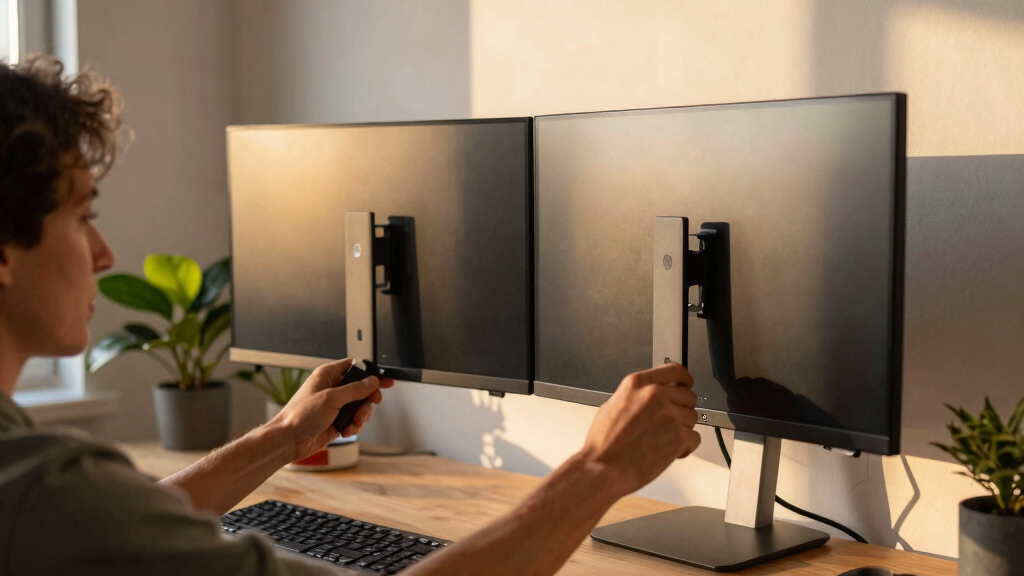

Choosing the best dual monitor mount heavy duty in 2026 hinges on your specific needs—whether you’re supporting ultra-wide screens, heavy weights, or limited desk space. The VIVO STAND-V200V stands out for its ultra-wide support and smooth tension arms, ideal for large monitors up to 45 inches and 44 lbs per arm. Meanwhile, the HUANUO HNDS7 offers enhanced stability and adjustable height for monitors up to 40 inches and 26.4 lbs per arm, perfect for users seeking versatile motion and built-in USB ports. For heavier, larger ultrawides, the ARES WING supports up to 49 inches and 44 lbs per arm, with full motion and robust steel construction. Each choice involves tradeoffs, such as maximum weight capacity versus size support or adjustability versus installation complexity. This guide breaks down what matters most to help you make an informed decision.
Key Takeaways
- Heavy-duty mounts vary significantly in supported monitor size and weight capacity, so matching your monitors’ specs is critical.
- Adjustability features such as tilt, swivel, and height are vital for ergonomic comfort, especially with large or ultrawide screens.
- Installation methods differ; clamp mounts are simple but may not suit thick or edge-molding desks, while grommet mounts offer more stability for heavy loads.
- Additional features like USB ports, cable management, and mounting options can enhance workspace organization and convenience.
- Tradeoffs often involve size support versus maximum weight capacity—know your monitors’ dimensions and weight before choosing.


More Details on Our Top Picks
VIVO Heavy Duty Dual Ultra-Wide Monitor Tension Arm, Up to 45 inch Screens, Holds 44 lbs per Arm, Premium Desk Mount Monitor Stand for 2 Ultrawides, Black, STAND-V200V
This mount excels in supporting ultra-wide monitors up to 45 inches and 44 lbs per arm, making it ideal for large, immersive screens. Its spring-assisted tension arms provide smooth height adjustments and secure positioning without sagging, outperforming many competitors with less robust support. The dual VESA plates and cable management help maintain a clean workspace. Compared with the HUANUO HNDS7, it offers higher weight capacity but slightly less versatility for smaller or lighter monitors. The main tradeoff is its focus on ultra-wide sizing over other features like USB ports or extensive articulation.
Pros:- Supports monitors up to 45 inches and 44 lbs per arm
- Spring-assisted tension arms for easy, smooth adjustments
- Detachable VESA plates for quick setup
- Heavy-duty steel and aluminum construction
Cons:- Limited articulation beyond tilt and swivel
- No integrated USB ports or additional accessories
- Clamping may not suit desks thicker than 3.2 inches
Best for: Large ultrawide monitor setups requiring maximum stability and size support
Not ideal for: Users with smaller monitors or seeking integrated USB charging features
- Max Screen Size:45 inches
- Max Load per Arm:44 lbs
- Tilt Range:+50° to -20°
- Swivel:180°
- Rotation:360°
- Height Adjustment:11 inches
- Mounting Type:C-clamp or grommet
- VESA Compatibility:75x75mm, 100x100mm
- Material:Steel, Aluminum
Bottom line: Best for users needing maximum support for ultra-wide, heavy monitors with straightforward adjustability.
Compared to larger, heavier-duty mounts, the HUANUO HNDS7 offers excellent stability for monitors up to 40 inches and 26.4 lbs per arm. Its larger base and dual C-clamp design provide enhanced stability, especially for taller or heavier screens. The adjustable height—up to 21.1 inches—and full motion capabilities make it versatile for ergonomic setups. It also includes built-in USB ports, adding convenience for charging devices. However, its maximum supported weight and size are lower than some ultra-heavy-duty options, making it less suitable for extremely large ultrawides or very heavy monitors. The tradeoff is a more affordable price point and added features like USB ports and cable management.
Pros:- Supports monitors up to 40 inches and 26.4 lbs
- Height adjustable up to 21.1 inches
- Full motion tilt, swivel, and rotation
- Includes USB ports for device charging
Cons:- Supports lighter monitors than ultra-heavy-duty mounts
- Maximum size support limited to 40 inches
- Weight capacity lower than some premium options
Best for: Users seeking a sturdy, adjustable mount with integrated USB ports for medium to large monitors
Not ideal for: Heavy ultrawide monitors over 40 inches or exceeding 26 lbs per arm
- Max Screen Size:40 inches
- Max Load per Arm:26.4 lbs
- Tilt Range:-30° to +85°
- Swivel:±90°
- Rotation:360°
- Height Adjustment:Up to 21.1 inches
- Mounting Options:Clamp or grommet
- VESA Compatibility:75x75mm, 100x100mm
- Material:Aluminum, Steel
Bottom line: Best for users needing a solid, feature-rich mount for mid-sized monitors with good ergonomic flexibility.
WALI Vertical Dual Monitor Mount for 17-49 inch Ultrawides Curved Screens, Heavy Duty Stacked Dual Monitor Stand for Desk, Adjustable Ultrawide Monitor Arm up to 33lbs, VESA Mount 75/100mm, Black
This mount is tailored for ultrawide monitors up to 49 inches, supporting curved and flat screens up to 33 lbs per arm. Its vertical stacking design maximizes desk space and is perfect for multi-monitor workflows. The mount offers tilt (-55° to +55°), swivel (±90°), and 90° screen rotation, ensuring flexible setup options. It is built from durable steel and aluminum, with tested stability over 20,000 cycles. Its installation via C-clamp or grommet makes it adaptable for various desk thicknesses. The main advantage is its support for ultrawides in a stacked, space-saving configuration, though it may be less suitable for large, heavy ultrawides exceeding 33 lbs per arm or requiring extensive articulation beyond tilt and swivel. The tradeoff is a focus on ultrawide support rather than maximum weight capacity.
Pros:- Supports monitors up to 49 inches and 33 lbs per arm
- Vertical stacking maximizes desk space
- Tilt, swivel, and rotation for ergonomic flexibility
- Durable steel and aluminum construction
Cons:- Limited to 33 lbs load per arm
- Less articulation than full-motion mounts
- Requires VESA-compatible monitors or adapters
Best for: Ultrawide monitors up to 49 inches, especially curved screens, in space-constrained environments
Not ideal for: Monitors heavier than 33 lbs or larger than 49 inches
- Max Screen Size:49 inches
- Max Load per Arm:33 lbs
- Tilt Range:-55° to +55°
- Swivel:±90°
- Rotation:90°
- Height Adjustment:Variable
- Mounting Options:Clamp or grommet
- VESA Compatibility:75x75mm, 100x100mm
- Material:Steel, Aluminum
Bottom line: Ideal for ultrawide, curved monitors in tight spaces needing vertical stacking and flexible tilt/swivel.
Dual Monitor-Arm Ultrawide Heavy Duty – 24-57 inch Vertical Dual Monitor Mount, Adjustable Stacked Double Monitor Desk Mount Stand, Max Load 59.4 lbs (per Arm), VESA 75/100 mm, Black
This mount supports an impressive range from 24 to 57 inches and up to 59.4 lbs per arm, making it suitable for the heaviest and largest ultrawide monitors. Its vertical stacked design helps save space, and with tilt, swivel, and rotation, it offers full ergonomic flexibility. The heavy-duty steel construction ensures stability even with very large or multiple ultrawide screens. The Grommet or clamp mounting options provide versatile installation for different desk types. The main tradeoff is its size and weight support, which may be overkill for smaller monitors, and the installation complexity can be higher due to size and weight considerations. This mount particularly appeals to users with ultra-large, demanding setups requiring maximum support and stability.
Pros:- Supports monitors up to 57 inches and 59.4 lbs per arm
- Full motion with tilt, swivel, and rotation
- Vertical stacking maximizes desk space
- Heavy-duty steel and aluminum construction
Cons:- Installation can be complex due to size and weight
- Overkill for small or lightweight monitors
- Requires proper VESA adapters for some ultrawides
Best for: Users with large, ultra-heavy ultrawide monitors or multi-monitor setups needing maximum weight support
Not ideal for: Small or lightweight monitors, or users seeking simple, minimal mounts
- Max Screen Size:57 inches
- Max Load per Arm:59.4 lbs
- Tilt Range:+50° to -20°
- Swivel:±90°
- Rotation:360°
- Height Adjustment:Variable
- Mounting Options:Clamp or grommet
- VESA Compatibility:75x75mm, 100x100mm
- Material:Steel, Aluminum
Bottom line: Best for those with massive ultrawide or heavy monitors demanding maximum load capacity and stability.

How We Picked
Our selection process focused on heavy-duty dual monitor mounts that combine durability, size support, and ergonomic adjustability. We reviewed customer feedback, focusing on stability under heavy loads, build quality, and ease of installation. We prioritized mounts capable of supporting ultrawide and large screens with weights up to 50 lbs per arm, ensuring they meet demanding professional or gaming setups. Compatibility with common VESA patterns and mounting options was also considered, along with added features like cable management and USB ports. The goal was to identify options suitable for both heavy, large monitors and space-constrained environments, balancing strength with usability.
Factors to Consider When Choosing Best Dual Monitor Mount Heavy Duty
Finding the best heavy-duty dual monitor mount in 2026 requires understanding your monitor’s size, weight, and your workspace needs. Durability, adjustability, and mounting options are the main factors. Heavy, large ultrawide monitors demand mounts with high weight capacity, often over 40 lbs per arm, and robust construction. Compatibility with VESA standards, ease of installation, and additional features like cable management or USB ports can boost productivity and workspace cleanliness. Carefully balancing these factors ensures you choose a mount that supports your monitors securely and enhances your ergonomic setup.
Monitor Size and Weight Capacity
Start by determining your monitor’s size and weight. Heavy-duty mounts support sizes from 24 to 57 inches and weights up to 60 lbs per arm. Ultrawides and curved screens often need mounts with higher weight capacities and larger VESA compatibility. Always verify your monitor’s VESA pattern and weight before choosing to avoid incompatibility or instability.
Adjustability and Articulation
Look for mounts that offer tilt, swivel, rotation, and height adjustment. Full motion arms allow customizing your viewing angles, reducing neck strain. For ultrawides or heavy screens, ensure the mount can support the weight while maintaining smooth adjustability. Some mounts prioritize maximum tilt or rotation, while others focus on height range—match these features to your ergonomic preferences.
Mounting Options and Compatibility
Mounting methods include clamp and grommet options. Clamp mounts are easier to install but may not fit desks with thick edges or molding. Grommet mounts provide more stability for heavy loads and are better suited for thicker desks. Confirm your desk’s thickness and choose the appropriate method. Compatibility with VESA 75x75mm or 100x100mm is standard, but some ultrawides may need adapters.
Additional Features
Features like cable management, USB ports, and quick-release VESA plates can streamline your workspace. Cable management keeps cords tidy, while USB ports add charging convenience. Consider these extras based on your workspace setup and whether they influence your overall satisfaction.
Tradeoffs to Consider
Heavy-duty mounts often involve a tradeoff between size support and installation complexity. Larger, more capable mounts require sturdier desks and precise setup. Some models focus on maximum weight capacity at the expense of full articulation or added features. Clarify your priorities—whether maximum support or ergonomic flexibility—to select the best fit.
Frequently Asked Questions
What should I consider when choosing a heavy-duty dual monitor mount?
When selecting a heavy-duty dual monitor mount, focus on the maximum supported size and weight, compatibility with your monitors’ VESA patterns, and the type of mounting (clamp or grommet). Also, consider the adjustability features like tilt, swivel, rotation, and height, as well as installation space and additional features like cable management or USB ports. Matching these factors ensures a secure fit and ergonomic comfort.
Are heavy-duty mounts suitable for ultrawide or curved monitors?
Yes, many heavy-duty mounts are designed specifically for ultrawide and curved monitors, supporting sizes up to 57 inches and weights over 50 lbs per arm. These mounts often feature larger VESA plates, robust construction, and full motion capabilities to accommodate the size and weight of ultrawides, making them ideal for immersive gaming or professional workflows.
What is the difference between clamp and grommet mounts?
Clamp mounts attach to the edge of your desk and are generally easier to install, but they may not fit desks with thick edges or molding. Grommet mounts require drilling a hole through the desk for a more secure attachment, especially suitable for heavier loads. Grommet mounts tend to offer greater stability for large, heavy monitors, but installation can be more involved.
Do I need to worry about VESA compatibility?
Absolutely. Most heavy-duty mounts support VESA patterns like 75x75mm and 100x100mm. Check your monitor’s VESA pattern before purchase to ensure compatibility. Some ultrawide and curved monitors may require adapters or special mounting plates, so verify this in advance to avoid setup issues.
Are adjustable mounts more reliable for heavy monitors?
Adjustable mounts with full motion features such as tilt, swivel, and height adjustment are generally more versatile and ergonomic. However, ensure that the mount’s build quality and weight capacity are adequate for your monitors. High-quality, heavy-duty adjustable mounts are designed to support significant weight while maintaining stability and smooth motion.