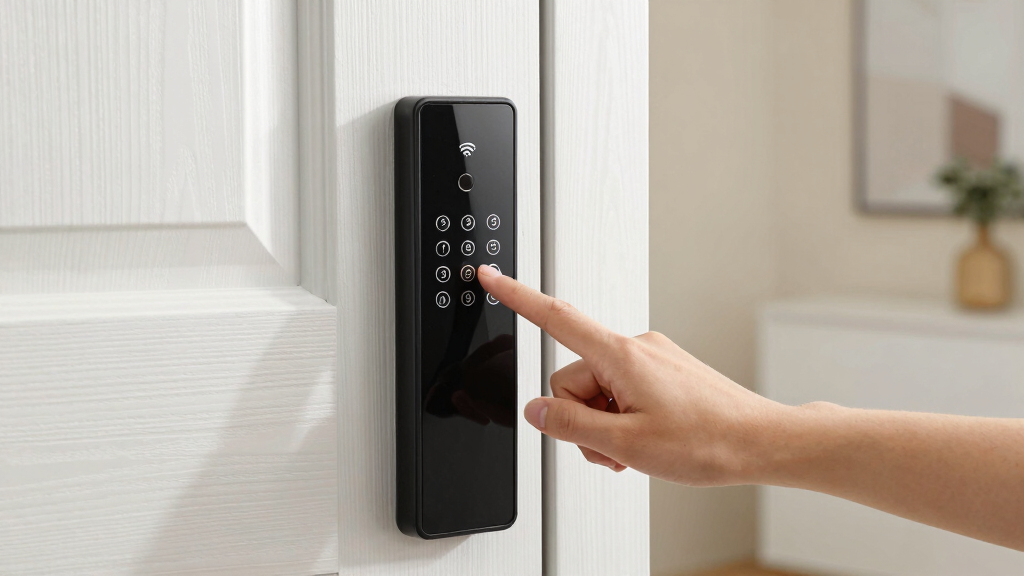

Finding the best smart lock with keypad and wifi can feel overwhelming, as options vary widely in features, compatibility, and price. The ideal lock offers seamless keyless access, remote control, and reliable connectivity, but tradeoffs often include complexity, battery life, or cost. The Schlage Encode stands out for its robust build and compatibility with smart home systems, making it a top overall pick. Meanwhile, the Wyze Auto-Lock provides affordability and simplicity, perfect for budget-conscious users, and the ULTRALOQ Bolt SE shines with its versatile 7-in-1 access options. Keep reading to see how these models compare and which one suits your needs best.
Key Takeaways
- The best overall smart lock combines reliable wifi connectivity, strong security features, and user-friendly installation, as exemplified by the Schlage Encode.
- Affordable options like Wyze Auto-Lock excel in simplicity and battery life but may lack advanced integrations or premium materials.
- Versatile models such as ULTRALOQ Bolt SE offer multiple access methods, including fingerprint and keypad, but can come with a higher price or complexity.
- Compatibility with existing smart home ecosystems is a key factor; locks that support Alexa, Google, or Apple Home ensure seamless integration.
- Battery life and power source are often overlooked but critical, as frequent replacements or dead batteries can undermine smart lock reliability.





More Details on Our Top Picks
Schlage Encode Smart Wi-Fi Deadbolt Lock with Touchscreen Keypad, Keyless Front Door Entry, App Control, Alexa, Google Home and Airbnb Compatible, Matte Black, BE489WB CEN 622
The Schlage Encode stands out for its combination of robust security features, straightforward installation, and extensive app controls, making it a top choice for those who prioritize safety and convenience. Compared with the ULTRALOQ Bolt SE, it offers a more encrypted connection and a fingerprint-resistant touchscreen, although the ULTRALOQ provides more advanced biometric options. The ability to manage up to 100 access codes and monitor lock history directly from the app makes it ideal for large households or rentals. Its built-in alarm for forced entry enhances security, which some other locks lack. A tradeoff is that its design is less sleek than some modern models and it requires AA batteries with a six-month lifespan. This pick is perfect for homeowners seeking a reliable, all-in-one smart lock with easy installation and comprehensive control, but less ideal for those wanting a more minimalist aesthetic.
Pros:- High-level security with encrypted Wi-Fi connection
- Manage up to 100 access codes from the app
- Built-in alarm for forced entry detection
- Easy DIY installation with snap-on design
Cons:- Bulkier design less suited for modern minimalism
- Requires replacement of AA batteries every six months
- App notifications can sometimes be delayed
Best for: Homeowners needing maximum security with simple remote management and compatibility with Alexa and Google Home.
Not ideal for: Design-conscious buyers seeking a sleek, minimalist lock, as the matte black finish and bulkier shape may not suit modern aesthetics.
- Connectivity Protocol:Wi-Fi
- Control Method:App, Touchscreen
- Number of Access Codes:Up to 100
- Battery Type:4 AA batteries
- Dimensions:0.9 x 3 x 5 inches
- Material:Zinc
Bottom line: This lock is ideal for users who want a secure, feature-rich smart lock that works seamlessly with voice assistants and rental platforms.
Wyze Auto-Lock Bolt v2, Fingerprint Keyless Entry Smart Lock, AI Learning Scanner with Wi-Fi Front Door Lock Deadbolt, Auto-Lock, 8 Months Battery, BHMA2, IP53, Anti-Peep Keypad, Backup Keys
The Wyze Auto-Lock Bolt v2 excels in rapid fingerprint recognition, with a 0.5-second unlock time and an AI scanner that learns from every use, making it ideal for busy households. Unlike the Philips WiFi Keypad Lock, it emphasizes biometric speed and reliability, especially with its scratch-resistant tempered glass. Its 8-month battery life and emergency USB-C backup ensure long-term use without frequent charging. The lock’s AI learning capability reduces failed scans over time, offering a seamless experience. However, it lacks the extensive access code management found in the Philips lock, and its IP53 rating offers less weather resistance than ULTRALOQ’s IP65 protection. This lock is best suited for tech-savvy users who prioritize quick biometric access and don’t mind sacrificing some advanced code management, but it’s less ideal for harsh outdoor environments.
Pros:- Fast 0.5-second fingerprint unlocking
- AI learning scanner improves accuracy over time
- Long-lasting 8-month battery life
- USB-C backup for emergency access
Cons:- Limited multi-user code management
- Less weather resistance than IP65-rated locks
- No keypad or manual key option
Best for: Tech-forward homeowners who prioritize fast fingerprint unlocking and AI adaptability over extensive code options.
Not ideal for: Users needing weatherproof, outdoor-grade locks with multiple user code management or integration with smart home ecosystems beyond Wi-Fi.
- Connectivity Protocol:Wi-Fi
- Control Method:App, Fingerprint
- Battery Life:8 months
- Fingerprint Capacity:up to 50
- Material:Zinc alloy
- Weather Resistance:IP53
Bottom line: This lock suits users who want rapid, biometric access with smart learning capabilities, but it’s less suited for outdoor environments requiring extensive code management.
Philips WiFi Keypad Door Lock with Handle, Built-in WiFi, APP Remote Control, Voice & Fingerprint Unlock, Smart Locks for Front Door with Auto Lock, Digital Front Door Lock Set, Keyless Entry Deadbolt
The Philips WiFi Keypad Lock offers a compelling mix of biometric speed, diverse access methods, and sleek design. Its 0.3-second fingerprint unlock performance surpasses many competitors like the ULTRALOQ Bolt SE, making it ideal for those who value quick biometric entry. The lock supports multiple unlocking methods—app, keypad, fingerprint, voice, and physical key—which makes it flexible for different household needs. Unlike some locks that require hubs, this model connects directly to 2.4GHz Wi-Fi, simplifying setup. Auto-lock feature and real-time app controls enhance security, though its installation may be slightly more involved due to the included handle set and optional screw for thicker doors. Its larger size and slightly more complex setup process might deter minimalists or those with very thin doors. Overall, an excellent choice for families or Airbnb hosts seeking speed and versatility.
Pros:- Fast 0.3-second fingerprint recognition
- Multiple access methods including keypad and voice
- Auto-lock timer customizable from 0-180 seconds
- Includes matching handle set for a unified look
Cons:- Slightly larger and more complex to install
- Requires connection to Wi-Fi and app management
- Installation might be more involved on non-standard doors
Best for: Families or short-term rental hosts who need quick biometric access and flexible control options.
Not ideal for: Design-focused buyers seeking a minimalist aesthetic or those with very thin doors where the handle set may not fit well.
- Control Method:App, Fingerprint, Keypad, Voice
- Connectivity Protocol:Wi-Fi
- Unlock Speed:0.3 seconds
- Material:Zinc
- Dimensions:2.95 x 1 x 2.95 inches
- Battery Life:Not specified
Bottom line: Ideal for households that want rapid biometric access combined with flexible control options, but less suited for minimalist or ultra-thin door setups.
ULTRALOQ Bolt SE Smart Lock, Built-in Wi-Fi, Matter Over Thread, Works with Apple Home, Alexa, Google, 7-in-1 Keyless Entry Deadbolt with Fingerprint ID, App, Keypad, Remote Control, 18 Months Battery
The ULTRALOQ Bolt SE shines with its 7-in-1 unlocking options—fingerprint, keypad, app, remote, and mechanical keys—making it highly adaptable for various user preferences. It supports Matter over Thread, ensuring future-proof compatibility with Apple Home, Alexa, and Google, unlike some other locks that only support Wi-Fi. Its 18-month battery life is a major advantage over shorter-lived models like Wyze, reducing maintenance. Its IP65 waterproof rating makes it suitable for outdoor use, unlike the less weatherproof Wyze or Philips models. However, its auto-lock feature is less customizable than Philips’, and some users report difficulty with initial setup or app stability. This lock is perfect for those wanting extensive unlocking options and long-term reliability but might be overkill for users who prefer minimalist or indoor-only locks.
Pros:- Supports 7 unlocking methods including fingerprint and keypad
- Supports Matter over Thread for smart home future-proofing
- Long 18-month battery life
- Weatherproof IP65 rating for outdoor use
Cons:- Setup can be complex for some users
- Auto-lock is less customizable than Philips models
- App stability issues reported by a few users
Best for: Users who need a highly versatile, durable, and future-proof lock with long battery life and extensive control options.
Not ideal for: Minimalist users or those with indoor-only doors who do not require outdoor weather resistance or multiple unlocking methods.
- Control Method:App, Fingerprint, Keypad, Mechanical, Remote
- Connectivity Protocol:Wi-Fi, Thread
- Battery Life:18 months
- Weather Resistance:IP65
- Material:Zinc
- Supports Smart Home:Apple Home, Alexa, Google
Bottom line: This lock is best for those wanting maximum versatility, durability, and long battery life for outdoor use, but less ideal for minimalistic or indoor-only setups.
Philips Wi-Fi Smart Lock with Handle, Keyless Entry Keypad Door Lock with Handle, Front Door Deadbolt Set with WiFi Gateway, App Control, Fingerprint Unlock, PIN Code Unlock, Auto Locking
The Philips Wi-Fi Smart Lock offers a compelling combination of rapid biometric unlocking—just 0.3 seconds—and versatile access options, making it ideal for busy households or frequent visitors. Its biometric scanner outperforms many competitors like ULTRALOQ Bolt SE in speed and accuracy, plus it supports multiple unlocking methods including app, keypad, fingerprint, and voice commands via Alexa or Google. The inclusion of a WiFi gateway simplifies setup, and the auto-lock feature adds an extra layer of security. However, its slightly larger size and more involved installation process may not appeal to minimalists or those with very thin doors. It also requires the gateway for remote control, which adds an extra step to setup. Overall, this lock is perfect for those seeking speed, flexibility, and comprehensive control, but less so for users who prefer a simple, standalone device.
Pros:- Ultra-fast 0.3-second fingerprint unlock
- Supports multiple unlocking methods including app, keypad, voice
- Auto-lock timer customizable from 0-180 seconds
- Includes handle set for a seamless look
Cons:- Requires Wi-Fi gateway for remote control
- Slightly larger installation footprint
- More complex setup process
Best for: Families seeking fast biometric access with multi-method flexibility and auto-lock features.
Not ideal for: Those with very slim doors or who prefer a minimalist aesthetic, as the handle adds bulk and complexity.
- Control Method:App, Fingerprint, Keypad, Voice
- Connectivity Protocol:Wi-Fi
- Unlock Speed:0.3 seconds
- Material:Zinc
- Dimensions:2.95 x 1 x 2.95 inches
- Battery Life:Not specified
Bottom line: Ideal for busy households that want rapid biometric access combined with flexibility, but less suitable for minimalistic or space-constrained doors.
Philips WiFi Smart Keypad Deadbolt Lock, App Remote Control, No Hub Required, Support Alexa & Google Assistant, Keyless Entry Door Lock with Auto Lock, Digital Smart Locks for Front Door, Satin Nickel
This Philips model stands out for its straightforward setup and seamless integration with Alexa and Google Assistant, making voice commands a breeze. Unlike the Schlage Encode with its touchscreen, Philips relies on physical buttons, which are generally more reliable over time and easier to operate in low-light conditions. The feature of remote control via built-in WiFi eliminates the need for a hub, simplifying installation and reducing potential points of failure. The capacity to create up to 100 customized passcodes, including temporary ones, offers flexible access management—ideal for families, tenants, or service providers. However, the lock’s reliance on AA batteries means regular replacement is necessary, and the absence of a touchscreen reduces some modern aesthetic appeal. Compared to the Ultraloq Bolt SE, this lock might lack some advanced features like biometric access but offers superior simplicity and durability for everyday use.
Tradeoffs include: easier operation with physical buttons versus a touchscreen, and straightforward app control versus more complex features like fingerprint ID.
This pick makes the most sense for users seeking a reliable, easy-to-install smart lock with solid app and voice control capabilities.Pros:- Simple physical keypad with reliable operation
- No hub needed—direct WiFi connectivity
- Supports multiple access codes with flexible timing
Cons:- Battery replacement required approximately every 6 months
- Lacks a touchscreen or advanced biometric options
- Design is utilitarian, not particularly modern
Best for: Homeowners or renters who prioritize ease of use, reliable physical controls, and straightforward remote access.
Not ideal for: Tech enthusiasts seeking biometric or touchscreen interfaces, or users who prefer wireless hubs for additional smart home integrations.
- Control Method:App, Voice, Keypad
- Connectivity:WiFi
- Battery Life:Up to 6 months
- Material:Aluminum
- Dimensions:9 x 6.7 x 4.3 inches
- Weight:1.26 kg
Bottom line: This lock is ideal for users wanting a dependable, easy-to-manage smart lock with broad compatibility and simple installation.
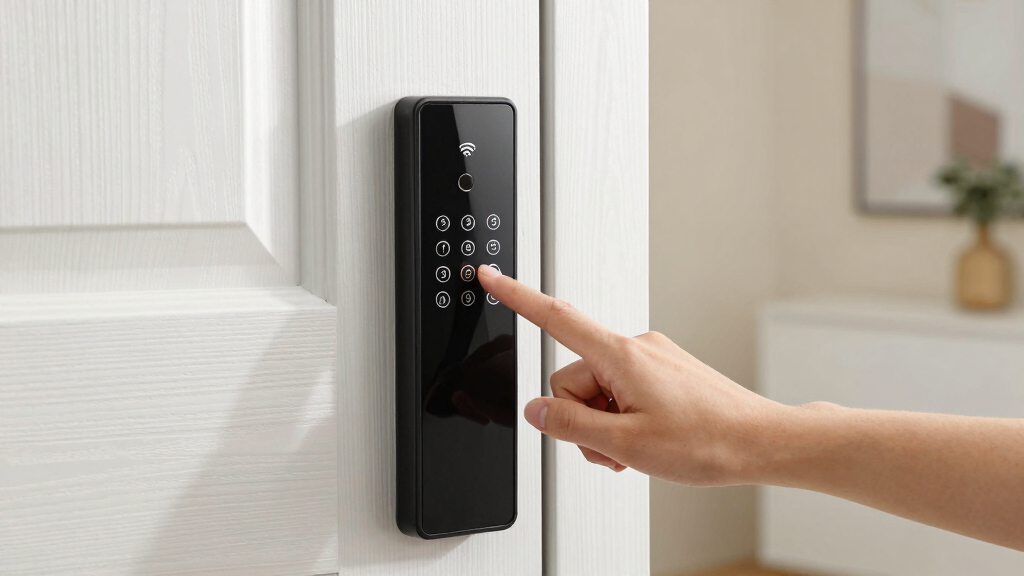
How We Picked
To determine the best smart lock with keypad and wifi, I evaluated each product based on performance, ease of installation, build quality, connectivity stability, and compatibility with popular smart home platforms. I also considered user interface intuitiveness, battery life, and overall value. The ranking reflects a balance of these factors, prioritizing locks that offer reliable, secure, and convenient access while remaining accessible to a broad range of users. Products were compared directly to identify clear distinctions in usability, technological features, and cost, ensuring each pick serves a specific user need or preference.Factors to Consider When Choosing Best Smart Lock With Keypad And Wifi
Choosing the right smart lock with keypad and wifi involves understanding several key factors beyond basic features. The right lock should fit your existing door setup, integrate well with your smart home system, and meet your security expectations. Being aware of common pitfalls—like overestimating wifi range or ignoring backup access options—can prevent costly mistakes. Here are the main considerations to keep in mind:Compatibility and Ecosystem Integration
Ensure the smart lock works with your preferred smart home platforms like Alexa, Google Assistant, or Apple HomeKit. Compatibility can influence how easily the lock integrates into your existing routines and automation setups. Some locks require additional hubs or gateways, which can add complexity and cost. Prioritize models that natively support your ecosystem to streamline setup and use.
Connectivity and Wi-Fi Stability
Reliable wifi connection is essential for remote control and notifications. Check the wifi specifications—dual-band support can improve stability, especially with multiple devices on your network. Consider whether the lock uses a direct wifi connection or requires a hub; the latter can add latency or points of failure. Test the wifi range and placement to avoid dead zones that impair remote access.
Security Features and Build Quality
Look for locks with strong encryption, tamper alerts, and sturdy materials. A keypad should have anti-peep or randomized code options to prevent shoulder surfing. Physical durability matters, especially if you live in harsh climates; weather resistance ratings like IP65 or higher ensure longevity. A well-built lock minimizes the risk of break-ins or malfunction.
Ease of Installation and User Management
Installation should be straightforward, ideally with detailed instructions or app-guided setup. Some locks fit standard doors, while others may need modifications. User management features—such as temporary codes or multiple user profiles—add flexibility but vary in complexity. Consider how easily you can add or revoke access for family, friends, or service providers.
Battery Life and Power Backup
Long-lasting batteries reduce maintenance and avoid lockouts. Many models include low-battery alerts; some offer backup keys or power ports. Be cautious of locks with short battery life or complicated power options, as these can cause disruptions. Regularly checking battery status helps maintain reliable operation.
Cost and Value
Prices range from budget-friendly to premium. While cheaper models may lack advanced features, they can still provide solid security for basic needs. Consider whether additional features like voice control, auto-lock, or smart home integration justify the extra cost. Balancing price and features ensures you get value aligned with your specific requirements.
Frequently Asked Questions
Can I install a smart lock with keypad and wifi on any door?
Most smart locks are designed to fit standard residential doors, but compatibility depends on factors like door thickness, backset, and existing hardware. It’s important to check the lock’s specifications against your door’s measurements before purchasing. Some models may require additional adapters or modifications, especially for non-standard doors or older installations. Ensuring compatibility upfront can prevent surprises during installation.
How secure are smart locks with keypad and wifi?
Many smart locks employ advanced encryption and security protocols to protect against hacking attempts. A keypad with anti-peep or randomized codes adds an extra layer of security. However, no lock is completely invulnerable—regular firmware updates and strong, unique passcodes are essential. Physical security, such as sturdy materials and tamper alerts, also plays a role in overall safety.
What happens if my wifi goes down? Can I still open my lock?
Most smart locks include a backup method, such as a physical key or keypad code, to ensure access when wifi is unavailable. Some models store local access credentials or have low-power modes for manual entry. It’s wise to verify the backup options during setup and consider maintaining physical keys if you want peace of mind during connectivity issues.
Do smart locks with keypad and wifi work with existing smart home systems?
Compatibility varies by model; many are designed to work seamlessly with Alexa, Google Assistant, or Apple HomeKit. Check each lock’s specifications to confirm support for your preferred platform. Integration allows for automation, remote control, and voice commands, enhancing convenience. However, some locks may require additional hubs or bridges for full compatibility.
How long do the batteries last, and how are they replaced?
Battery life varies, with most models lasting from 6 months to over a year on a single set of batteries. Many locks provide low-battery alerts via app or notifications. Replacement is typically straightforward, using standard batteries like AA or specialized rechargeable packs. Regularly monitoring battery status and replacing batteries before they die prevents lockouts and security lapses.
Conclusion
For most homeowners seeking a reliable, feature-rich smart lock, the Schlage Encode offers outstanding security and seamless smart home integration, making it the best overall choice. Budget-conscious users should consider the Wyze Auto-Lock for straightforward installation and affordability. Those desiring maximum versatility may prefer the ULTRALOQ Bolt SE with its multiple access options. Beginners or less tech-savvy users will find models with simple setups and clear instructions easier to manage, while security-conscious buyers should prioritize locks with durable build quality and strong encryption. Matching your specific needs with these strengths will ensure a satisfying purchase.