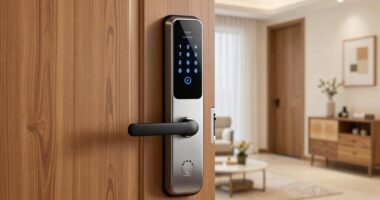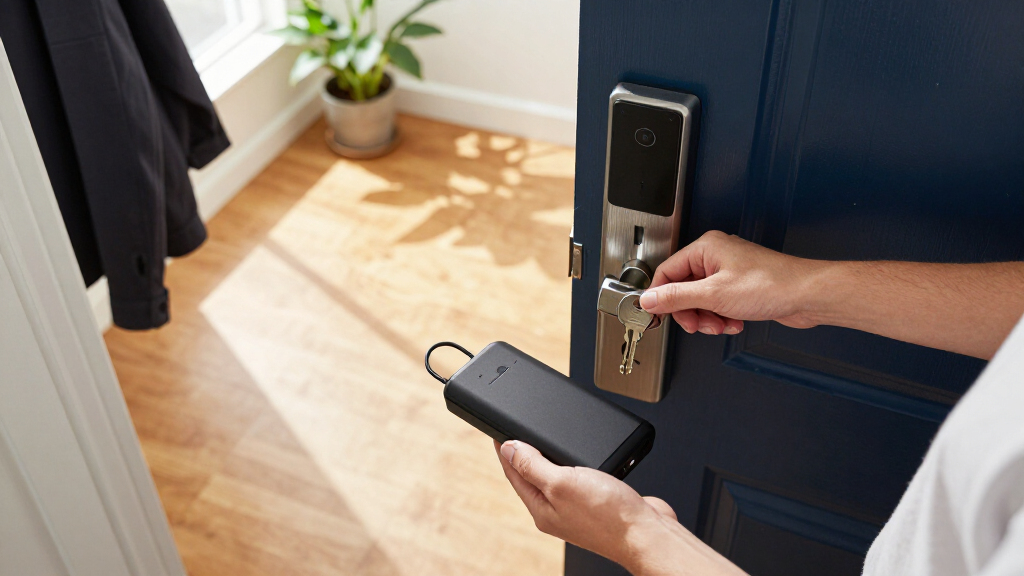

The best smart locks with backup power give you a way to get inside when batteries run low, whether through a physical key, an emergency power connection, or another backup method. My best overall pick is the Wyze Auto-Lock Bolt v2, which pairs fingerprint entry with backup keys; the eufy Security Smart Lock C220 stands out for fingerprint access, while the Yale WiFi Smart Lock is a straightforward keypad option. The main tradeoff is choosing between a familiar key, hands-free entry, and the convenience of connected features without assuming every lock handles a drained battery the same way. Door fit, power backup details, and whether Wi-Fi is built in also separate these options. Read on for the full comparison and a guide to matching a lock’s backup method to your home.

Get the little things that make your day delivered free with Prime
- Fast, free delivery on millions of items
- Prime Video, Amazon Music and more included
- Member-only deals all year
Key Takeaways
The Wyze Auto-Lock Bolt v2 leads this group for backup flexibility because its listed features include backup keys alongside fingerprint entry and Wi-Fi; buyers should still confirm the lock’s exact battery-out procedure before installation.
Fingerprint access is the clearest point of separation: the Wyze, Philips handle lock with fingerprint, Tapo DL110, and eufy C220 offer it, while keypad-focused choices suit households that prefer shared codes.
Several Philips models have overlapping names but different hardware; compare the handle, fingerprint support, weather protection, and connectivity rather than choosing by brand alone.
The Tapo DL100 favors tactile-button simplicity, while the DL110 adds fingerprint recognition; that extra convenience is useful only if household members will use it and the lock’s backup plan suits the door.
Backup power is not one standardized feature: a physical key, an emergency power input, and a spare battery are different safeguards, so verify the specific method and what happens when the internal batteries are fully depleted.
| Wyze Auto-Lock Bolt v2 Fingerprint Smart Lock with Wi-Fi, Keyless Entry, Auto-Lock, and Backup Keys |  | Best Overall for Backup Access | Model: WLCKB2 | Connectivity: Wi-Fi | Entry methods: Fingerprint, keypad, app control, backup keys | VIEW LATEST PRICE | See Our Full Breakdown |
| Philips WiFi Keypad Door Lock with Handle, Built-in WiFi, APP Remote Control, Voice & Fingerprint Unlock, Satin Nickel |  | Best for Multi-Method Entry | Model: DDL242X-1HW | Connectivity: Built-in Wi-Fi | Entry methods: Fingerprint, keypad, app, voice commands | VIEW LATEST PRICE | See Our Full Breakdown |
| Philips Smart Lock, WiFi Keyless Deadbolt with App Control, Alexa & Google Support, IP54 Waterproof, Black |  | Best for Harsh Weather | Model: DDL242X-15HW | Connectivity: Wi-Fi | Entry methods: App, voice commands, keys, passcodes | VIEW LATEST PRICE | See Our Full Breakdown |
| Tapo Smart Wi-Fi Deadbolt Door Lock, Keyless Tactile Buttons, DL100 |  | Best Battery Runtime | Model: DL100 | Connectivity: Wi-Fi, Bluetooth | Entry methods: Keypad, Bluetooth, remote app control | VIEW LATEST PRICE | See Our Full Breakdown |
| Philips WiFi Keypad Door Lock with Handle, App Control Smart Deadbolt Lock |  | Best for Flexible Door Fit | Model: DDL242X-15HW-L | Connectivity: Wi-Fi | Entry methods: App, keys, passcodes, voice commands | VIEW LATEST PRICE | See Our Full Breakdown |
| Yale WiFi Smart Lock Deadbolt with Keypad, Keyless Entry, Black Suede |  | Best for Scheduled Household Access | Model: YRD410-WF1-BSP | Brand: Yale Security | Access: Backlit keypad and Yale Access app | VIEW LATEST PRICE | See Our Full Breakdown |
| Tapo Smart Wi-Fi Door Lock, Deadbolt, Fingerprint Recognition, DL110 |  | Best Rechargeable-Battery Pick | Model: DL110 | Power: Rechargeable battery; up to one year of use | Access methods: Fingerprint, keypad passcodes, Wi-Fi, Bluetooth, voice assistants, backup keys | VIEW LATEST PRICE | See Our Full Breakdown |
| Philips Wi-Fi Smart Deadbolt Lock, Keyless Entry Door Lock for Front Door |  | Best Fast-Fingerprint Option | Model: DDL242X-1HW | Brand: PHILIPS | Access methods: Fingerprint, passcode, key, voice commands, remote app control | VIEW LATEST PRICE | See Our Full Breakdown |
| eufy Security Smart Lock C220, Fingerprint Keyless Entry Door Lock |  | Best AA-Powered Backup-Key Pick | Model: T8506 | Power: Eight AA batteries; up to eight months of battery life | Unlock methods: Fingerprint, keypad, app, voice, physical key | VIEW LATEST PRICE | See Our Full Breakdown |
| smart locks with backup power | Model | Connectivity | Entry methods |
|---|---|---|---|
| Wyze Auto-Lock Bolt v2 Fingerp | WLCKB2 | Wi-Fi | Fingerprint, keypad, app control, backup keys |
| Philips WiFi Keypad Door Lock | DDL242X-1HW | Built-in Wi-Fi | Fingerprint, keypad, app, voice commands |
| Philips Smart Lock | DDL242X-15HW | Wi-Fi | App, voice commands, keys, passcodes |
| Tapo Smart Wi-Fi Deadbolt Door | DL100 | Wi-Fi, Bluetooth | Keypad, Bluetooth, remote app control |
| Philips WiFi Keypad Door Lock | DDL242X-15HW-L | Wi-Fi | App, keys, passcodes, voice commands |
| Yale WiFi Smart Lock Deadbolt | YRD410-WF1-BSP | Wi-Fi smart module included | — |
| Tapo Smart Wi-Fi Door Lock | DL110 | Wi-Fi and Bluetooth | — |
| Philips Wi-Fi Smart Deadbolt L | DDL242X-1HW | — | — |
| eufy Security Smart Lock C220 | T8506 | — | — |
More Details on Our Top Picks
Wyze Auto-Lock Bolt v2 Fingerprint Smart Lock with Wi-Fi, Keyless Entry, Auto-Lock, and Backup Keys
The Wyze Lock Bolt v2 earns this spot by pairing everyday fingerprint entry with two ways to handle a power problem: backup keys and emergency USB-C power. Its fingerprint reader is described as unlocking in under a second, and its adaptive recognition is intended to improve with use, which can make quick entry more dependable. Wi-Fi adds remote management, while the keypad gives household members another way in without a phone or key.
Compared with the Tapo DL100, Wyze offers biometric entry and a stated battery life of up to eight months, but Tapo lists a longer runtime in Bluetooth mode and includes its batteries. Wyze’s eight AA batteries are included, though actual life varies with use. Its IP53 rating is also less suited to exposed weather than locks with stronger water-resistance claims, so this fits a sheltered door better than a rain-facing one.
Pros:- Fingerprint unlocking is specified at under one second.
- Includes backup keys and emergency USB-C power.
- Wi-Fi and app control support remote management.
- Eight AA batteries are included, with up to eight months of stated battery life.
Cons:- Remote features depend on a working Wi-Fi connection.
- IP53 weather resistance is a weaker fit for doors exposed to heavy rain.
- Battery life can vary with usage.
Best for: Households wanting fast fingerprint entry plus physical keys and emergency USB-C power as separate backup options.
Not ideal for: Buyers with a fully exposed exterior door or anyone who wants remote access to work without Wi-Fi.
- Model:WLCKB2
- Connectivity:Wi-Fi
- Entry methods:Fingerprint, keypad, app control, backup keys
- Battery type and quantity:8 AA batteries included
- Stated battery life:Up to 8 months
- Emergency power:USB-C
- Weather resistance:IP53
Our verdict“Choose the Wyze if fingerprint convenience matters and you want both key and USB-C power backups, provided the lock will be sheltered from harsh weather.”
Philips WiFi Keypad Door Lock with Handle, Built-in WiFi, APP Remote Control, Voice & Fingerprint Unlock, Satin Nickel
The Philips DDL242X-1HW suits homes where residents want different ways to enter: it supports fingerprint, keypad, app, and voice control, and its included lever handles make it a broader entry-set option than the Wyze deadbolt. Built-in Wi-Fi allows remote management and access monitoring, while auto-lock can reduce the chance of leaving the door unsecured. That range of controls is useful when household members have different habits or needs.
Its backup-power story is less complete than the Wyze Lock Bolt v2: the Philips listing specifies eight AA batteries but does not state battery life or an emergency power port, and the batteries are not included. Check those needs before buying if you want a defined runtime or a documented low-battery rescue method. Door fit is another gate: this model is specified for 1-3/8-inch to 1-3/4-inch doors, so measuring first matters more than its broad use claims suggest.
Pros:- Offers fingerprint, keypad, app, and voice-command entry.
- Built-in Wi-Fi supports remote management and access monitoring.
- Includes two lever components and mounting hardware.
- Auto-lock provides a way to secure the door after entry.
Cons:- Eight AA batteries are not included.
- The supplied product details do not specify battery life or an emergency power option.
- Compatibility is limited to doors 1-3/8 to 1-3/4 inches thick.
Best for: Households seeking fingerprint, keypad, app, and voice entry in one lock-and-handle set, with a door within the listed thickness range.
Not ideal for: Buyers prioritizing a clearly specified battery runtime, included batteries, or a documented emergency power port.
- Model:DDL242X-1HW
- Connectivity:Built-in Wi-Fi
- Entry methods:Fingerprint, keypad, app, voice commands
- Batteries:8 AA alkaline batteries, not included
- Door thickness compatibility:1-3/8 to 1-3/4 inches (38 to 50 mm)
- Included components:Two door levers, latch assembly, mounting hardware, lock, user manual
- Auto-lock:Supported
Our verdict“Pick this Philips model for varied entry methods and included handles, but choose a lock with a stated runtime or backup-power feature if power resilience is your main priority.”
Philips Smart Lock, WiFi Keyless Deadbolt with App Control, Alexa & Google Support, IP54 Waterproof, Black
For buyers who need a lock to face tough conditions, the Philips DDL242X-15HW stands out for its IP54 rating and stated operating range from -31°F to 150°F. Its eight AA batteries are listed for about six months of use, giving shoppers a more concrete replacement interval than the Philips DDL242X-1HW, whose supplied details do not state a runtime. App control, passcodes, keys, and Alexa or Google Assistant commands provide alternatives if one access method is inconvenient.
The tradeoff is power planning: eight AA batteries are not included, and the six-month figure means replacement is a recurring task rather than a long, set-and-forget interval. The Wyze Lock Bolt v2 lists up to eight months and emergency USB-C power, making it the stronger pick if a documented external power rescue matters more than weather resistance. Philips supplies the better weather specification here, but its details do not list an emergency power port.
Pros:- IP54 water-resistance rating.
- Stated operating temperature range of -31°F to 150°F.
- Supports app control, passcodes, keys, Alexa, and Google Assistant.
- Provides real-time notifications and security alerts.
Cons:- Eight AA batteries are not included.
- Stated battery life is about six months.
- The supplied details do not specify emergency external power.
Best for: Owners of exterior doors exposed to broad temperature swings who want app, code, key, and voice entry options.
Not ideal for: Buyers seeking included batteries, a longer stated runtime, or a documented emergency power port.
- Model:DDL242X-15HW
- Connectivity:Wi-Fi
- Entry methods:App, voice commands, keys, passcodes
- Battery type and quantity:8 AA batteries, not included
- Stated battery life:6 months
- Waterproof level:IP54
- Temperature range:-31°F to 150°F (-35°C to 66°C)
Our verdict“Choose this Philips deadbolt for its weather and temperature specifications, but not if an emergency power port or a longer battery interval is a must-have.”
Tapo Smart Wi-Fi Deadbolt Door Lock, Keyless Tactile Buttons, DL100
The Tapo DL100 is the clearest choice here for shoppers comparing stated battery endurance: its supplied figures reach up to 300 days in Bluetooth mode and up to 200 days with Wi-Fi, and four AA batteries are included. That distinction helps buyers weigh connectivity against fewer battery changes. Keypad and Bluetooth entry remain available alongside remote app control, while the listed compatibility with Alexa, Google Home, and SmartThings may suit an existing connected home.
Compared with the Wyze Lock Bolt v2, Tapo trades fingerprint access and Wyze’s stated emergency USB-C power for a longer listed runtime in Bluetooth mode and a BHMA Grade 3 certification. The rating is a meaningful limitation for buyers seeking a higher certified grade, and the product data does not detail an emergency power connector despite mentioning an emergency power option among its benefits. Its size and setup requirements also make it less appealing for shoppers wanting a compact, minimal installation.
Pros:- Four AA batteries are included.
- Stated battery life reaches up to 300 days in Bluetooth mode.
- Supports Wi-Fi, Bluetooth, keypad, and remote app access.
- Compatible with Alexa, Google Home, and Samsung SmartThings.
Cons:- Listed BHMA certification is Grade 3, not a higher grade.
- Wi-Fi mode has a shorter stated runtime than Bluetooth mode.
- The supplied specifications do not identify a specific emergency power connector.
Best for: Homeowners who want included batteries, long stated battery intervals, and smart-home compatibility, especially when Bluetooth use is practical.
Not ideal for: Buyers who require fingerprint entry, a higher-than-Grade-3 certification, or clearly specified emergency power hardware.
- Model:DL100
- Connectivity:Wi-Fi, Bluetooth
- Entry methods:Keypad, Bluetooth, remote app control
- Power source:4 AA batteries, included
- Battery life:Up to 200 days in Wi-Fi mode; up to 300 days in Bluetooth mode
- Certification:BHMA Grade 3
- Smart-home compatibility:Alexa, Google Home, Samsung SmartThings
- Outdoor dimensions:5.88 x 2.65 x 2.2 inches
Our verdict“Choose the Tapo DL100 if included batteries and longer Bluetooth-mode runtime outweigh fingerprint entry or a clearly specified emergency power port.”
Philips WiFi Keypad Door Lock with Handle, App Control Smart Deadbolt Lock
The Philips DDL242X-15HW-L makes sense for buyers whose door dimensions rule out narrower-fit models: it supports door thicknesses from 1-3/8 to 2 inches and cross bores of 1-1/2 or 2-1/8 inches. The lock includes two lever handles, offers up to 100 passwords, and supports app, key, passcode, and voice access. Its IP54 rating and stated temperature range also give it a stronger weather profile than the Wyze Lock Bolt v2’s IP53 rating.
For backup power, its main advantage is a defined eight-AA battery setup with up to six months of life, not a documented emergency power port. The Wyze is a better fit if USB-C rescue power is a priority; the Tapo DL100 lists longer intervals in Bluetooth mode and includes its batteries. This Philips model instead suits buyers who need broader door compatibility, but batteries are not included and Wi-Fi-dependent remote features rely on the network.
Pros:- Fits doors 1-3/8 to 2 inches thick and two listed cross-bore sizes.
- Includes two lever handles.
- Supports up to 100 passwords and app, key, passcode, and voice access.
- IP54 rating and a stated -31°F to 150°F temperature range.
Cons:- Eight AA batteries are not included.
- Stated battery life is up to six months.
- The supplied product details do not specify an emergency power port.
Best for: Homeowners replacing an existing lock on a door up to two inches thick who want handles, customizable codes, and app-based access.
Not ideal for: Buyers who want batteries included, longer stated runtime, or a specified emergency power connection.
- Model:DDL242X-15HW-L
- Connectivity:Wi-Fi
- Entry methods:App, keys, passcodes, voice commands
- Battery type and quantity:8 AA batteries, not included
- Stated battery life:Up to 6 months
- Door thickness compatibility:1-3/8 to 2 inches
- Cross-bore compatibility:1-1/2 or 2-1/8 inches
- Weather resistance:IP54
- Warranty:2 years
Our verdict“Choose this Philips model when broader door fit and included handles matter most, but look to Wyze for a documented USB-C backup-power route.”
Yale WiFi Smart Lock Deadbolt with Keypad, Keyless Entry, Black Suede
The Yale Assure Lock 2 is a strong fit for households that need to manage many people’s access without handing out keys. Its keypad supports unlimited user codes and schedules, so you can set distinct entry permissions for family, visitors, or service providers. The included Wi-Fi module adds app-based remote control, while DoorSense and auto-lock help check that the door is closed and secure. Unlike the Tapo DL110, this Yale model’s supplied details don’t list fingerprint entry or a rechargeable battery, and they don’t specify battery life or a low-battery backup method. That makes its backup-power case less clear than options with explicit battery information. Choose it for access management and door-status features, but skip it if a documented backup-power setup is your main priority.
Pros:- Supports unlimited user codes with scheduling for tailored access.
- Includes a Wi-Fi module for remote control through the Yale Access app.
- DoorSense and automatic locking add door-status awareness and a locking routine.
- Designed for entry doors and described as durable in extreme temperatures.
Cons:- The supplied product details do not state battery life or describe a backup-power method.
- Full remote features depend on a Wi-Fi connection.
- Smart-home integration beyond the listed Yale app features is not specified.
Best for: Households, landlords, or caregivers who need individually scheduled keypad codes and app-based door monitoring.
Not ideal for: Buyers who prioritize a clearly specified rechargeable battery, battery-life estimate, or explicit emergency power method.
- Model:YRD410-WF1-BSP
- Brand:Yale Security
- Access:Backlit keypad and Yale Access app
- Connectivity:Wi-Fi smart module included
- User codes:Unlimited, with schedules
- Door features:Auto-lock and DoorSense
- Included components:Lock, Wi-Fi module, deadbolt, latch plates, mounting hardware, DoorSense, install manual
- Warranty:Lifetime limited warranty on finish and mechanical components; one year on electronics
Our verdict“Choose the Yale Assure Lock 2 for flexible scheduled keypad access, not when documented backup-power details are your deciding factor.”
Tapo Smart Wi-Fi Door Lock, Deadbolt, Fingerprint Recognition, DL110
The Tapo DL110 makes the clearest case here for buyers who want rechargeable power: its battery is rated for up to one year, though actual life can vary with use and conditions. A dead battery need not mean relying on an app alone; the listed access methods include backup keys, alongside fingerprint, keypad, Bluetooth, and Wi-Fi. Fingerprint recognition is specified at 0.42 seconds, and storage for up to 100 fingerprints suits homes with multiple residents. Compared with the eufy C220, Tapo offers a rechargeable battery rather than eight AA cells, but the eufy listing gives a defined battery count and operating-temperature range. Tapo also warns that recognition can be affected by conditions, and its listed external-only installation may rule it out for some setups. Check the door and installation requirements before choosing it.
Pros:- Rechargeable battery is rated for up to one year of use.
- Backup keys provide a physical entry option if electronic access is unavailable.
- Supports fingerprint, passcode, Bluetooth, Wi-Fi, and voice-assistant access.
- Stores up to 100 fingerprints and lists activity logs and real-time alerts.
Cons:- Battery life varies with use and environmental conditions.
- Fingerprint recognition may be affected by environmental conditions.
- Product details specify external installation only.
Best for: Households seeking rechargeable power, backup keys, and fingerprint access for several residents or guests.
Not ideal for: Buyers who need interior-side installation options or want a battery-life estimate unaffected by usage and environmental conditions.
- Model:DL110
- Power:Rechargeable battery; up to one year of use
- Access methods:Fingerprint, keypad passcodes, Wi-Fi, Bluetooth, voice assistants, backup keys
- Fingerprint recognition:0.42 seconds
- Fingerprint storage:Up to 100 fingerprints
- Connectivity:Wi-Fi and Bluetooth
- Compatibility:Amazon Alexa, Google Home, Samsung SmartThings
- Security features:Auto-lock, activity logs, real-time alerts
- Installation:External installation; tools included
Our verdict“Pick the Tapo DL110 if rechargeable power and listed backup keys matter more to you than flexible installation or a guaranteed battery runtime.”
Philips Wi-Fi Smart Deadbolt Lock, Keyless Entry Door Lock for Front Door
The Philips DDL242X-1HW stands out for a listed fingerprint response time of 0.3 seconds, the fastest specified among these four picks. It also offers several ways to enter—fingerprint, passcode, key, voice commands, and remote app control—so residents aren’t limited to a single electronic method. That mix gives it a different emphasis from the Tapo DL110, whose product data is more useful for buyers comparing battery type and stated runtime. Philips’s supplied information does not identify a battery type, runtime, or emergency power procedure, however, so its place in a roundup about backup power comes with a real information gap. Remote access also requires Wi-Fi, and setup may take more effort. I’d shortlist it for quick biometric access, but verify its power and emergency-entry details before relying on it as a backup-conscious purchase.
Pros:- Fingerprint recognition is specified at 0.3 seconds.
- Offers fingerprint, passcode, key, voice-command, and app-control access.
- Lists real-time alerts and remote access.
- Compatible with Alexa and Google Assistant.
Cons:- Battery type, expected runtime, and emergency power procedure are not specified in the supplied product details.
- Remote features require a Wi-Fi connection.
- Setup may be complex for buyers seeking a straightforward installation.
Best for: Buyers who prioritize quick fingerprint entry and want several listed access methods, including a physical key.
Not ideal for: Shoppers who need a stated battery runtime, battery type, or clearly described backup-power procedure before buying.
- Model:DDL242X-1HW
- Brand:PHILIPS
- Access methods:Fingerprint, passcode, key, voice commands, remote app control
- Fingerprint recognition:0.3 seconds
- Remote access:Available through app; Wi-Fi required
- Voice compatibility:Alexa and Google Assistant
- Alerts:Real-time alerts
- Included components:One door lock
Our verdict“Choose this Philips for its fast fingerprint entry and varied access methods only after confirming the battery and emergency-entry details that matter to you.”
eufy Security Smart Lock C220, Fingerprint Keyless Entry Door Lock
The eufy Security Smart Lock C220 is the more grounded choice for buyers who want to know what powers the lock: it uses eight AA batteries, with a listed life of up to eight months, and includes two physical keys. Those keys give it a straightforward fallback if electronic access is unavailable, while built-in Wi-Fi avoids the need for a separate bridge for remote control. Fingerprint, keypad, app, and voice access provide alternatives for daily entry. Compared with the Tapo DL110, eufy uses replaceable AA cells instead of a rechargeable battery; that may suit buyers who prefer keeping spare batteries on hand, though it means planning for replacements. Its Grade 3 certification and broad stated operating-temperature range are useful additions, but compatibility still depends on the existing deadbolt, and fingerprint recognition may be less accurate at first.
Pros:- Uses eight AA batteries, with battery life listed as up to eight months.
- Includes two physical keys for access when electronic methods are unavailable.
- Built-in Wi-Fi provides remote access without a separate bridge.
- BHMA Grade 3 certification and a stated operating range from -22°F to 158°F.
Cons:- Battery life may vary with usage, so replacement planning is still needed.
- Requires compatibility with a standard deadbolt and a bore size under 54 mm.
- Fingerprint recognition may be less accurate initially.
Best for: Homeowners who prefer replaceable AA batteries, want physical keys as a fallback, and have a compatible standard deadbolt.
Not ideal for: Buyers seeking a rechargeable power system, a longer stated battery interval, or a lock that fits nonstandard deadbolt preparations.
- Model:T8506
- Power:Eight AA batteries; up to eight months of battery life
- Unlock methods:Fingerprint, keypad, app, voice, physical key
- Wi-Fi:Built-in; no bridge required
- Voice compatibility:Alexa and Google
- Deadbolt compatibility:Most standard deadbolts; bore size under 54 mm
- Operating temperature:-22°F to 158°F (-30°C to 70°C)
- Certification:BHMA Grade 3
- Included components:Two keys, eight AA batteries, assembly and mounting hardware
Our verdict“Choose the eufy C220 if you want replaceable AA power, built-in Wi-Fi, and included physical keys in a compatible deadbolt setup.”
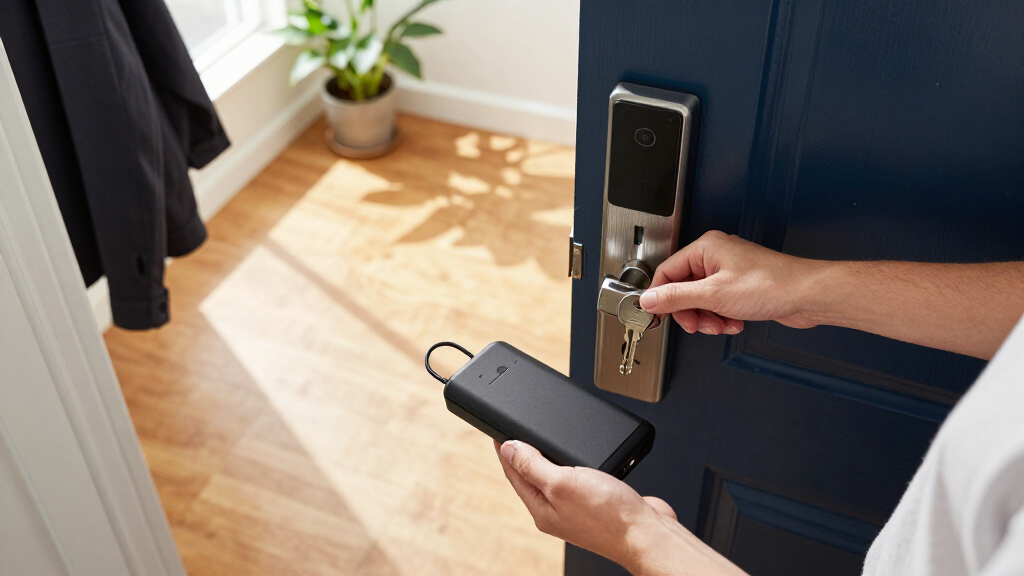
How We Picked
I ranked these locks around the specific problem behind this roundup: keeping a door usable when its normal power source is weak or depleted. I gave the most weight to clearly stated fallback access, then considered how easily household members can unlock the door, whether the lock adds fingerprint or keypad options, and whether built-in Wi-Fi reduces the need for a separate hub. I also treated weather protection, handle-versus-deadbolt format, and compatibility checks as practical parts of the decision, not decorative extras.
The order reflects how much useful information the listed features provide about everyday access and backup, not a claim that every model has the same emergency-power design. The Wyze ranks first because its product listing explicitly includes backup keys as well as fingerprint entry and Wi-Fi. Other picks earn their places through a distinct advantage, such as fingerprint access, tactile buttons, or a handle-and-deadbolt format. Where a listing does not spell out a power-failure procedure, I do not assume one: buyers should check the manufacturer’s instructions before relying on it as their sole entry method.
| smart locks with backup power | Connectivity | Entry methods |
|---|---|---|
| Wyze Auto-Lock Bolt v2 Fingerp | Wi-Fi | Fingerprint, keypad, app control, backup keys |
| Philips WiFi Keypad Door Lock | Built-in Wi-Fi | Fingerprint, keypad, app, voice commands |
| Philips Smart Lock | Wi-Fi | App, voice commands, keys, passcodes |
| Tapo Smart Wi-Fi Deadbolt Door | Wi-Fi, Bluetooth | Keypad, Bluetooth, remote app control |
| Philips WiFi Keypad Door Lock | Wi-Fi | App, keys, passcodes, voice commands |
| Yale WiFi Smart Lock Deadbolt | Wi-Fi smart module included | — |
| Tapo Smart Wi-Fi Door Lock | Wi-Fi and Bluetooth | — |
| Philips Wi-Fi Smart Deadbolt L | — | — |
| eufy Security Smart Lock C220 | — | — |
Factors to Consider When Choosing Best Smart Locks With Backup Power
Backup power can mean several different things, and the distinction matters more than the number of smart features. Before choosing a lock, match its fallback method to how you enter the home, who needs access, and whether the door is exposed to weather. These checks can prevent a lock that works well day to day from becoming difficult to open during a battery change or outage.
Separate Battery Backup From Emergency Entry
A lock may have replaceable batteries without offering a way to open it after those batteries are dead. A physical key, an external emergency power connection, and a spare battery system each solve a different problem. Read the manual for the exact low-battery and fully-depleted-battery procedures, including whether the emergency method works from outside the door. Do not assume that a USB port, if present, supplies power in the way you expect or is included on every model. For a household that cannot tolerate being locked out, favor a clearly documented backup route and keep its key or power source accessible outside the locked home.
Check the Door Before Comparing Features
Smart locks are not universal replacements for every deadbolt or handle. Measure door thickness, backset, bore hole, and the space around the existing hardware, then check the lock’s fit requirements and whether it replaces a deadbolt, adds a handle, or requires both. A handle-and-deadbolt set can offer a coordinated entry setup, but it may demand more installation work than a standalone deadbolt. Also check door alignment: a bolt that rubs against the strike plate can drain batteries faster and make keypad or app convenience irrelevant. When renting or keeping existing hardware, confirm whether installation can be reversed cleanly.
Pick an Entry Method Your Household Will Actually Use
Fingerprint recognition can speed entry for people who dislike carrying keys, but it is not a substitute for checking the backup plan. Keypads make shared access easier without giving out a physical key, though codes need careful management when guests or service providers no longer need them. A physical key remains familiar, but it can be misplaced or left inside. Consider accessibility too: tactile buttons may be easier for some users than a touchscreen, while fingerprint readers may be awkward for children or anyone whose prints do not register reliably. Choose one main method and at least one practical fallback that every regular user can operate.
Treat Wi-Fi as a Convenience, Not a Power Safeguard
Built-in Wi-Fi can support remote status checks, alerts, or access management, but it does not keep a lock powered when its batteries run down. Connectivity can also depend on the home network, app setup, and account access, so local keypad, fingerprint, or key entry still matters. Before paying extra for connected features, decide whether you need remote control or mainly want dependable entry at the door. Check which voice assistants are supported and whether the advertised functions require an additional hub or subscription. Keep a non-app entry method available for guests and for times when a phone or network is unavailable.
Account for Weather and Battery Maintenance
Exterior exposure can affect both hardware and battery life, so check the model’s stated weather protection and whether the keypad or fingerprint sensor faces rain or direct sun. Do not treat a water-resistance rating as permission to install a lock in any location; follow the maker’s placement guidance. Set a recurring battery check rather than waiting for a low-power warning, especially if the door is used often or is far from a convenient service point. Keep the recommended battery type on hand and avoid mixing old and new cells. Good maintenance reduces the chance that you will need an emergency method at all, but it does not replace one.
Spend More Only for a Feature That Changes Your Routine
Extra entry methods, a matching handle, weather protection, and remote access can justify choosing a more feature-rich lock when they solve a real household need. They add little value if everyone uses a key or keypad and the door is sheltered. A basic tactile keypad may be a better fit than a fingerprint model for a rental or a home with frequent temporary access codes. Conversely, households with hands full at the entrance may value fingerprint entry enough to prioritize it. Compare the actual backup procedure and fit first; added app features cannot compensate for a lock that does not suit the door or offer a reliable fallback.
Frequently Asked Questions
What does backup power mean on a smart lock?
It can refer to an emergency way to supply power, a physical key that bypasses the electronics, or simply replaceable batteries that are easier to maintain. Those options are not interchangeable: a key can work when the battery is fully dead, while an emergency power input may only help if you can reach it from outside. Check the product manual for the exact steps and whether the fallback works after total battery depletion. For this lineup, the Wyze listing explicitly identifies backup keys, while buyers should verify the procedure for other models rather than infer it from their smart features. Treat the fallback method as a deciding feature, not a vague label.
Is a physical key or an emergency power connection the safer backup?
Neither is universally safer; the better choice depends on how you will store and use it. A physical key offers a familiar mechanical route, but it can be lost or locked inside. An emergency power connection can avoid carrying a key, but you need the right cable or power source and must know where the connection is located. Check whether the method can be used from the exterior and whether it works with completely depleted batteries. If lockout risk is a major concern, choose a model with a clearly documented fallback and keep the necessary backup item somewhere you can reach from outside.
Will a smart lock still work if my Wi-Fi or phone is unavailable?
Many smart locks provide local entry methods such as a keypad, fingerprint reader, or physical key that do not depend on your phone being online. Remote app access and notifications may stop when the network or service is unavailable, even if local unlocking continues. Check which actions work directly at the lock and whether initial setup requires an app or internet connection. For a main entrance, pick a local method that every household member can use without a phone. Wi-Fi adds remote convenience; it should not be your only way inside.
Should I choose fingerprint access or a keypad for a household with several people?
A keypad is often simpler for sharing access because each person can use a code without enrolling a fingerprint, and temporary codes may help with visitors. Fingerprint entry can be faster for regular users who prefer not to remember a code, but everyone who relies on it must be enrolled and able to use the sensor reliably. The Wyze, Philips handle model with fingerprint, Tapo DL110, and eufy C220 offer fingerprint access in this group; the Tapo DL100 is the tactile-button alternative. Whichever main method you choose, check how to add or remove users and keep an independent fallback for anyone who cannot use that method.
How can I tell whether one of these locks will fit my door?
Start with the lock’s installation guide and compare its requirements with your door’s thickness, backset, bore hole, and existing hardware layout. Confirm whether the product is a deadbolt-only replacement or a handle-and-deadbolt set; those formats can require different preparation. Check clearance on both sides of the door and make sure the bolt aligns smoothly with the strike plate. If the door is a rental, confirm that installation does not require changes your landlord prohibits. When any measurement is unclear, verify it with the manufacturer before ordering instead of relying on the product name alone.
Conclusion
For the best overall balance, I’d choose the Wyze Auto-Lock Bolt v2 because its listed backup keys pair with fingerprint entry and Wi-Fi. For value-minded buyers, the Tapo DL100 is the more straightforward keypad-focused choice, provided its documented backup method meets your needs. For a premium-style connected setup, consider the Philips WiFi Keypad Door Lock with Handle if you want a handle set plus app and fingerprint access; confirm the door fit and battery-out procedure first. For beginners, the Yale WiFi Smart Lock is a sensible place to start if a keypad is the entry style you prefer and its installation requirements suit your door. For fingerprint-first households, compare the eufy C220 and Tapo DL110, then choose by fit, connectivity, weather exposure, and the backup method each manufacturer documents. Before committing to any model, make sure you know exactly how you will get in when its batteries are depleted.
NFL season / tailgating Picks
team gear
As an affiliate, we earn on qualifying purchases.