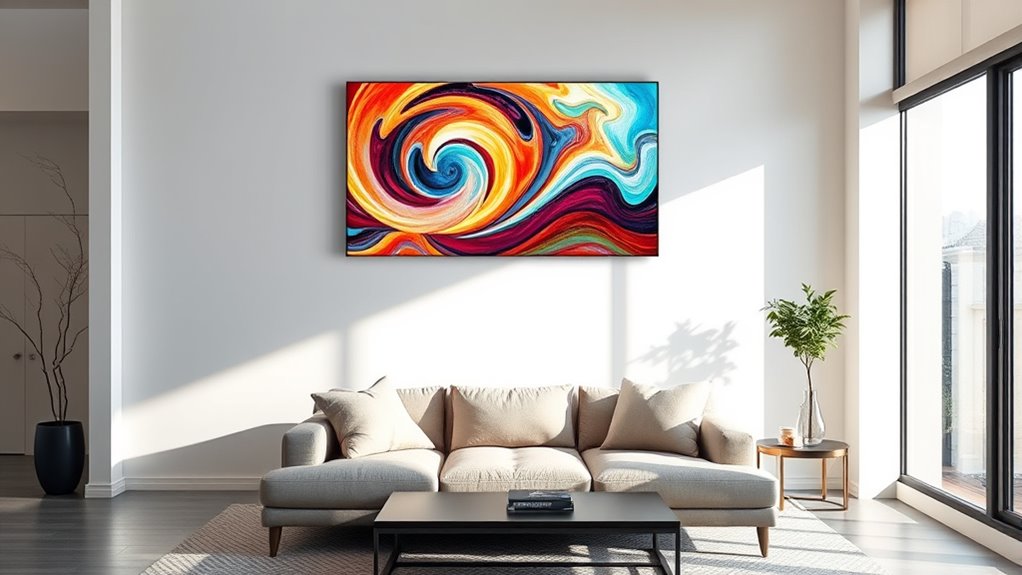

Smart wall art displays combine digital innovation with interior decor, transforming blank walls into dynamic visual centers. The best overall pick is the Canvia Smart Digital Canvas, praised for its stunning art quality and versatile display options. The Divoom Pixoo-64 stands out for its customizable pixel art and app control, making it ideal for creative users. Meanwhile, the Frameo 32-Inch offers a large, user-friendly experience for those who want easy photo sharing. Buyers often face tradeoffs between display quality, ease of use, and price—this guide will help you weigh those factors. Continue reading for a detailed breakdown of each option.

Get the little things that make your day delivered free with Prime
- Fast, free delivery on millions of items
- Prime Video, Amazon Music and more included
- Member-only deals all year
Key Takeaways
- Display quality and art realism vary significantly, with premium models offering true-to-life visuals.
- Ease of use, especially app control and interface, is a key factor influencing daily satisfaction.
- Size options range from compact to large, impacting placement flexibility and visual impact.
- More advanced displays support NFTs and custom artwork, but often at a higher price point.
- Build quality and mounting options are essential for long-term durability and setup simplicity.
| Divoom Pixoo-64 WiFi Pixel Cloud Digital Frame with APP Control |  | Best for Creative Customization and Pixel Art | Display Size: 10.3 inches | LED Panel: 64×64 pixels | Connectivity: Wi-Fi (2.4GHz) | VIEW ON AMAZON | See Our Full Breakdown |
| FANGOR 21.5″ Digital Picture Frame with 64GB, WiFi, 1920×1080 FHD IPS Display, Remote Control, Wall Mountable, Share Photos/Videos via App/USB/SD |  | Best for High-Quality Photo Viewing and Ease of Use | Display Size: 21.5 inches | Resolution: 1920×1080 | Storage: 64GB | VIEW ON AMAZON | See Our Full Breakdown |
| Frameo 32-Inch Extra Large Digital Picture Frame WiFi 64GB with Touch Screen |  | Best for Large, Interactive Displays with Easy Sharing | Display Size: 32 inches | Resolution: 1920×1080 | Memory Storage Capacity: 64GB | VIEW ON AMAZON | See Our Full Breakdown |
| SwitchBot AI Art Frame 7.3” Electronic Ink Digital Photo Frame Wireless Battery Life Alexa Compatible Wall Decor |  | Best for Low-Power, Glare-Free Art and Personal Photos | Resolution: 800 x 480 | Connectivity Technology: Bluetooth, Wi-Fi | Power Source: Battery | VIEW ON AMAZON | See Our Full Breakdown |
| Canvia Smart Digital Canvas Display and Frame |  | Best for Art Enthusiasts and NFT Displays | Display: Full HD anti-glare matte screen | Storage: 16 GB | Art Library: Over 10,000 artworks included | VIEW ON AMAZON | See Our Full Breakdown |
| Canvia Smart Digital Canvas Display and Frame – HD Art, NFTs, Personal Photos & Videos |  | Best for Premium Art Experience | Display: Full HD anti-glare matte screen | Storage: 16 GB | Art Library: Over 10,000 artworks included, plus free 500 artworks | VIEW ON AMAZON | See Our Full Breakdown |
| Uhale 21.5-Inch Digital Picture Frame WiFi with Remote Control, 1920×1080 FHD IPS Display, 64GB Storage, Supports SD/USB, Wall Mountable |  | Best for Family and Office Sharing | Display Size: 21.5 inches | Resolution: 1920×1080 | Display Type: IPS | VIEW ON AMAZON | See Our Full Breakdown |
| smart wall art display | Display Size | Resolution |
|---|---|---|
| Divoom Pixoo-64 WiFi Pixel Clo | 10.3 inches | — |
| FANGOR 21.5" Digital Picture F | 21.5 inches | 1920×1080 |
| Frameo 32-Inch Extra Large Dig | 32 inches | 1920×1080 |
| SwitchBot AI Art Frame 7.3” E | — | 800 x 480 |
| Canvia Smart Digital Canvas Di | — | — |
| Canvia Smart Digital Canvas Di | — | — |
| Uhale 21.5-Inch Digital Pictur | 21.5 inches | 1920×1080 |
More Details on Our Top Picks
Divoom Pixoo-64 WiFi Pixel Cloud Digital Frame with APP Control
This option stands out for its large 64×64 pixel LED panel, which enables highly detailed pixel art and animations, making it perfect for gaming rooms or tech-savvy decor enthusiasts. Unlike the FANGOR frame, which emphasizes high-resolution photo display, the Divoom Pixoo-64 excels in dynamic, animated content created via its dedicated app. However, it requires a continuous power source via USB and relies heavily on Wi-Fi stability, limiting standalone usability. Its real strength lies in customization and interactivity, but for those seeking a simple, plug-and-play digital frame, this may feel overly complex or limited by its connectivity needs.
Pros:- Large 64×64 pixel display for detailed animations
- Easy to create and upload pixel art via the app
- Wi-Fi connectivity enables real-time updates and cloud features
Cons:- Requires continuous power connection via USB
- Limited to Wi-Fi network range and stability
- No standalone operation without internet or app
Best for: Creative individuals or gamers wanting customizable animated displays and pixel art
Not ideal for: Users seeking a simple, standalone photo frame without internet or app dependency
- Display Size:10.3 inches
- LED Panel:64×64 pixels
- Connectivity:Wi-Fi (2.4GHz)
- Power Source:USB
- App Compatibility:Divoom app
Our verdict“This is best suited for tech-savvy users wanting a highly customizable, animated pixel art display, but less ideal for those seeking simplicity or offline use.”
This model makes the most sense for users who want a large, vibrant display capable of showcasing numerous photos and videos, thanks to its 21.5-inch FHD IPS screen and 64GB of storage. Compared to the Canvia frame, which emphasizes art and NFT integration, the FANGOR prioritizes straightforward photo sharing and viewing. Its remote control and wall-mountable design make it accessible for everyday use, but the non-touch screen and limited media sharing options may be frustrating for those wanting more direct interaction. It’s a solid choice for family photos or casual display, with some tradeoffs in interactivity and media management.
Pros:- Large 21.5-inch FHD display with anti-glare matte finish
- Ample 64GB storage for thousands of photos and videos
- Remote control operation for easy mounting and viewing
Cons:- Non-touch screen limits direct interaction
- SD card and USB support are limited to FAT32 format
- Sharing features require a learning curve through the app
Best for: Home users wanting a large, easy-to-control digital photo frame for family albums
Not ideal for: Tech enthusiasts seeking interactive touch features or NFT support
- Display Size:21.5 inches
- Resolution:1920×1080
- Storage:64GB
- Display Type:IPS
- Remote Control:Yes
Our verdict“Ideal for users seeking a sizable, straightforward digital photo display with remote control, but less suited for those wanting touch interaction or advanced sharing features.”
Frameo 32-Inch Extra Large Digital Picture Frame WiFi 64GB with Touch Screen
This 32-inch frame stands out for its touch screen and expansive 1920×1080 display, making it suitable for high-impact presentations of photos and videos. Compared with the FANGOR model, which relies on remote control, the Frameo offers intuitive touch controls and auto-rotation, enhancing user experience. However, video uploads are limited to 15 seconds, and Wi-Fi dependence means it’s not as versatile in low-connectivity environments. Its large, vivid display makes it perfect for communal spaces like offices or living rooms, especially for users who want instant sharing and easy navigation, though it demands consistent internet access.
Pros:- Large 32-inch high-definition display with vivid colors
- Supports sharing photos and videos instantly via WiFi and app
- Easy to operate with touch screen and auto-rotation
Cons:- Videos uploaded via app are limited to 15 seconds
- Requires WiFi for sharing features
- SD card and USB support may be limited to FAT32
Best for: Families or offices seeking a large, interactive digital display for sharing moments or presentations
Not ideal for: Users with unreliable Wi-Fi or those wanting a simple, non-touch frame
- Display Size:32 inches
- Resolution:1920×1080
- Memory Storage Capacity:64GB
- Touch Screen:Yes
- Connectivity Technology:Wi-Fi
Our verdict“Best suited for those wanting a sizable, easy-to-use touch display with instant sharing capabilities, but less suitable for offline or long video content.”
SwitchBot AI Art Frame 7.3” Electronic Ink Digital Photo Frame Wireless Battery Life Alexa Compatible Wall Decor
This smaller, battery-powered electronic ink frame offers a paper-like viewing experience, making it ideal for minimalistic or glare-sensitive environments. While it supports AI-generated art and personal photos via app and voice controls, its resolution of 800×480 and coarse pixel structure are less suited for detailed images or videos compared to larger, high-resolution frames like the Canvia. Its long battery life up to 2 years and wireless design provide flexibility in placement, but the low resolution and limited storage (only 10 images) restrict its use to simple displays rather than extensive galleries. Subscription fees for AI art are an additional consideration for some buyers.
Pros:- Wireless, battery-powered design for flexible placement
- Long battery life up to 2 years
- Paper-like, glare-free electronic ink display reduces blue light
Cons:- Lower resolution and coarse pixel structure
- Limited local storage of 10 images
- Requires subscription for AI art features
Best for: Wall decor enthusiasts seeking a glare-free, wirelessly controlled display with AI art, in small to medium sizes
Not ideal for: Users wanting detailed photo or video display or extensive local storage
- Resolution:800 x 480
- Connectivity Technology:Bluetooth, Wi-Fi
- Power Source:Battery
- Control Method:App, Remote, Voice
- Battery Life:Up to 2 years
Our verdict“Ideal for low-power, glare-sensitive wall decor with AI art, but not suited for detailed or extensive image galleries.”
Canvia Smart Digital Canvas Display and Frame
This pick makes the most sense for art lovers who want a sleek, high-quality display capable of showcasing fine art, NFTs, and personal videos with lifelike detail. Compared with the FANGOR frame, which emphasizes simple photo slideshows, the Canvia offers a curated art experience with customizable playlists and supports NFT integration for digital art collectors. Its anti-glare, 16:9 high-definition screen and premium hardwood finish ensure it blends seamlessly into sophisticated decor. However, it relies on a steady internet connection for streaming and updates, and internal storage is limited to 16GB, which may restrict extensive content libraries. This is ideal for collectors or users who prioritize art quality over storage capacity.Pros:- Lifelike, vibrant display with adjustable ambient light sensors
- Supports NFTs, personal photos, and videos with easy upload options
- Elegant design with premium hardwood finish
Cons:- Requires internet for streaming and updates
- Limited internal storage of 16GB
- Price may be high for casual users
Best for: Art collectors or NFT enthusiasts wanting a premium, curated digital art display
Not ideal for: Those seeking a budget-friendly or offline photo frame with large storage capacity
- Display:Full HD anti-glare matte screen
- Storage:16 GB
- Art Library:Over 10,000 artworks included
- Connectivity:Supports Google Photos, NFT, Alexa
- Materials:Premium maple hardwood
Our verdict“Perfect for art lovers and collectors seeking a high-end, immersive digital art experience, but less suitable for casual or offline use.”
Canvia Smart Digital Canvas Display and Frame – HD Art, NFTs, Personal Photos & Videos
The Canvia Smart Digital Canvas stands out for its stunning, lifelike display that makes digital art and photos look almost like physical pieces. Unlike the Uhale 21.5-inch frame, which prioritizes versatility and sharing, Canvia’s advanced HD technology ensures more vibrant, true-to-life images, making it ideal for art lovers who value visual fidelity. However, its reliance on internet connectivity and limited 16 GB storage can be limiting for users with large media libraries or those who prefer offline use. The premium maple hardwood finish adds a touch of elegance, seamlessly integrating into upscale decor. Compared to less expensive frames, Canvia’s support for NFTs and ambient light adjustment elevates the viewing experience but at a higher price point, which may not suit budget-conscious buyers.
Pros:- Lifelike, vibrant display with advanced HD technology
- Supports NFTs, personal photos, and videos with easy integration
- Elegant premium hardwood design fits upscale decor
- Adjusts images based on ambient light for optimal viewing
Cons:- Requires internet connection for streaming and NFT features
- Limited to 16 GB storage, which may be insufficient for large libraries
- Premium price may be prohibitive for some users
Best for: Collectors and art enthusiasts who want a high-fidelity display with premium aesthetics and NFT support
Not ideal for: Casual users seeking simple photo slideshows or offline functionality without ongoing internet expenses
- Display:Full HD anti-glare matte screen
- Storage:16 GB
- Art Library:Over 10,000 artworks included, plus free 500 artworks
- Connectivity:Supports Google Photos, NFT integration, and personal uploads
- Materials:Premium maple hardwood
- Supported Orientation:Vertical and horizontal
Our verdict“This frame is best suited for serious art collectors who prioritize display quality and premium design over budget and offline use.”
Uhale 21.5-Inch Digital Picture Frame WiFi with Remote Control, 1920×1080 FHD IPS Display, 64GB Storage, Supports SD/USB, Wall Mountable
The Uhale 21.5-inch digital picture frame offers a large, crisp 1920×1080 IPS display with wide 178° viewing angles, making it ideal for displaying family photos or corporate images in common areas. While the Canvia excels in art reproduction, Uhale prioritizes ease of sharing and versatility, with WiFi connectivity for quick uploads and a remote control for convenient operation. Its 64 GB of internal storage, expandable via SD or USB, supports a large volume of photos and videos, though videos are limited to 120 seconds when uploaded via the app. Unlike Canvia, it doesn’t support NFTs or ambient light adjustment but compensates with flexible placement options and a more affordable price, making it suitable for casual display needs.
Pros:- High-resolution 1920×1080 IPS display with wide viewing angles
- Supports instant sharing via WiFi and app, enabling quick updates
- Large 64GB storage with support for SD/USB expansion
- Versatile placement options including wall mount and stand
Cons:- Videos uploaded via app limited to 120 seconds, restricting longer clips
- No touch screen functionality, which could limit ease of use
- Lacks ambient light adjustments and NFT support for premium art display
Best for: Families, small offices, or commercial spaces wanting easy, instant media sharing and large screen viewing
Not ideal for: Art collectors or users seeking high-end display fidelity and NFT integration, as it focuses more on sharing than fine art reproduction
- Display Size:21.5 inches
- Resolution:1920×1080
- Display Type:IPS
- Viewing Angle:178°
- Memory Storage Capacity:64 GB
- Supported Storage:USB flash drive up to 128GB, SD card up to 128GB
Our verdict“This frame is ideal for those who need a large, easy-to-update display for family or office environments without the need for high-end art features.”

How We Picked
We selected these smart wall art displays based on a combination of performance, usability, build quality, and value. Priority was given to displays with high-resolution screens, intuitive controls, and versatile connectivity options. We also considered design aesthetics, mountability, and additional features like app compatibility and content sharing capabilities. To rank them, we balanced features against price, ensuring each product offers distinct advantages for different user needs. Our goal was to highlight options that excel in either visual quality, ease of use, or innovative features, making the lineup diverse yet practical for various buyers.Factors to Consider When Choosing Smart Wall Art Displays
Choosing the right smart wall art display involves evaluating several key factors beyond just screen size or resolution. Understanding these considerations can help prevent common pitfalls like overpaying for unnecessary features or selecting a device that doesn’t fit your decor style. The following factors will help clarify what to prioritize based on your needs, space, and budget.Display Quality and Resolution
The clarity and realism of the artwork depend heavily on resolution and display technology. Higher resolutions like 4K offer more detailed images, but may come with increased cost and power consumption. OLED or high-quality IPS screens provide better contrast and color accuracy, which matter if you want lifelike art reproduction. Cheaper models might suffice for casual use but can fall short in visual fidelity, making it essential to match display quality with your aesthetic expectations.
Ease of Use and App Compatibility
An intuitive interface and reliable app control significantly enhance the user experience. Look for displays with straightforward setup processes, responsive touchscreens, or seamless app integration. Features like remote control, scheduling, and easy photo uploads make daily interaction more enjoyable. Beware of models with complicated controls or inconsistent software updates, which can lead to frustration and decreased satisfaction over time.
Size and Mounting Options
Size impacts both visual impact and placement flexibility. Smaller displays work well in tight spaces, while larger screens create a bold focal point. Consider your wall dimensions and the viewing distance when choosing size. Mounting options matter too—some displays come with versatile mounts or stand options, while others require custom installation. Proper mounting ensures safety and preserves the aesthetics of your room.
Content Sharing and Customization Features
The ability to easily upload personal photos, videos, or NFT art can influence your satisfaction. Some displays support multiple sharing methods—via apps, USB, or SD cards—while others focus on curated art services. If you want to showcase a personal collection or experiment with digital art, prioritize models with flexible content options. Keep in mind that more advanced sharing features may add to the cost or complexity of setup.
Price and Long-Term Value
Smart wall art displays span a broad price range, from budget-friendly models to high-end digital canvases. Cheaper options may lack advanced features or have lower build quality, but they can be perfect for casual or temporary use. Premium models often boast superior display quality, extensive customization, and durability, making them suitable for long-term decor investments. Balance your budget with your expectations for performance and aesthetic longevity.
Frequently Asked Questions
Can I use my own artwork or photos on these displays?
Most smart wall art displays support personal photo uploads through dedicated apps or direct connections like USB or SD cards. Some advanced models also enable NFT integration or custom artwork, providing greater flexibility. Ensure the display you choose has compatible sharing options if customizing your content is a priority. Keep in mind that some platforms may have size or format restrictions, so check these details before purchasing.
Do smart wall art displays consume a lot of power?
Power consumption varies depending on display size and technology. Larger screens with high resolution tend to use more energy, especially if they are constantly on. Many modern displays feature sleep modes or scheduling options to reduce power use during idle times. If energy efficiency is a concern, look for models with energy-saving settings or lower wattage ratings, which can help reduce ongoing costs.
Are these displays durable enough for everyday use?
Durability depends on build quality and mounting solution. High-end models generally feature sturdy screens and robust frames designed for long-term use. Proper mounting and handling are essential to prevent damage. Cheaper or poorly mounted displays might be vulnerable to accidents or wear over time. When investing in a smart wall art display, consider models with good reviews for longevity and safety features.
Can I synchronize multiple displays in different rooms?
Many smart displays support multi-room synchronization via dedicated apps, allowing you to share or coordinate content across different screens. This feature enhances the aesthetic continuity in larger spaces or multi-room setups. However, compatibility and setup complexity can vary, so verify the manufacturer’s capabilities before purchasing if multi-room use is a priority.
What should I know about content privacy and security?
Since these displays often connect to Wi-Fi and cloud services, security is important. Choose models with reputable app security, regular firmware updates, and privacy controls. Avoid devices with poorly secured networks or limited control over shared content. Reading user reviews about software security can help determine whether a particular product handles personal data responsibly.
Conclusion
For those seeking a versatile, high-quality display that can serve as a centerpiece, the Canvia Smart Digital Canvas makes the most sense as the best overall choice. If budget is a concern but you still want impressive visuals, the Uhale 21.5-Inch Digital Picture Frame offers solid performance for a lower price. For tech enthusiasts eager to showcase NFTs or custom digital art, the Canvia HD Art & NFT Model provides cutting-edge features. Beginners or casual users should consider models with simple controls like the Frameo 32-Inch for effortless setup. Heavy art lovers or decor aficionados will appreciate the premium build and display quality of the Canvia Canvas, ensuring long-term satisfaction.
Halloween Picks
halloween
As an affiliate, we earn on qualifying purchases.