

TL;DR

Get the little things that make your day delivered free with Prime
- Fast, free delivery on millions of items
- Prime Video, Amazon Music and more included
- Member-only deals all year
A buyer’s guide compares nine Wi-Fi 7 routers, from the tri-band TP-Link Archer BE550 to dual-band entry options and the quad-band ASUS ROG Rapture GT-BE98 Pro. The guide’s recommendations depend on household device load, compatible clients, internet service and wired equipment; advertised maximum rates are not guarantees of real-world speed.
A new Wi-Fi 7 router buying guide compares nine models and names the TP-Link Archer BE550 its overall pick, citing its tri-band design and range of wired connections, as detailed in the original analysis. It also points shoppers toward the quad-band ASUS ROG Rapture GT-BE98 Pro for high-end gaming and wired setups, while positioning simpler dual-band routers as options for smaller or less demanding networks.
The models span dual-band, tri-band and quad-band configurations, with differences in the available frequency bands and Ethernet ports; shoppers can also explore AI-enabled Wi-Fi routers. The BE550 has a 2.4 GHz, 5 GHz and 6 GHz band, plus one 2.5 Gbps WAN port and four 2.5 Gbps LAN ports. The guide says it requires a separate modem or gateway for most internet services.
Among other tri-band options, the NETGEAR Nighthawk BE9300 is listed with a claimed maximum data rate of 9.3 Gbps and two 2.5G Ethernet ports, two gigabit ports and USB 3.0. The TP-Link Archer BE600 is listed with a 10 Gbps WAN/LAN port, 2.5 Gbps connections and USB 3.0. The source gives advertised maximums, which do not establish the speeds a household will experience.
The simpler options include the TP-Link Archer BE230, a dual-band Wi-Fi 7 router listed at up to 3.6 Gbps, and the NETGEAR RS140, listed at up to 5 Gbps. ASUS’s RT-BE82U is described as a dual-band model with five 2.5GbE ports. The ASUS ROG Rapture GT-BE98 Pro is the quad-band specialist, with two 6 GHz bands and an advertised maximum rate of up to 30 Gbps.
Home networking · Buyer’s guide · Updated October 2026
9 Best Wi-Fi 7 Routers
Options for faster, more adaptable home networks—from practical tri-band picks to a quad-band gaming specialist. Match the router to your devices, internet service, home layout and wired gear.
01 / Recommendations by need
Start with the job your network needs to do
The guide groups models by household and setup. Its picks reflect listed features and intended use, not side-by-side performance testing.
TP-Link Archer BE550
Tri-band configuration and five 2.5 Gbps ports make it a balanced feature mix.
NETGEAR Nighthawk BE9300
Tri-band option listed with a 9.3 Gbps maximum and two 2.5G ports, two gigabit ports and USB 3.0.
NETGEAR RS140
Dual-band choice with an advertised maximum of up to 5 Gbps.
NETGEAR RS90
Presented as a simpler fit for smaller networks and less demanding coverage needs.
TP-Link Archer BE230
Dual-band Wi-Fi 7 option listed at up to 3.6 Gbps for a straightforward upgrade.
ASUS RT-BE82U
Dual-band design with five 2.5GbE ports, without a separate 6 GHz band.
ASUS ROG Rapture GT-BE98 Pro
Quad-band specialist with two 6 GHz bands and a claimed maximum up to 30 Gbps.
TP-Link Archer BE600
Listed with a 10 Gbps WAN/LAN port, 2.5 Gbps connections and USB 3.0.
TP-Link Archer BE400
Straightforward dual-band router with EasyMesh expansion support.
02 / Capacity, at a glance
Bands and ports shape the setup
More bands and faster ports can add flexibility when compatible devices and network services can use them. They do not guarantee faster household internet.
What to match
03 / Choosing the right fit
Build the decision around your home
A Wi-Fi 7 label alone cannot tell you whether a router suits your network. Check the clients, broadband plan and wired devices you actually use.
Home layout
Floor plan, distance and interference affect what a router can deliver from room to room.
Client devices
6 GHz and other Wi-Fi 7 capabilities require compatible devices. Older clients will not gain every feature.
Modem or gateway
Confirm whether your service requires separate equipment. The BE550 needs a separate modem or gateway for most services.
Ports you can use
Multi-gig Ethernet helps only when broadband or local wired equipment can make use of it.
Device mix
Many active devices or specialized wired needs may justify comparing tri-band and quad-band models.
Price & availability
The source gives no prices or availability; check current retailer listings and router requirements.
04 / A practical buying path
Four checks before you choose
Use the listed specs to narrow options, then verify the details that determine fit in your home.
Check your service
Confirm your broadband plan, modem and gateway requirements.
Check your clients
Identify which devices support 6 GHz and Wi-Fi 7 features.
Check wired gear
Count Ethernet connections and see whether multi-gig links matter.
Compare current offers
Review prices, availability and compatibility before purchase.
The source provides no independent performance tests, prices, availability or publication date. The routers are not compared under identical devices, distances and interference. Your results depend on the home, clients, internet service and network conditions.
05 / Key questions
What the guide can—and cannot—tell you
Which router is the overall pick?
The guide names the TP-Link Archer BE550 for its tri-band setup and four 2.5 Gbps LAN ports plus a 2.5 Gbps WAN port.
Will Wi-Fi 7 make older devices faster?
Older devices can connect, but they do not gain every Wi-Fi 7 feature. Benefits depend partly on compatible client support.
Are maximum rates the speed I will get?
No. The listed maximums are specifications, not comparable real-world test results or guaranteed household speeds.
Do the routers include a modem?
The BE550 needs a separate modem or gateway for most services. Check each model’s requirements against your internet service.
Matching Router Capacity to Home Needs
The comparison highlights that a Wi-Fi 7 label alone does not determine whether a router fits a home. Band configuration and wired ports affect how a network can serve compatible wireless clients and connect devices such as computers, storage or other wired equipment. A multi-gig port may be useful where the internet service or local network can make use of it, but it does not by itself raise the speed of a slower connection.
For shoppers, the practical choice is between spending on capacity they may use and choosing a simpler setup that meets current needs. A 6 GHz band requires compatible client devices to access that band, and older devices will not receive every Wi-Fi 7 feature. The guide therefore advises weighing home layout, client devices and wired gear alongside the router’s stated maximum rate.
Products Worth Considering

Ring Alarm Pro 14-Piece Home Security Kit with Built-In eero Wi-Fi 6 Router

Bose S1 Pro+ All-in-One PA Speaker
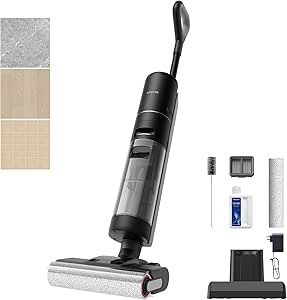
Dreame G10 Pro Wet and Dry Vacuum Mop
As an affiliate, we earn on qualifying purchases.
How the Nine Models Differ
The guide groups its recommendations by use case rather than ranking every router on one measure. It names the BE550 best overall, the NETGEAR BE9300 for large, device-busy homes, the NETGEAR RS140 for dual-band headroom, and the RS90 for smaller homes. The BE230 is presented as a wired Wi-Fi 7 upgrade, while the ASUS RT-BE82U targets households seeking several multi-gig wired connections without a separate 6 GHz band.
Its two higher-capacity alternatives serve different priorities: ASUS’s GT-BE98 Pro is aimed at gaming and wired setups, while TP-Link’s BE600 is another tri-band choice. The Archer BE400 is described as a straightforward dual-band router with EasyMesh expansion. The source also notes that some listed routers need a separate modem or gateway, a compatibility and setup detail shoppers should check before buying.
“The Archer BE550 earns the overall lead by pairing tri-band Wi-Fi 7 with a practical feature mix, rather than focusing only on extreme throughput or gaming extras.”
— The buyer’s guide
Real-World Speed Remains Unknown
The source material does not provide independent performance test results, prices, availability, or a publication date. Its maximum-rate figures are product specifications or advertised claims, not measured household outcomes. It is also unclear how the routers compare under the same conditions, such as identical client devices, distances and interference.
The best choice for an individual home cannot be determined from the listed specifications alone. The guide does not provide a home-by-home assessment of floor plans, broadband plans, or the number and capabilities of connected devices. Readers should check current pricing, modem requirements and compatibility before purchase.
Check Compatibility Before Buying
Shoppers can narrow the options by checking their internet plan, modem or gateway setup, client device support and wired connections. They should confirm whether their devices support 6 GHz or other Wi-Fi 7 features, and whether their service or local network can use multi-gig ports. Current prices and availability should also be verified with retailers, since the source gives no date or pricing information.
For a smaller network, the guide’s dual-band models offer alternatives to buying extra bands; households with many devices or specialized wired needs can compare tri-band and quad-band models. Actual performance will depend on the home and network conditions, so the listed maximum rates should be treated as specifications rather than promised results.
Key Questions
Which router does the guide recommend overall?
It names the TP-Link Archer BE550, pointing to its tri-band Wi-Fi 7 configuration and four 2.5 Gbps LAN ports alongside a 2.5 Gbps WAN port.
Does a Wi-Fi 7 router make older devices faster?
Older devices can connect, but the guide says they will not gain every Wi-Fi 7 feature. The benefits depend in part on whether client devices support the relevant capabilities.
Do the advertised maximum rates show the speed I will get at home?
No. The source lists maximum rates but does not provide comparable real-world test results. Actual performance depends on factors including devices, internet service, layout and network conditions.
Do these routers include a modem?
The guide says the BE550 requires a separate modem or gateway for most internet services, and it notes separate modem requirements for some other models. Check each router’s requirements against your service before buying.
Source: Thorsten Meyer AI