
TL;DR

Get the little things that make your day delivered free with Prime
- Fast, free delivery on millions of items
- Prime Video, Amazon Music and more included
- Member-only deals all year
Prebuilt AI workstations often save time and reduce risk with validated thermals and support, while DIY offers control and potential savings—if you’re ready to troubleshoot. The game now is about total value, not just upfront costs.
Imagine turning on a machine that’s ready to run your AI models — no fuss, no waiting. That’s the allure of a prebuilt AI workstation. But if you love tinkering, building your own can feel like crafting a custom race car. The truth? The decision is more complex than ever. With parts prices rising and quality improving in prebuilt rigs, your choice now depends on support, speed, and total cost, not just sticker price.
Whether you’re a hobbyist, researcher, or enterprise user, understanding the tradeoffs can save you time, money, and headaches. This isn’t about which is ‘better,’ but which fits your workflow best in 2026’s unique landscape.
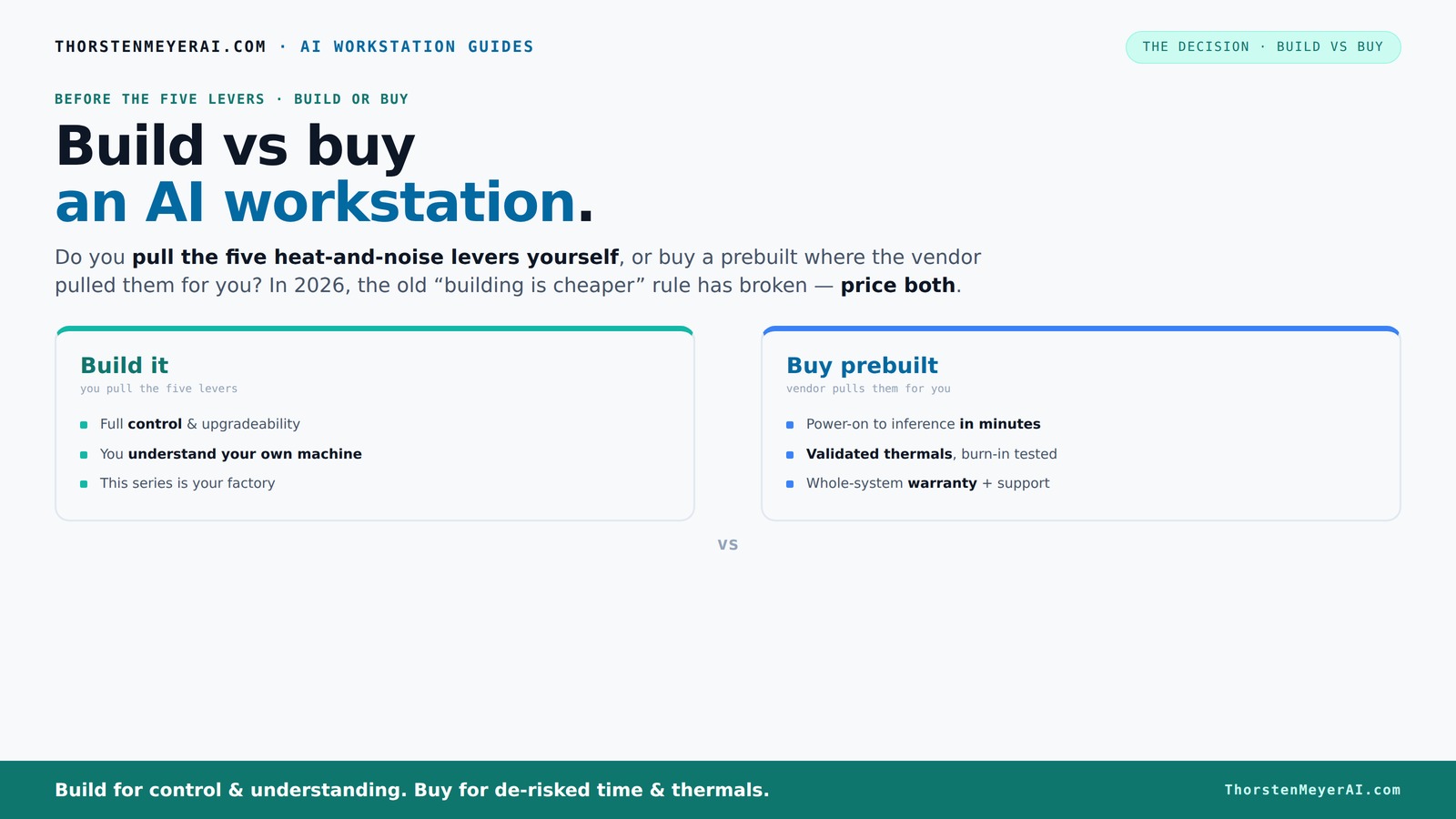
Build vs buy
an AI workstation.
The real question behind this whole series: do you pull the five heat-and-noise levers yourself, or buy a prebuilt where the vendor pulled them for you? And in 2026, the old “building is cheaper” rule has broken. Match your situation in Part 3.
Key Takeaways
- Component shortages in 2026 make prebuilt AI workstations often cheaper or equally priced compared to DIY, especially for high-end configs.
- Prebuilts save time, reduce risk, and come with validated thermals and support—ideal for quick deployment and peace of mind.
- Building your own rig offers unmatched control, upgradeability, and potential savings if you enjoy tinkering and troubleshooting.
- The decision hinges on your workflow needs: speed and support versus control and customization.
- Always price out both options for your specific setup; assumptions from previous years no longer hold in 2026.
As an affiliate, we earn on qualifying purchases.
Why 2026 Changes Everything for Build vs Buy
For years, building your own AI workstation was the clear winner on price. You could pick the exact components, upgrade later, and save a few hundred bucks. But in 2026, that story shifts. Component prices for GPUs, RAM, and SSDs have skyrocketed due to shortages and demand — often pushing DIY builds well over $1,250, sometimes more.
Meanwhile, large vendors like Lambda, BIZON, and Puget buy in bulk and optimize their systems for thermal performance and reliability. They can often offer prebuilt systems at prices that match or beat DIY, especially when factoring in the time and effort you’d spend sourcing parts and troubleshooting. This shift signifies that the traditional cost advantage of building is diminishing, making the decision less about initial expense and more about overall value and convenience.
This change forces you to consider what really matters: speed, support, upgrade paths, or upfront cost. Your decision isn’t just about dollars anymore; it’s about total value.
The Five Levers: Who Sets the Thermals and Noise?
Running heavy AI workloads heats up your machine. The five levers are: undervolting the GPU, matching cooling solutions, optimizing case airflow, tuning fan curves, and placement. Buy a prebuilt → the vendor pulls these levers for you. They validate thermals, run burn-in tests, and often include water cooling for quieter, cooler operation.
Building yourself means you control every detail but also shoulder every challenge. You pick your GPU, cooler, case, and fans, then fine-tune them. It’s rewarding but demands expertise and time. For example, a DIY builder might spend days tweaking fan curves and testing airflow, which can significantly impact thermal performance and noise levels. Proper thermal management isn’t just about comfort; it directly affects hardware longevity and performance consistency. Overlooking these aspects can lead to thermal throttling, reduced lifespan, or system instability, especially under continuous high loads common in AI tasks.
So, do you want to pull these levers or pay someone else to do it? The answer defines much of the build vs buy debate.
Prebuilt vs DIY: The Real Cost Breakdown
| Factor | Prebuilt |
|---|---|
| Price | Often competitive or cheaper due to bulk buying and tested configs. Example: A high-end AI workstation costs around $3,000–$4,000, including support and warranty. |
| Setup Time | Minutes to hours. Plug in, install OS, and start training. |
| Support & Warranty | Included. Support staff handle thermals, failures, and troubleshooting. |
| Customization | Limited to options offered by vendor; proprietary parts can limit upgrades. |
| Upgrade Flexibility | Somewhat limited; depends on proprietary components and case design. |
In contrast, a DIY build might cost less on parts—say, $2,000 for a top-tier GPU setup—but requires hours of assembly, troubleshooting, and ongoing maintenance, especially if you want the same thermal performance. You can find helpful guides at Build vs Buy a Prebuilt AI Workstation. The real tradeoff is that DIY can be more cost-effective upfront but often demands a greater investment of time and technical skill, which can translate into delays or unforeseen issues. Conversely, prebuilts offer a reliable, plug-and-play experience that minimizes downtime and technical headaches, making them attractive for those who prioritize speed and support. Given current shortages, many buyers find that prebuilts now match or beat DIY costs once the value of time, warranty, and troubleshooting support is factored in.
When a Prebuilt Is Your Best Bet
If you want to get started fast, a prebuilt works wonders. You open the box, turn it on, and your AI stack (CUDA, PyTorch, TensorFlow) is ready — no more hunting down drivers or compatibility issues.
Support and warranty are major perks. If your GPU throttles or your machine crashes during a long training run, the vendor’s support team is just a call away. Learn more about choosing the right setup at Tweedot. Systems like Lambda and BIZON test extensively before shipping, so you’re less likely to troubleshoot thermal or power issues yourself.
For multi-GPU setups or high-end configs, these vendors often include water cooling and custom power delivery, making your machine run cooler and quieter under load.
Plus, if your work depends on quick deployment, prebuilts save days or weeks of setup time. In 2026, that speed can be worth the premium.
When Building Your Own AI Workstation Makes Sense
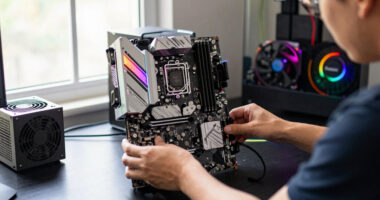
If you love tinkering, want full control, or aim to squeeze every dollar, building your own rig still shines. You can choose a quiet GPU, undervolt it to reduce heat, and pick cooling solutions tailored to your environment.
For example, a hobbyist might spend a weekend assembling a machine that matches their exact noise and thermal preferences — maybe a case with sound-dampening panels, a custom water loop, and a low-noise PSU. This approach offers upgrade flexibility, especially if you plan to expand or modify over time. Additionally, building allows you to select components based on specific performance and thermal characteristics, which can be optimized for your unique workload. This level of customization can lead to quieter, cooler, and more efficient systems tailored precisely to your needs, but it requires a good understanding of hardware compatibility and thermal management principles. The tradeoff involves time, effort, and potential troubleshooting, but for those who enjoy the process, it can be both satisfying and cost-effective in the long run.
But remember, it takes time, patience, and technical skill—plus the risk of compatibility issues and troubleshooting. If you’re comfortable with BIOS, drivers, and component selection, building remains a rewarding option.
Top Mistakes to Avoid When Choosing Between Build and Buy
- Underestimating power and cooling needs—AI workloads can push systems beyond typical specs, leading to thermal throttling or hardware failure if not properly managed.
- Ignoring VRAM requirements—training large models needs plenty of GPU memory; failing to match VRAM to workload size results in bottlenecks and reduced performance.
- Overpaying for marketing features or proprietary parts—these often don’t translate into real performance gains and can limit future upgrades.
- Forgetting future upgrades—compatibility and modular design are crucial if you want to expand or upgrade your system later without major overhaul.
- Overlooking support and warranty—DIYers need to be prepared for troubleshooting, which can be time-consuming and costly if neglected.
For instance, choosing a GPU with only 8GB VRAM might seem cost-effective initially but can severely bottleneck your training on larger datasets or models, leading to wasted time and effort. Similarly, ignoring proper case airflow can cause thermal throttling, reducing both performance and hardware lifespan. These mistakes can turn what seems like a good deal into a costly headache, emphasizing the importance of thorough planning and knowledge before committing to a build or purchase.
Your Fast-Track Decision Guide
- Assess your timeline. Need a machine tomorrow? Prebuilt wins because it’s ready to use immediately.
- Calculate total costs. Include parts, time spent building or troubleshooting, and support or warranty costs.
- Consider your technical skill. Are you comfortable troubleshooting, BIOS tuning, and component compatibility? If yes, building might suit you better.
- Think about future plans. Will you need to upgrade or expand? A build offers more control and flexibility, but at the cost of additional effort.
- Factor in support needs. Do you want vendor assistance when issues arise, or are you prepared to troubleshoot independently? This can influence the value of a prebuilt system.
In 2026’s landscape, your choice depends on how much you value speed, support, and customization, not just initial price. Understanding these tradeoffs helps you make an informed decision aligned with your workflow and long-term goals.
Frequently Asked Questions
Is a prebuilt AI workstation worth the extra money?
For most users, especially those who need to deploy quickly or lack the time for troubleshooting, prebuilts offer great value. They include support, tested thermals, and are ready to run, often making the extra cost worthwhile.
Is building cheaper than buying prebuilt?
Not necessarily in 2026. Component prices have surged, and bulk buying by vendors can make prebuilts competitive or even cheaper when factoring in your time and effort. Always price both options for your specific needs before deciding.
What specs matter most for AI workloads?
GPU VRAM is critical—aim for at least 16GB for larger models. Also, prioritize a high-quality CPU, ample RAM (64GB+ for large datasets), and fast SSDs. Cooling and power delivery are equally important for sustained performance.
Can I upgrade a prebuilt later?
It depends on the design. Many prebuilts use proprietary parts or limited space, making upgrades tricky. Check the vendor’s upgrade policy and component compatibility before buying.
How much time does it take to build and troubleshoot a custom workstation?
It varies. Expect several hours to days for assembly, BIOS tuning, and testing, especially under heavy loads. Troubleshooting thermal or compatibility issues can extend that even further. For many, the time spent outweighs the cost savings.
Conclusion
Choosing between build and buy isn’t about which is cheaper; it’s about what fits your workflow, your patience, and your goals. In 2026, the best choice depends on balancing cost, speed, and support.
Remember, a well-chosen system can accelerate your AI projects and save you headaches. Whether you build or buy, focus on what brings you the most value today, and let your work push the boundaries of what’s possible.
NFL season / tailgating Picks
team gear
As an affiliate, we earn on qualifying purchases.