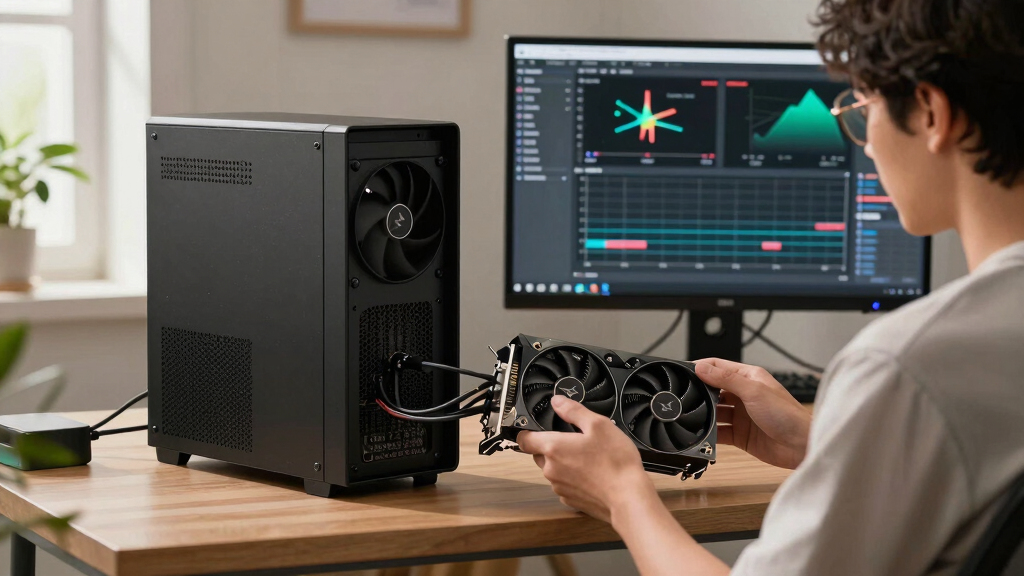

📊 Full opportunity report: Quiet GPUs for Local AI: Acoustic and Thermal Roundup on ThorstenMeyerAI.com — validation score, market gap, and execution plan.
TL;DR
This article reviews the quietest GPUs suitable for local AI workloads in 2026, emphasizing thermal efficiency and acoustic performance. Key picks include the RTX 5090 for high-end users and the RTX 5080 for mid-tier setups, with practical tips on undervolting and cooling.
In 2026, the RTX 5090 emerges as the top consumer GPU for quiet, high-performance local AI inference, thanks to its VRAM capacity and efficient cooling potential when power-capped. This marks a significant step forward for AI enthusiasts seeking powerful yet silent hardware.
The roundup evaluates GPUs based on their thermal output and noise levels under sustained AI inference loads, emphasizing the importance of undervolting and cooler design. The RTX 5090, with 32GB of GDDR7, is identified as the best overall choice for high-end local AI setups, capable of running 70B models at Q4 without offloading, provided it is paired with a high-quality cooling solution and power-capped to reduce heat.
For budget-conscious users, the RTX 4090 and used RTX 3090 remain reliable options, offering 24GB VRAM with lower power demands and heat output. The mid-tier segment highlights the RTX 5080 and RTX 4060 Ti 16GB, which excel in efficiency and noise reduction, suitable for models up to 34B. The professional-grade RTX PRO 6000 Blackwell with 96GB VRAM is also noted for dense, large-model deployments in professional environments.
Quiet GPUs
for local AI.
The GPU makes ~70% of your heat and most of your noise. But here’s the secret: the chip doesn’t decide how loud your card is — the cooler design and your power settings do. Match your VRAM tier in Part 2, then make it quiet.
Capping to 70–80% sheds a huge amount of heat for almost no inference loss — because inference is memory-bound. A capped 5090 is dramatically cooler & quieter than stock. Do this first.
Within one GPU model, partner cards differ enormously. For a single card, a large triple-fan open-air with zero-RPM idle runs slow & quiet. For multi-GPU, the calculus flips →
With room to breathe, a large triple-fan open-air cooler spreads heat across a big fin stack and runs its fans slowly. The quietest choice — what most people should buy.
Impact of Quiet GPU Choices on Local AI Workstations
Choosing GPUs optimized for low noise and heat is crucial for building sustainable, comfortable AI workstations. Power-capping and cooler design significantly influence acoustic and thermal performance, enabling quieter operation without sacrificing inference speed. This is especially important for users running AI models continuously or sitting close to their hardware, where noise and heat can be disruptive.
As AI models grow larger and more resource-intensive, selecting hardware that balances power, heat, and noise becomes vital for productivity and comfort. The ability to undervolt and use high-quality cooling solutions extends the usability and lifespan of high-performance GPUs, making this review highly relevant for both hobbyists and professional AI developers.

MINISFORUM AI X1 Pro-470 Mini PC, AMD Ryzen AI 9 HX470 (12C/24T, up to 5.2 GHz), Radeon 890M, 4K Quad-Display, Dual 2,5G LAN, Wi-Fi 7, Bluetooth 5.4, OCuLink(NO RAM/SSD/OS)
- Powerful AI Processor: AMD Ryzen AI 9 HX470, up to 5.2 GHz
- High-Performance Graphics: Integrated Radeon 890M with external support
- Ample Storage and Memory: Up to 128GB DDR5 and 12TB SSD
As an affiliate, we earn on qualifying purchases.
As an affiliate, we earn on qualifying purchases.
2026 GPU Developments and Cooling Strategies
The GPU landscape in 2026 is marked by the dominance of high-VRAM cards like the RTX 5090 and RTX PRO 6000 Blackwell, designed for intensive local AI workloads. Manufacturers emphasize cooling innovations, including large triple-fan open-air designs and zero-RPM idle modes, to manage the heat generated by these powerful cards.
Undervolting and power-capping are now standard practices to reduce heat output and noise, with many users applying these tweaks to achieve near-silent operation. The focus on thermal management reflects the ongoing challenge of balancing high computational performance with user comfort in AI workstation setups.
"Power-capping a GPU to 70–80% can dramatically reduce heat and noise, often with negligible impact on inference speed, making it essential for quiet AI workstations."
— Thorsten Meyer, AI Hardware Expert
Remaining Questions on GPU Quietness and Performance
While the review identifies optimal models and configurations, actual noise levels can vary significantly based on specific partner card designs and cooling solutions. The long-term reliability of undervolting practices and their impact on GPU lifespan under continuous AI loads remain areas for further observation. Additionally, real-world thermal performance may differ depending on case airflow and ambient conditions, which are not fully standardized across setups.
Future Developments in Quiet GPU Design and Cooling
Manufacturers are expected to introduce more advanced cooling solutions and smarter power-management features in upcoming GPU models, further reducing noise and heat output. Software tools for automatic undervolting and thermal optimization are likely to become more sophisticated, helping users achieve quieter operation with minimal manual tuning. Monitoring real-world performance and long-term reliability will continue to be key areas of focus for both industry and users.
Key Questions
Which GPU offers the best balance of performance and quiet operation in 2026?
The RTX 5090, when power-capped and paired with a high-quality cooler, provides the best balance of high inference performance and low noise levels for demanding local AI workloads.
Can older GPUs like the RTX 3090 still be used for quiet AI inference?
Yes, the used RTX 3090 remains a cost-effective option, especially when paired with undervolting and a good cooler, though it generates more heat and noise than newer models.
What cooling strategies are recommended for quiet GPU operation?
Large triple-fan open-air designs with zero-RPM idle modes, combined with undervolting and power-capping, are recommended to achieve quiet and cool operation during sustained AI inference.
How does undervolting affect GPU performance in AI workloads?
Undervolting can significantly reduce heat and noise with minimal impact on inference speed, especially since AI inference is often memory-bound rather than compute-bound.
What should I look for when choosing a GPU for a quiet AI workstation?
Prioritize models with high-quality cooling solutions, support for undervolting and power-capping, and a design that includes features like zero-RPM idle modes for minimal noise during low loads.
Source: ThorstenMeyerAI.com